
The stable version of the web browser “Firefox 160” has been released. It adds a mini-window feature that keeps part of a web page always in the foreground, as well as the ability to change video playback speed in Picture-in-Picture mode. Other additions include the ability to open a new tab by dragging and dropping from browsing history and a speech recognition feature supporting 40 languages.
Firefox 160.0, See All New Features, Updates and Fixes
https://www.firefox.com/en-US/firefox/160.0/releasenotes/
◆A “mini window” that displays web pages in the foreground has arrived
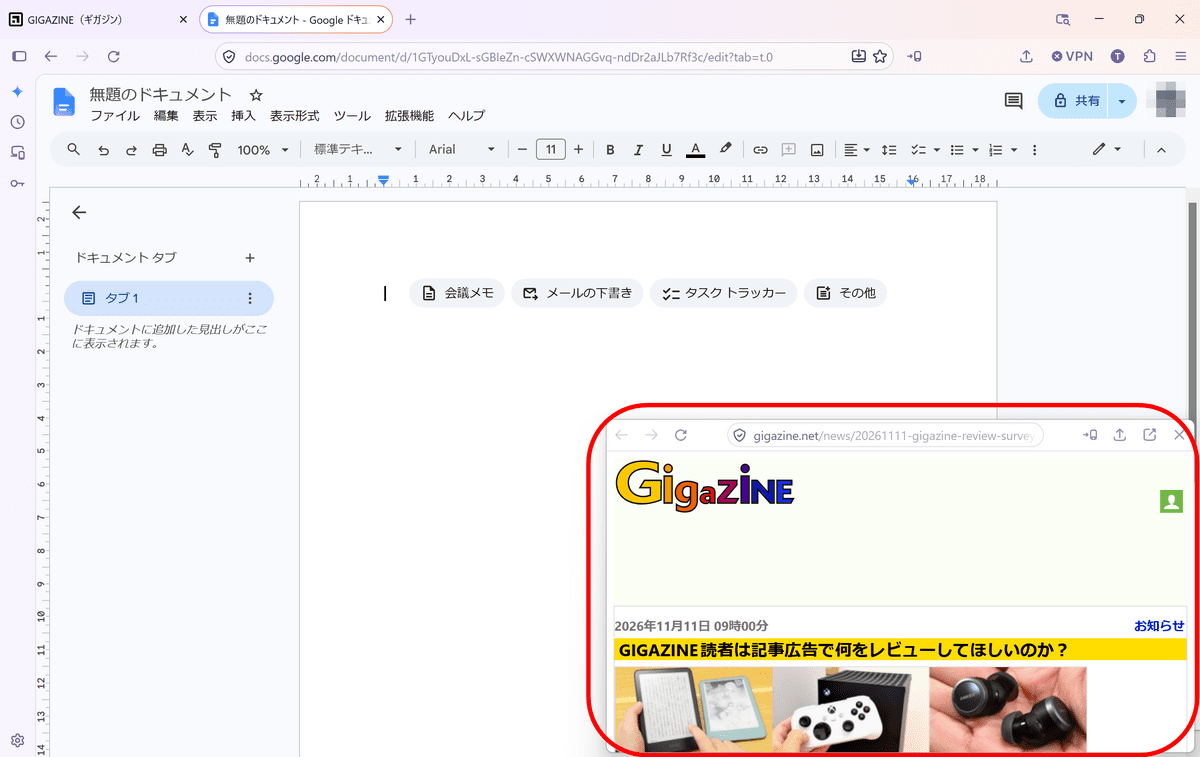
Firefox 160 adds a mini-window feature that displays an open tab or part of a web page as an independent, small window. Mini-windows are always displayed in front of other windows, allowing you to browse another page or continue other work while referring to part of a web page.
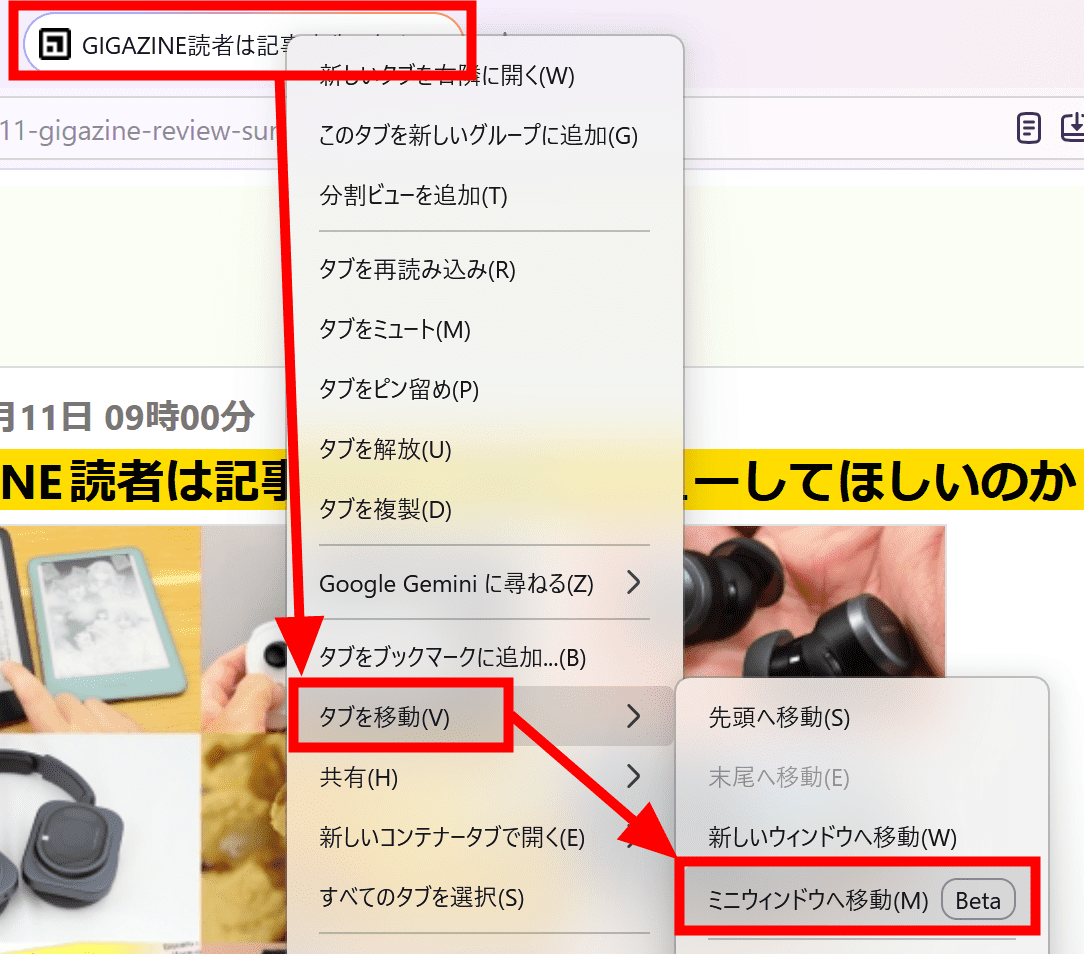
To turn a tab into a mini-window, right-click the tab, select “Move tab,” and then click “Move to Mini Window.”
This is what it looks like as a mini-window.
In addition, “Move Selection to Mini Window” has been added to the context menu displayed when right-clicking within a page.

Clicking “Move Selection to Mini Window” allows you to select part of a page and turn it into a mini-window.
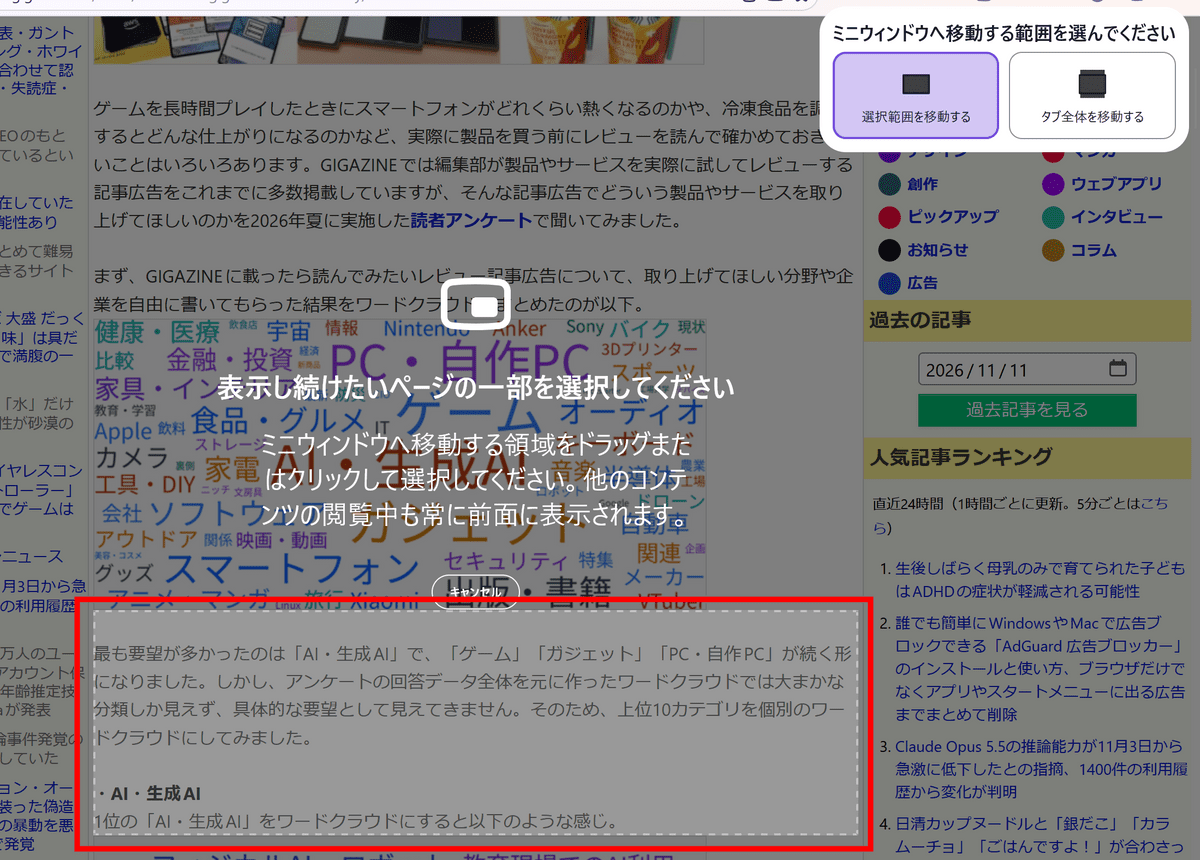
When you click part of a page, a preview appears. If everything looks correct, click “Move to Mini Window.”

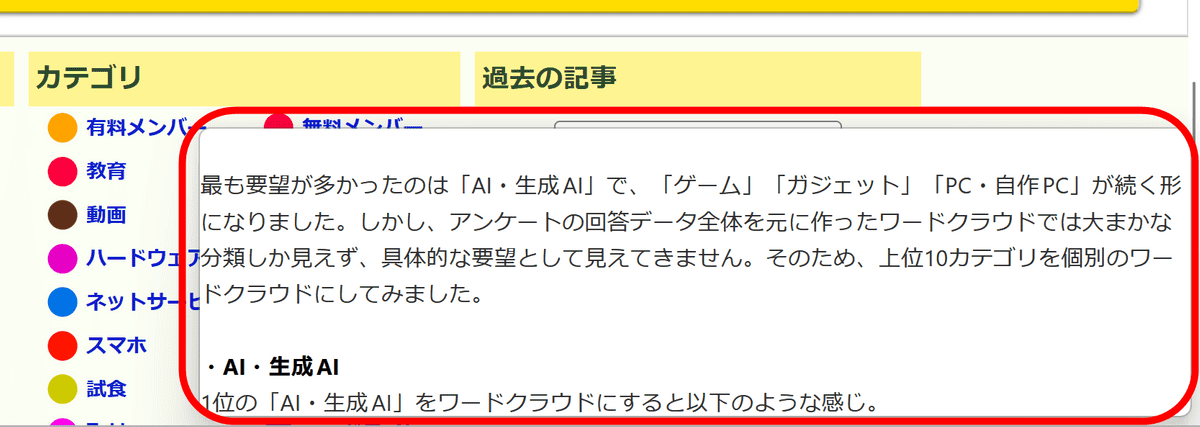
The selected area has been turned into a mini-window. The initially displayed area is only the selected portion, and you can freely scroll through the page within the mini-window.
Mini-windows are a beta feature, and Mozilla, the developer of Firefox, is collecting user feedback to help improve the feature.
◆Playback speed can now be changed in Picture-in-Picture mode
Firefox includes a Picture-in-Picture feature that displays videos in a small, independent window, allowing you to watch them while working on something else. Firefox 160 adds playback speed controls to Picture-in-Picture mode, enabling speeds ranging from 0.25× to 2.0×.
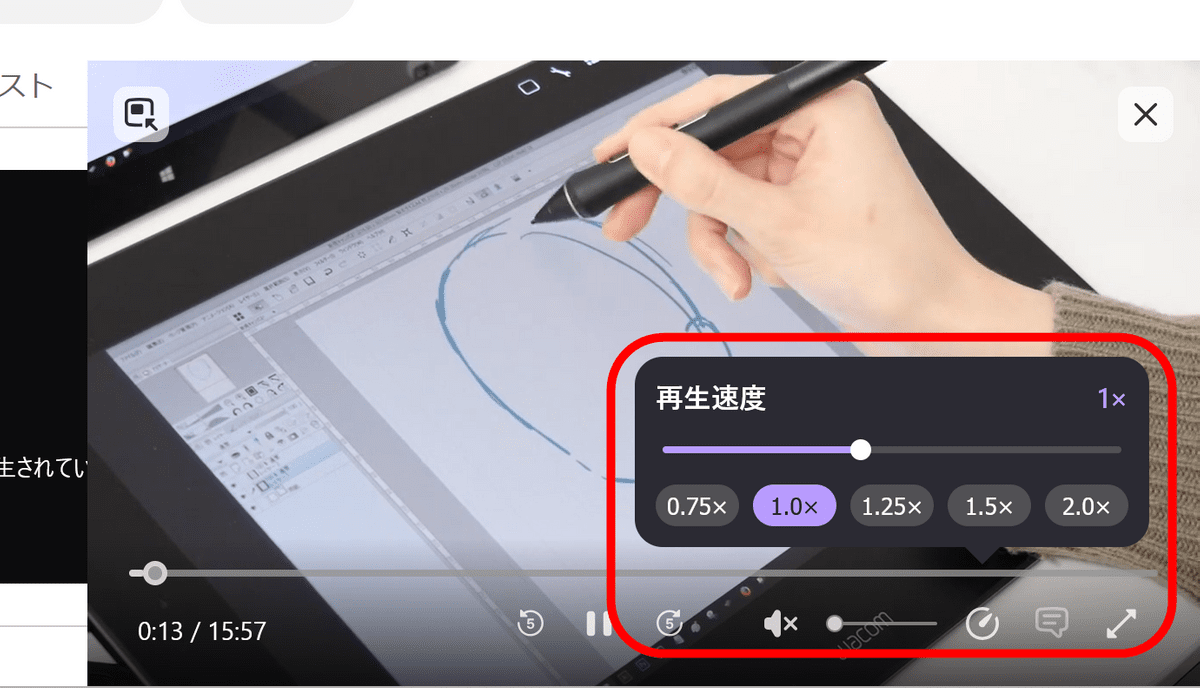
Playback speed settings are reportedly displayed only when the Picture-in-Picture window is medium-sized or larger.
◆Tabs can now be opened by dragging and dropping from browsing history
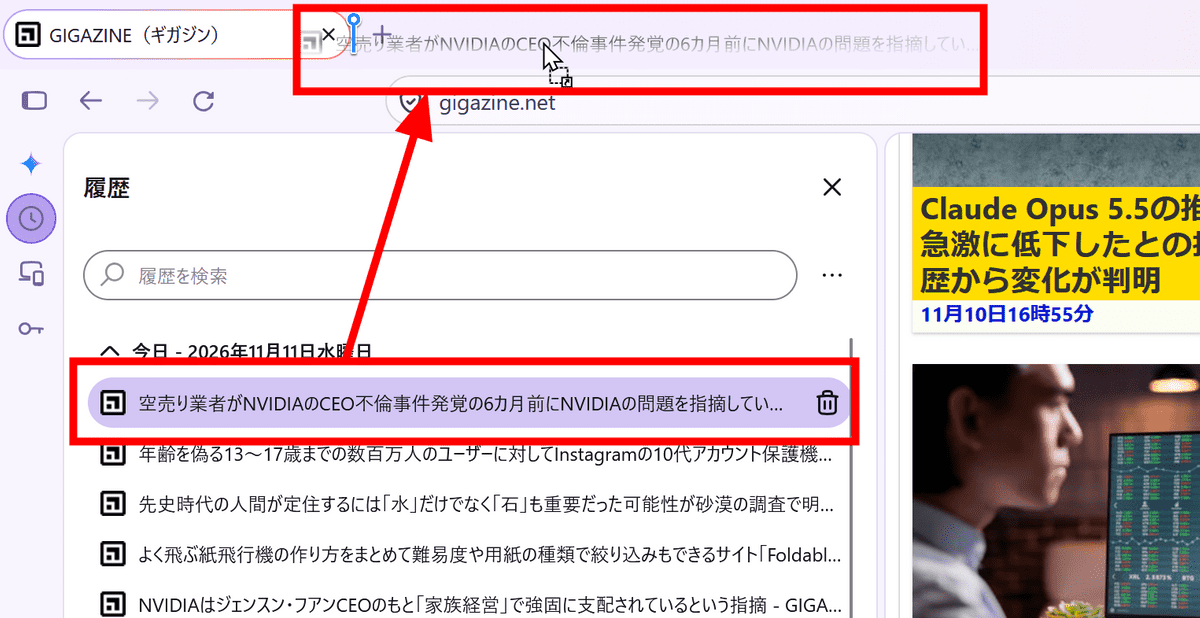
In Firefox 160, you can now open pages retained in your history in new tabs by dragging and dropping browsing history displayed in the sidebar onto the tab bar.
◆The URL bar context menu has been improved
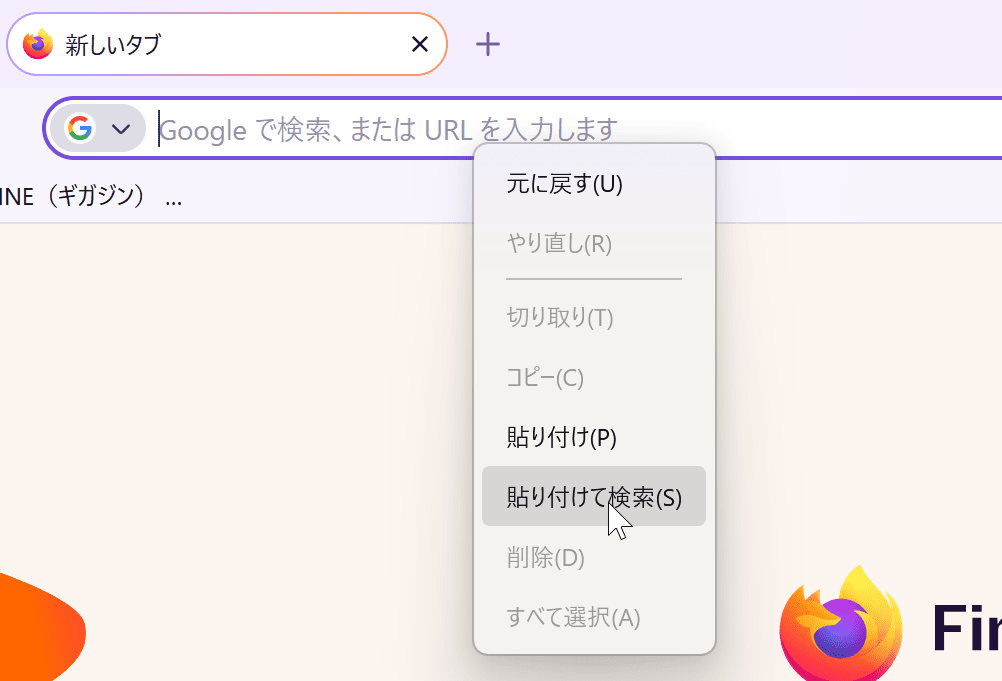
The URL bar context menu in Firefox 160 has been improved. If the string copied to the clipboard is a search term rather than a URL, “Paste and Search” is now displayed instead of “Paste and Go.”
◆Requests to handle links can now be blocked
Some websites may request that they be used as the link handler when opening links such as email addresses. Firefox 160 now includes a “Don’t allow again” button for websites that repeatedly make such requests, allowing the requests to be blocked.
◆Other updates
・The Smart Window tab organization feature, “Organize Tabs,” now supports French and can group related tabs and suggest French group names
・When webpages containing mathematical expressions written in MathML are saved as PDFs, the expressions can now be read by assistive technologies such as screen readers
・Added support for playing Matroska (MKV) files containing FLAC, MP3, and PCM audio
・Changed WebGL rendering in Firefox on macOS to use Apple’s graphics API, “Metal.” Performance has been improved on some websites
・Fixed an issue where the first character could be lost when typing quickly immediately after clicking the URL bar or search bar
・Increased the contrast between the domain name and the rest of the URL bar, making it easier to identify the website being visited
・Fixed an issue where Firefox could freeze for several seconds when logging in to internal websites that use NTLM or Kerberos authentication
・Fixed an issue where double-tapping or long-pressing a word in a text field to select it or position the cursor might not work correctly
・Fixed an issue in Firefox on macOS where Firefox would come to the foreground when a link was opened in the background from another app, such as an RSS reader
・Fixed an issue in Firefox on macOS where downloaded files would open in an app other than the default app set in Finder
・Fixed an issue in Firefox on macOS where, when configured to ask where to save every file, the save dialog would not appear for files after the first when downloading multiple files simultaneously, preventing the downloads from completing
・Fixed an issue where previewing a PDF from the macOS print dialog would not use the appropriate filename and standard save process
◆Developer updates
・Support for the SpeechRecognition interface, with real-time on-device speech recognition supporting 40 languages
・Support for the CSS pseudo-element “::-webkit-input-placeholder” as an alias for ::placeholder, improving compatibility with placeholder display
・Added a headers option to the WebTransport() constructor, allowing custom HTTP headers to be sent when connecting
・Support the `responseHeaders` property for retrieving HTTP headers returned by the server in WebTransport
・Updated WebTransport.exportKeyingMaterial() to make the `context` argument required and added an `outputLength` argument to specify the length of the exported key material
・Added `incomingMaxBufferedDatagrams` and `outgoingMaxBufferedDatagrams` to `WebTransportDatagramDuplexStream` and removed the previous non-standard properties
・Added a `datagramsReadableType` option to the `WebTransport()` constructor, allowing received datagrams to be read as a byte stream
・Support options for specifying in advance the maximum numbers of unidirectional and bidirectional streams received by WebTransport
・Changed so that the non-standard `MozScrolledAreaChanged` event is not dispatched to regular web pages
・For `runtime.PlatformInfo` in extensions, changed the value indicating the ARM64 architecture from `aarch64` to `arm64`
The following features have also been added experimentally.
・Support the `blocking="render"` attribute on `link`, `script`, and `style` elements
・Support lazy loading through the `loading="lazy"` attribute on `video` and `audio` elements
・Support specifying speculative rules through the `Speculation-Rules` HTTP response header in Nightly
・Support arithmetic methods such as `add()`, `sub()`, `mul()`, and `div()` on `CSSNumericValue` in CSS Typed OM in Nightly
・Support specifying `srgb` and `display-p3` as color spaces in Canvas 2D. However, conversion of pixel data between color spaces is not supported
In addition, Firefox 160 includesmultiple security bug fixes.
Note that the next major version, “Firefox 161,” is scheduled for release on Tuesday, November 24, 2026, local time.

