Updated on July 31, 2026 at 10:56
 © 01net
Google is bringing Nano Banana 2 to Google Earth. This unexpected pairing makes it possible to generate images from locations selected on the map. This experimental feature promises to recreate the past, imagine the future, or help visualize real estate projects, such as wind turbines. We explain how it works.
Google has just announced the arrival of Nano Banana 2, its powerful AI model built for image generation, in Google Earth. It is a rather unexpected pairing. At first, one might have wondered what generative AI could possibly be useful for in a mapping application.As Google explains, Nano Banana 2 allows users to generate images from any real-world location found on Google Earth.
Today we’re bringing AI image generation with Nano Banana to Google Earth, letting you virtually reimagine anywhere in the real world. 🍌 https://t.co/zsgvAnbYrl
For the first time, you can generate custom images using Google Earth’s satellite, aerial, and 3D imagery. 🌎 pic.twitter.com/yed45vLZOo
— Google Earth (@googleearth) July 30, 2026
Also read: Google Earth now has a flight simulator – how to use it to fly over the Earth?
Nano Banana 2 on Google Earth: what is it for?
The Mountain View giant particularly recommends that internet users “visualize the past”. For example, you can ask Nano Banana 2 to recreate the ruins of Pompeii before the volcano’s famous eruption, tour the streets of 1930s Paris, or travel through the streets of Prohibition-era Los Angeles. Google also cites more practical applications, particularly in the real estate and urban planning sector. With AI, it is easier to envision the outcome before buying a plot of land or embarking on a project to build a house or apartment.
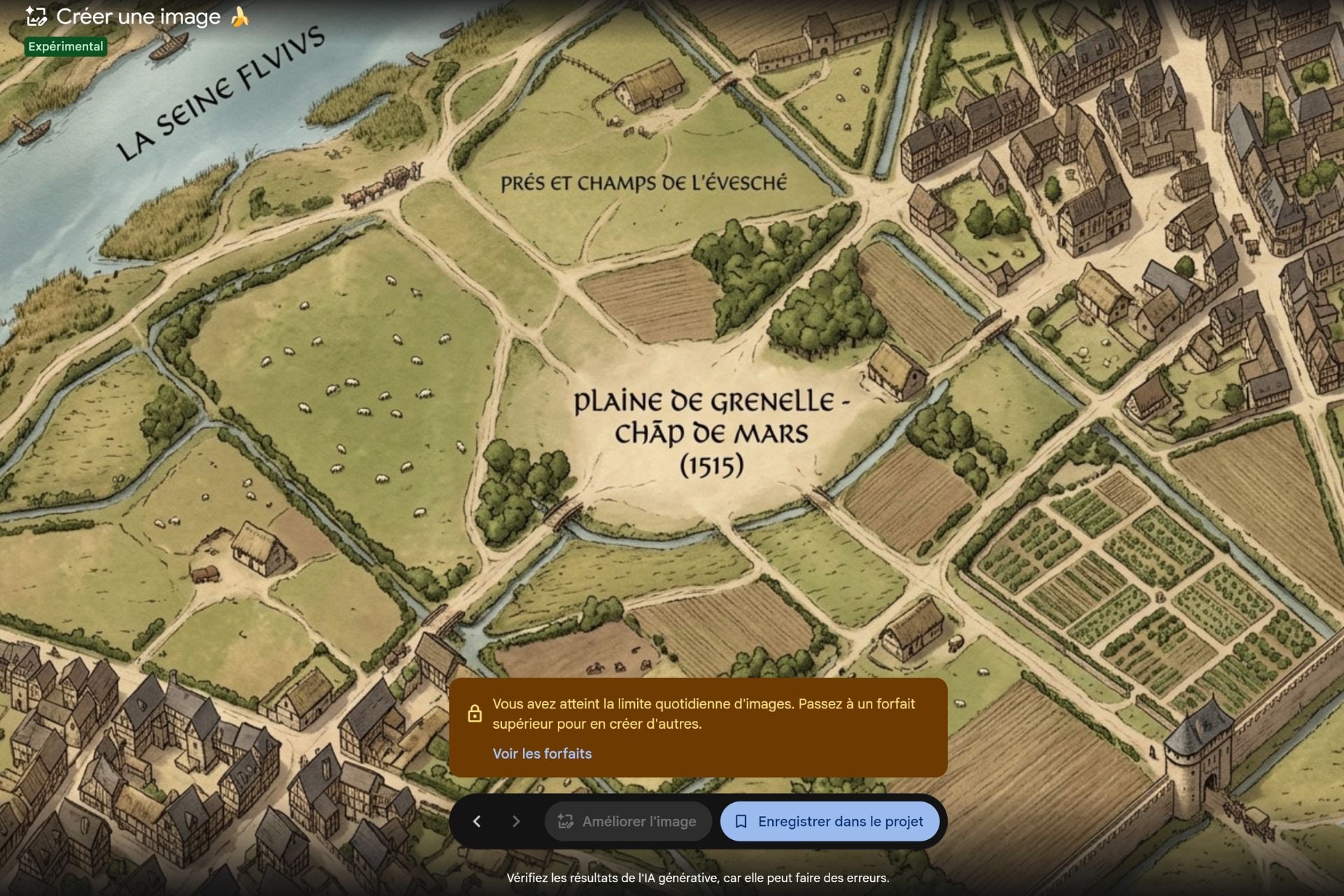 The area around the Eiffel Tower in 1515 © 01net.
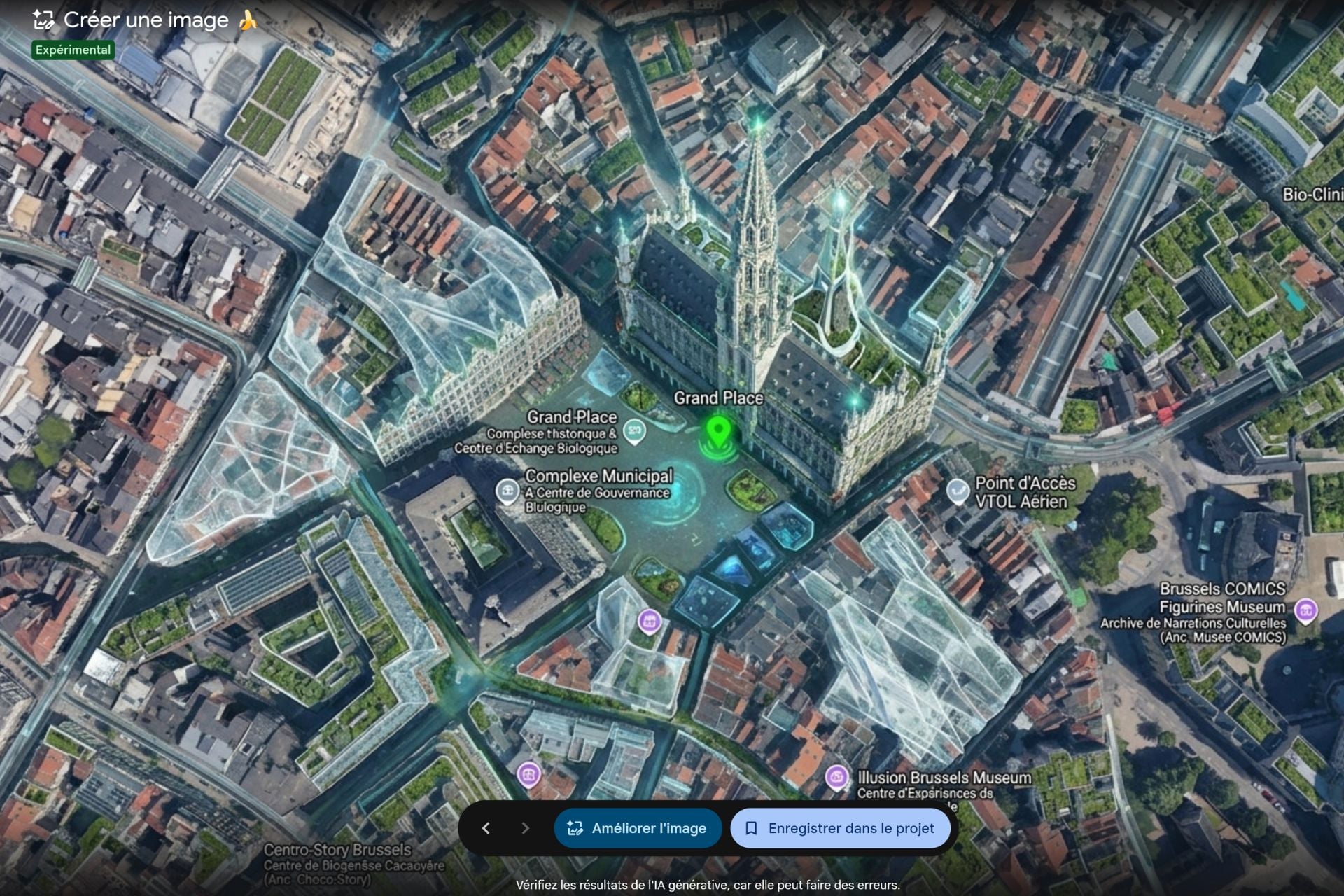
Beyond visual reconstructions, the tool can also produce educational infographics directly linked to a location.If you explore the Statue of Liberty, the Colosseum, or the Eiffel Tower in Google Earth, you can ask Gemini to generate a visual summary covering key dates, materials used, or notable historical facts.
 © 01net
Read also: Google Docs now relies on Gemini to illustrate your documents
How to generate an image with Nano Banana 2 on Google Earth?
In practice, you start by zooming in on a specific location on the map. Next, you must click the “Create image” button in the Tools category at the top of the screen. Finally, simply explain to Nano Banana 2 what it should do. You need to describe as clearly as possible what you want the AI to do with the location you have selected. If you have no ideas, Google offers a range of ready-made prompts, such as “add wind turbines”. Each generation can take up to two minutes.
Google explains that Nano Banana 2 relies on Google Earth’s satellite, aerial, and 3D data to ground its creations in geographic reality. By using all the information available to it, the generative AI will generate an image that combines realism and creativity. Once the image has been generated, you can click “Enhance image” to retouch the creation before saving it. You can adjust the result by providing new instructions.You can, for example, remove shadows or clouds from the original image, or modify details you don’t like.
This new feature is available today worldwide on the web version of Google Earth. The company does point out that this feature is experimental and subject to restrictions. For now, it is not possible to reposition the view once you have started writing your prompt for Nano Banana 2. You have to cancel the edit, move the map, and start over from the beginning, which can be rather frustrating. Furthermore, Nano Banana 2 is not yet available in the Google Earth mobile app. You absolutely have to use a computer to have some fun with AI on Google Earth. Finally, you can only generate three images per day with Gemini. For more attempts, you need to subscribe to a Google plan.
👉🏻 Follow the latest tech news in real time: add 01net to your sources on Google and subscribe to our WhatsApp channel.








- Google Play Store
- 4K Video Downloader Plus
- VLC Media Player
- Adobe Reader
- uTorrent
- WinRAR
- Xender
- Google Chrome
- CCleaner
- Mozilla Firefox
- Avast Free
- ChatGPT
- Microsoft 365
- Opera One
- Avast One







Download
- Google Play Store
- 4K Video Downloader Plus
- VLC Media Player
- Adobe Reader
- uTorrent
- WinRAR
- Xender
- Google Chrome
- CCleaner
- Mozilla Firefox
- Avast Free
- ChatGPT
- Microsoft 365
- Opera One
- Avast One