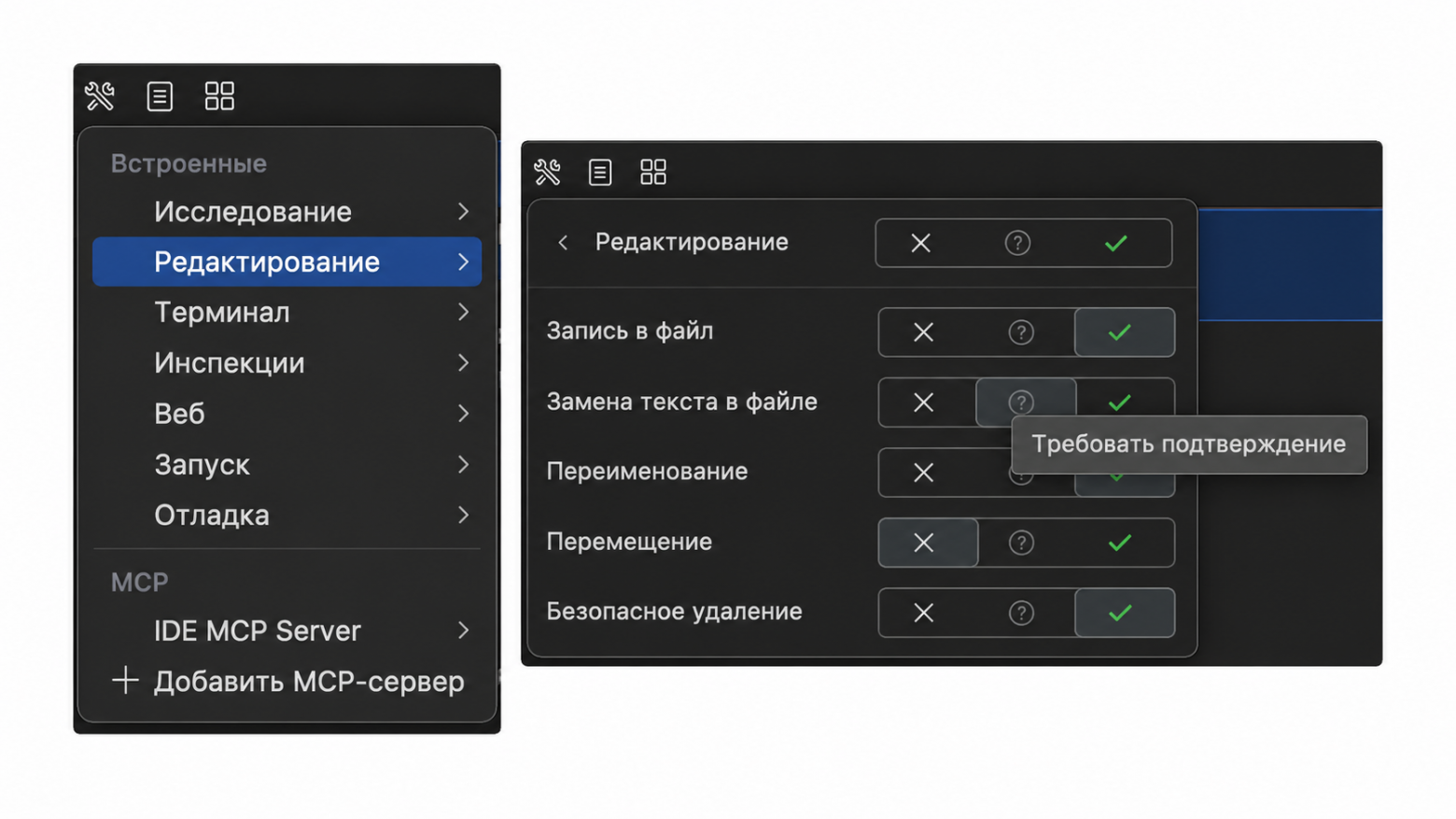
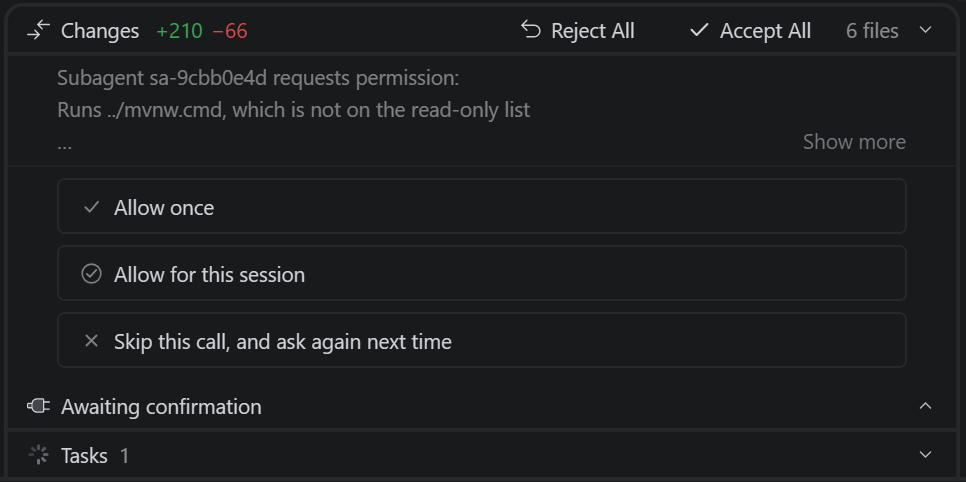
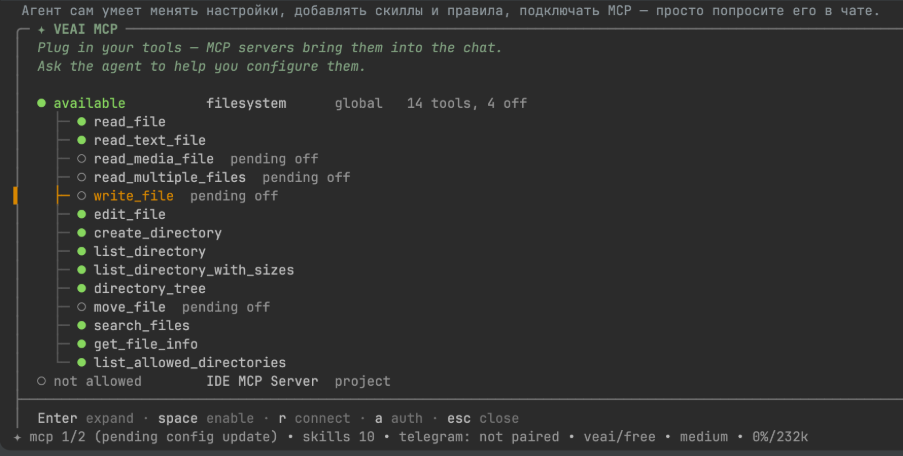
As we all understand, development does not happen in a vacuum. Integration with other services is a fundamental part of working on a project.Therefore, we added support for external connections via MCP. And it’s not just GitHub, which allows the agent to read the task description and view pull requests and commits. With MCP servers, you can connect databases, BI systems for analytics, and cloud platforms such as Yandex Cloud or Amazon Web Services. You can also connect a browser so that the agent can test the web application’s behavior.
The set of capabilities depends on the tools provided by the connected server. We made it possible to use them from the plugin, while the developer selects the required connections and grants permissions. After setup, the agent can retrieve information from these sources on its own—there is no longer any need to copy everything manually into the chat.
During plugin development, while the agent has not yet been given clear boundaries, rules, and a workflow, it may behave a little strangely (and sometimes not just a little). For example, on one project, the agent made several mistakes when working with a database. Once, an SQL query went to the wrong test environment and returned a plausible but incorrect result. The agent also repeatedly confused column names. We had to explain which database to work with and what to keep in mind when constructing queries, and then repeat everything from scratch in a new chat.
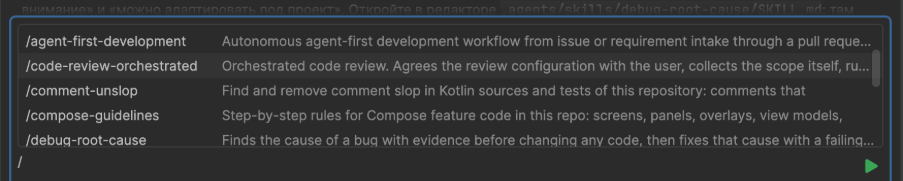
In the end, we realized that we were defining the same sequences of steps for the agent over and over again. We formalized these repeatable sequences as skills. Essentially, they are ready-made instructions: what needs to be done, in what order, and what to pay attention to.Instead of drafting a long prompt from scratch every time, a developer can use an already prepared skill. This allowed us to establish a common workflow for working with the agent so that everyone would not have to explain the same requirements in their own words. If necessary, the instructions can be supplemented and adapted for a specific project.
While working on large tasks, we also ran into the fact that a single agent does not always have enough context to handle everything at once. Therefore, we added subagents: a large task can be broken down into smaller parts, with each one assigned to a separate executor. Within the overall process, each subagent works on its own part: following the steps, invoking the necessary tools, and using connections via MCP when needed. This made it possible to distribute the work instead of trying to solve the entire task with a single agent.
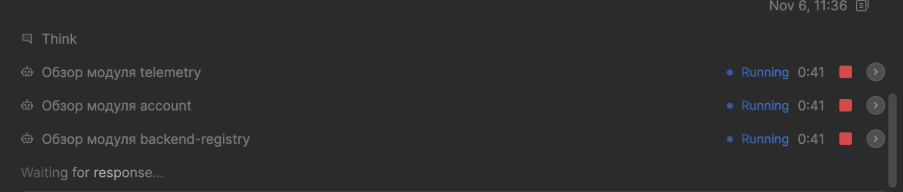
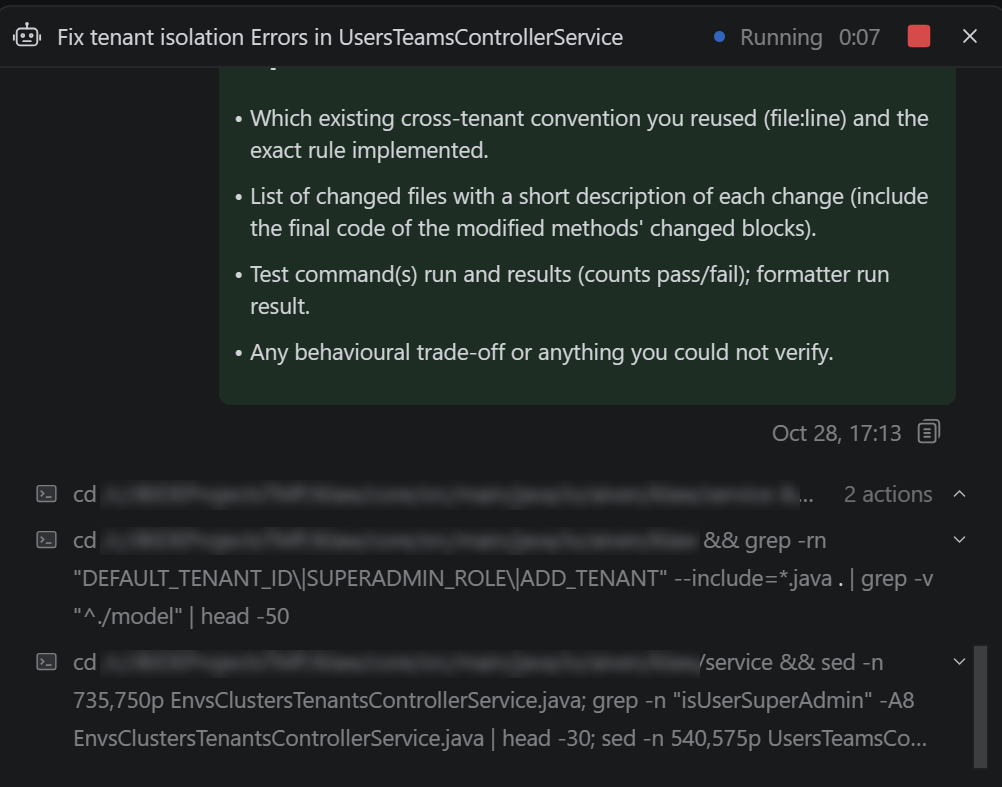
Another very useful skill that emerged from our work on projects, including the development of the plugin itself, is code review. We used as its basis the comments that our team’s developers left when reviewing colleagues’ code in pull requests. When working on the plugin itself, we most often encountered issues with multithreading and the use of the IntelliJ API.For example, long-running operations on the EDT and calls to the IntelliJ API without the required read action. These observations helped us define what the agent should pay attention to, so that developers would not have to explain the same requirements every time. Based on them, we prepared instructions that the agent follows when reviewing changes, including in the current local branch. Once we incorporated these cases into the review process, we noticed that there were far fewer such errors.
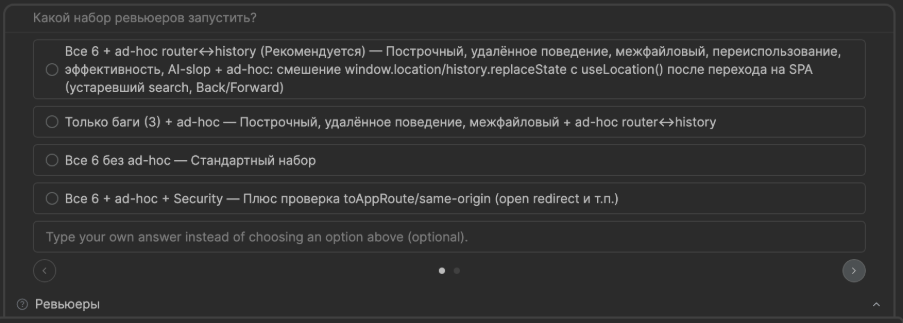
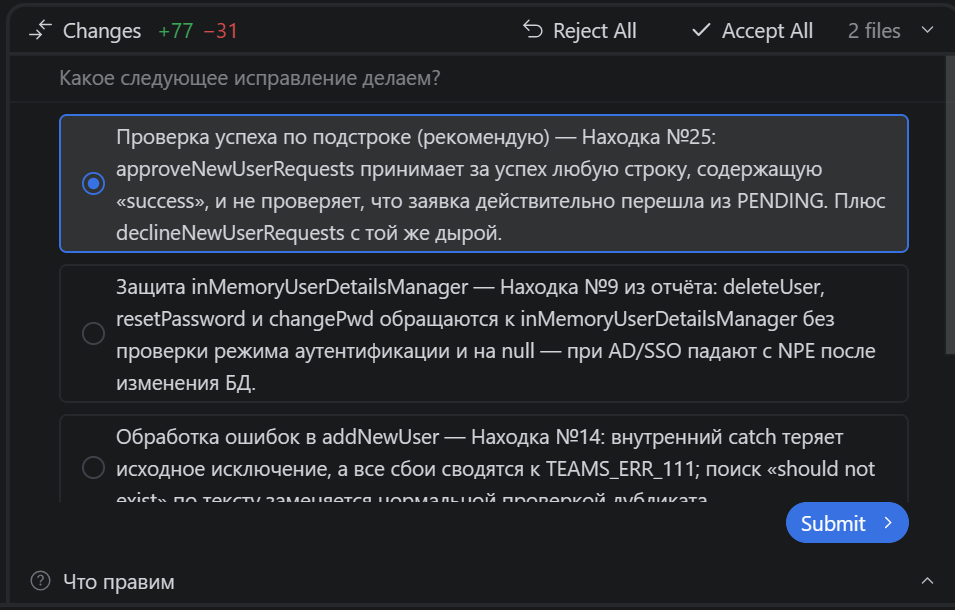
Initially, a single reviewer agent handled the reviews, but later we divided code review among several subagents with different roles. Before starting, you can select the review options you need. The subagents run the checks, and a consolidated report with the issues found and their descriptions appears at the end. You can then fix the code yourself or have the agent do it.
We repeatedly refined the code review skill on our own projects, but it can also be adapted for another team: change the review rules and add requirements important to a specific project.
To allow the agent to take into account the experience from previous tasks, we added memory — project memory. The agent records useful information in local storage and uses it even in a new chat. The language model decides what to save, but it does so according to rules we wrote in advance. For example, it may remember constraints specified by a developer.If the agent spent a long time fixing a bug or troubleshooting a test, the solution it found may also be saved to memory. A developer can also explicitly ask it to record the necessary information in memory. However, according to the rule, credentials must not be saved. This means there is less need to explain things again, and it is easier for the agent not to run into the same pitfalls again.

Separately, we established a mechanism for sharing context between developers through specifications in the repository. The practice of specification-driven development itself had existed long before we created the AI agent, but once code writing was delegated to the task description, we began paying more attention to it. We kept refining this process. Now work on each feature starts with a specification: the developer writes it together with the agent and creates a separate pull request. Another developer reviews and approves the document, and only then does implementation begin. It is easier to review a specification than finished code, so we try to agree on everything upfront. Decisions and clarifications are also recorded in the repository, so it is clear what has already been done. For example, in web development, the backend developer describes the changes, and the frontend developer reads them and uses them in their part of the project.
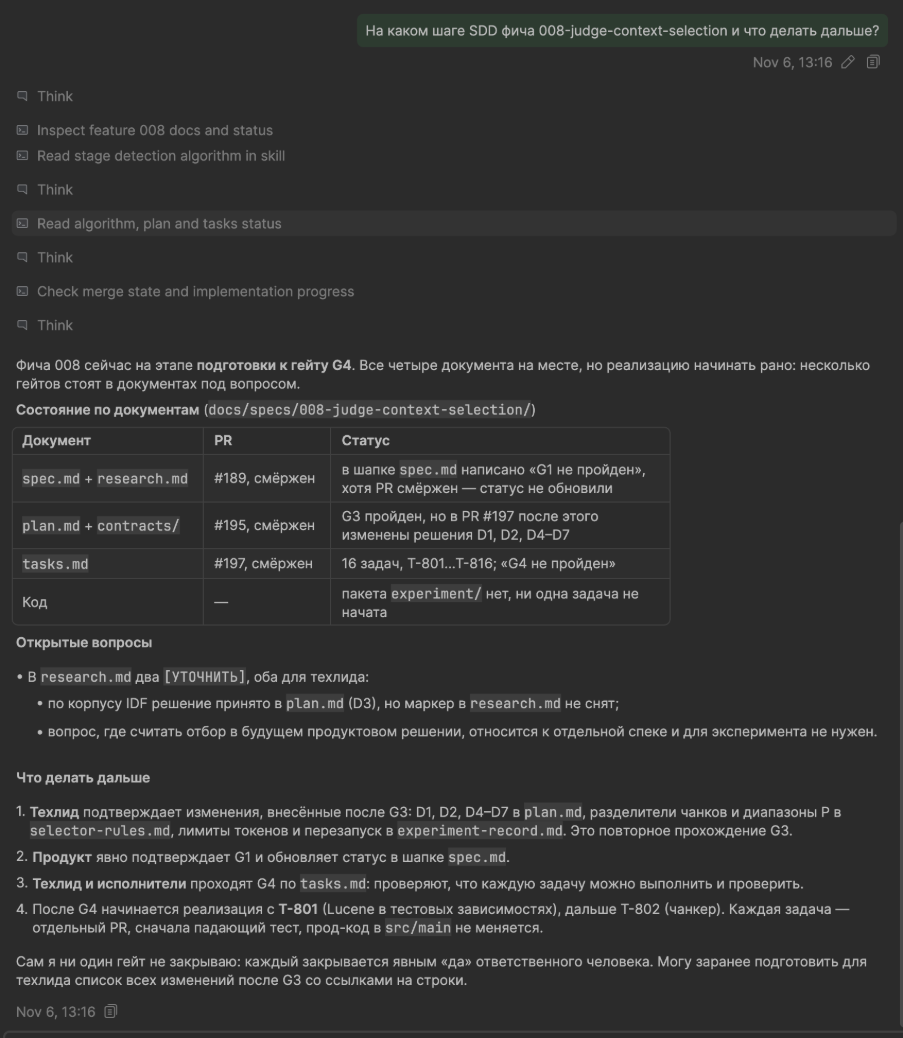
At the same time, we continuously refined the interface based on user feedback and our own experience—because we ourselves used the plugin and noticed what was inconvenient.For example, previously, images and files were attached separately from the message text. We changed this so that an attachment link can be inserted directly at the relevant place in the prompt, next to the explanation. This makes it easier to show which image or file a specific request relates to, especially when the message contains multiple attachments.
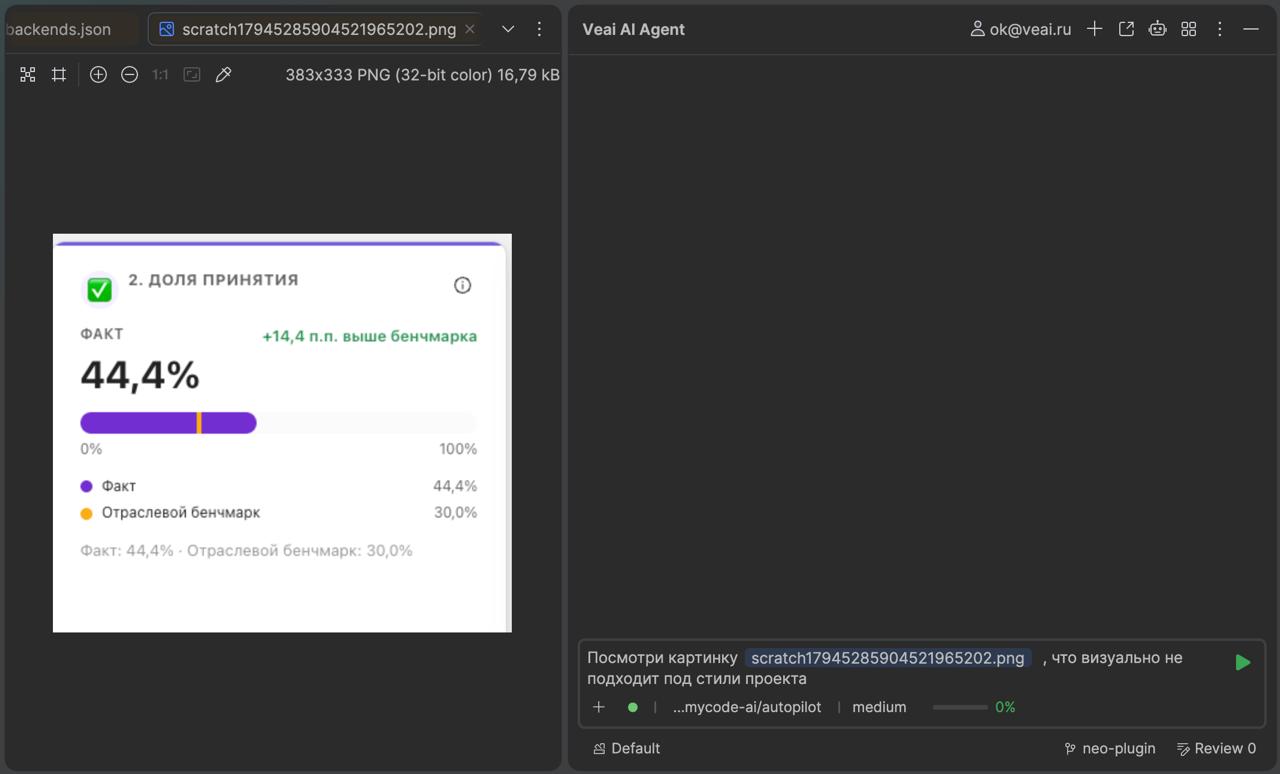
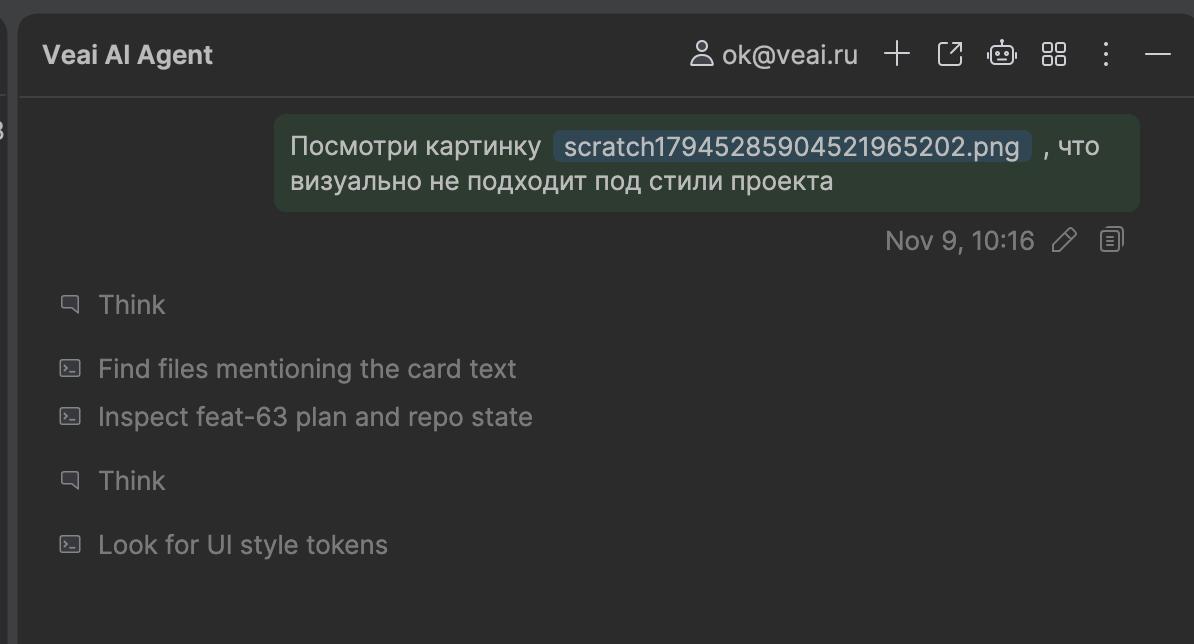
We have also added “sticky” messages. When the agent takes a long time to respond, the original request remains at the top instead of getting lost beneath another block of text. Now there is no need to scroll back through the conversation to remember exactly what was requested.
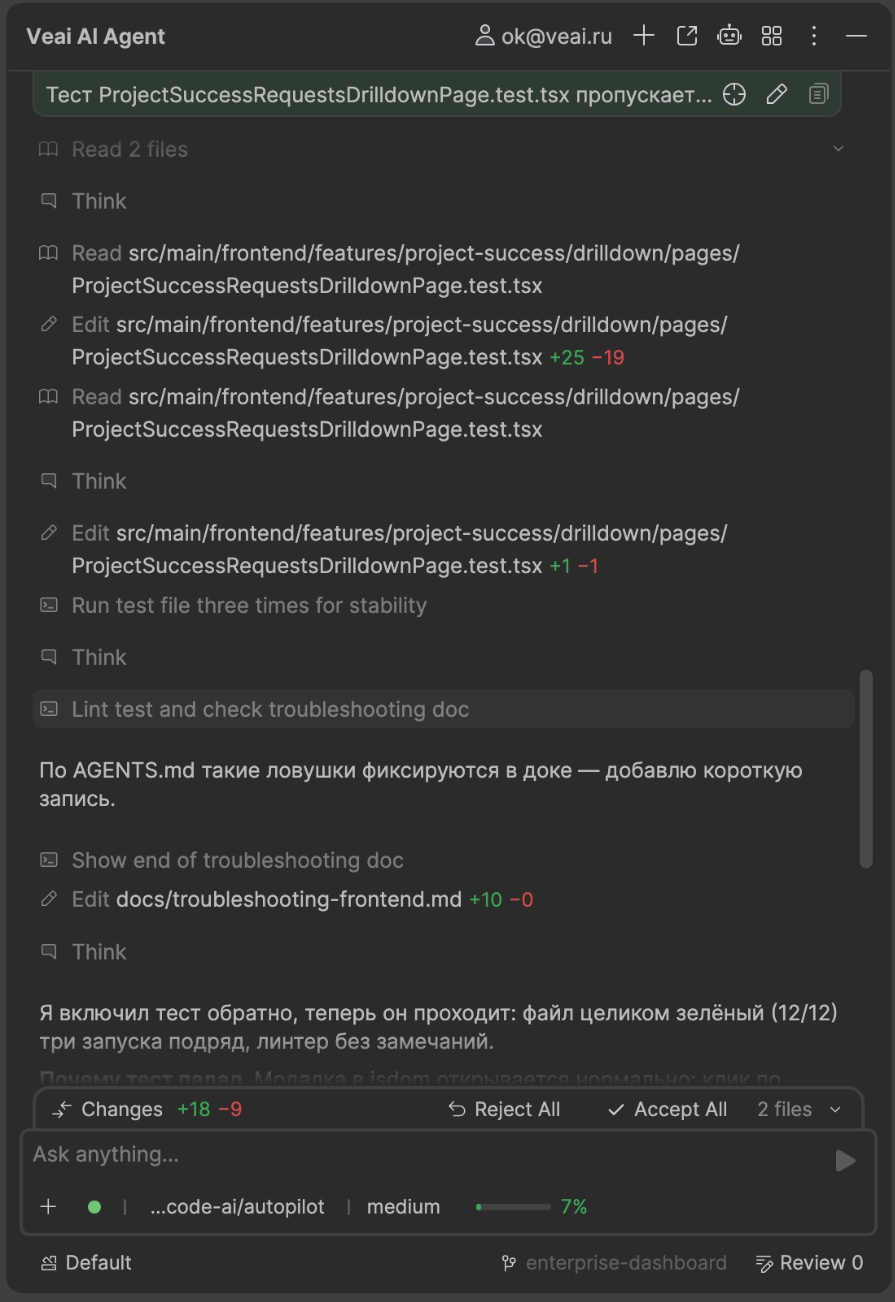
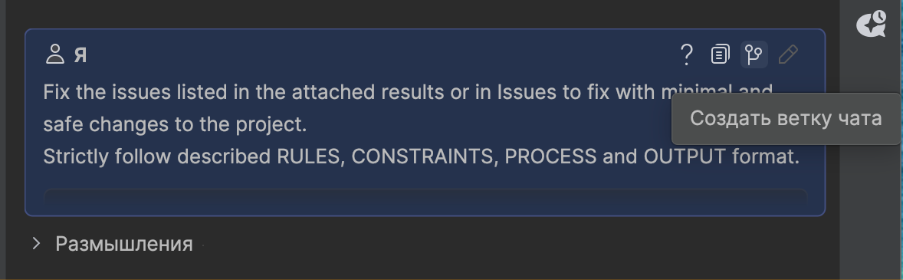
There is now also the option to create a separate chat branch while preserving the previous history. If another idea comes up during the work, you can continue the discussion in a new branch. The context already shared is preserved.
Going beyond IntelliJ IDEA
The next step was going beyond IntelliJ IDEA. Our company has more than just developers. Marketers and managers are also interested in the agent’s capabilities, but they have no need to install and learn an IDE for their tasks.This raised the question: can the same tools be used without a development environment?
In June 2026, we began reworking the product and decided to separate the agent logic from the plugin interface. A standalone terminal version—the CLI—has now been released. It can be run without an IDE, and you can communicate with the agent in plain text. It provides all the same capabilities: working with files, writing and checking code, running tests, skills, rules, and connections via MCP. You can choose language models and distribute tasks among subagents.
But the CLI will also be useful to those who do not write code at all. For example, a marketer can ask it to research competitors’ websites, compare products, and prepare a table with sources. An analyst can consolidate data from several files and identify discrepancies. A product manager can group user reviews, while a project manager can prepare a task summary. Such assignments can be described in plain language, using the files available to the agent and the connected sources.
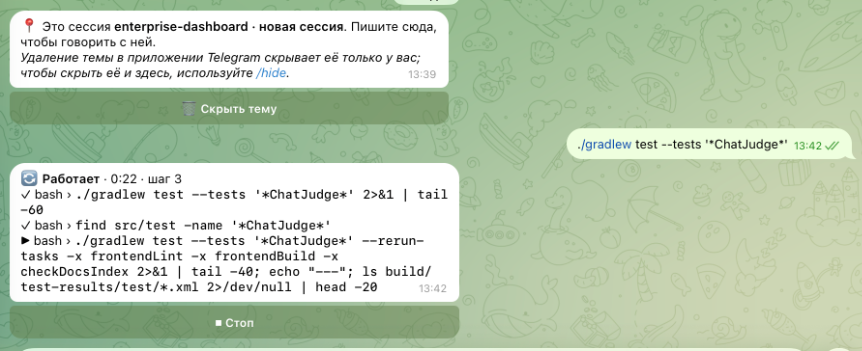
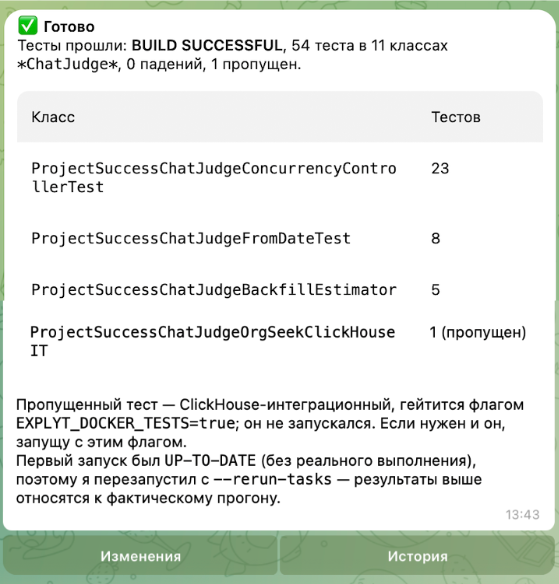
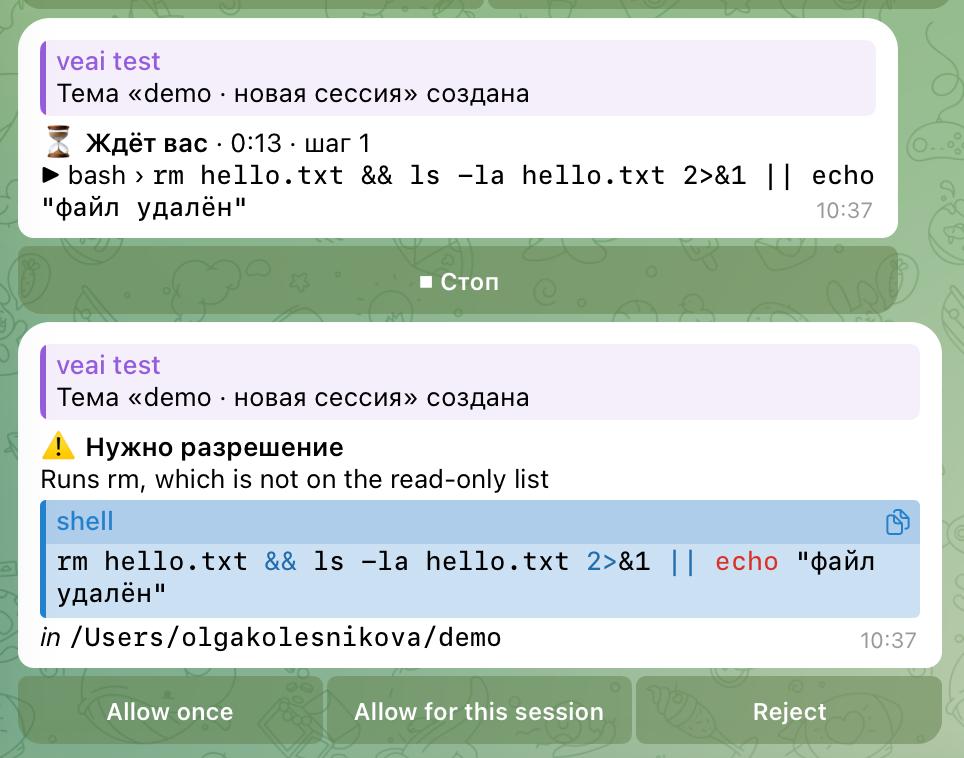
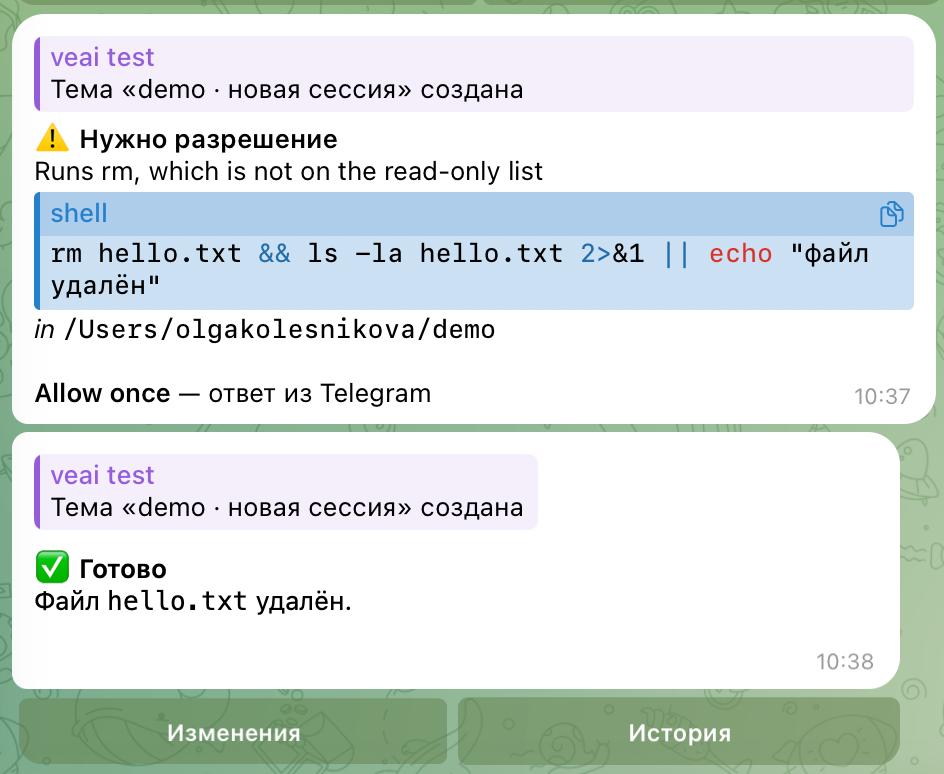
A separate feature is control via Telegram. After setting up your own bot, you can connect to a session that is already running, send tasks, receive results, and answer the agent’s questions. Permission requests come directly to the messenger, so you can approve or deny an action from your phone. Each session has its own topic in the chat with the bot.
In the future, we plan to create a separate product for marketers, product managers, analysts, and other specialists. It will be a standalone application that runs on top of our agent. We will design the interface around their needs so that the agent is easy to use, even for those who are far from development.
What has changed in the team’s work?
Now let’s look at the advantages and disadvantages we noticed after introducing the agent. The most anticipated and planned benefit is faster development. We now spend 3–5 times less time on some technically complex tasks, and many bugs are often resolved by the agent with just one prompt. To assess the changes, we analyzed pull requests over two periods: more than 500 from January 2025 to June 2026, before the introduction of the updated methodology for working with agents, and around 250 after June 2026.For comparison, we identified the features that the development team rated as medium and large and looked at the time from taking a task into work (assigning an owner and including it in an iteration) until its appearance in a public release.
Among the positive changes that cannot be captured by metrics is a transformation in developers’ thinking. Developers began thinking more strategically. Previously, a great deal of attention went to the technical implementation: you had to write concise, clear code. Now, an agent writes almost all the code, and preparing the specification has become the developer’s most important task. You need to think in advance about how the function should work, what the user will see, and what actions they will need to take. On our team, attention has noticeably shifted toward UX/UI.
However beautiful the code may be, users do not see it. But they immediately notice if they have to go on a small quest to perform a simple action. Therefore, we began paying more attention to the convenience of the interface and a clear user journey so that it would be easy for a person to reach the target action.
Now for the downsides. The codebase has begun to expand. Previously, developers tried to write neatly and concisely, while the agent sometimes behaves like a paranoid: it tries to anticipate many situations that could never arise in our task. Each one results in an additional check or separate handling. Therefore, a developer needs to check the written code and conduct a code review in a timely manner.
And yes, there is one more downside — the agent has no critical thinking of its own. Therefore, it does not always notice when it is time to stop and refactor.The developer must notice poor decisions themselves and refactor the code in time so that the agent does not continue extending it in the same way. This is still the human’s responsibility.
What remains for the human?
Now let’s talk about what remains for the human when, for the most part, the agent can perform nearly all the main actions. To answer this question, let’s go through the entire process of working on a new feature.
As we mentioned earlier, one of the developer’s main tasks nowadays is to write the specification correctly. The agent helps with this as well. First, the developer briefly describes the feature and asks the agent to interview him. The agent asks clarifying questions: how everything should work, what happens in different situations, and what the constraints are. Based on the answers, it creates the first draft of the specification. Then the developer asks a subagent to review the document, considers the comments, and makes edits. After that, he reads the specification himself.
If the task requires a separate architecture plan, we ask for it to be prepared based on the completed specification. This plan is also reviewed. We send the specification itself in a pull request so that another developer can review and approve it. Only after approval do we assign the task to the agent for implementation. Our principle still applies here: it is easier to review a specification than to rework finished code later.
Next, the agent writes the code and creates and runs unit and integration tests. The checks are already happening during implementation. But this is not a reason to minimize your IDE and return only when the feature is ready. The developer still needs to monitor what the agent is writing: whether unnecessary checks are causing the code to balloon, and whether it is complicating a section that would be better rewritten.Therefore, we need to stop in time, conduct code reviews, and decide where refactoring is needed.
Once the implementation is complete and the automated checks have passed, manual testing remains. Through MCP, we can connect a browser and ask the agent to work through some of the scenarios. However, we still evaluate the final result ourselves. We check whether the new feature is easy to use, whether the buttons and messages are clear, and whether it is easy to follow the path to the desired action. For a web application, we check the layout on a computer, phone, and tablet to make sure nothing has shifted and that elements do not overlap.
If something does not work as intended, we describe the problem and send the task back for revision. This applies to both technical errors and the interface. After the fixes, we check the result again. We deploy the changes ourselves or assign the task to the agent if it has the necessary tools and the required permissions.
After the release, the work is not finished. We gather feedback and observe how people use the new feature. Everything may have seemed obvious to the developer: they designed the scenario themselves and know where to click. A user is seeing the screen for the first time and may well get confused in places we did not anticipate. We turn such comments into new tasks, assign the fixes to the agent, and check the result again. Support and further product development remain under the team’s control.
So, developers still have quite a lot of work to do. They need to formulate the task correctly, review the specification and plan, monitor the implementation, make sure the codebase does not grow out of control, and make decisions about refactoring. Then they need to test the application’s behavior and interface, organize the production deployment, and address the feedback.Many activities can be delegated, but we still have to evaluate the results and decide what to do next ourselves.
The same applies to marketing and analytics. An agent can help gather information about competitors, suggest target audience options, and identify platforms for promotion. However, a person must validate these assumptions, choose a direction, and align all of this with the product’s objectives. It is not yet possible to fully delegate product development and promotion to an agent without human involvement.
For us, an AI agent is simply a development tool.It cannot be considered a full-fledged employee. It can take on a large volume of work, but it still needs someone to assign the task, check the execution, and make the final decision. The developer remains the lead orchestrator—even if they personally write fewer and fewer lines of code.