Under the hood is everything found in any manufacturing operation:
“Who does what” tasks: buy, order, make, design, with photos and deadlines;
work orders and operations for a product;
warehouse: incoming stock, issuance, material reservations for work orders, storage locations;
tools tracked individually, with their history and current holder;
drawings and documents with revisions;
production comments, shortages, and purchase requests.
Everyone sees their own part. The system has 11 roles: owner, administrator, designer, process engineer, dispatcher, shop-floor worker, warehouse staff, buyer, assembler, director, and a separate role for an AI agent. Permissions are assigned by action: “create a task,” “reserve material,” “approve a revision.” A new role can be assembled from existing permissions without changing the code.
There are also personal tasks. Only the author and assignee can see them; even the system owner cannot. They do not appear in summaries or chains.
A task is born in the workshop
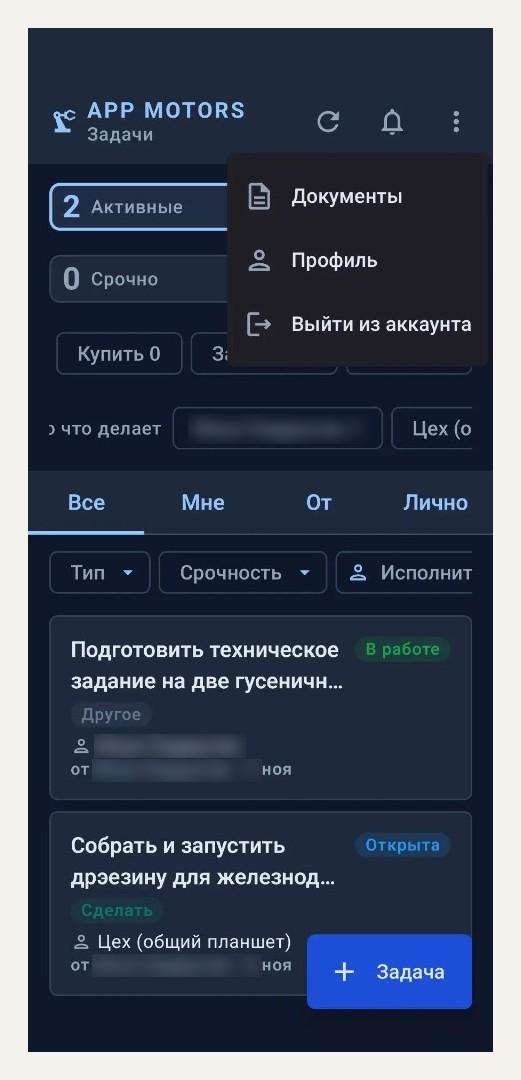
That is what I built all this for. I go into the workshop to discuss something quickly, and during the conversation, a question for the designer comes up. Previously, I would have written it on a piece of paper, carried it to the office, sat down at the computer, and written to the designer—if I hadn’t forgotten.Right now, I pull out my phone and dictate the task right there.
The phone recognizes the speech, and the “Parse with AI” button breaks down what was said into fields: title, description, type, urgency, deadline, and assignee. In testing, a phrase like “to the designer by Friday, urgent, …” became a task with the type “Design,” urgency “Urgent,” a deadline of Friday at 23:59, and the right designer in the assignee field. I check that everything is correct and tap “Create.” It takes just a few seconds, and I haven’t even left the workshop.
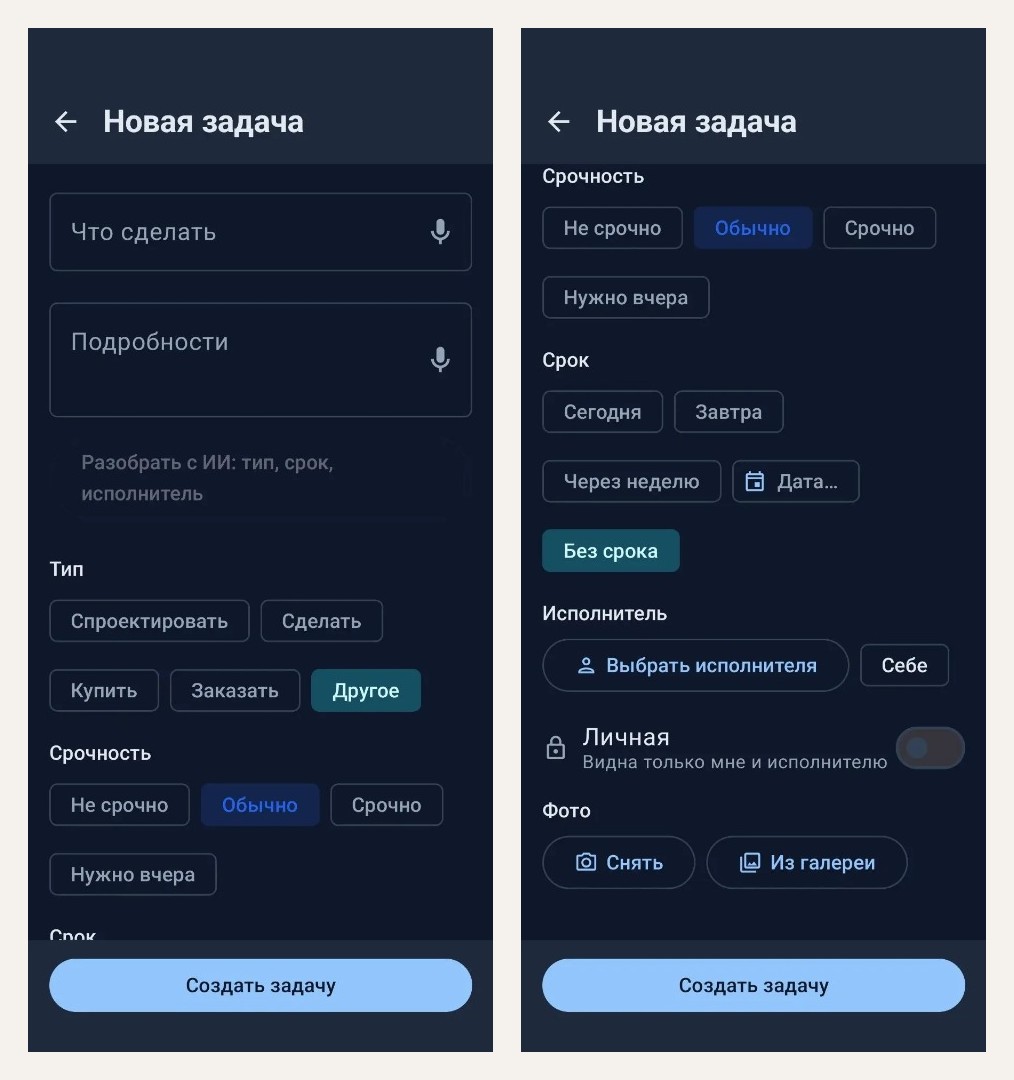
The model also corrects whatever the phone misheard. I dictated “уплотнитильные кольца для корпуса ам12, штук двадцать.” The result was the title “Purchase sealing rings for the AM-12 housing,” the description “Quantity: 20 pieces,” and the note “Clarify: specification (size, material, GOST/TU).” The system also found a task in the database relating to this housing and suggested linking the new task to it as “needed for.”
After that, everything runs on its own. A notification immediately appears in the designer’s notification shade. If anything is unclear, the designer posts a question in the comments, and I immediately receive a notification with the question. I reply, and the designer starts working on the task. The chain is underway, and the issue starts being resolved within the same minute instead of the next day, when I finally get to a computer. Everyone working in the system can see the new shared task, so if it concerns anyone else, they find out about it immediately.
The few seconds spent filling out the form are negligible here. An entire routine disappears: jot it down, walk over, sit down, remember what you meant, type it in, send it.And the tasks that were getting lost in this cycle disappear along with it.
The system looks up the assignee on its own server using the employee list, before calling the model. In the text sent to Claude (Haiku here), “[assignee]” is substituted for the name. The three analyses during the initial check cost $0.004 altogether.
On this same analysis, I caught the first bug found on the live system. The function accepted the database context (projects, similar tasks), but did not add it to the actual request to the model. The tests were green: they mocked the function one level higher and did not inspect what was actually being sent to the model. Now there is a test that checks the assembled request in its entirety.
Supervisor
Assigning a task quickly is half the job. The other half is making sure it isn’t forgotten when the next “urgent” task arrives. That’s what the supervisor does: a background job that goes through all active tasks every five minutes and determines whom to remind about what, and when.
Simple, code-readable rules make the decisions. The language model is brought in at one point, when advice needs to be phrased in human terms. If the model is unavailable, everything else continues to work. The supervisor can only pester people during the day, from 8:00 to 21:00 Moscow time. At night it stays silent, even if everything is on fire.
Deadlines: a ladder of reminders
The assignee receives a reminder one day before the deadline, then another two hours before. Each reminder is sent once per deadline value: if the author moves the deadline, the ladder starts over, and the assignee receives a notification saying “deadline: was → became.” After the task becomes overdue, the reminder repeats no more than once every three hours, with text like this (task for example):
Overdue: Order bearings The deadline was 13.11 23:59 MSK, overdue by 1 day 4 hours.Fill this in or write in a comment what is blocking progress.Every reminder includes a request to state what is blocking progress. It is easier for me to read “waiting for the supplier until Wednesday” than to guess why the task is stalled. And in the chains described below, a comment also counts as activity, and the stall timer resets.
The author clicks “Done”
The assignee cannot close the task themselves. They move it to “for review,” and to do this, they must attach at least one photo or file: an assembled unit, a packing slip, a screenshot. The author accepts the task or sends it back. It can only be sent back with a comment explaining what is wrong. If the author and assignee are the same person, they accept it themselves.
This way, “done” no longer means “I think it’s done”: every closed task has a photo and someone who has reviewed it.
Chains: who is holding up the work
Any task can be marked as “needed for” another task: a drawing is needed for a part, and a part is needed for assembly. The task card has a “Needed for this task…” button that immediately opens the subtask creation form. These relationships form a chain, and the supervisor views it as a whole.
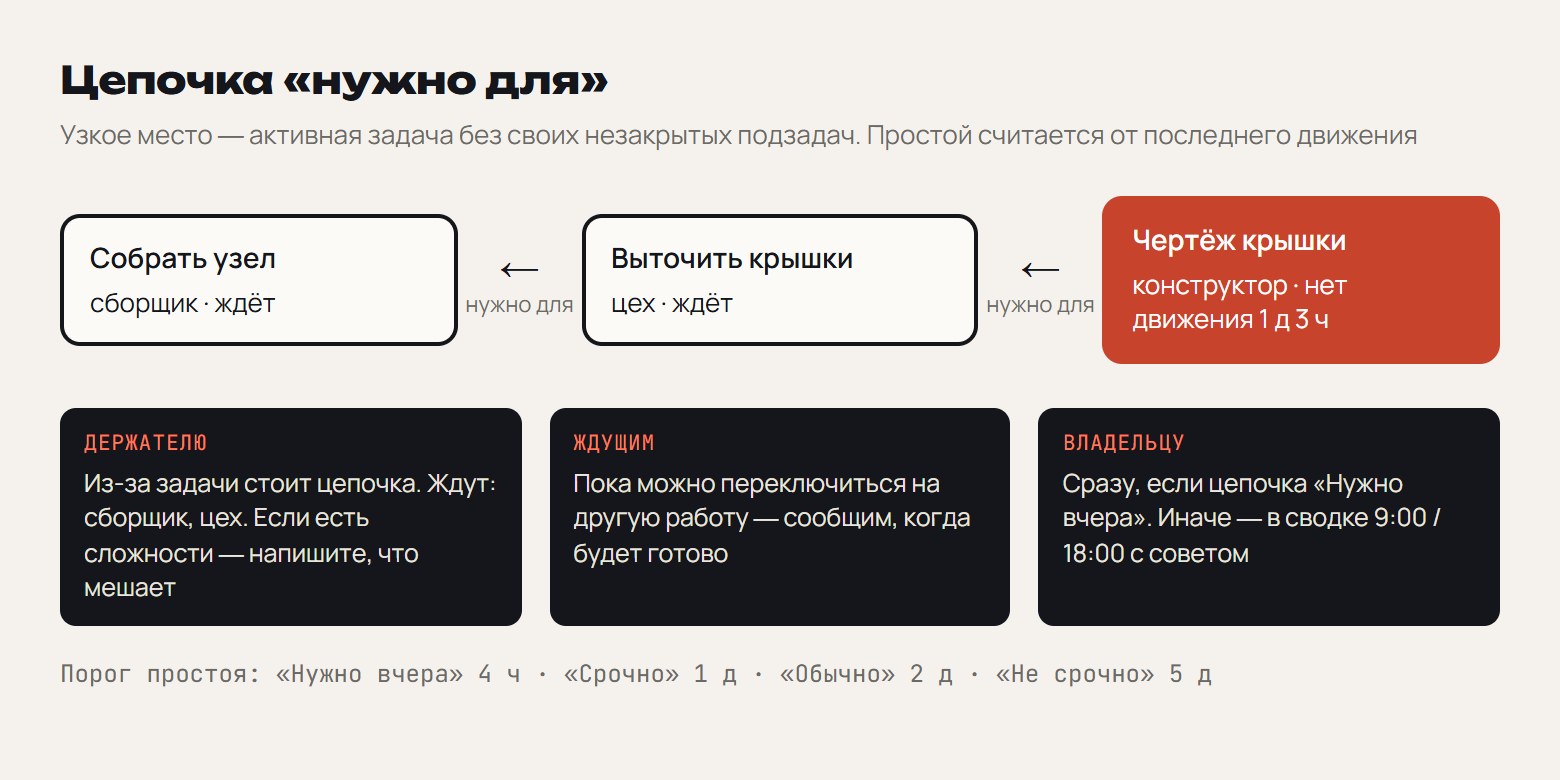 TAG125@@“Needed for” chain: the bottleneck, who the supervisor contacts and what they write about, inactivity thresholds