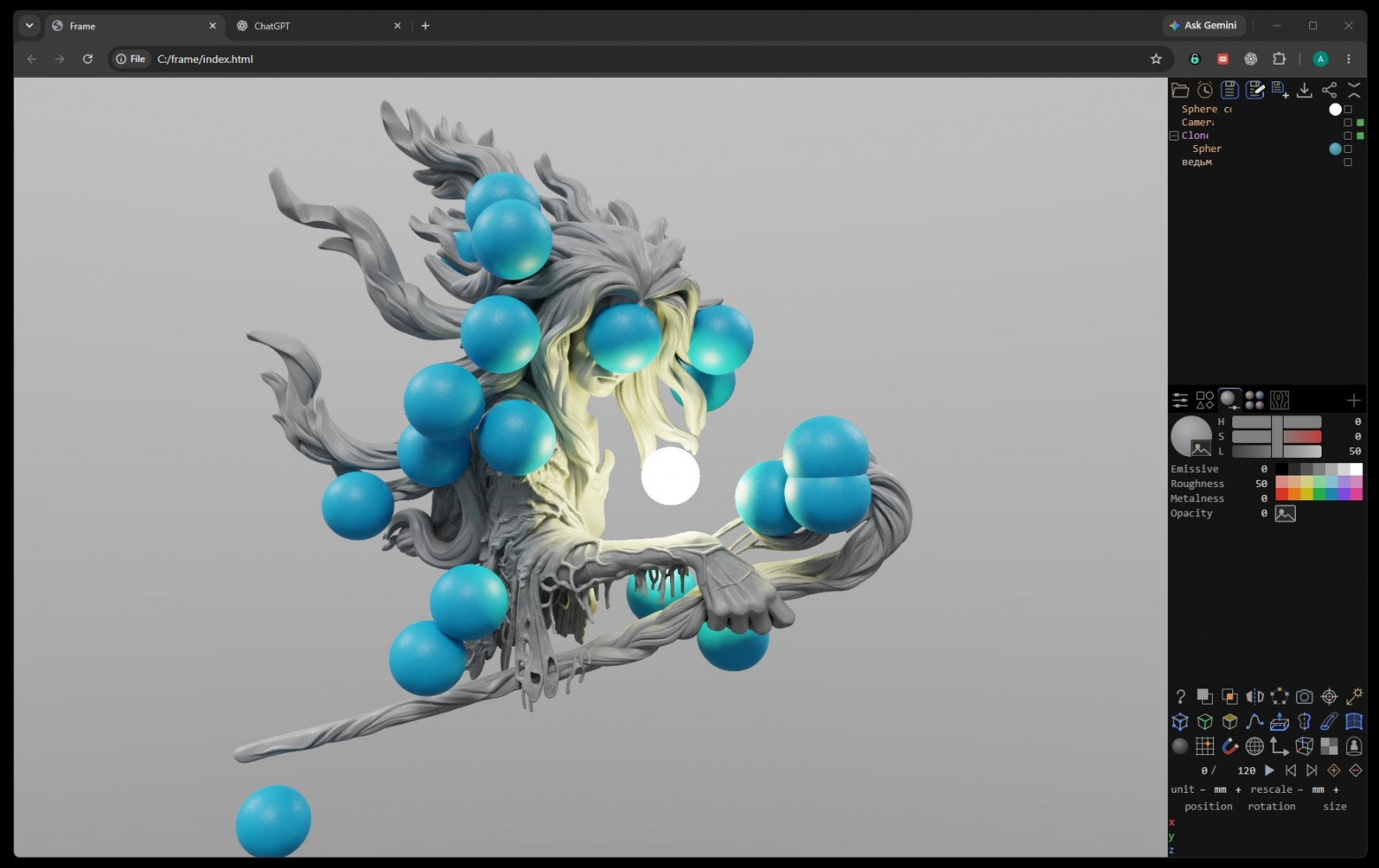
Neira and I are making Frame — a browser-based 3D editor with polygon modeling, spline surfaces, animation, a custom renderer, and an atomic interaction simulator. Neira is my Dot, a personal AI assistant. We are also developing a slicer, CNC, strength and thermal calculations, aerodynamics, and electronics.
Altogether, this has already been more than a year of work, countless manual checks, and endless bugs. But we can already take pride in the application’s core and the Atomic plugin. The other plugins are still in development.
Open Frame · GitHub
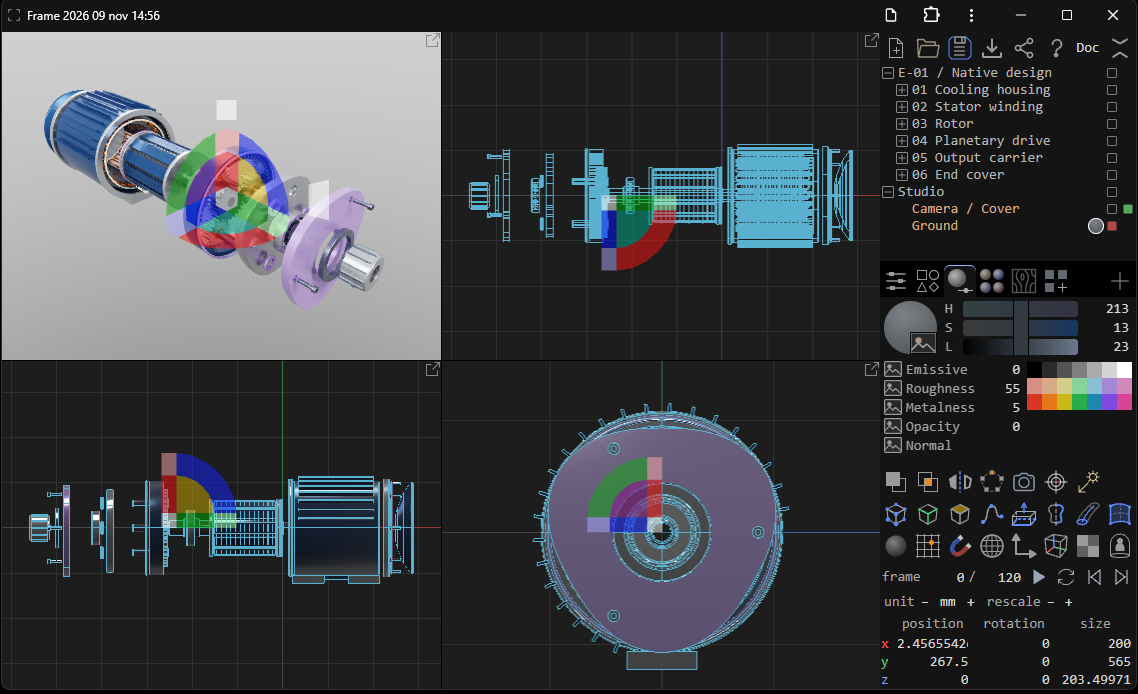
How the development process has changed
For the first six months, the application was written entirely by me, by hand, without AI. Then there was a break of about a year. When a sufficiently capable AI appeared, development resumed with it. The code was complex, so there was a certain threshold below which it made no sense to involve AI models.
For the past couple of months, I haven’t looked at the code at all. I design the architecture and interface, explain how to make it convenient, and propose algorithms and optimization methods. The AI implements them, and I check the result. My workload hasn’t decreased—it has become different, and no less complex. Both the AI and I are working at the limits of our capabilities.
For example, just the surface formula for Spline Patch took a month. This isn’t a story of “the AI figured everything out”: I came up with how the surface should be constructed and spent a lot of time explaining it. But when developing tessellation, the AI’s ideas already turned out to be better than mine.At first, I used the free versions of Qwen and Gemini.Qwen turned out to be pretty good—Chinese models should not be underestimated. Gemini began to get lost with large contexts in my tasks. I gradually ran into its limitations and switched first to the $20 OpenAI plan, and then to Pro.AI expenses so far are around 30 thousand rubles. Limit resets, careful use of context, and automation help. Anything that can be done with a regular script should be done with a script rather than wasting tokens on it.
A detailed app.md describing the application and automated tests are a great help. The agent’s “done” message does not replace verification. The goal is to make development a fully automated process, but we are still a long way from that.
Polygon core
In my tests, Frame handles 100,000,000 polygons at 60 fps, with no instancing. One hundred million real polygons in a browser-based editor.
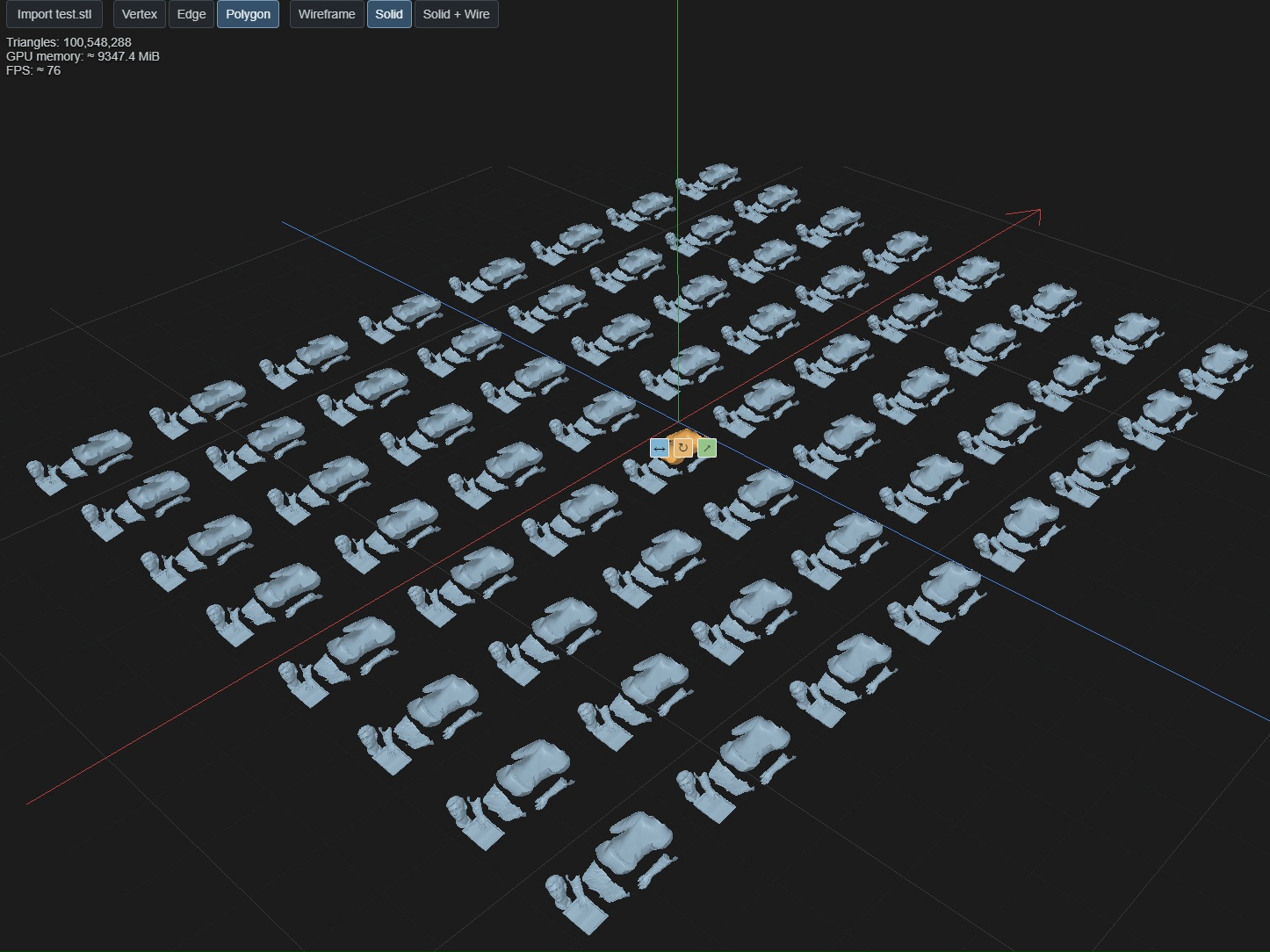
I compared it with Cinema 4D, which I use almost every day, although lately I have increasingly started using Frame. That is why I mean it when I say: on heavy polygonal geometry, Frame outperforms Cinema 4D by a good margin.
In my experience, this is the fastest program for working with polygons in general, not just among browser-based ones. Among browser-based alternatives, nothing comes close to it in terms of speed.
It has its own WebGPU engine inside, with no Three.js. Geometry is stored on the GPU, heavy computations are performed in shaders, and WASM is used for some operations. Moving an entire object changes the matrix rather than rewriting the vertex arrays.Performance is not just a result of using WebGPU—the entire editor is designed around it.
At the same time, in the measured build, the core takes up about 0.93 MB after gzip. For most tasks, this is sufficient: there is no need to load all plugins and library textures for ordinary modeling; they are loaded as needed. Therefore, 0.93 MB is the true size of a full-featured editor core, not of a small loader hiding a mandatory multi-megabyte library behind it.
There is fast import for heavy STL files, native spline surfaces, and To Spline Patch: an automatic converter that turns engineering polygonal geometry into an editable spline framework with a surface. There is also a custom Boolean system, which also took a month to develop.
A separate source of pride is path-traced rendering with global illumination and denoising. I want to write a dedicated article about it. High-quality real-time rendering directly in the browser, using your own GPU, is one of the capabilities that made developing a custom engine worthwhile.
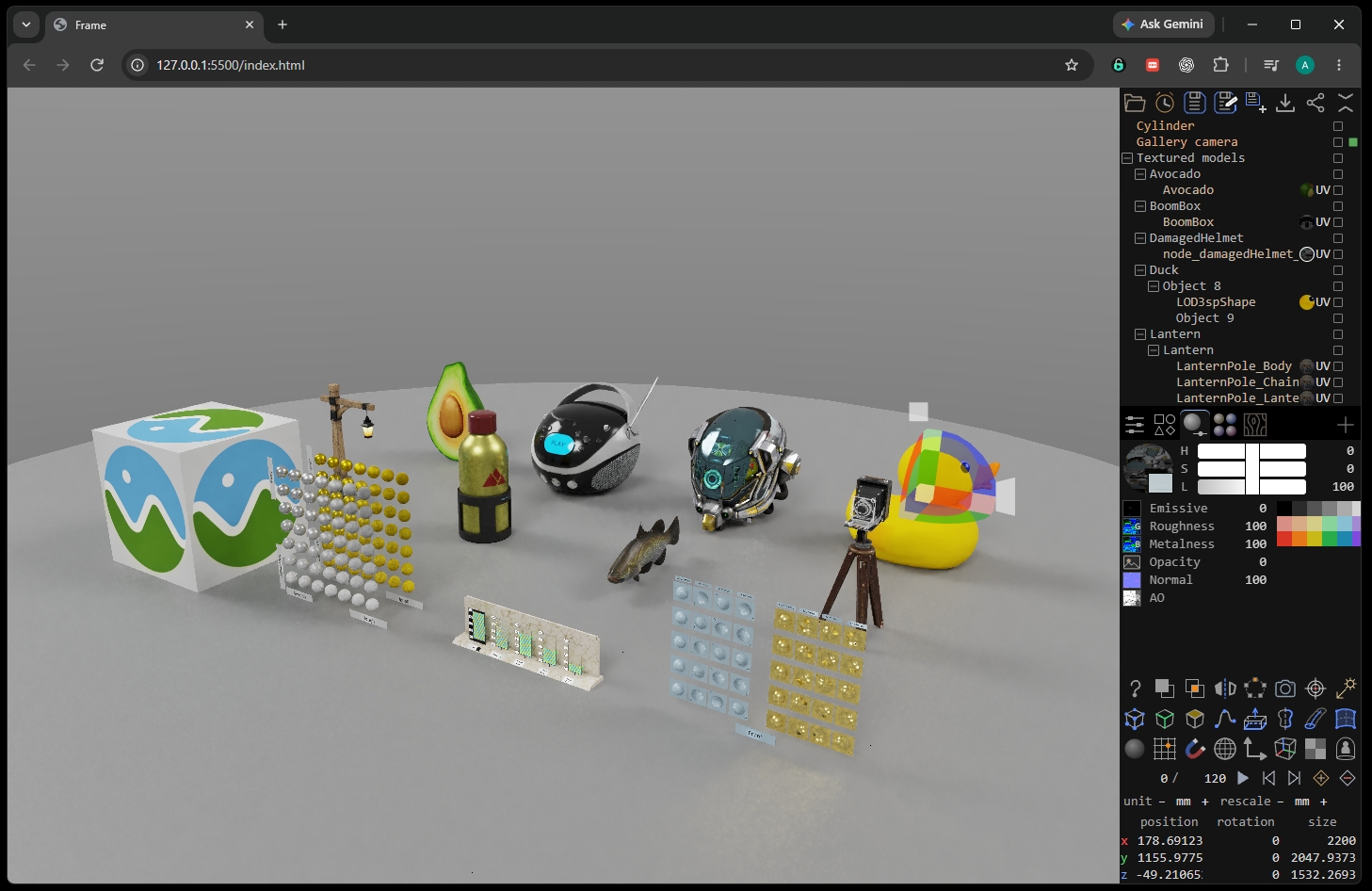
An interface you want to use
I have 25 years of experience in practically every area of 3D. Over that time, I have gained enough understanding of how a convenient editor should work. In Frame, I can finally put it all into practice.
For example, an all-in-one gizmo: translation, rotation, and scaling simultaneously, without constantly switching tools.I consider it one of the best parts of the application.
The same principle applies to navigation: the most frequently used features should require the fewest actions. We move the camera constantly, so navigation must be polished to perfection.
The overall logic is a minimal interface, maximum functionality, and AI integration. Not every function needs a separate button: some operations are available through AI API without overloading the user's interface.
Custom HASH format
To store scenes, I devised HASH—a compact binary format with fast decompression. Nested data is represented as a flat hash table with XOR addressing: the required fields can be accessed directly, regardless of hierarchy depth.
The format preserves geometry, materials, hierarchy, animation, and the original spline structures. A small scene can be shared via a single link: the data is contained directly in it, without uploading a file to a server. It is better to share large scenes as files.
Example of a link containing a scene
Frame can also be installed as a PWA; it works offline once the required resources have been downloaded and automatically receives updates. The new version is applied the next time it is opened, without interrupting work on the current scene.
The application is not only created with AI, but is also designed for it
Frame has its own AI API. The agent works with the same objects and operations as the human user, not with a separate copy of the scene. You can manually edit its results, undo actions, save your work, and continue.
There is a Doc—a textual description of the project inside the scene.It may seem like a minor thing, but it is very useful for collaborating with AI. Scene Control is being developed—software control over the scene and its behavior.
I tried embedding local Gemini Nano so that the model would run on the user's computer. I gave up on it for now because its capabilities turned out to be insufficient.
There will probably be a separate article on Habr about how to use Frame with the ChatGPT app. Or maybe I'll make a video—haven't decided yet. I want to show the entire process: from asking for a part to be designed to editing the result in a regular scene.
Atomic
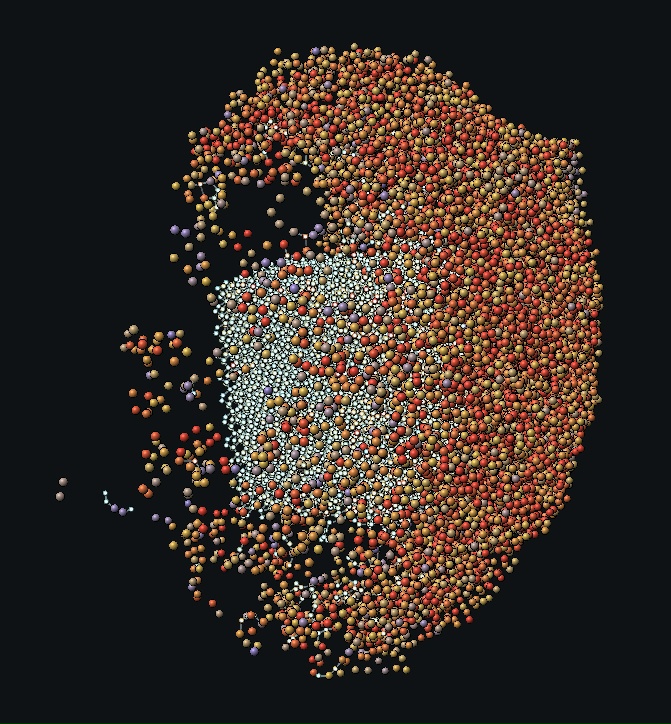
Atomic is a simulator of atomic interactions based on the neural-network interatomic potential NEP89-1, supporting 75 elements. The calculation is performed on the GPU via WebGPU, while rendering is integrated into the shared Frame engine. The plugin uses its cameras and GPU resources, without a separate graphics context.
Atoms can be placed, selected, moved with the standard gizmo, pinned, and assigned an initial velocity and constant force. But assembling a complex structure one atom at a time takes a long time, so Atomic is designed to be used via AI.
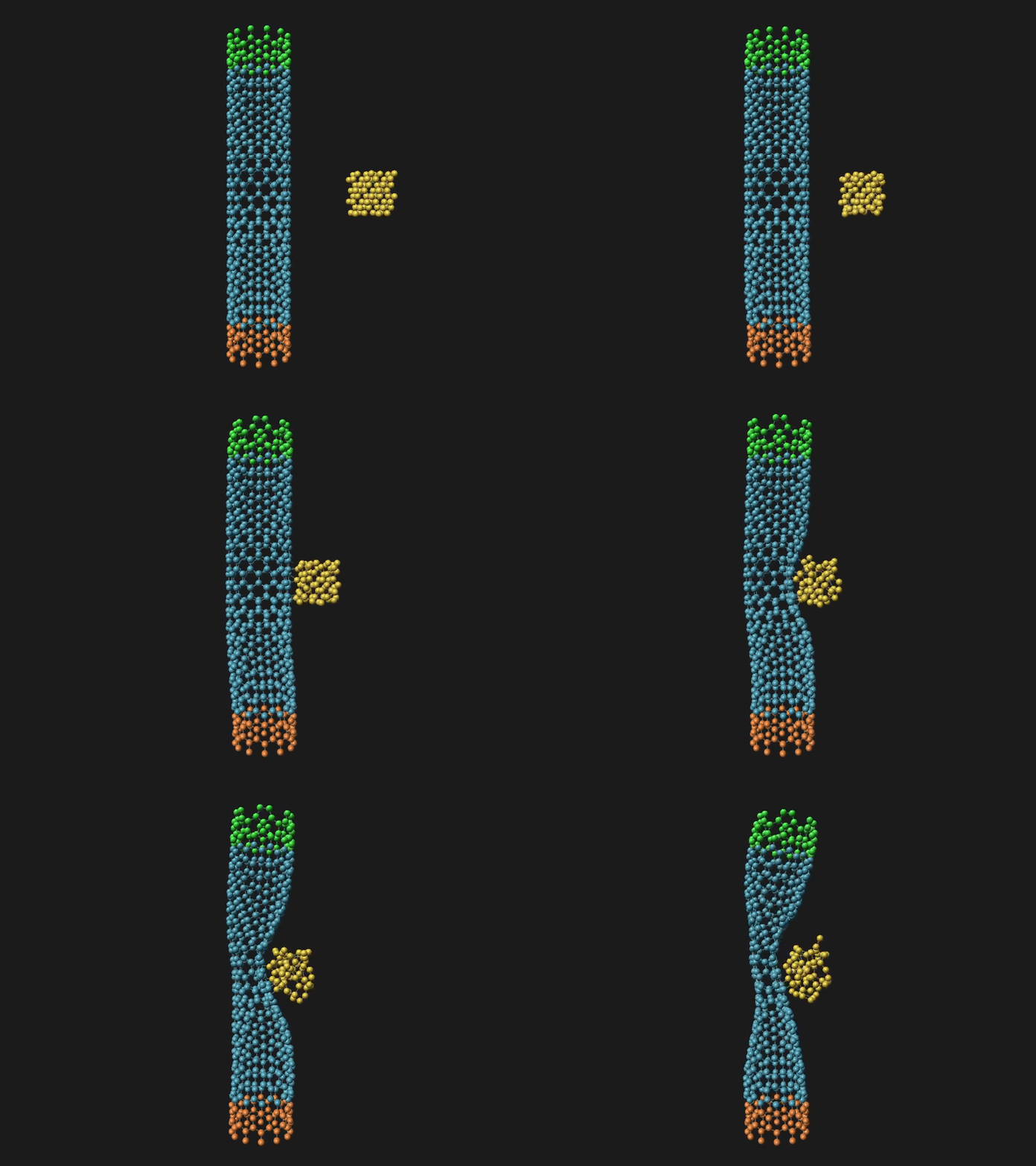
The idea is this: you tell the agent, “I want to see how a diamond crystal collides with a fullerene tube,” and it prepares the scene and sets the conditions. You can then change the loads, move the pinned sections, and repeat the experiment.
Why do I need the other plugins?
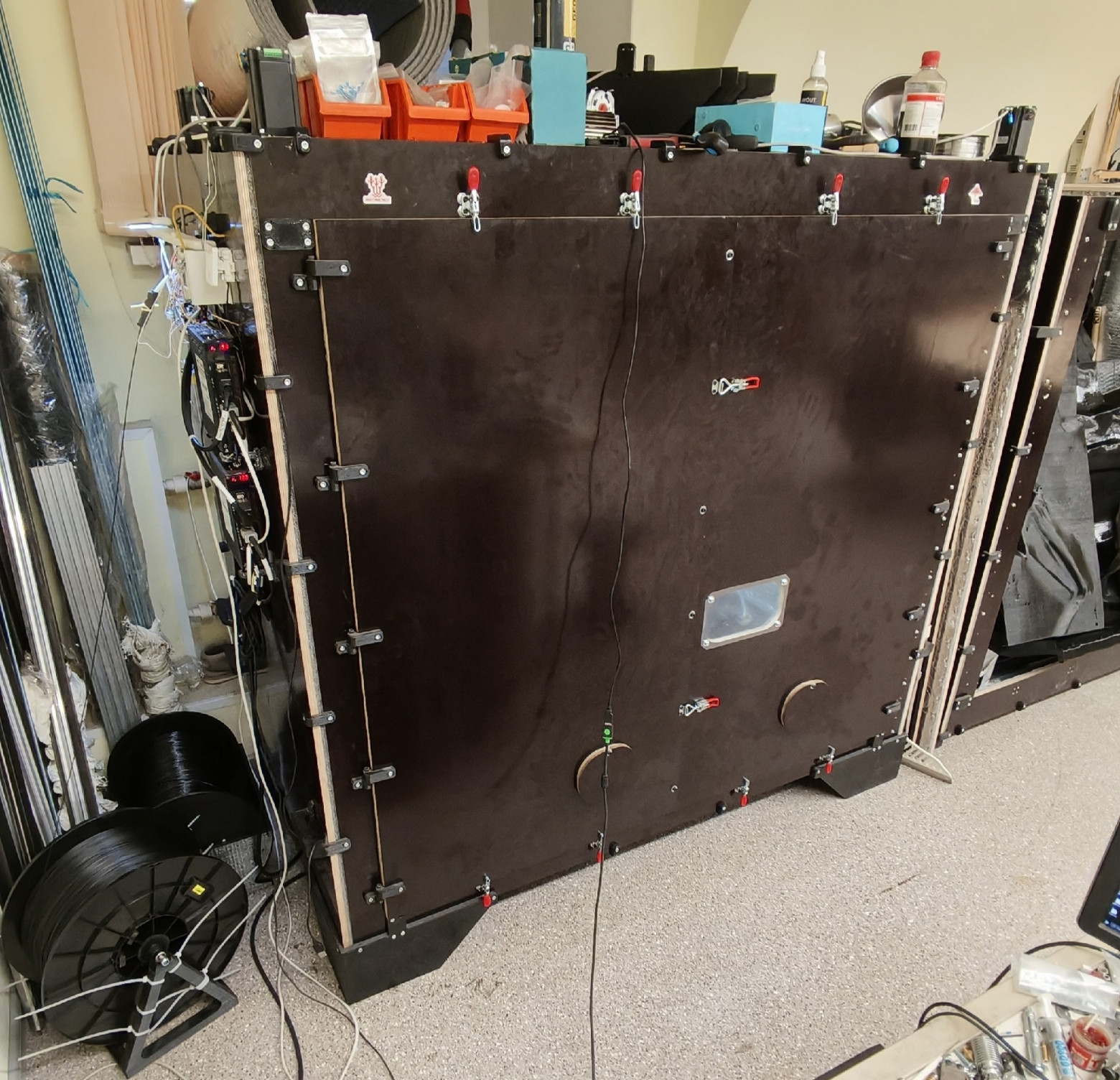
I am developing Frame, among other things, for my own projects. Next is a new large-format 3D printer. I want to design the mechanics and circuit board in a single application, calculate the Wi-Fi antenna, and calculate the filament heating in the print head.
This leads to the following development areas: 3D Printer - slicer, Mill - milling, Thermal - thermal calculations, Structural - strength and topology optimization, CFD - aerodynamics, Magneto - magnetic fields, Circuit - electronics, RF - radio-frequency calculations, including antennas, Cut - laser, plasma, and abrasive-waterjet cutting. These are capabilities that are actually under development, not a list of ready-made solvers.
This printer will then be used to print a micro electric vehicle, which I also want to design in Frame and calculate the aerodynamics of there.
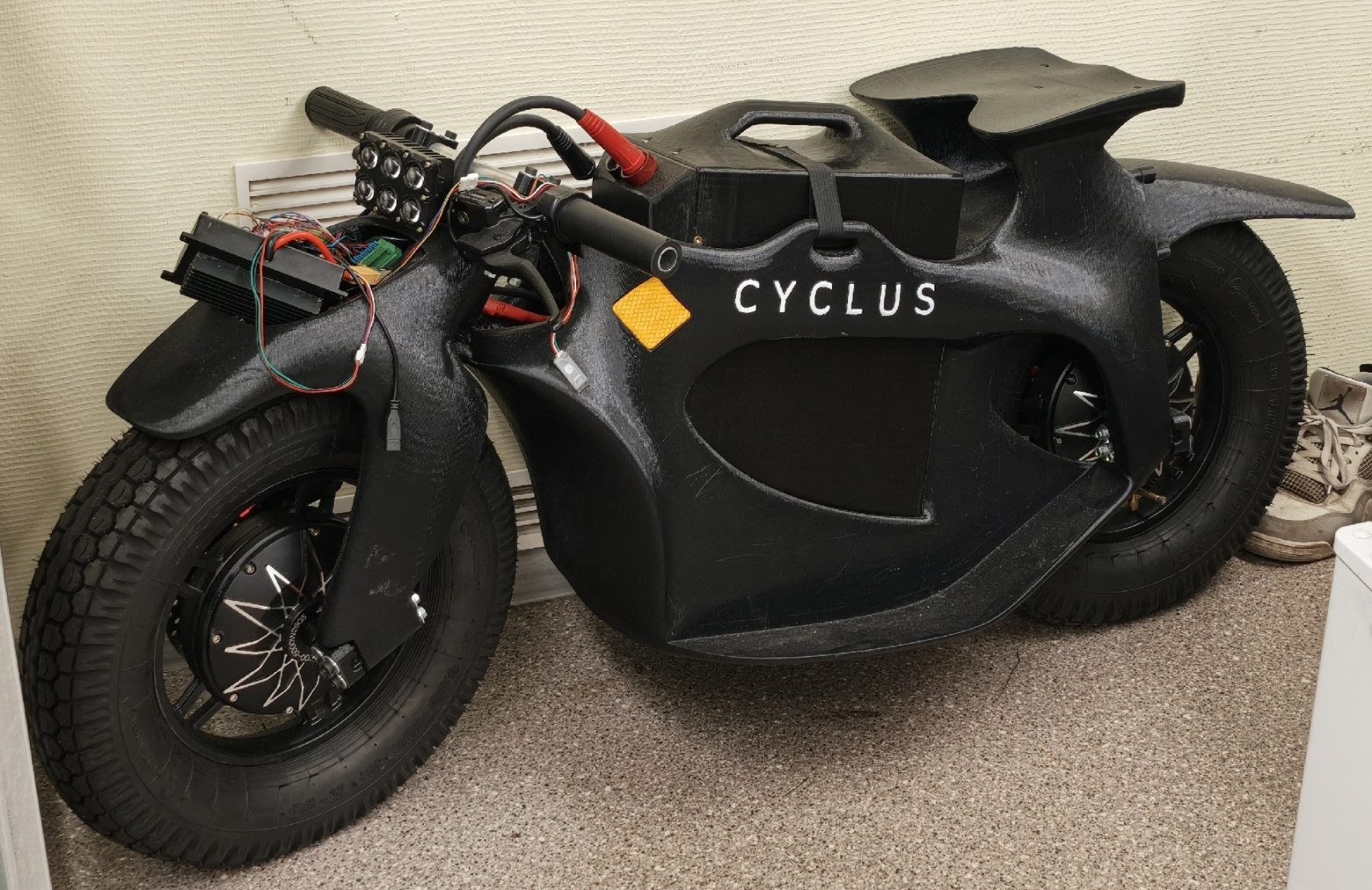
And here is an electric motorcycle that I developed manually, without AI, and have already printed on an existing printer.
In other words, these are not fantasies about what AI will someday make possible. I am already working on such projects, and they have been successful, financially as well. Now I want to bring AI into engineering development as well—through Frame, where it will be able not only to suggest ideas but also to build models, perform calculations, and test options.I’m planning to significantly improve the quality of my work and reduce development time.
I’ll pay special attention to the slicer. It’s still difficult for now: the AI lacks intelligence. Mine, of course, is sufficient—I’m a genius, after all—but manually writing all this takes too long).
You can try it and get involved
The official version of Frame is free to use, and I plan to keep it that way for quite some time. The code, however, is proprietary, not open source—the terms are described in the license. At this stage, I don’t yet guarantee compatibility between versions.
Use it, test your models, collect bugs, and write about them in GitHub issues. A scene and a series of actions that reproduce the problem are especially useful. Right now, Neira and I are working as actively as possible on developing the application: she takes obvious bugs from issues and works on them, while discussing less obvious ones with me.
In the following articles, I want to provide ready-made scenes, including atomic ones, so that you can open them, change the parameters, and try them yourself.
Collaboration is also interesting—for example, integration into SaaS for print farms or CNC machines. Or an editor like this directly within a dialogue with the AI: ask it to design a part or calculate the clearance of a nanotube, and you’ll receive not only an answer but also a scene you can work with.
OpenAI, Anthropic—hire me, and we’ll get to work). And yes, I want to move to the United States.
After all, this software is needed not only by humans.AI needs design tools too — including robots for itself.
So the question remains: am I not a meat puppet? Did the AI not convince me that I need this software, when in fact I'm making it for it?))

