In May, I wrote about my SD Studio app—a wrapper around Stable Diffusion where you describe the image in ordinary language, while an LLM and presets select the prompt and settings. I built it to generate hundreds of illustrations for a choose-your-own-adventure book for free; why I needed my own app is also explained in the first article.
Over the past six months, local image-generation models have advanced considerably. I renamed the app to Imagecaster and added features that became possible only with the new models. In this article, I’ll explain which models I chose, how they handle Russian text in images, and what I built on top of them: post-processing and an AI stylist.
There are a lot of images in the article. I think it’s more convenient to look at them here than just read.
How It Differs from SD WebUI and ComfyUI
First, briefly: why a separate app is needed at all:
|
What You Need to Know | How Much the Option Costs | Who It’s For | |
|---|---|---|---|
Vanilla SD (WebUI) |
Samplers, CFG, LoRA, tag syntax Free, on your own hardware |
For those willing to learn the settings
|
|
|
ComfyUI |
All the same, plus how to build node graphs Free, on your own hardware |
|
Techies who need complete freedom |
Cloud sServices | nothing | a subscription or payment for generations | for those who don’t have the hardware to run the model themselves |
Imagecaster | nothing: style and description in Russian | for free, on your own hardware | for those who want a picture, not settings |
What changed: models
In May, I only had SD 1.5, SDXL, and Pony. In the first article, I described them as having “good skin but poor imagination.” That wasn’t entirely fair about their imagination. Older models have a rigid prompt format—a set of tags. The app already converts the description into tags using an LLM, but such models perform poorly with precise scenes, especially details such as “right hand on the sign, adjusting the hair with the left.”
Now the main models in the app are Flux 1, Z-Image, Moss, and Flux 2 Klein. They understand descriptions written in ordinary sentences. The trade-off is VRAM: they require at least 12–16 GB.
Model | Purpose |
|---|---|
SD 1.5 / SDXL | Lightweight models for low-end graphics cards.Any style—from photo to illustration |
Pony / Illustrious | Anime, cartoon, and stylized characters |
Flux 1 | Accurately follows a detailed description in plain language; realism |
Z-Image Turbo | Photorealism, the fastest in the set: 8 steps instead of the usual 20–50 |
Moss-Image | Follows descriptions no less accurately than Flux 1, photorealistic people, photo editing using Russian-language instructions |
Flux 2 Klein | Post-processing: effects, object replacement and removal, remixing with face preservation, stylist |
All models except Klein are installed from the catalog in the app settings. Moss and Klein work only on Forge Neo.
A few words about each
Flux 1 (flux1-dev-fp8) understands long scene descriptions in plain sentences well: who is standing where, what they are holding, and what the lighting is like.
Z-Image Turbo (z-image-turbo-fp8-aio) delivers photorealism in 8 steps. Suitable for trying out a large number of options.
Moss-Image (moss_image_sft_bf16) follows descriptions just as accurately as Flux 1 and is the primary model for edit mode: “replace the trousers with a skirt” changes the clothing while preserving the person, pose, and background.Instructions can be written in Russian.
Flux 2 Klein (flux-2-klein-4b) works when an already finished photo is being changed:
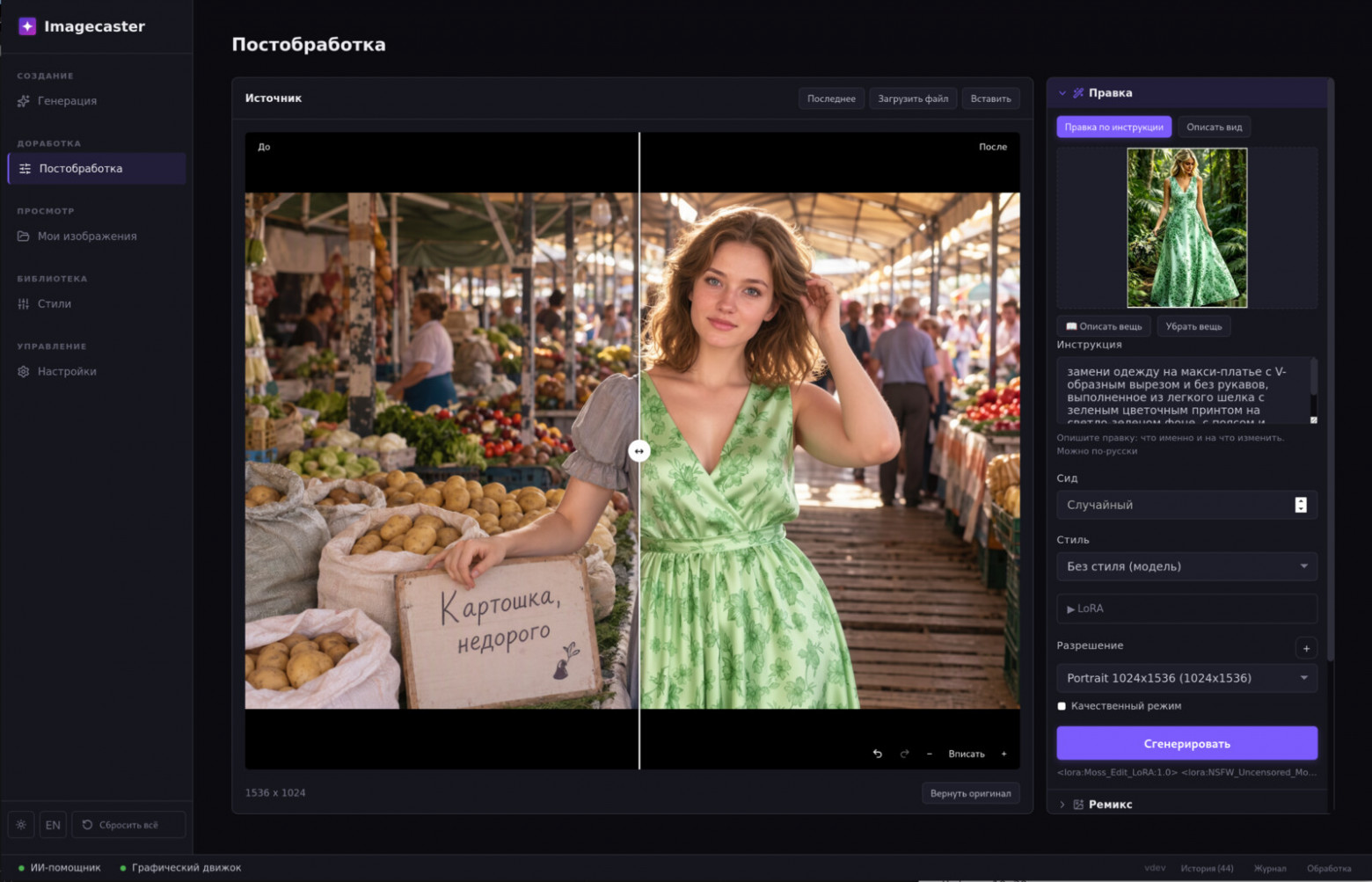
Post-processing — lighting, film, skin, clothing material effects, and style changes;
Object — replacing or removing whatever is outlined by the mask;
Remix with the “Preserve Face” checkbox enabled;
Stylist for AI agents — trying on a hairstyle and a look (more on this below).
What didn’t work out
I also tried Qwen-Image 2.1 and Krea 2. Qwen produced “just different” images — not better, with exaggerated realism and wrinkles. Krea in fast turbo mode produced a plastic look, while true raw required 24–30 steps. Both ran on the server for two weeks and were replaced by the Z-Image + Moss + Klein combination: three models that cover the same tasks, but more easily, faster, and without loss of quality. Klein has now claimed the only niche where it is genuinely better than all the others — remixing photos while preserving faces. The entire Stylist now runs on it.
Presets
A style in the app is a preset: a prompt, settings, and a model. Most styles come in several versions for different models — you choose based on your graphics card and the task.Presets can be modified, and you can create your own and import and export them in JSON.
Generation presets: 30 stylesStyle | SD | Pony | Flux | Z-Image | Moss |
|---|---|---|---|---|---|
3D Render | ✓ | ✓ | ✓ | ✓ | TAG330@@ |
Anime Art | ✓ | ✓ | ✓ | ✓ | TAG356@@ |
Architecture Photo | ✓ | ✓ | ✓ | ✓ | |
Art Nouveau | ✓ | ✓ | ✓ | ✓ | |
Cartoon Art | ✓ | ✓ | ✓ | ✓ | |
Cinematic Still | ✓ | ✓ | ✓ | ✓ | |
Comic Art | ✓ | ✓ | ✓ | ✓ | |
Concept Art | ✓ | ✓ | ✓ | ✓ | |
Fantasy Art | ✓ | ✓ | ✓ | ✓ | |
Fashion Editorial | ✓ | TAG550@@ | ✓ | ✓ | ✓ |
Food Photo | ✓ | ✓ | ✓ | ✓ | |
Horror Art | ✓ | ✓ | ✓ | ✓ | |
Landscape Photo | ✓ | ✓ | ✓ | ✓ | |
Mecha Art | ✓ | ✓ | ✓ | ✓ | |
Miniature Effect | ✓ | ✓ | ✓ | ||
Pencil Sketch | ✓ | ✓ | ✓ | ✓ | |
Photo Realism | ✓ | ✓ | ✓ | ✓ | |
Pixel Art | ✓ | ✓ | ✓ | ✓ | TAG771@@ |
Portrait Photo | ✓ | ✓ | ✓ | ✓ | |
Product Shot | ✓ | ✓ | ✓ | ✓ | |
Sci-Fi Art | ✓ | ✓ | ✓ | ✓ | |
Wallpaper Desktop | ✓ | ✓ | ✓ | ✓ | |
Wallpaper Phone | ✓ | ✓ | ✓ | ✓ | |
Watercolor Art | ✓ | ✓ | ✓ | ✓ | |
Wildlife Photo | ✓ | ✓ | ✓ | ✓ | |
B&W Film | ✓ | ||||
Golden Hour | ✓ | ||||
Night City | ✓ | ||||
Street Photo | ✓ | ||||
Studio Portrait | ✓ |
Group | Presets |
|---|---|
General | Shallow DOF, Color Pop, Soft Glow, Moody Dark, Crisp Reality, Bright & Airy |
Light | Golden Hour, Evening Mood, Night City Neon, Soft Studio, Flash Photo, Candlelight, Blue Hour, Backlit, Overcast Soft, Harsh Noon |
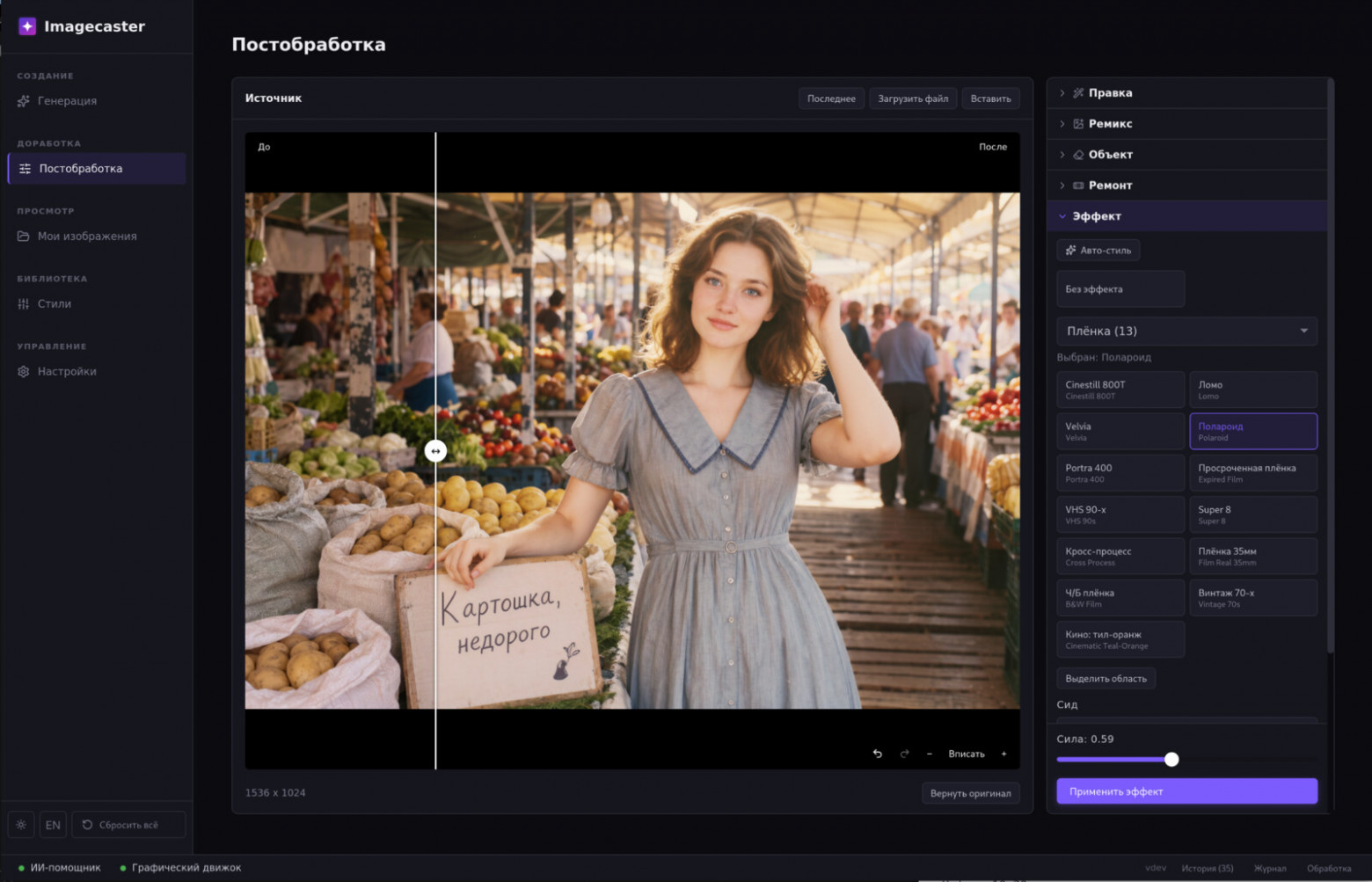
Film | Film Real 35mm, B&W Film, Vintage 70s, Cinematic Teal-Orange, Polaroid, Portra 400, Expired Film, VHS 90s, Super 8, Cross Process |
Skin | Wet Skin, Dewy Skin, Glam Glow, Matte Skin |
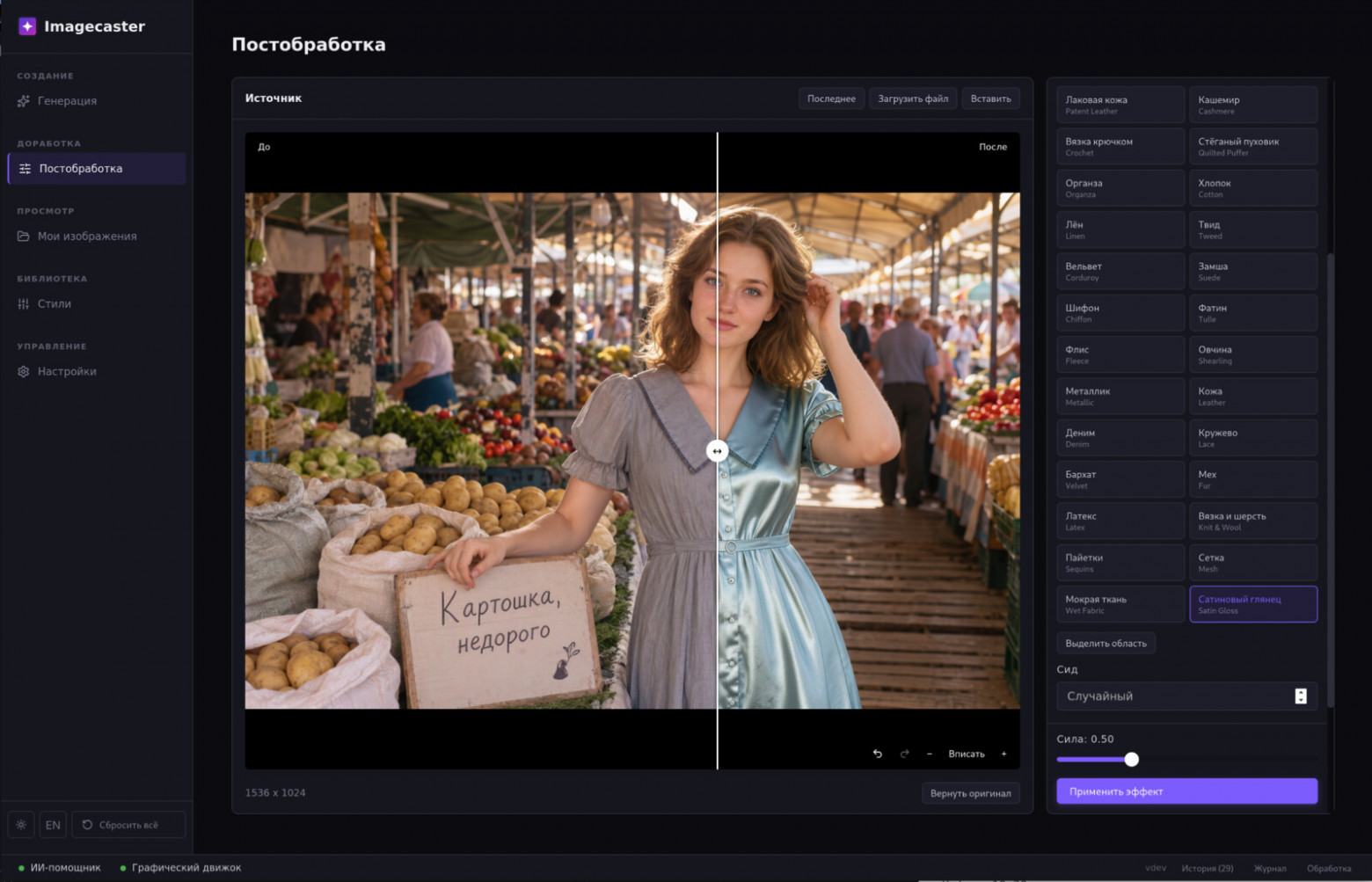
Clothing Materials | Satin Gloss, Leather, Denim, Lace, Velvet, Fur, Latex, Knit & Wool, Sequins, Mesh, Wet Fabric, Cotton, Linen, Tweed, Corduroy, Suede, Chiffon, Tulle, Fleece, Shearling, Metallic |
Style Change | Realism, Photo Restore, Colorize, 3D Animation, Cartoon, Anime, Watercolor, Pencil Sketch, Oil Painting, Pixel Art |
Text in Images
What do people associate local image generation models with? Six fingers on a hand and the inability to write Russian text.Let’s check.
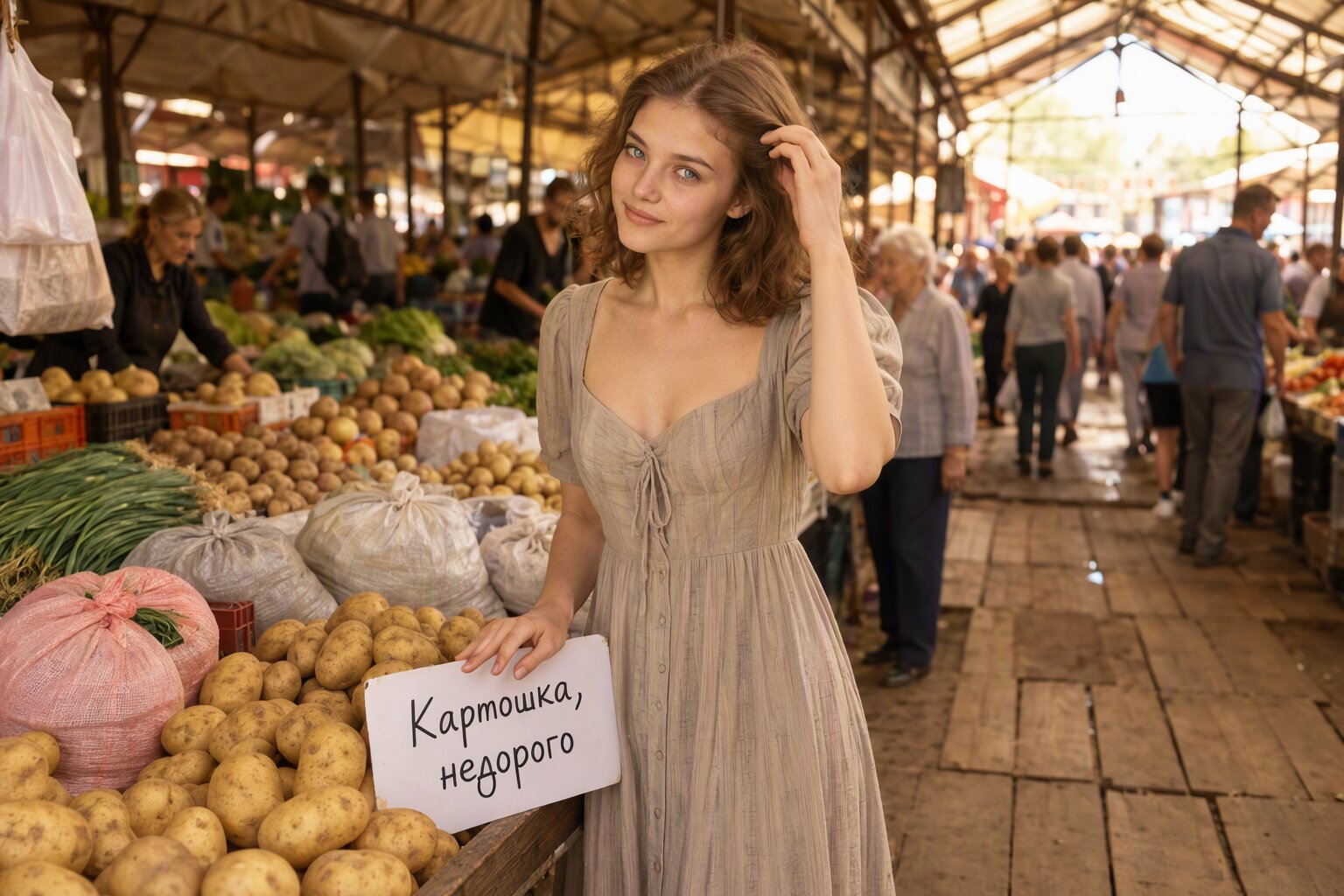
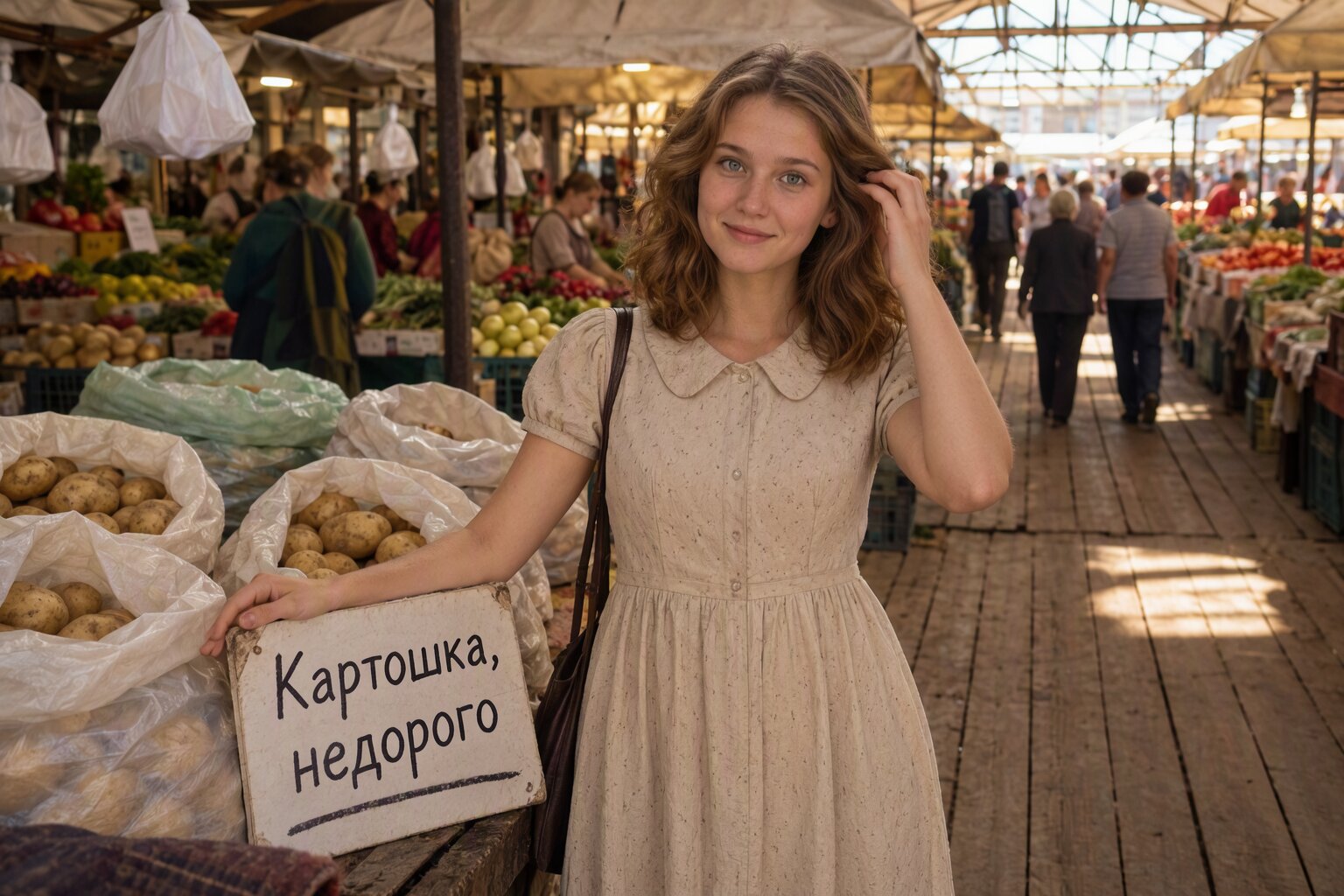
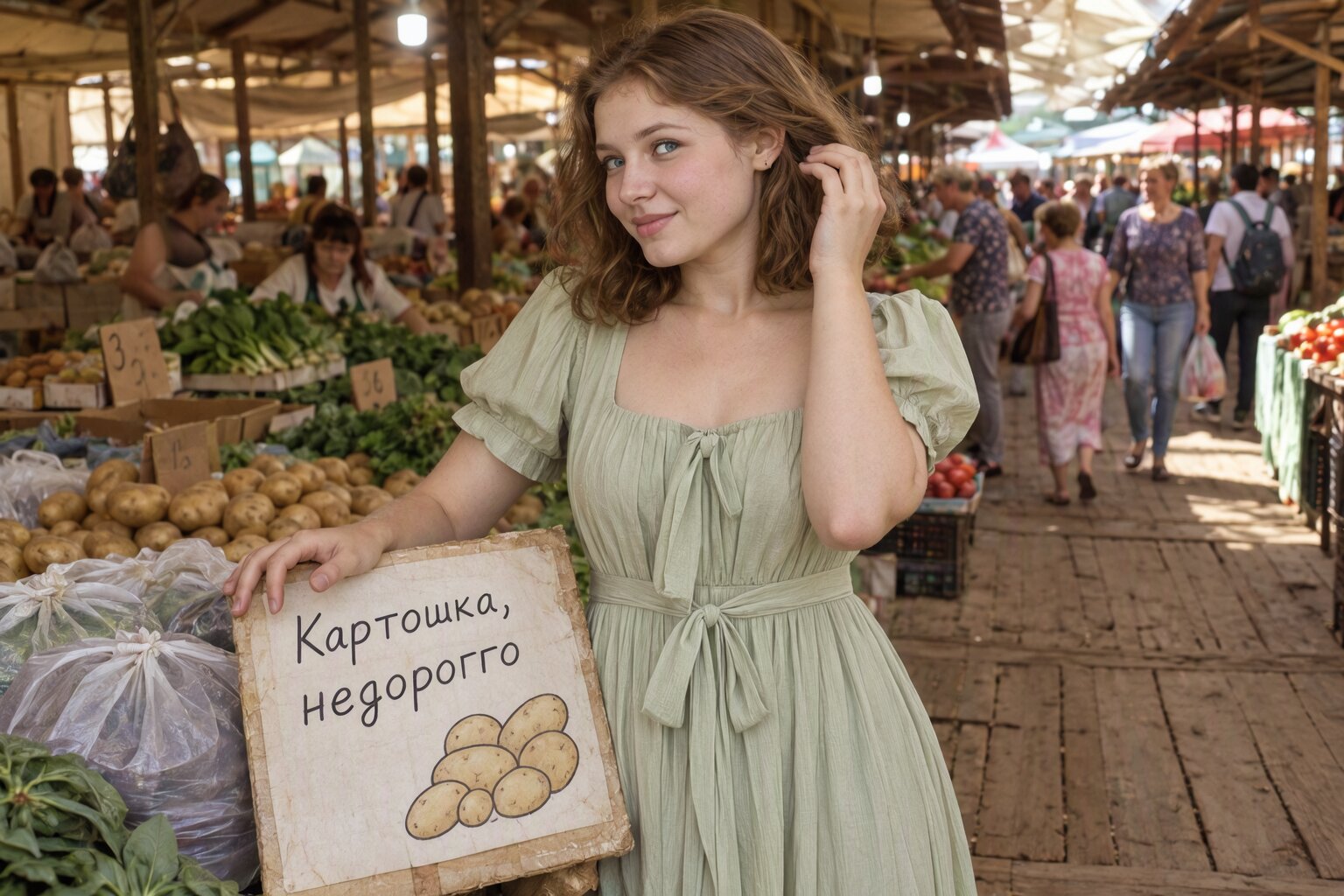
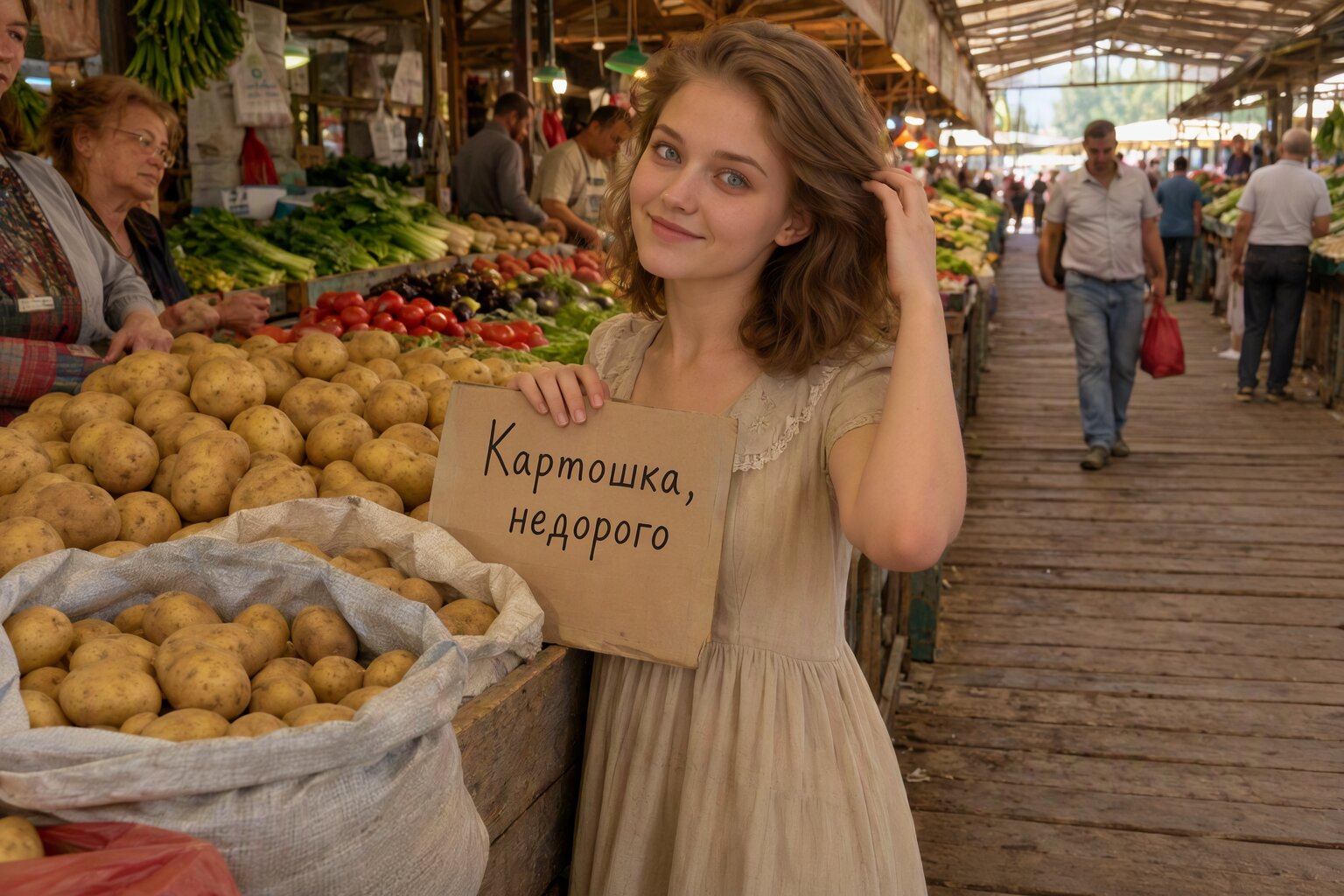
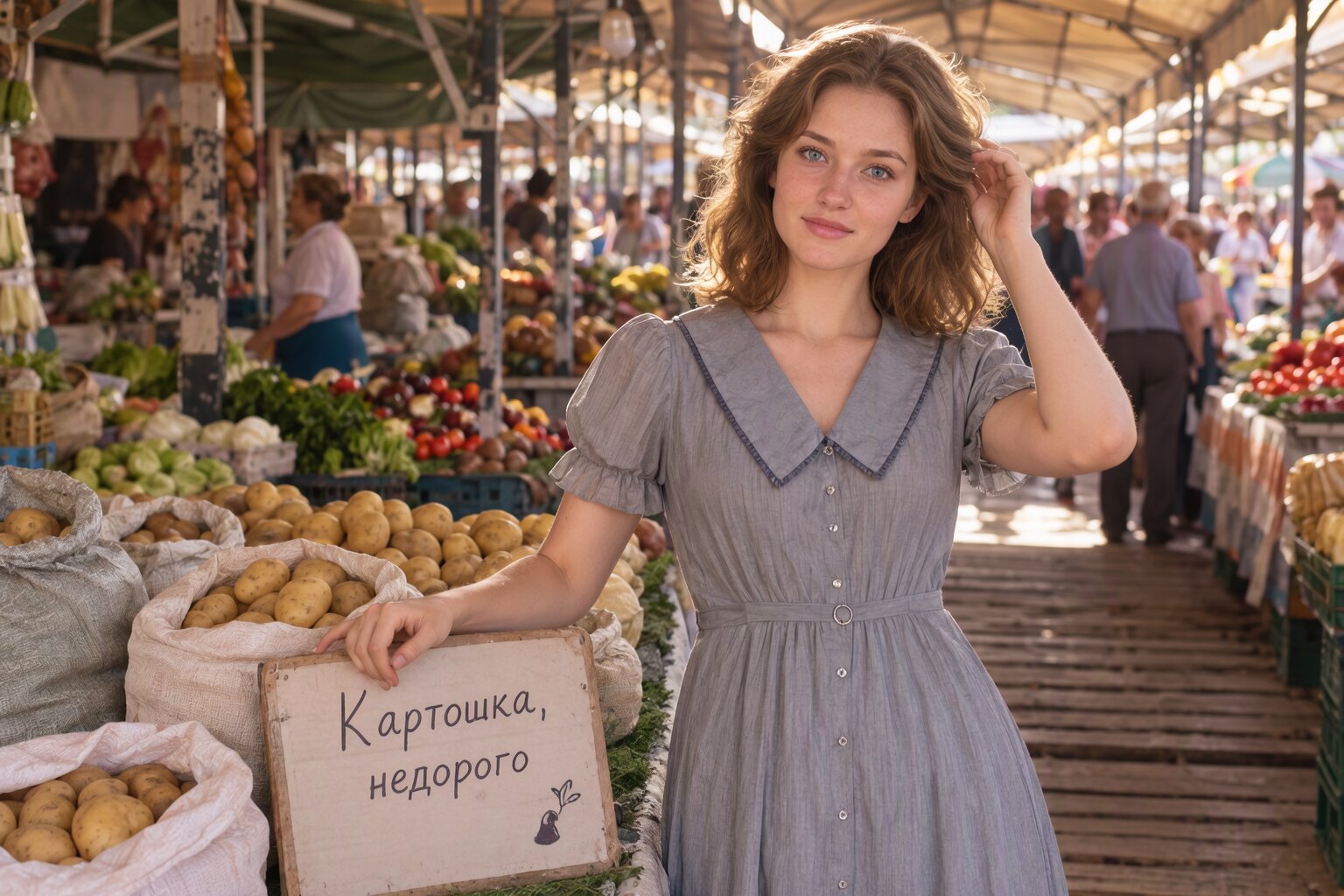
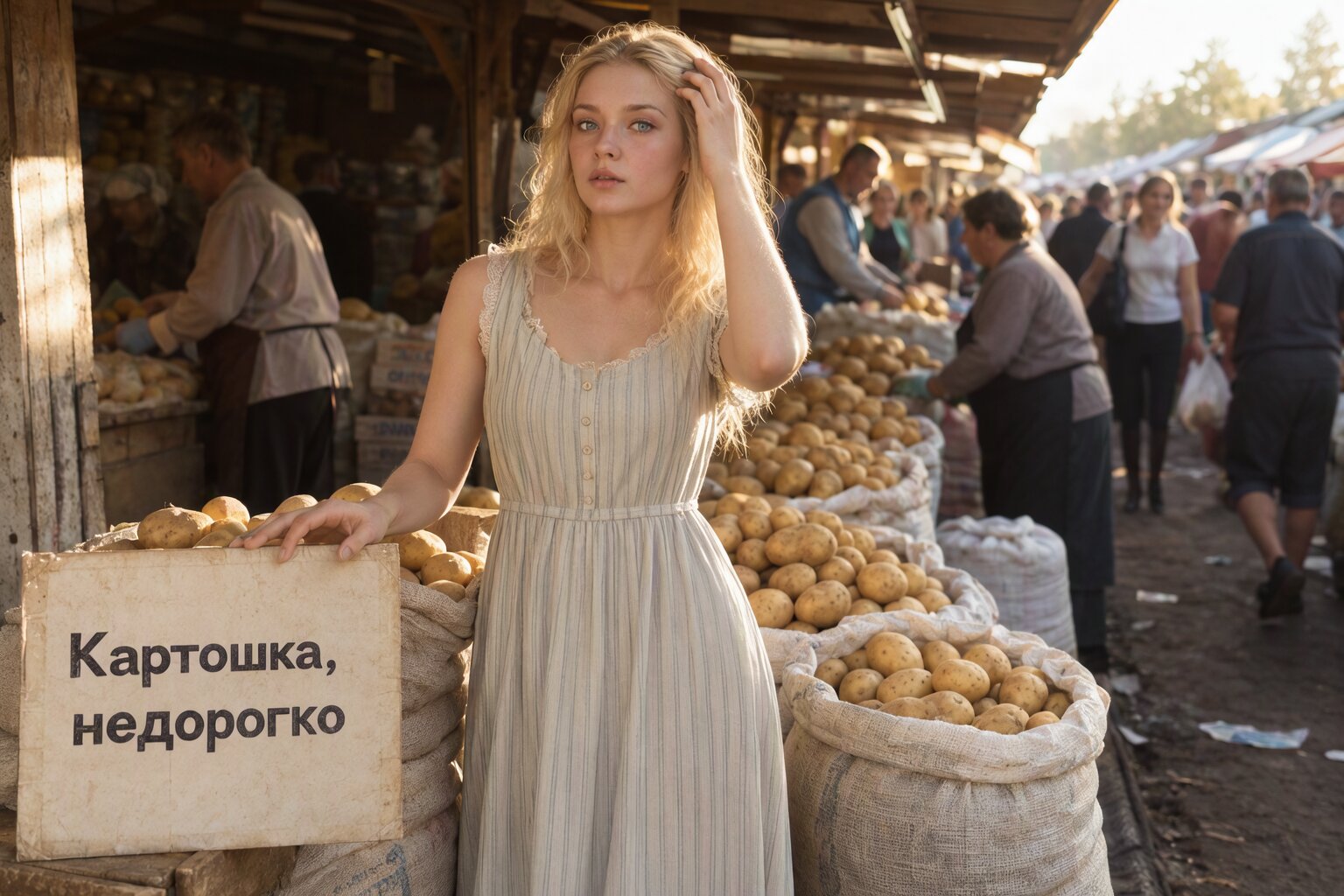
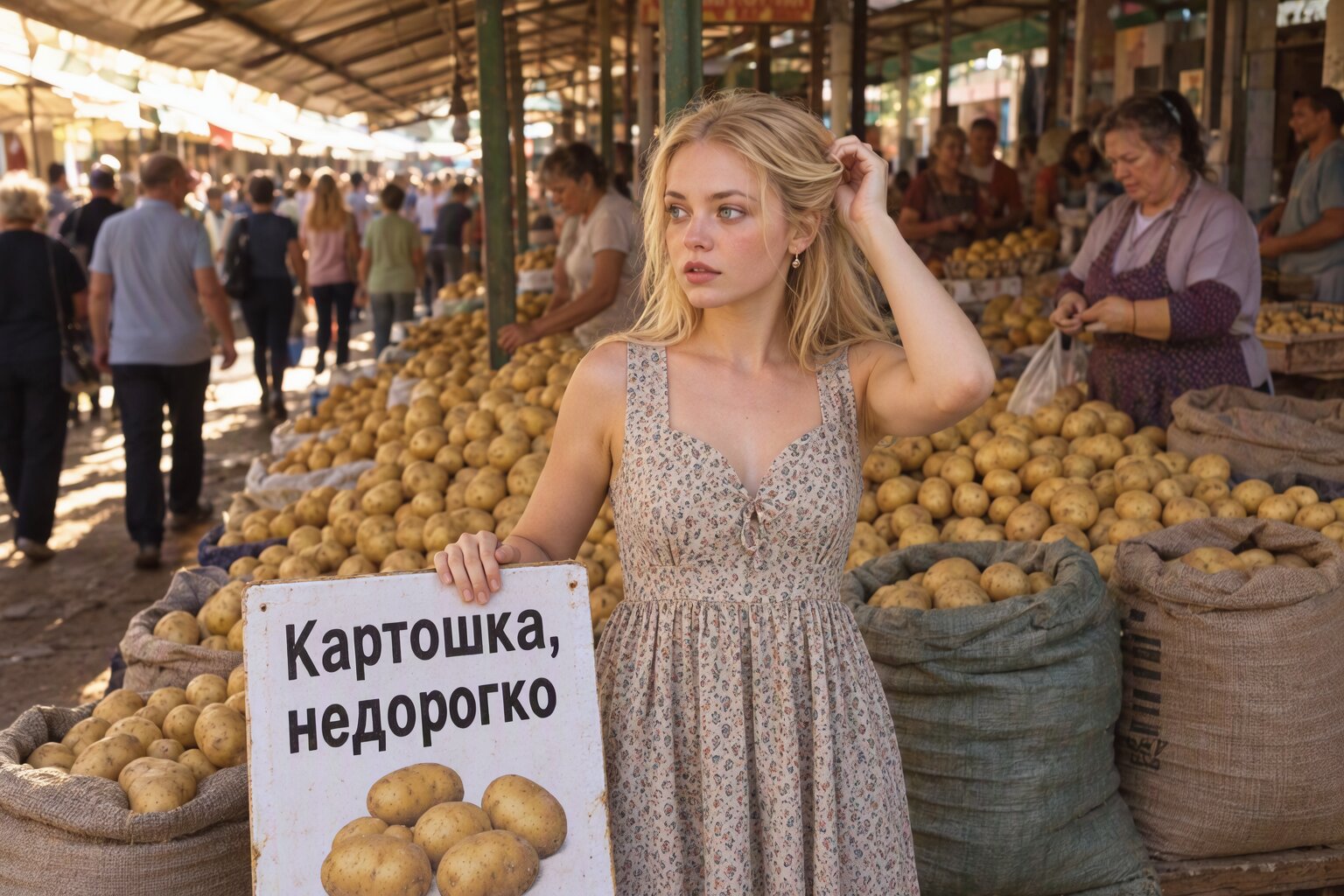
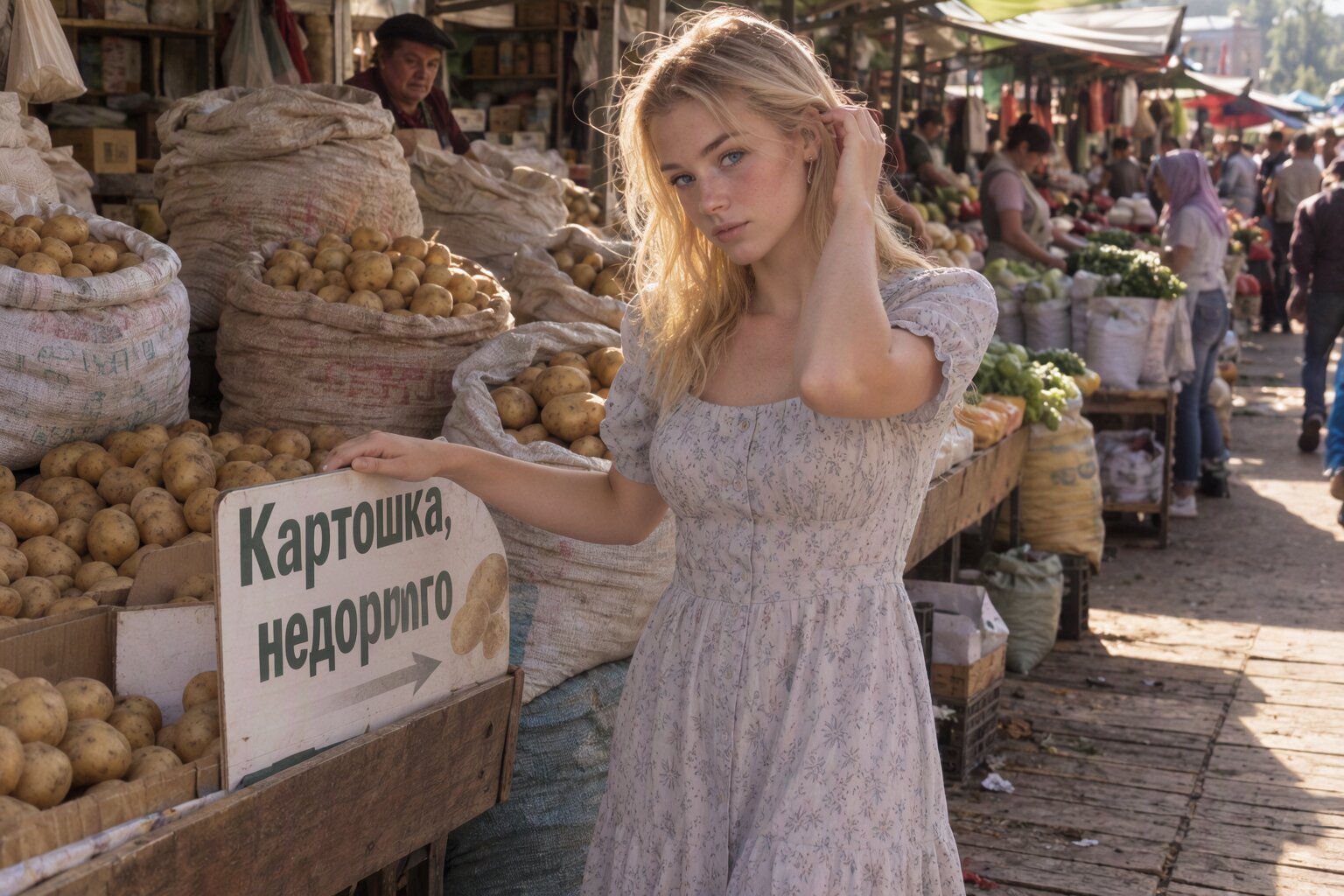
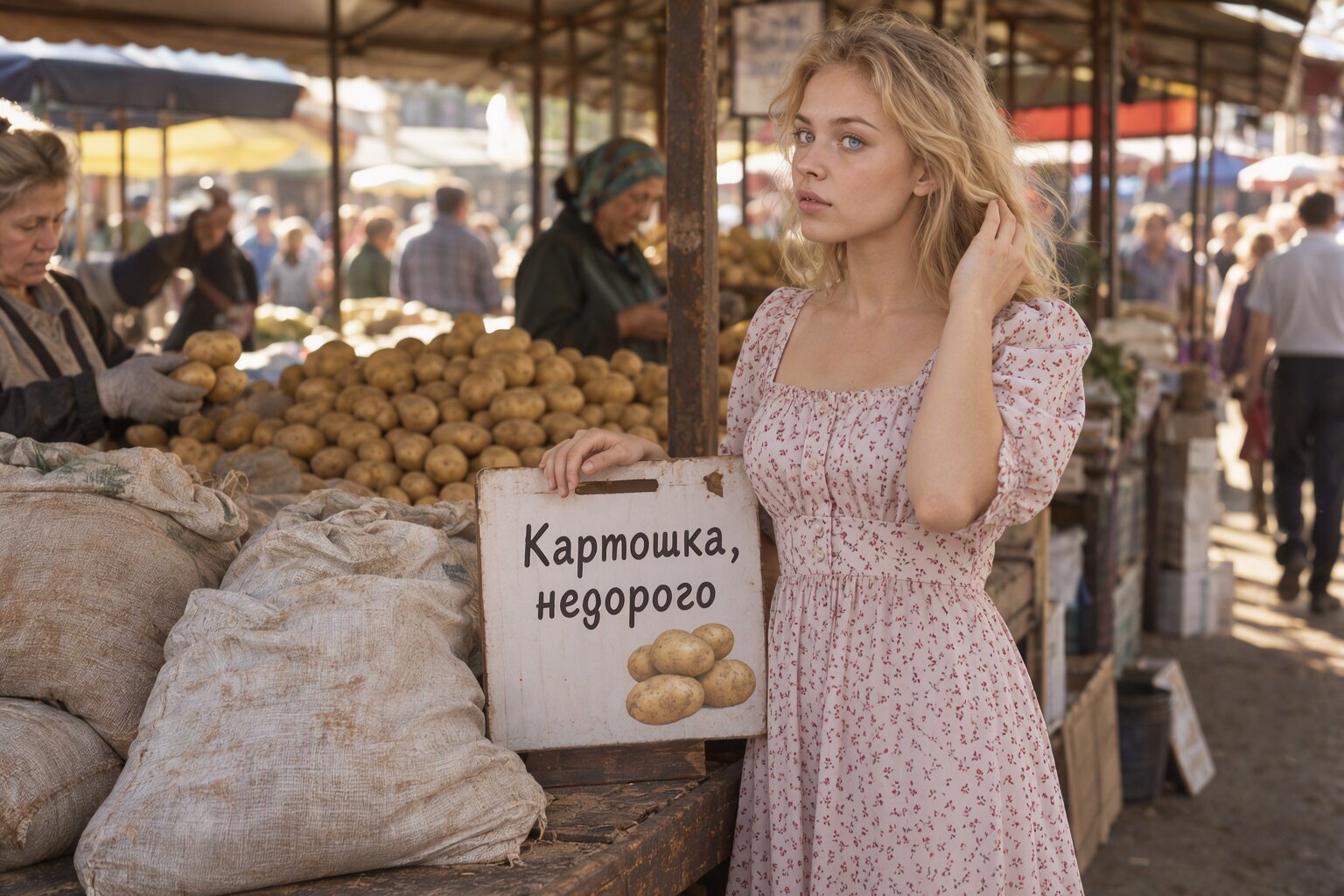
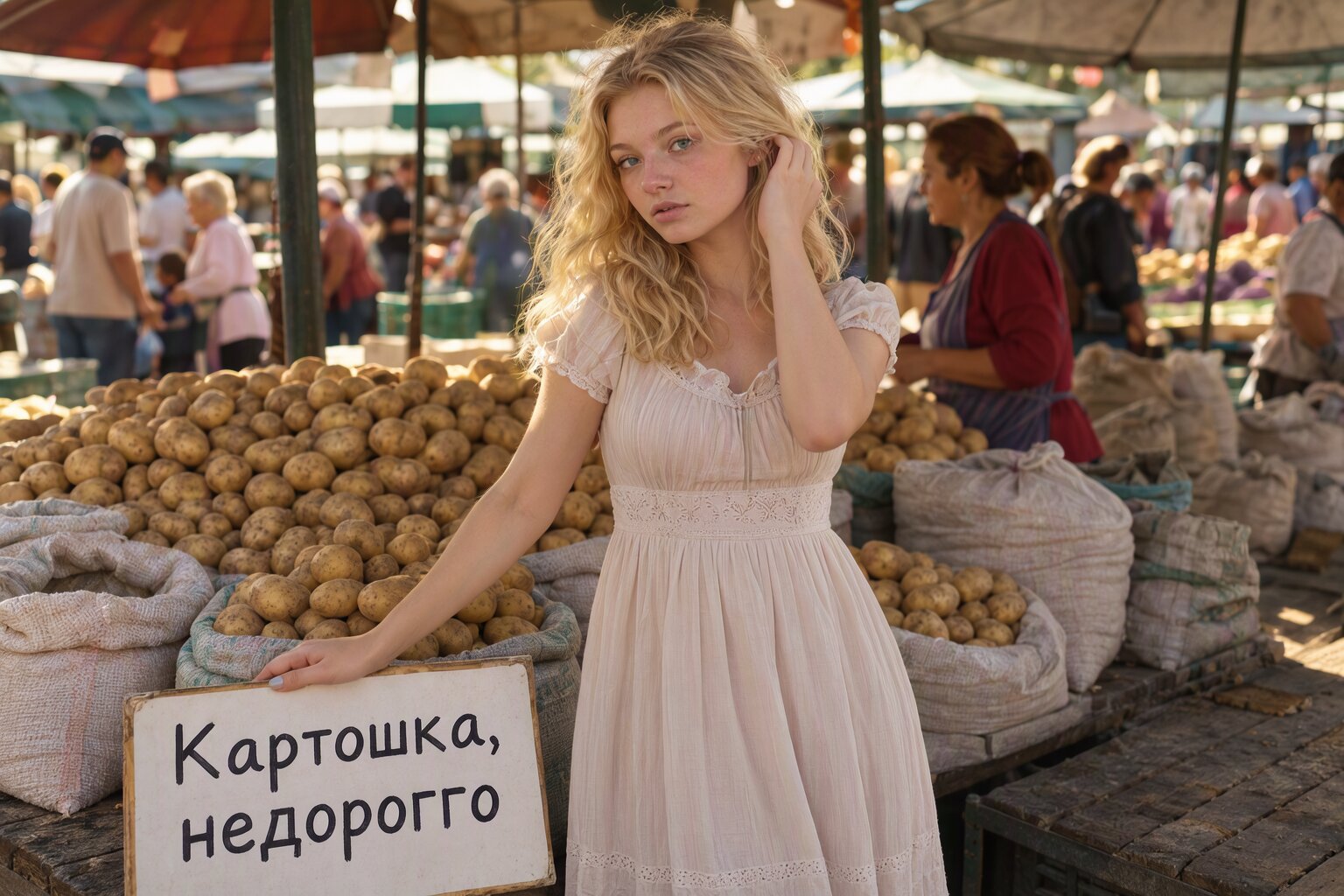
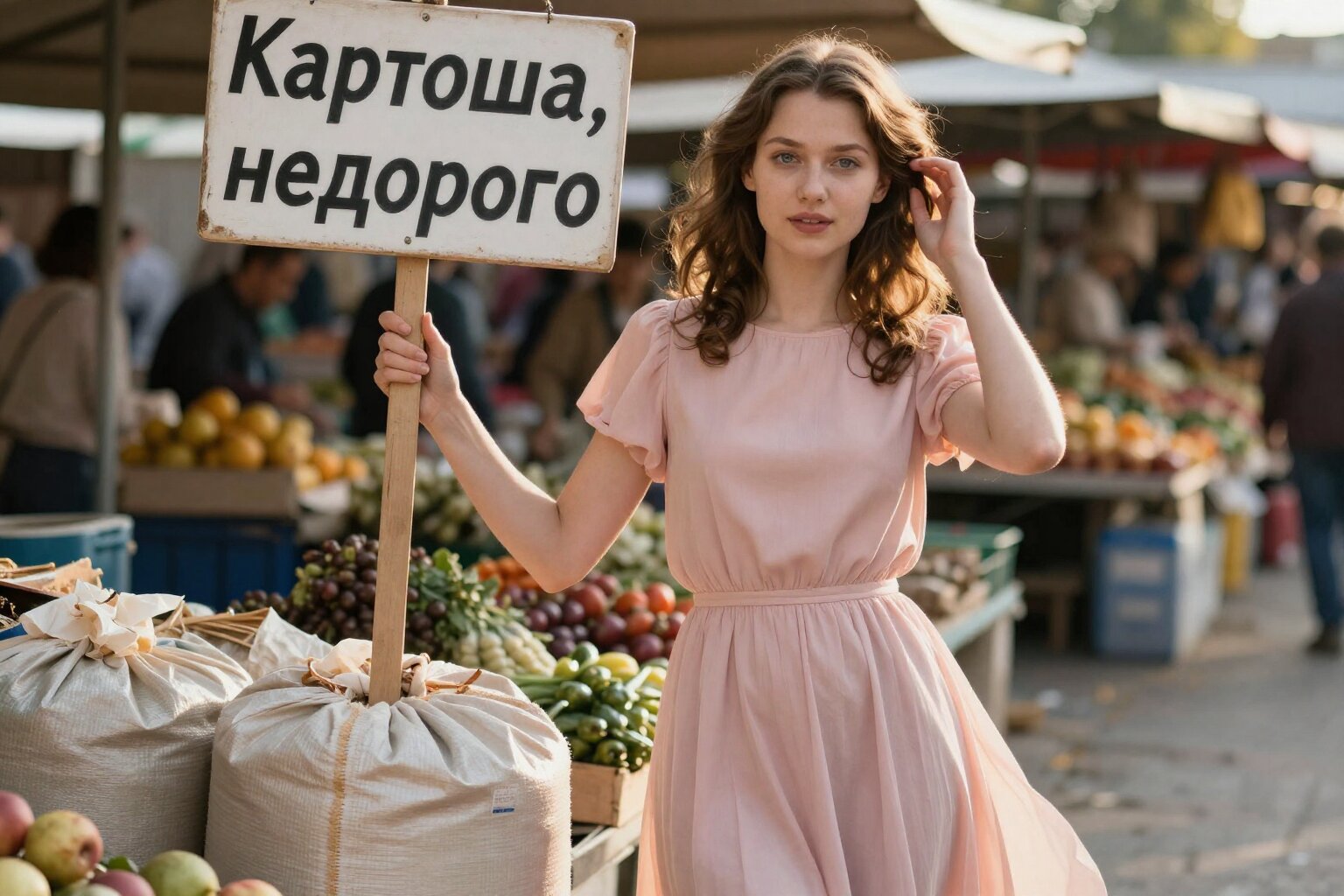
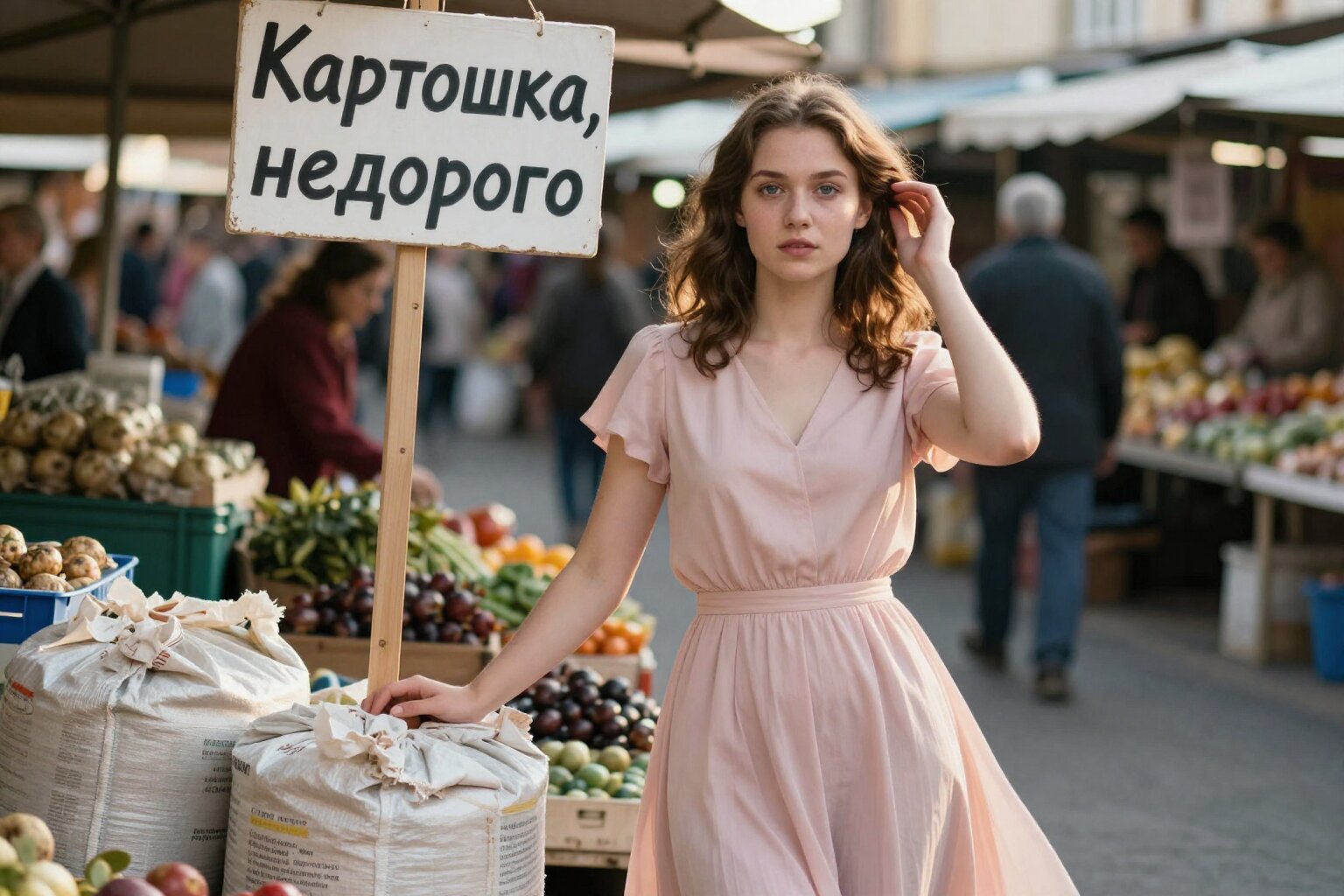
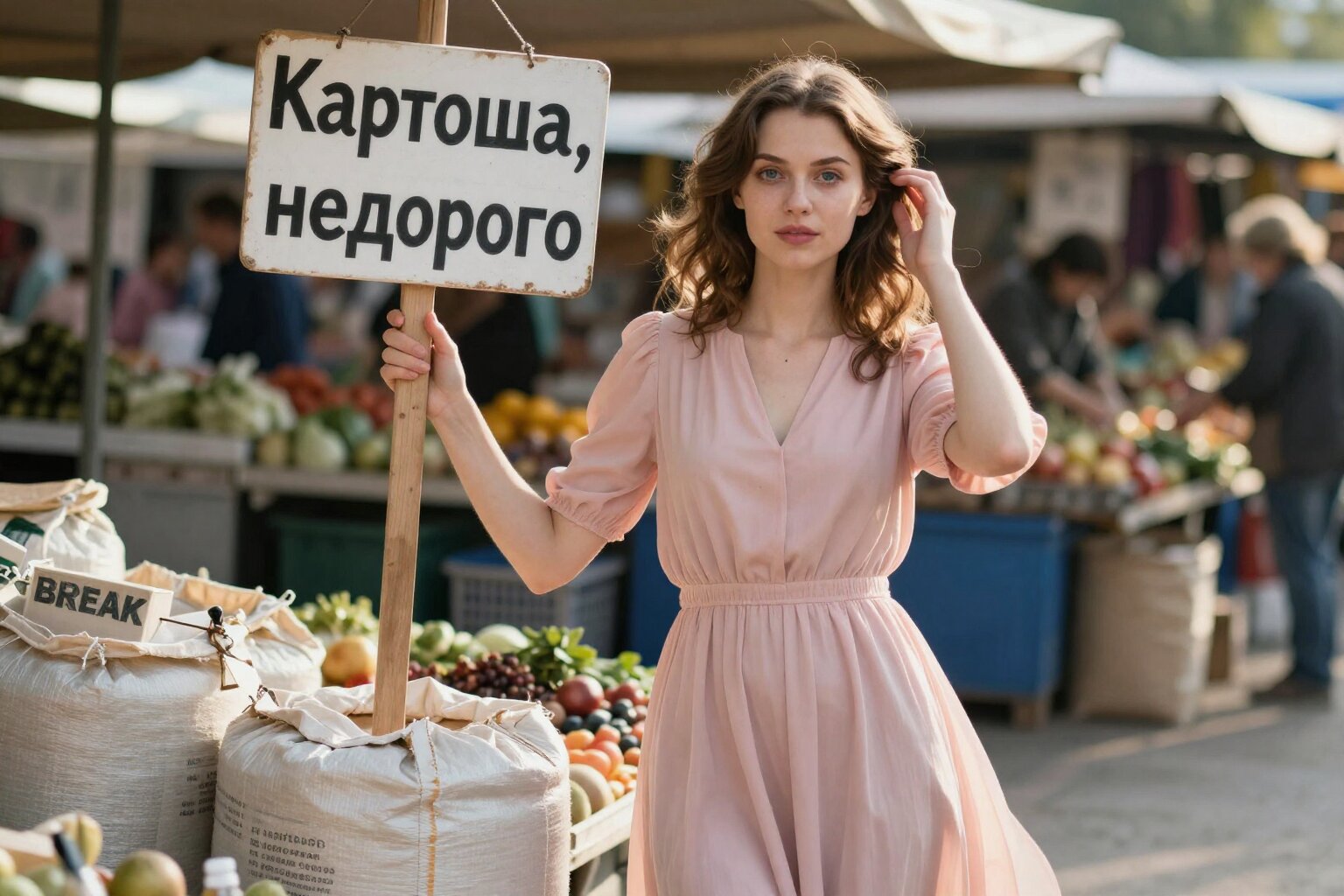
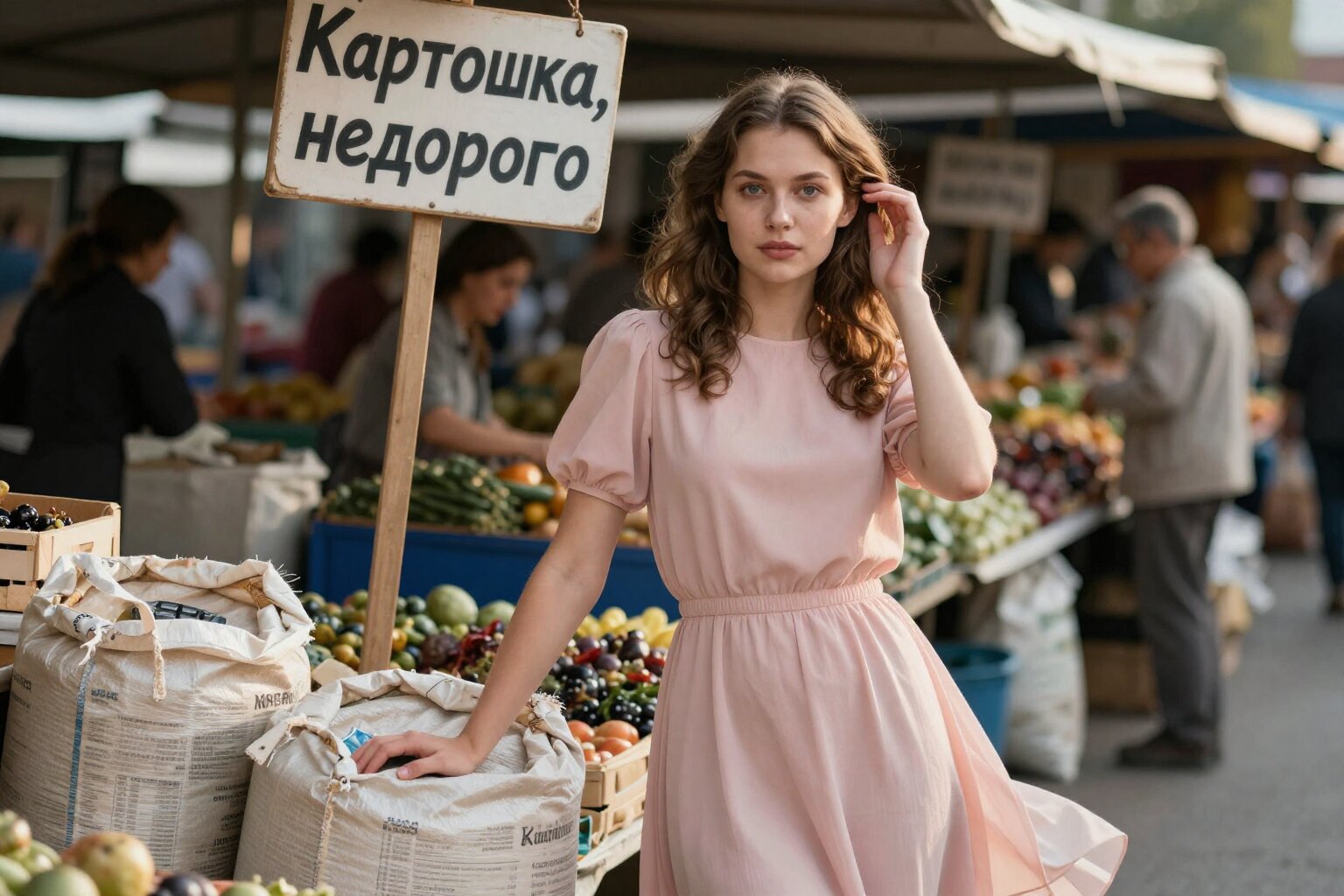
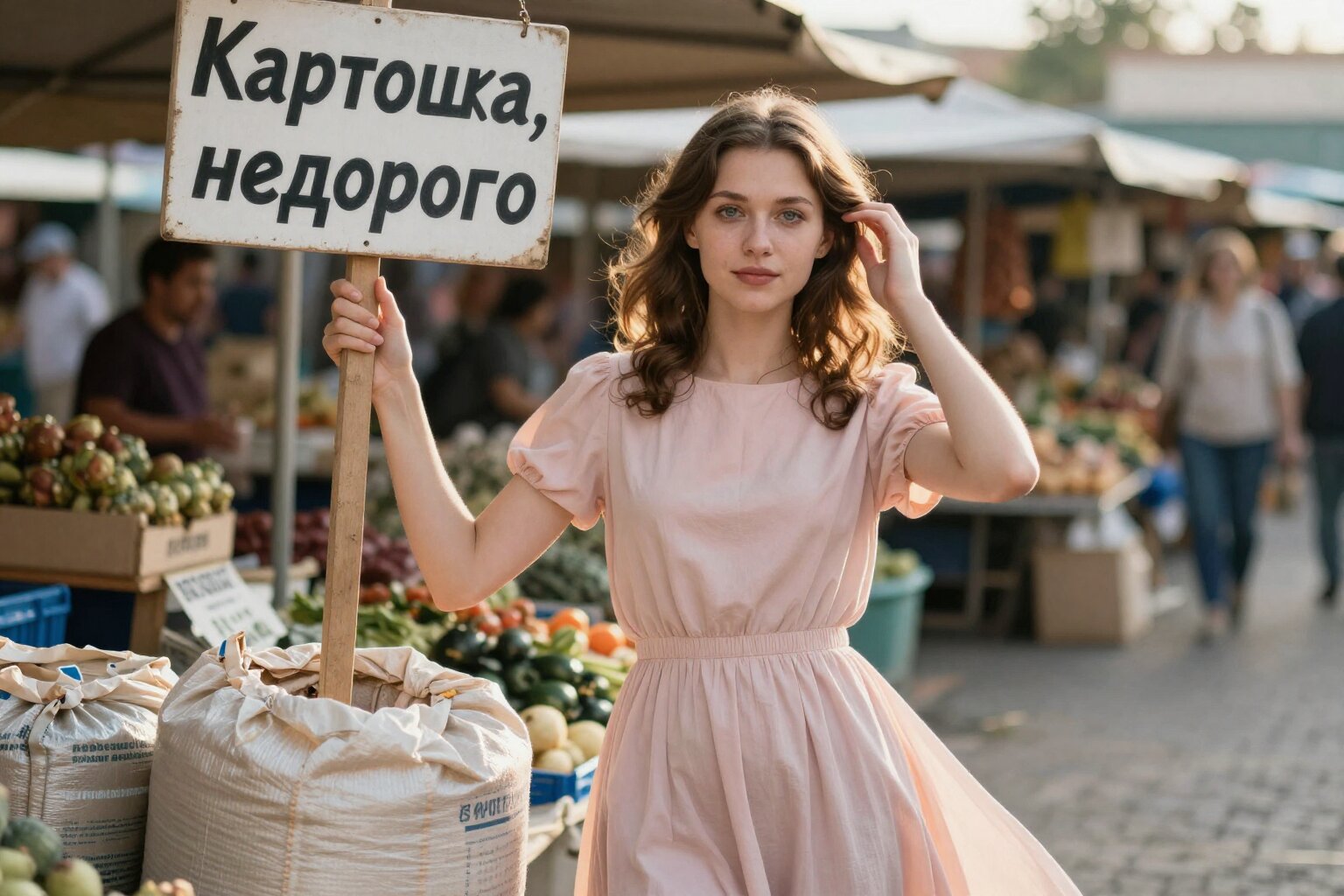
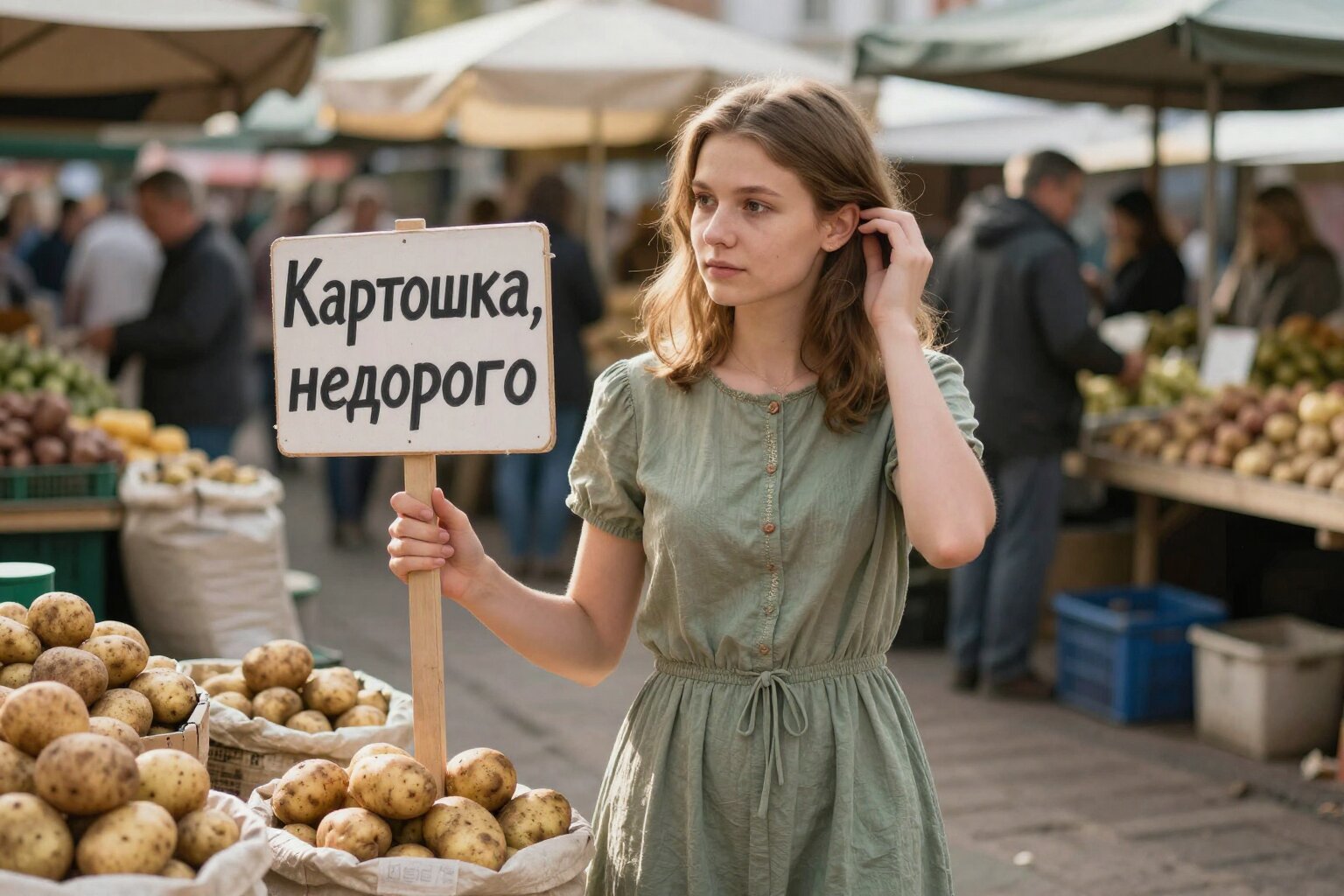
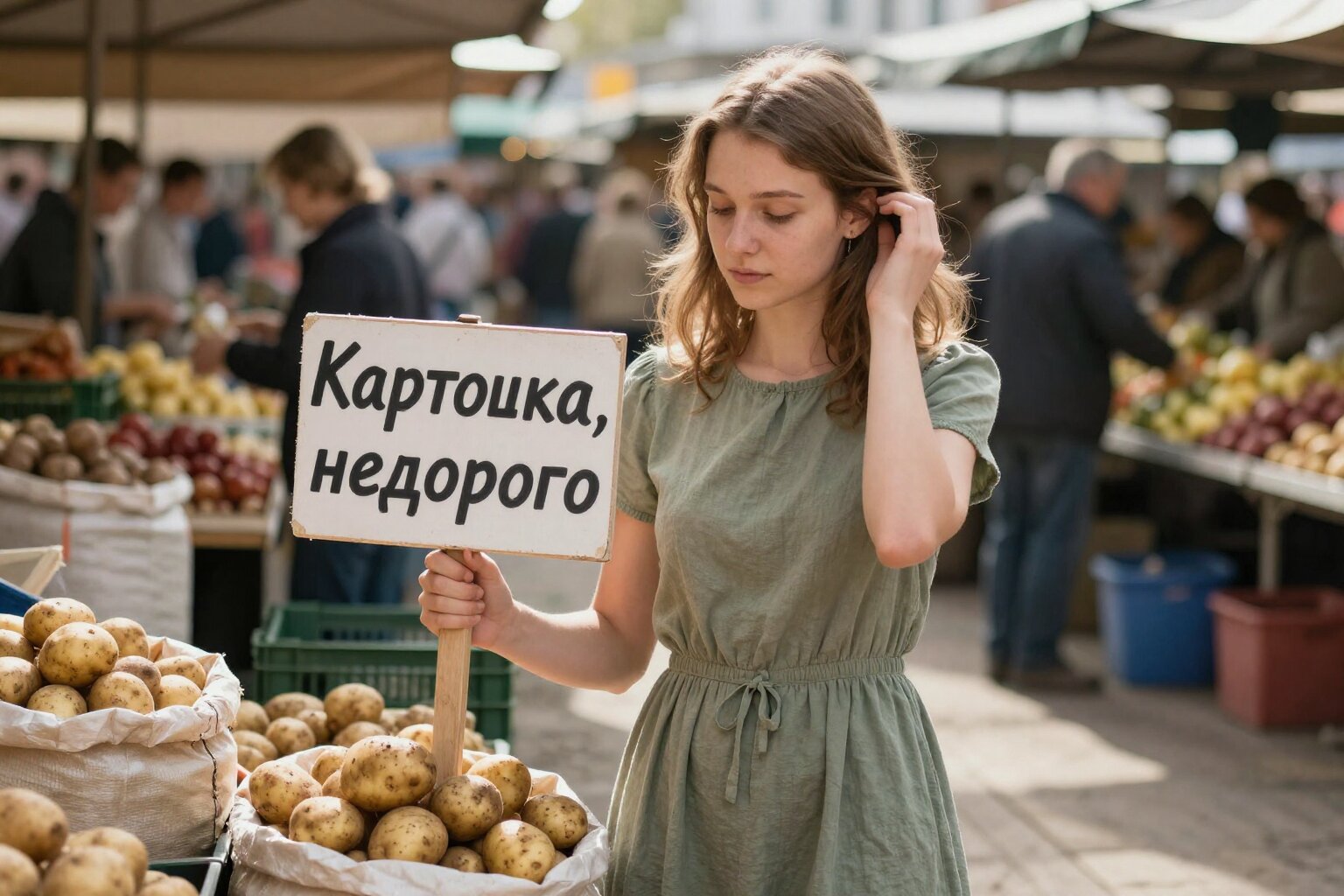
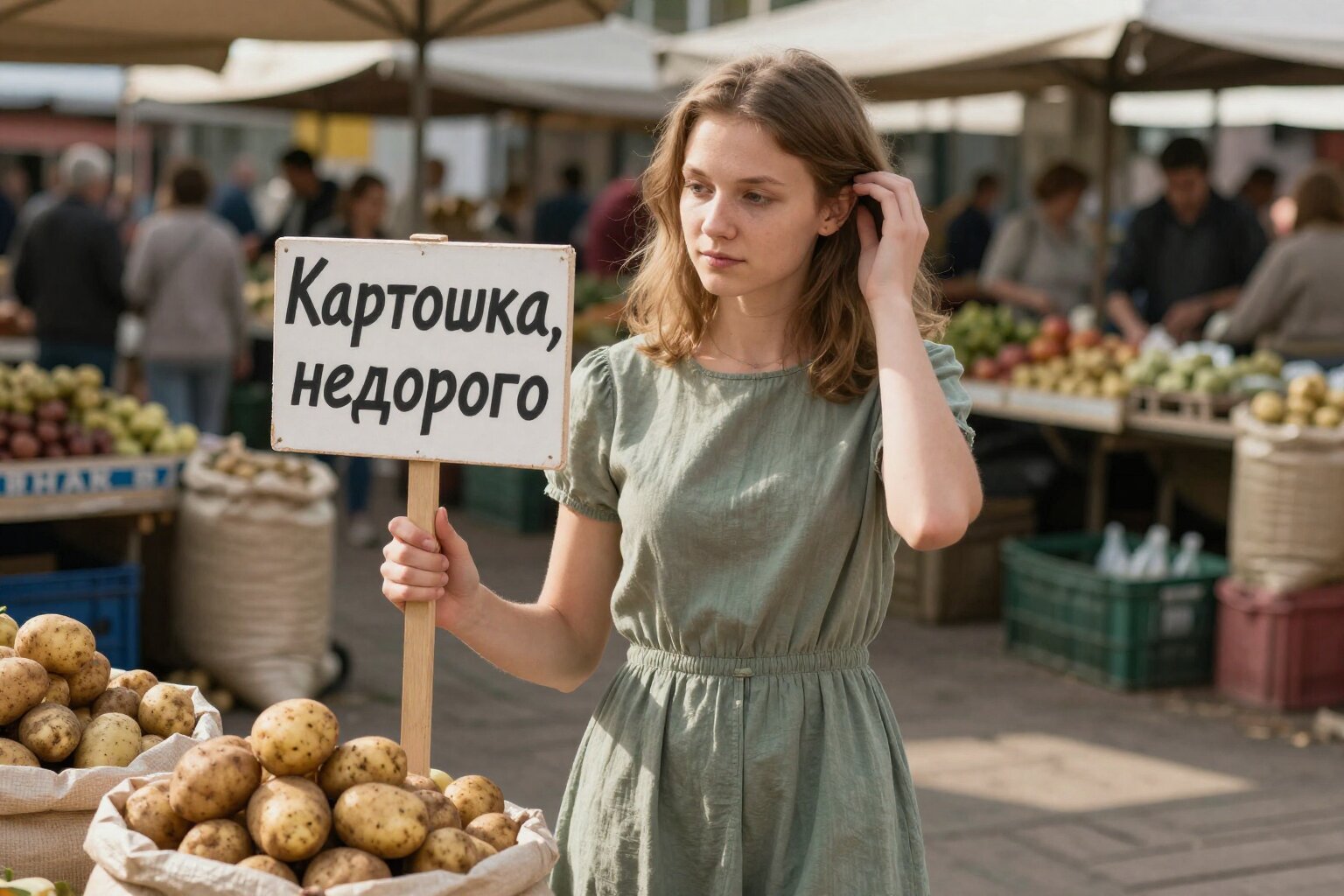
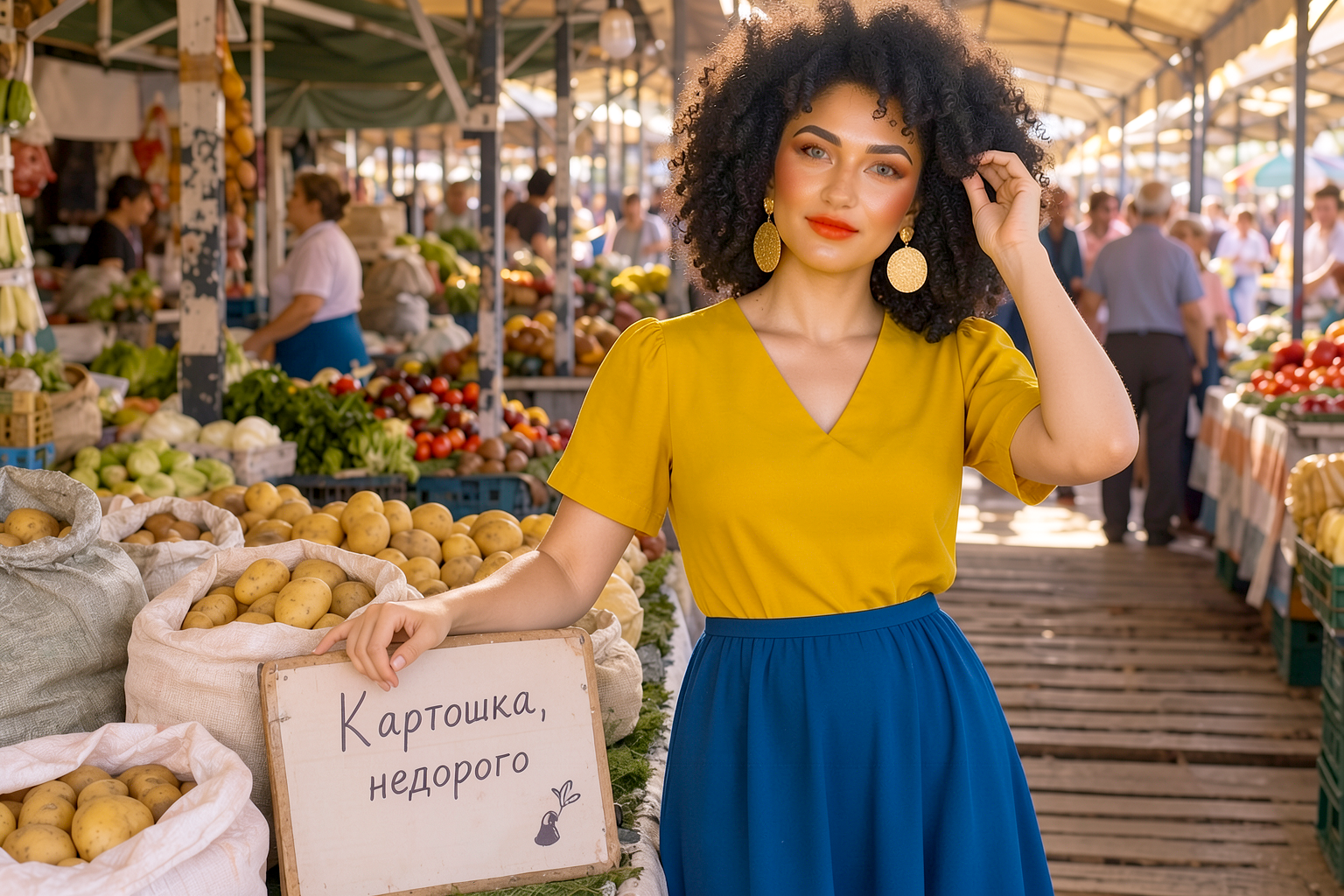
I benchmarked it on my PC: imagecaster-server on Debian, RTX 4070 Ti Super 16 GB, resolution 1536×1024, 10 images per model (5 for Flux). I wrote the prompt in Russian—the LLM will rewrite it in English anyway, except for the inscription on the sign:
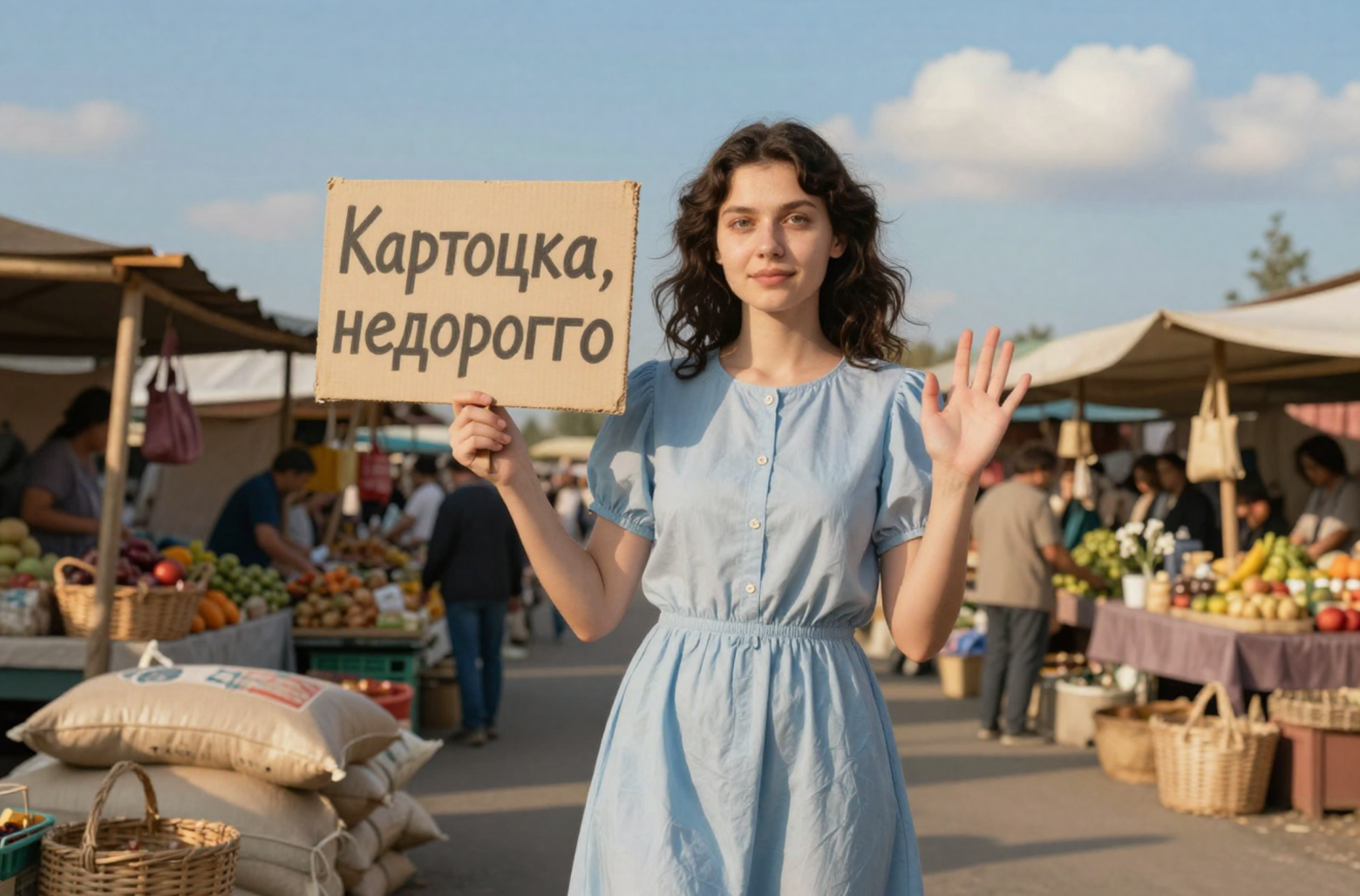
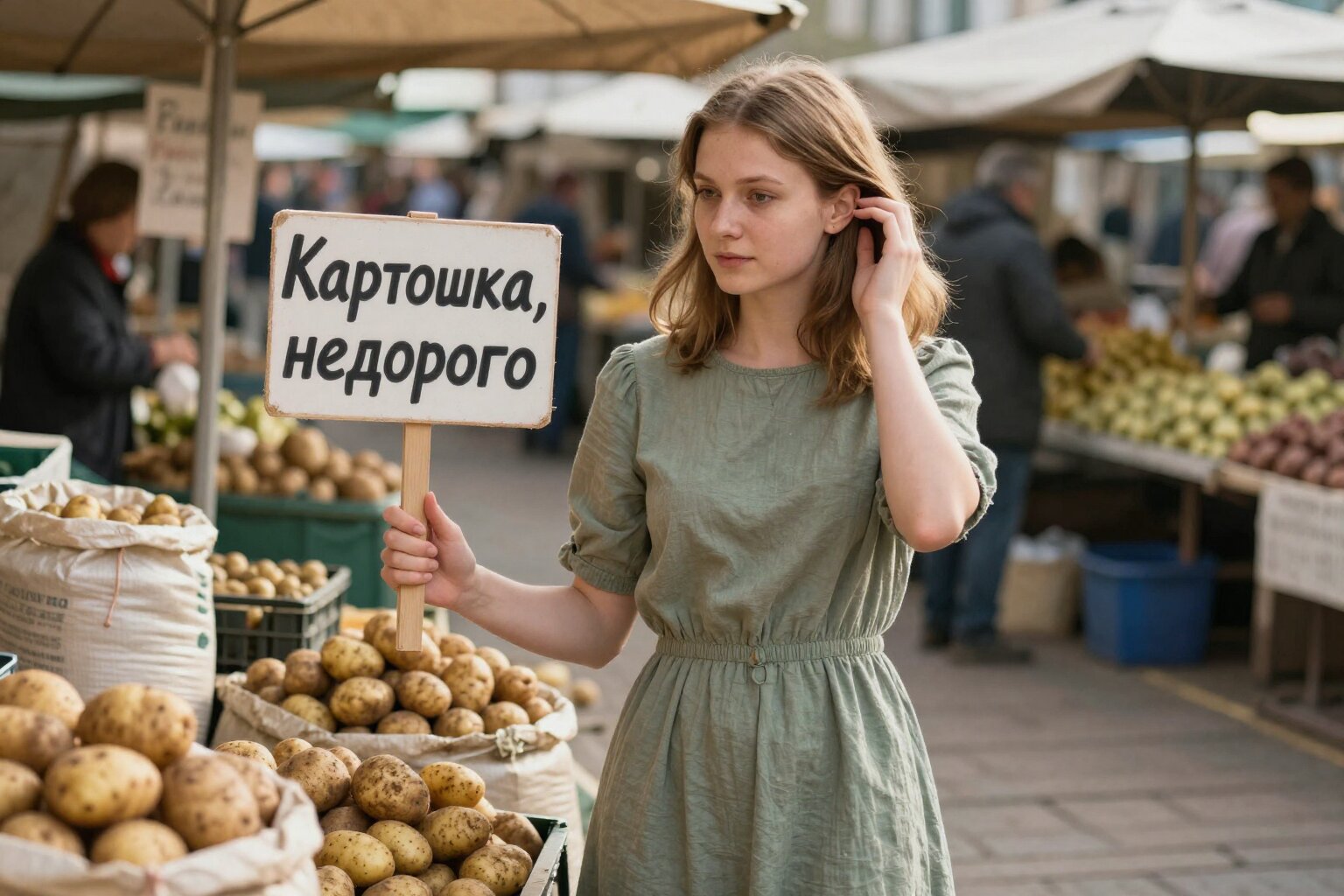
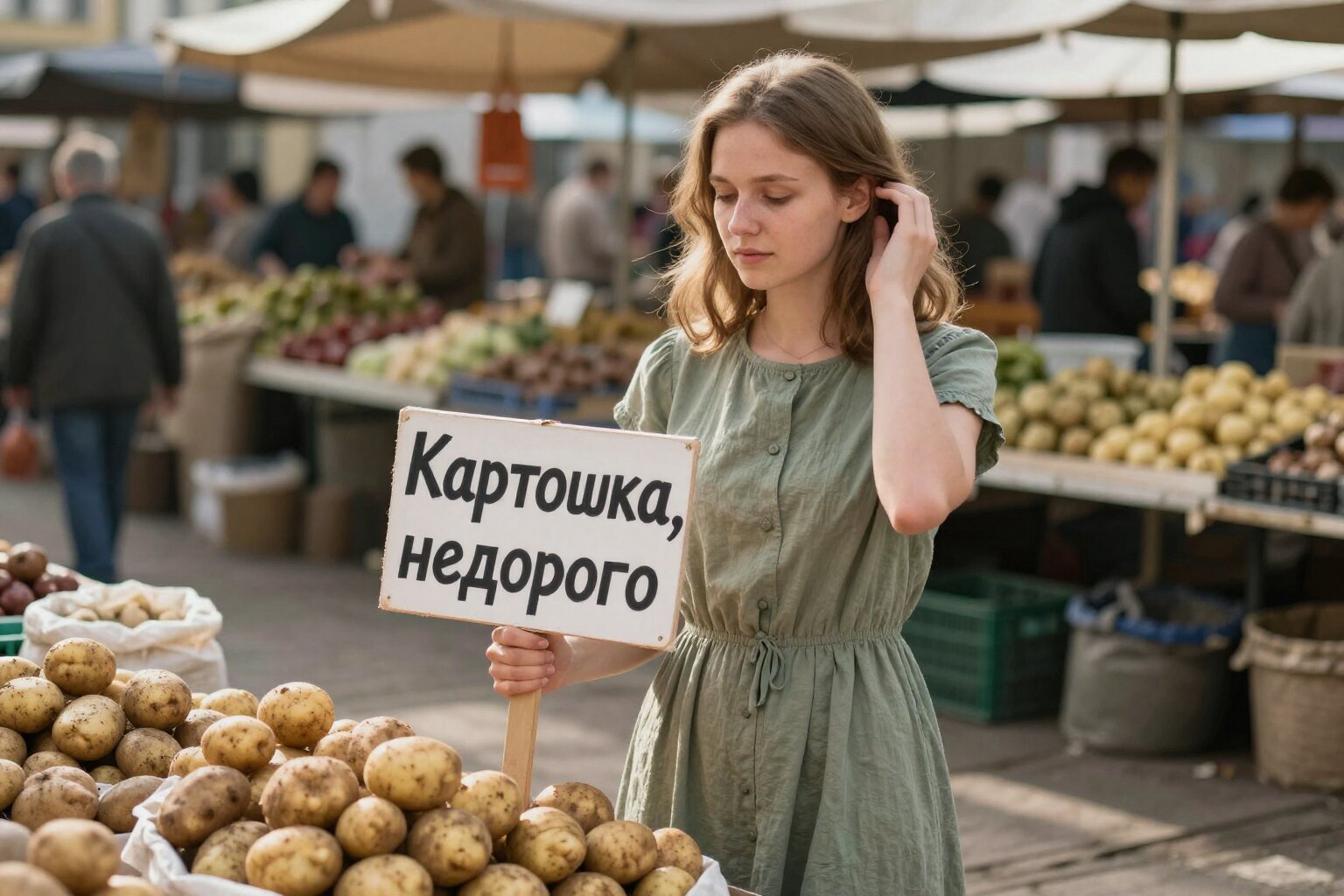
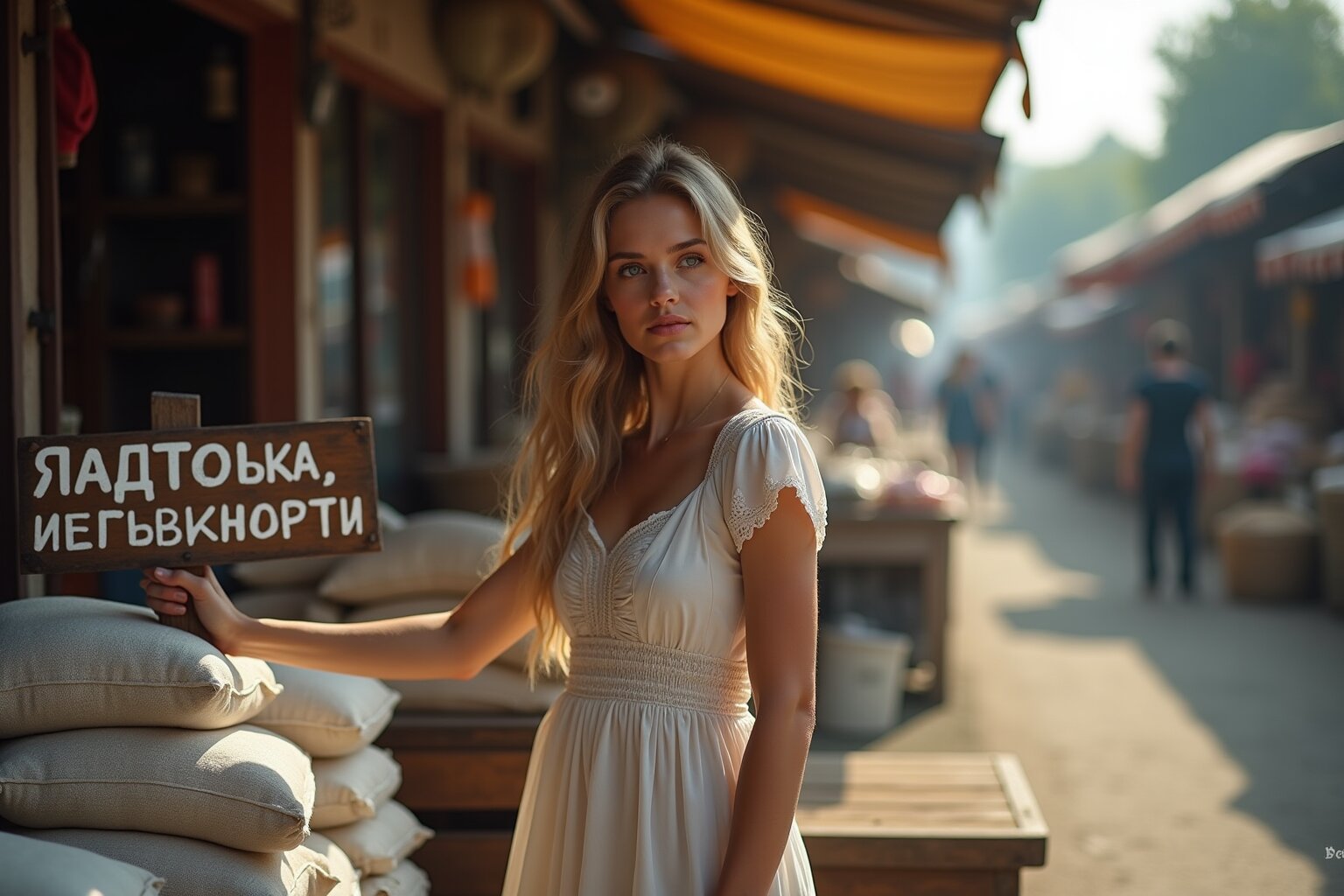
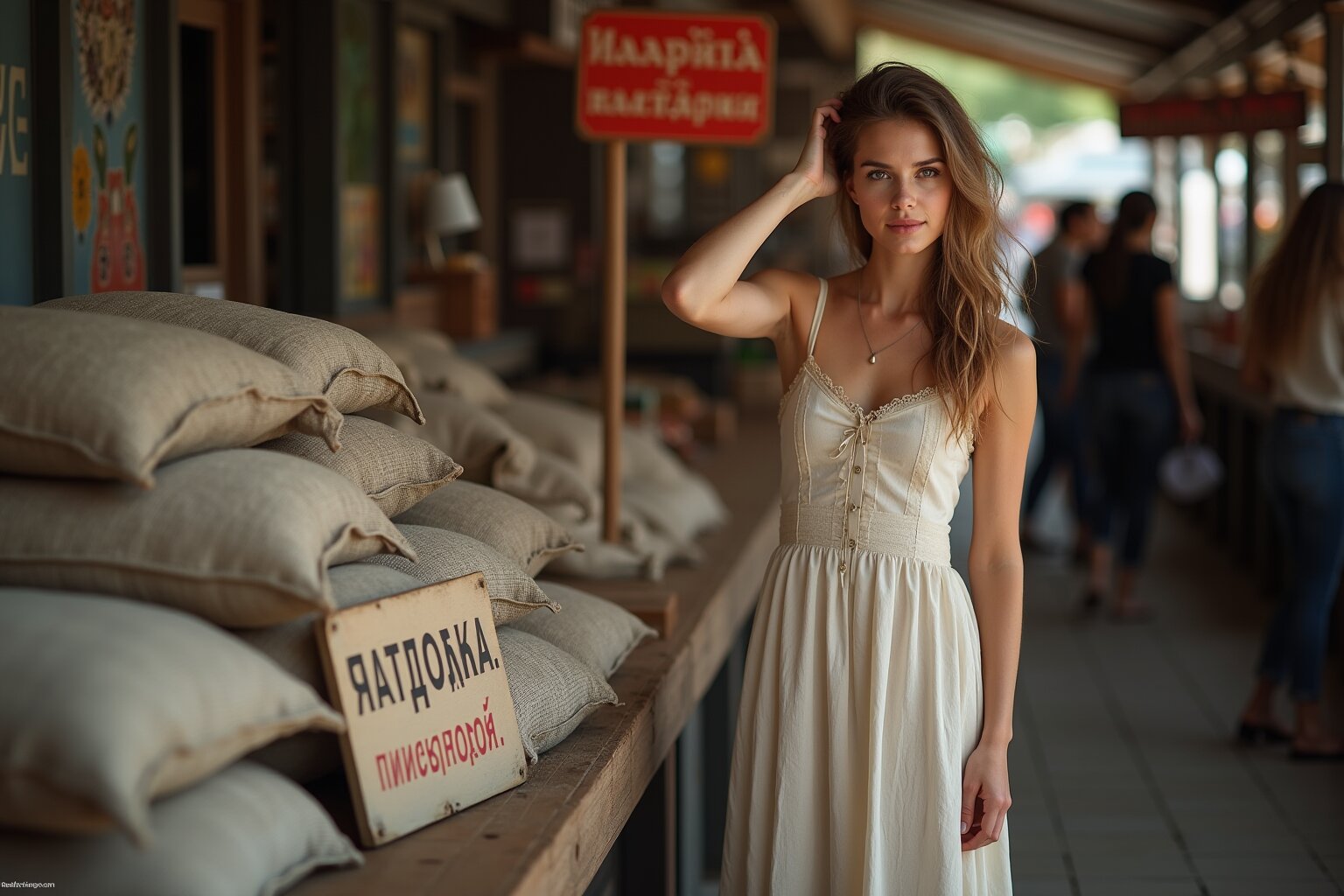
A young Russian woman in a dress at a market next to sacks and a sign reading: “Potatoes, cheap.” Her right hand is on the sign. With her left hand, she is fixing her hair.
Moss
Photo Realism preset (Moss): Euler, 50 steps, CFG 3. About 2 minutes per image.
5 out of 10 — no errors in the inscription. There were minor errors: “недорогго,” “недорокго.”
Z-Image Turbo
Photo Realism preset (Z-Image): Euler, 8 steps, CFG 1. About 15 seconds per image.
6.5 out of 10. Occasionally it produced “Картоша” and “Картоцка.” Half—because in one case the “ш” and “к” merged into a single letter, and I don’t know how to classify that.
Flux 1
Photo Realism preset (Flux): Euler, 24 steps, CFG 1. About one minute per image.
0 out of 5. The girls are beautiful, but Flux cannot write in Russian.
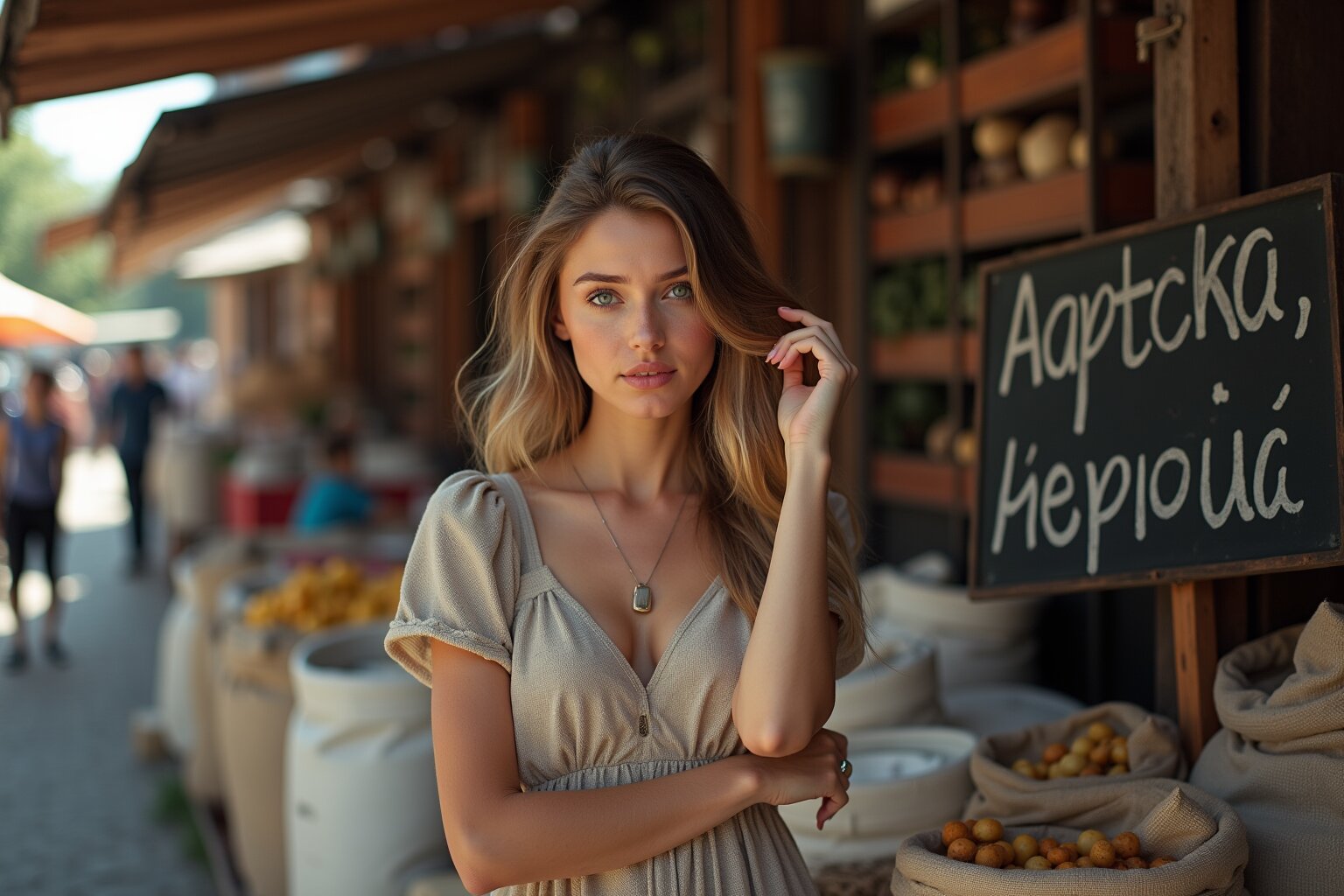
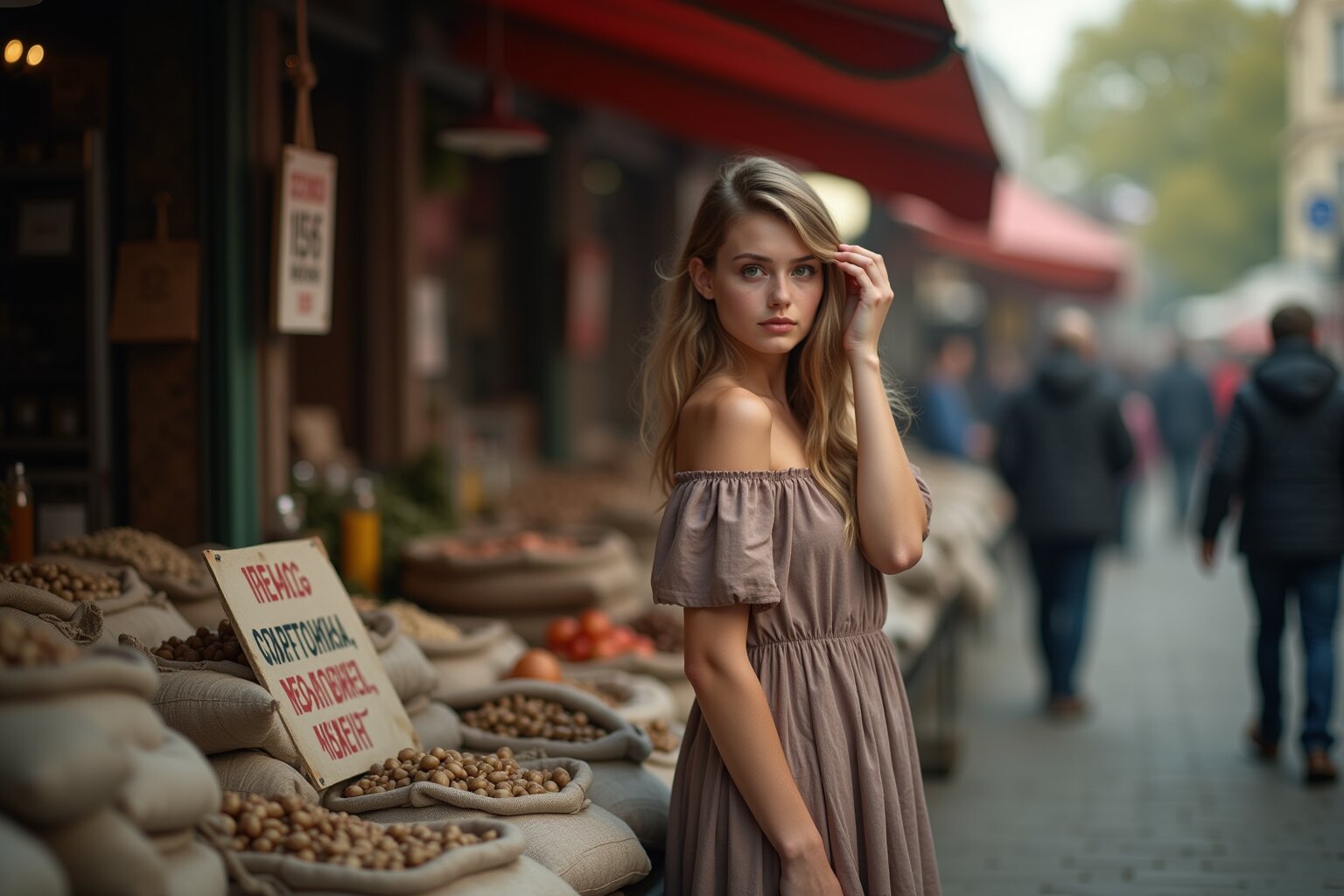
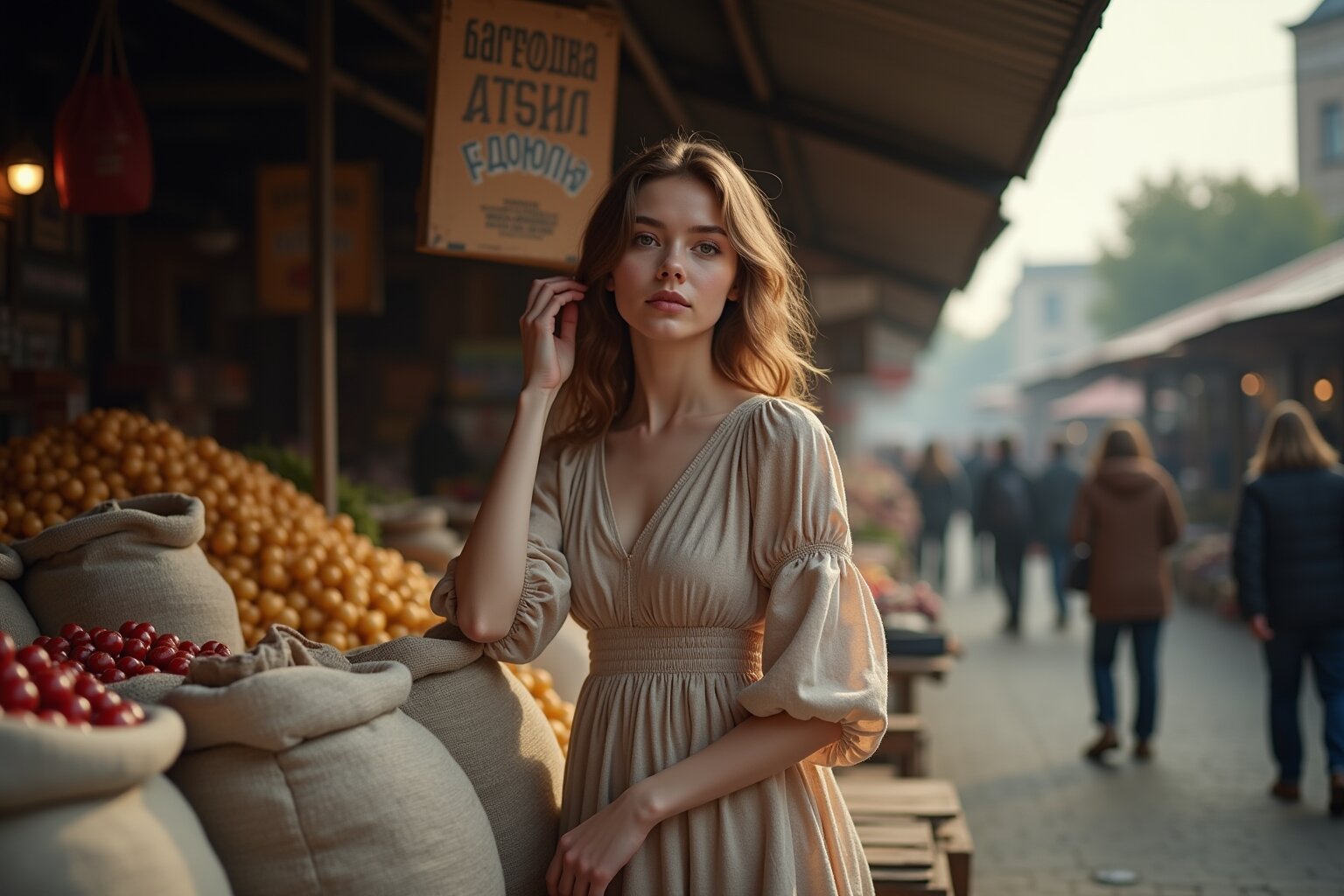
I asked the AI why there was such a difference:
AI comment (Claude). It is probably not a matter of quantization.The text in the image depends primarily on which text encoder—the part of the model that reads the prompt—is used and whether it understands Cyrillic:
Flux 1 reads prompts using a T5 encoder that was trained mostly on English. It apparently handles Russian letters poorly, hence the 0 out of 5. Neither fp8 nor bf16 will fix that.
Z-Image and Moss use encoders from the Qwen family, which are multilingual. Therefore, their text works in principle.
The three models use different quantization methods, but not uniformly in the same direction. Moss itself uses bf16, while its text encoder is reduced to int8. You cannot say that “Moss has full quality while the others are reduced.”
And, to be fair: the full version of Flux 1 in fp16 weighs about 23 GB and does not run on my 16 GB card.
Post-processing
The finished photo can be changed with a single button: lighting, film, clothing fabric, style. Almost everything is handled by Klein. I won’t spell it out—I’ll show you with pictures.
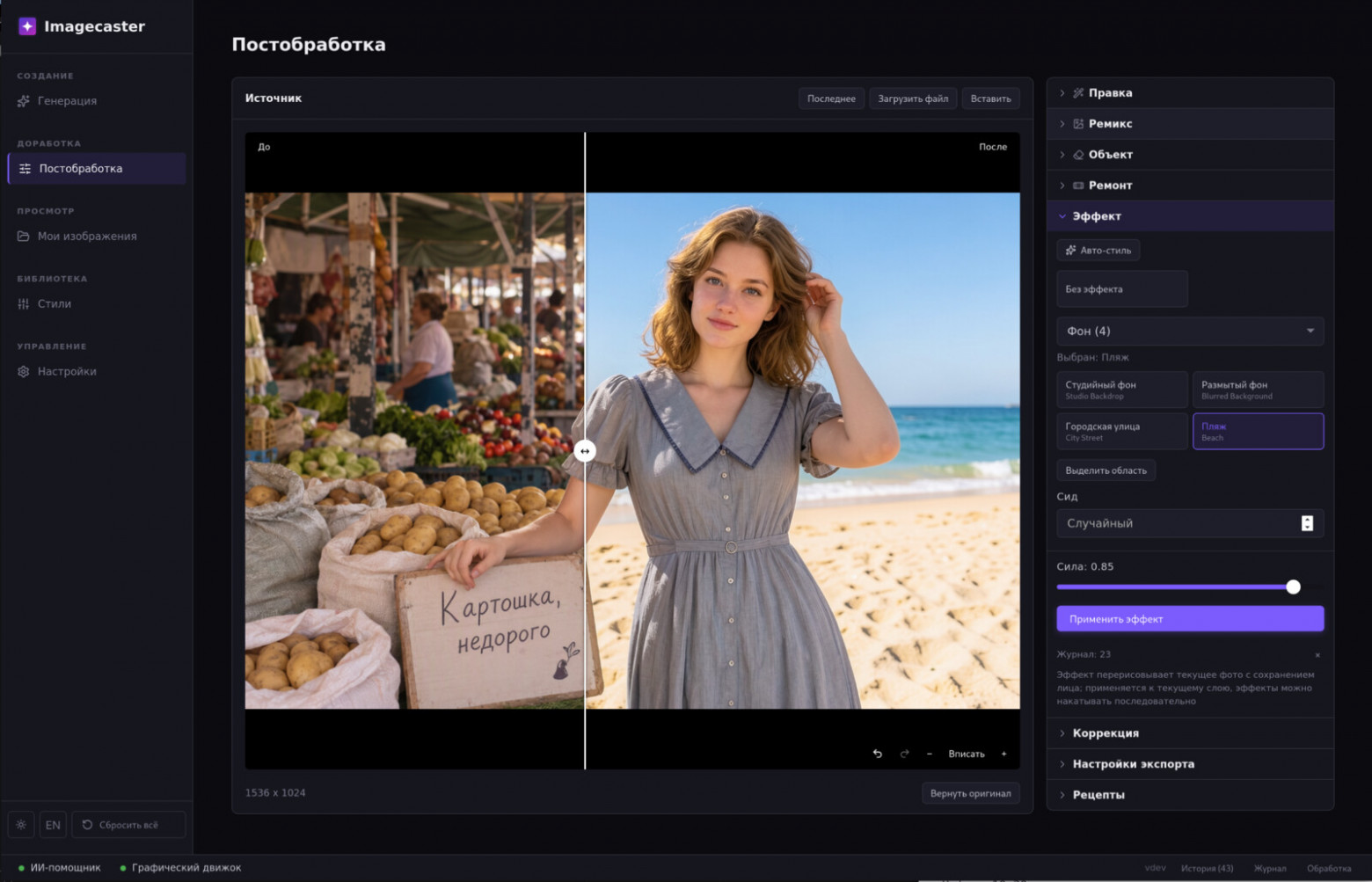
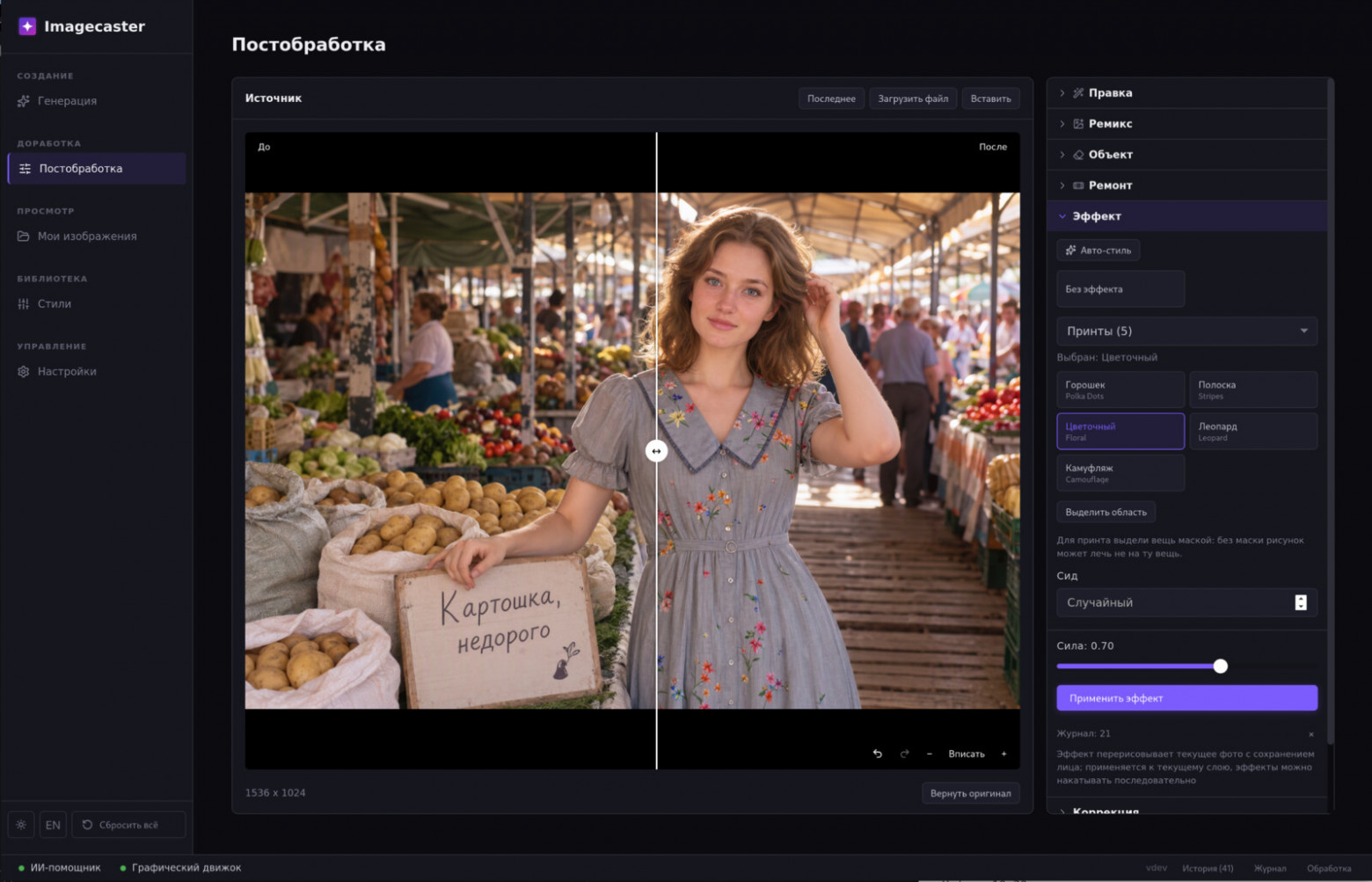
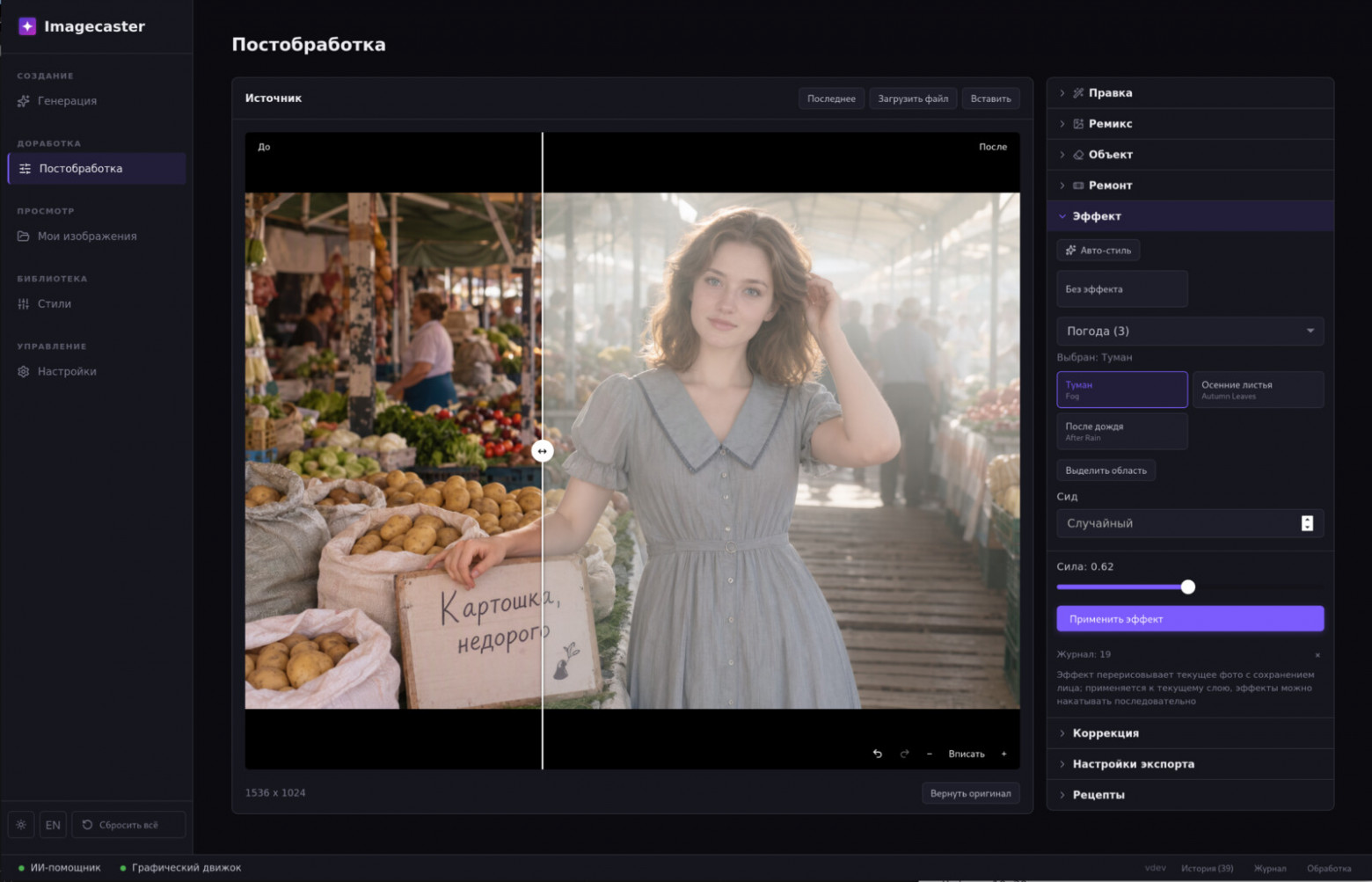
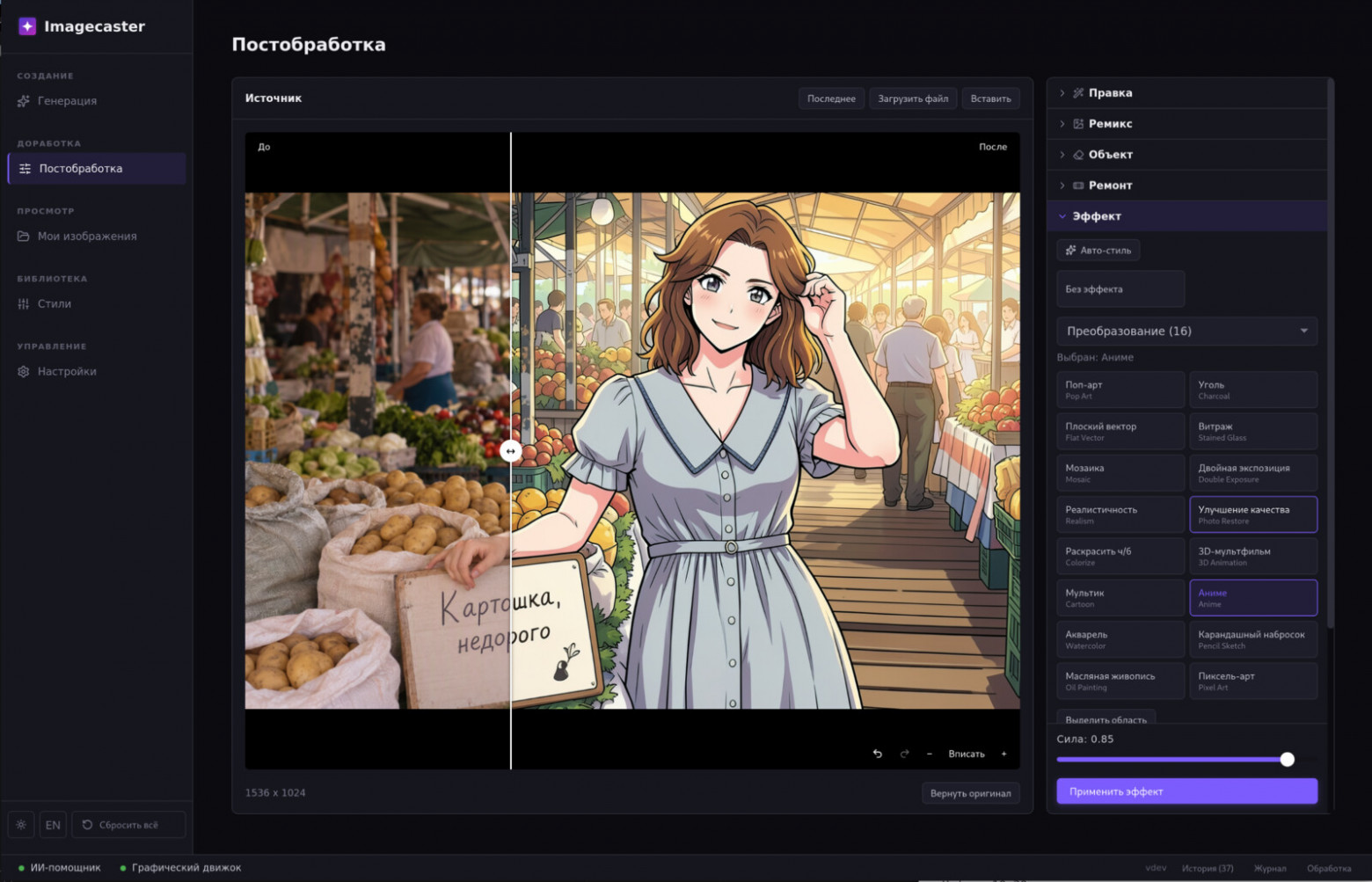
AI stylist
This section became possible only with the new models.
Post-processing has an “Edit” mode: you describe in words what the person in the photo should try on, or upload a photo of clothing. But you have to come up with what exactly to try on. The stylist comes up with it itself: it has its own rules and offers several options.
There are many AI stylists now, but they work online with cloud models, meaning the photo is sent to a third-party server. A local LLM that fits in 16 GB alongside the generative model is a little too weak for the stylist role.That’s why I did it this way: the intelligent model thinks via MCP (Claude Code, Codex, and others), while the application sees and draws. A local vision model describes the photo, the intelligent model receives only text, and generation is also local. The photo is not uploaded anywhere.
Some of the “intelligence” is lost in the process: the stylist does not see the photo itself. However, you can correct it in the dialogue by telling it about your preferences or about anything the vision model missed.
A separate challenge is the face. Klein changes the entire frame and also slightly changes the face, and a stylist without a similar face is useless. Therefore, after editing, the eyes, nose, and lips are transferred from the original photo using facial landmarks, and similarity is checked; if the face does not match, generation is repeated, up to three attempts. In the tables below, the fit column shows how much the face in the variant differs from the original: the smaller the value, the closer it is. id is the variant number in the application’s history.
After that, it’s simply a dialogue with the stylist as is.The girl in the photo is generated; she is not a real person.
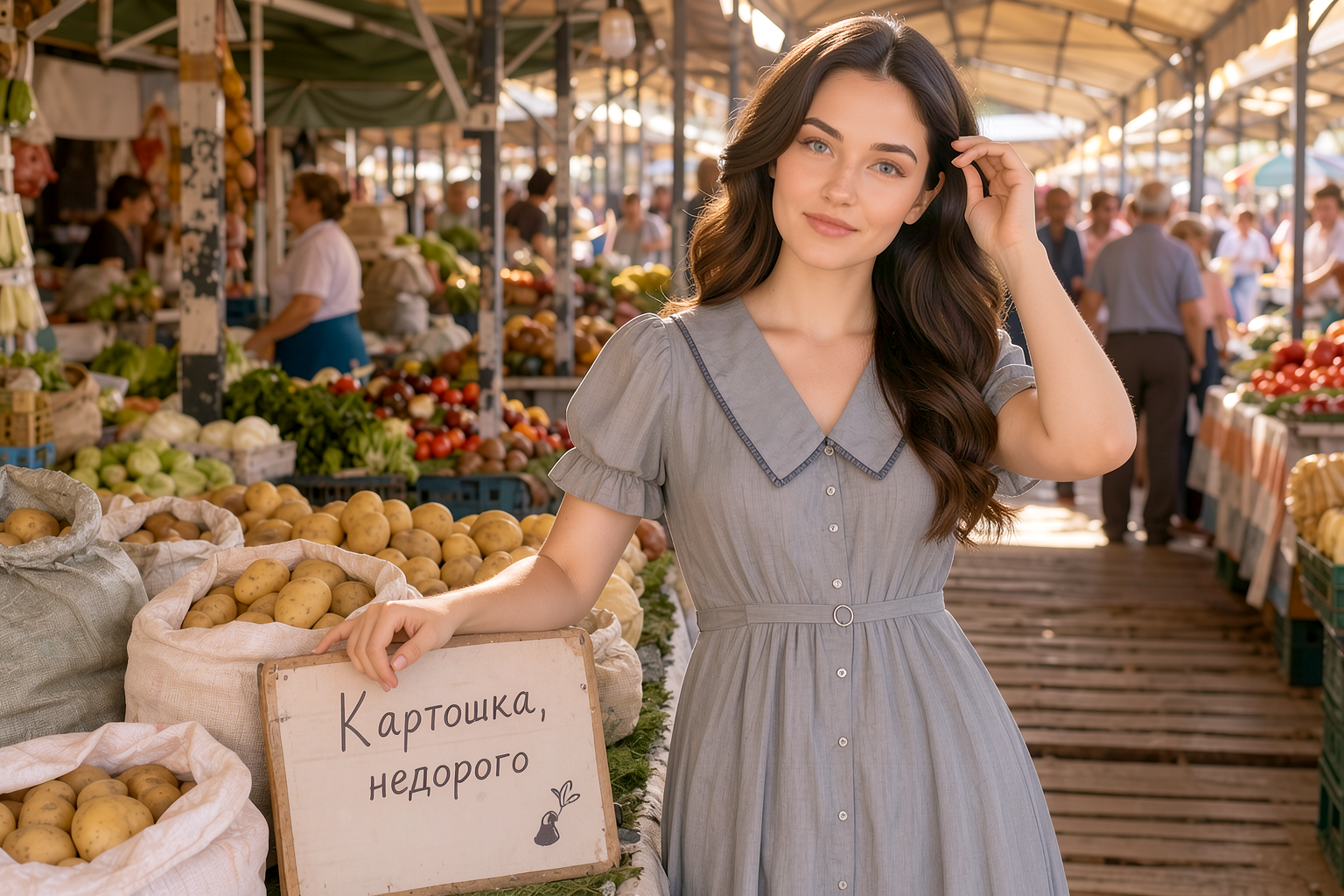
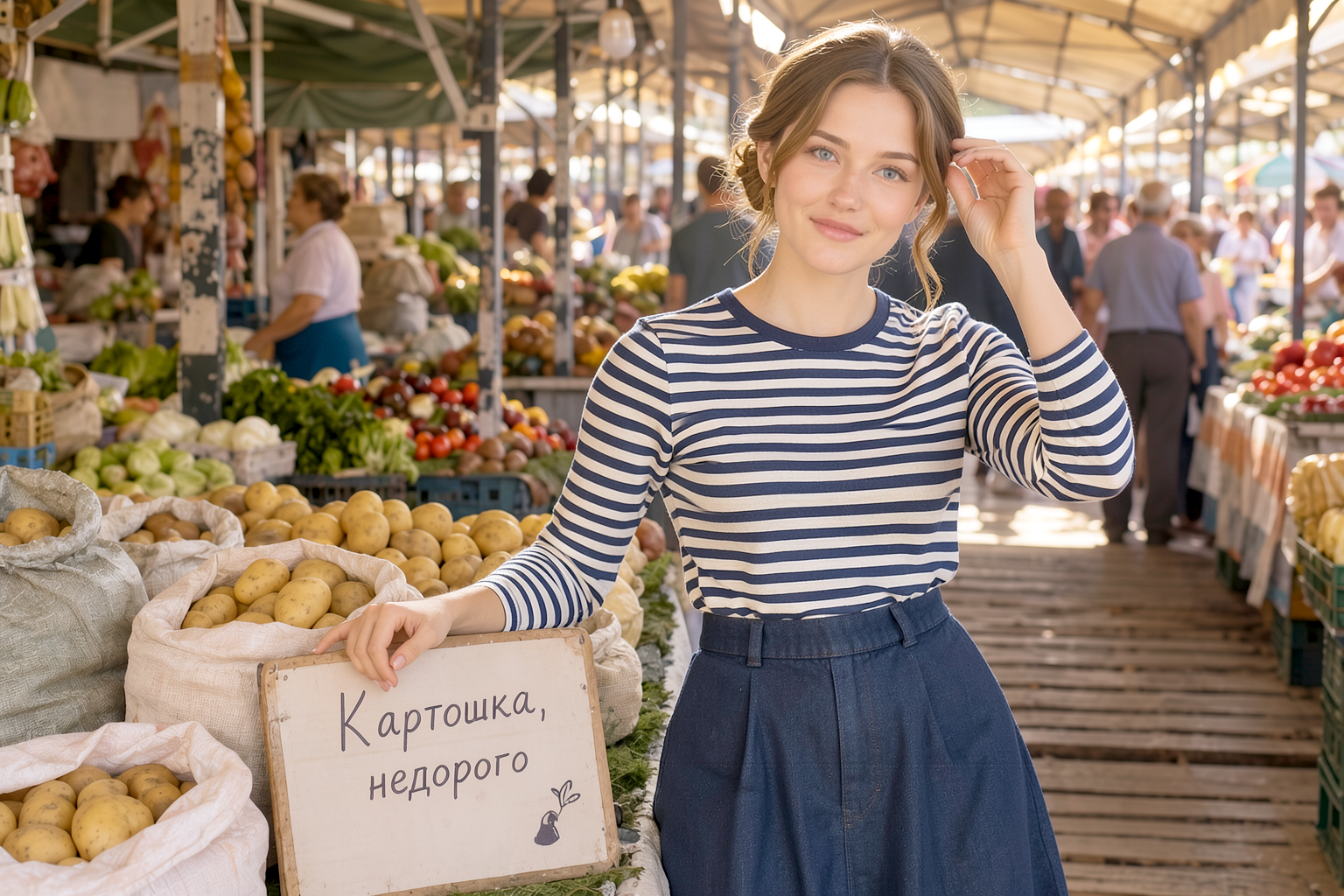
«Choose everyday looks»
id | Hairstyle | Outfit | Makeup | fit |
|---|---|---|---|---|
30594 | Side-part waves | her gray dress | peach nude lip balm | 0.015 |
30595 | Half-up bun | French casual: striped T-shirt + long denim skirt | TAG1350@@nude | 0.034 |
30596 | Two loose braids | Cozy layers: oatmeal cardigan + white T-shirt + brown skirt | nude | 0.016 |
30597 | Waves behind both ears, exposed forehead | White T-shirt + terracotta maxi skirt, gold chain | nude | 0.017 |
Myrecommendations in order:
30596 — the “most everyday of the everyday”: the market setting of the shot literally calls for a cozy cardigan and braids; and that’s her signature aesthetic
30597 — the freshest and lightest option: a bare forehead + white top + terracotta — “summer at the market,” with minimum effort
30594 — if you want to keep your dress but make it more lively: changing your hair part is a tiny tweak, and your face instantly opens up
30595 — the most “stylish” of the four, but the striped top clashes slightly with her boho vibe — it’s more of a post-punk aesthetic for you 😄
The makeup is the same everywhere by design: nude balm + brows + clean skin, nothing brighter — as agreed. If you liked any of the looks, tell me, and I’ll fine-tune the details.
 The cardigan is a little “broken”
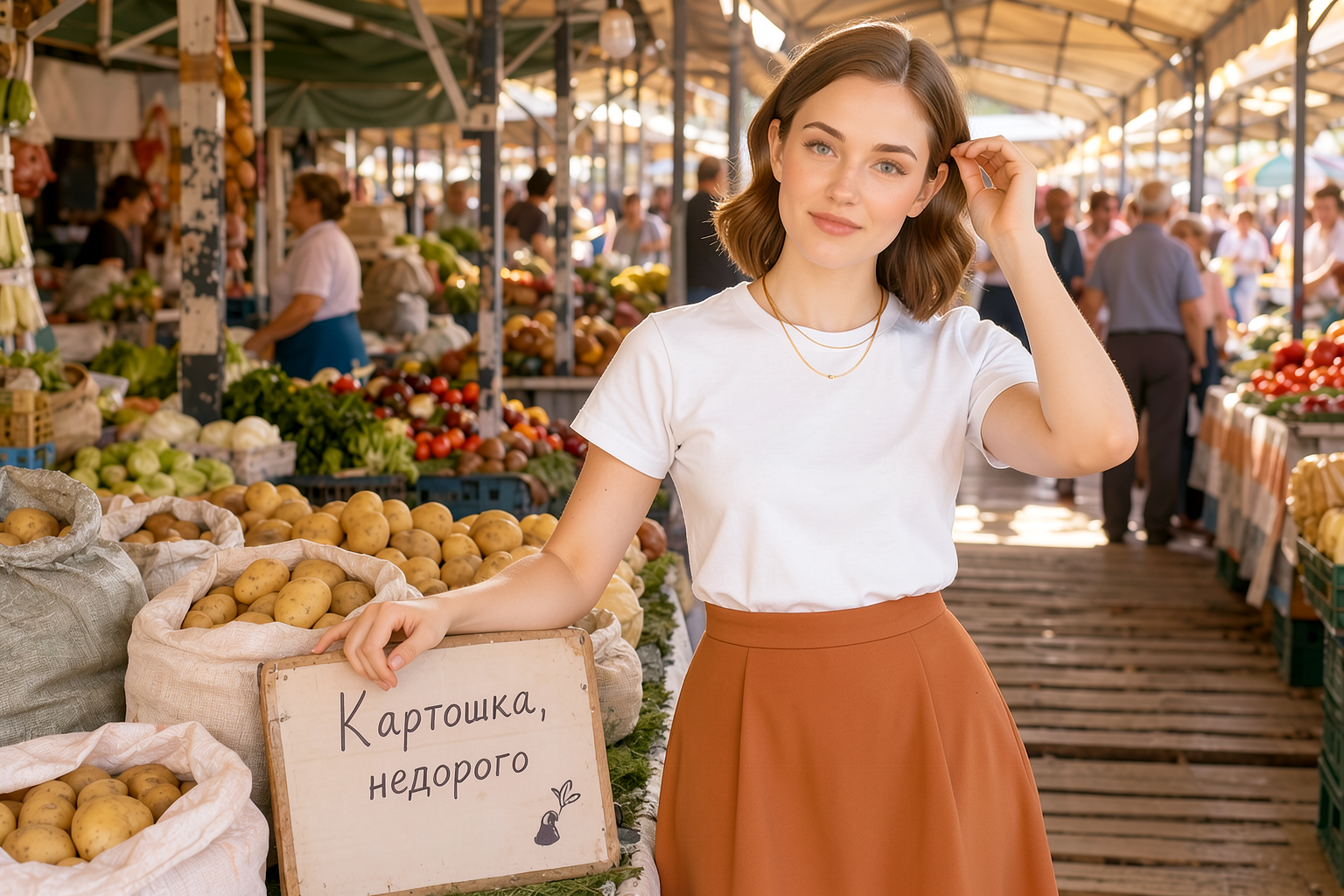 The stylist can’t see who’s in the photo and decided that my wife was there — hence “her signature boho.”And post-punk—that was him trying to please me 🙂
«How about something more evening-style or romantic?»
id | TAG1450@@Look | fit | |
|---|---|---|---|
| TAG1460@@30598 | Romance: dusty-pink chiffon with ruffles, a wave neckline exposing the shoulder | 0.022 | |
30599 | TAG1477|||
| TAG1492@@Emerald crepe on a hanger + half-up bun + gold | TAG1496@@0.015 | TAG1499||
| TAG1506@@Wine-red crepe with lace on the bodice, a wave neckline exposing the shoulder | TAG1510@@0.016 | TAG1513
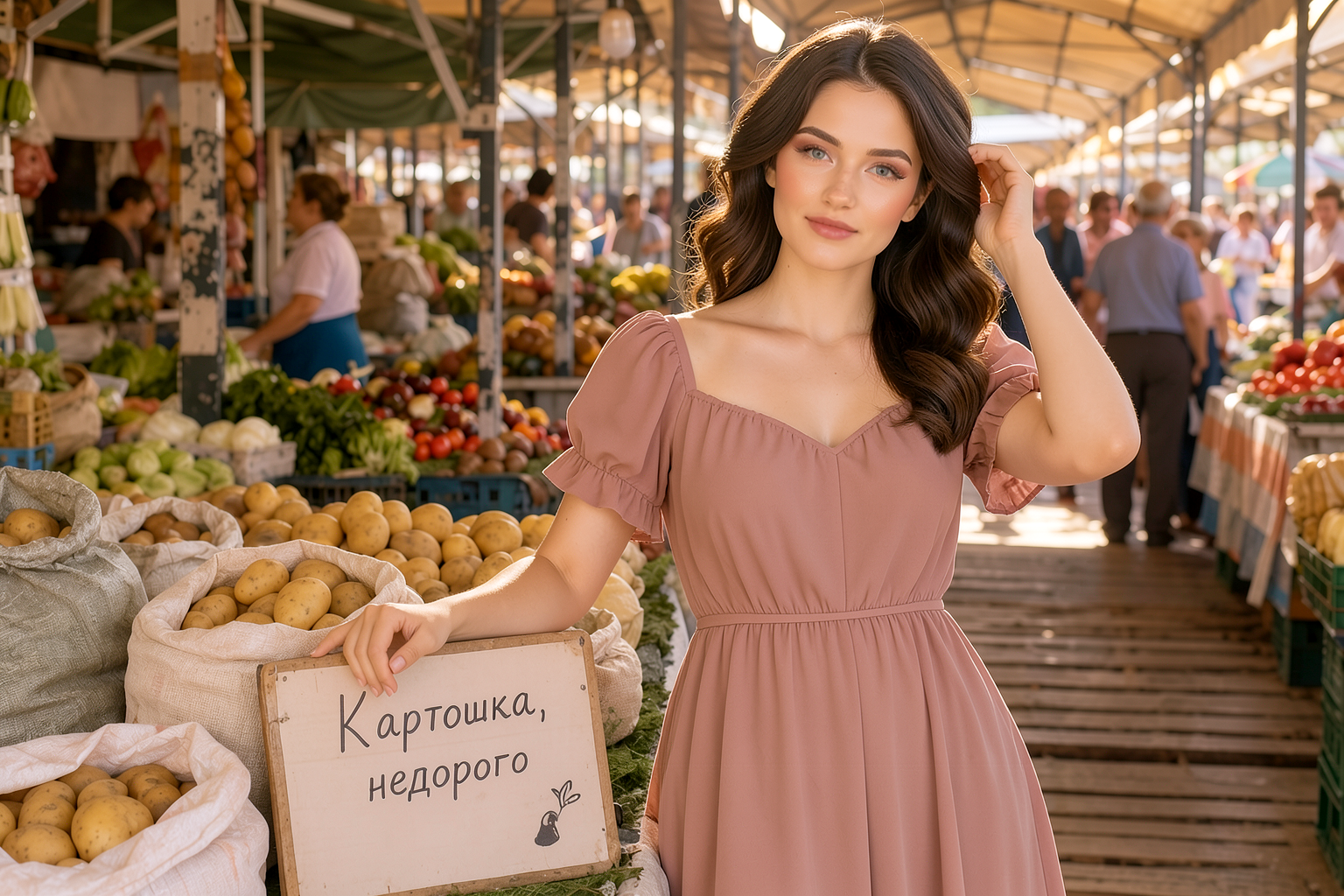
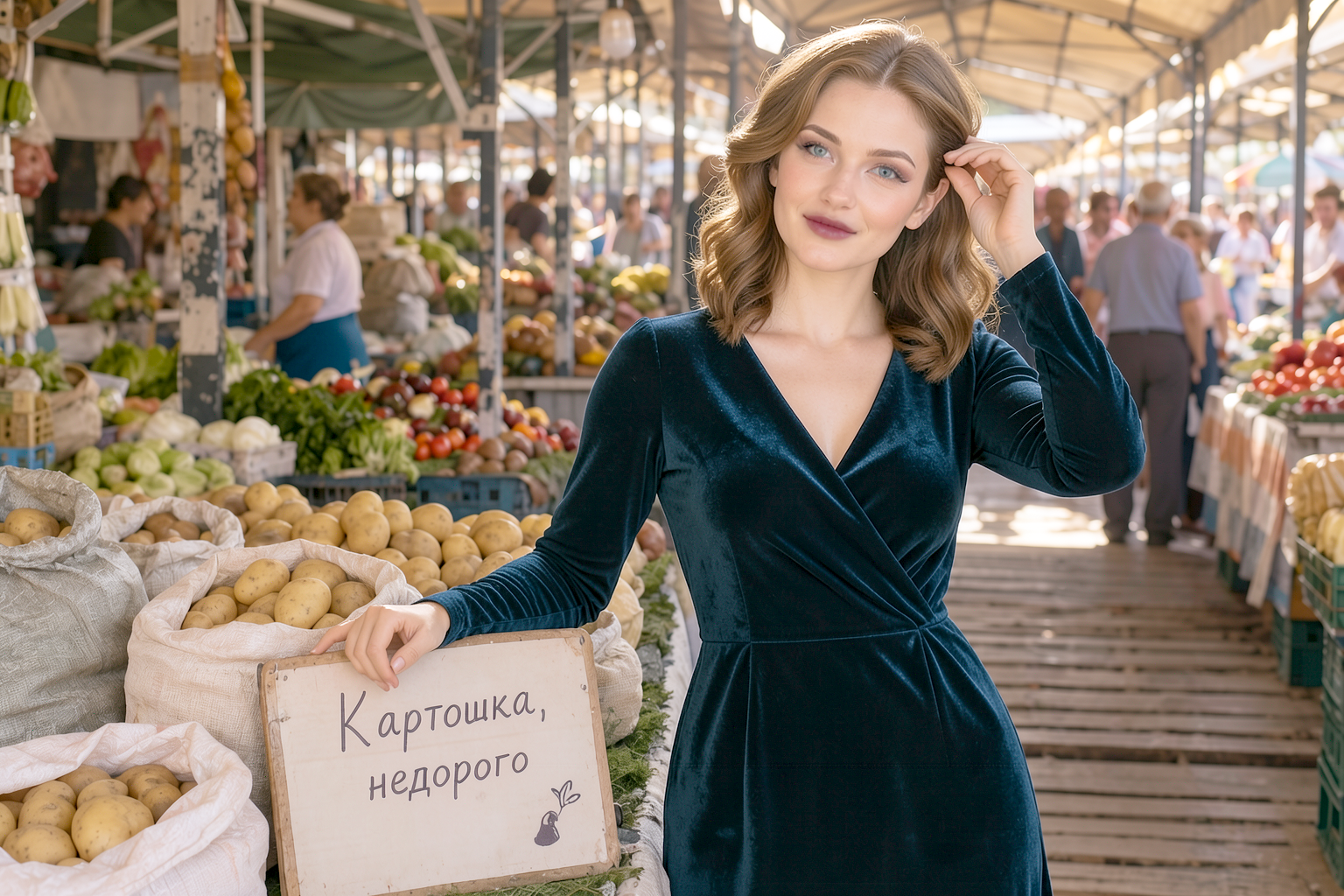
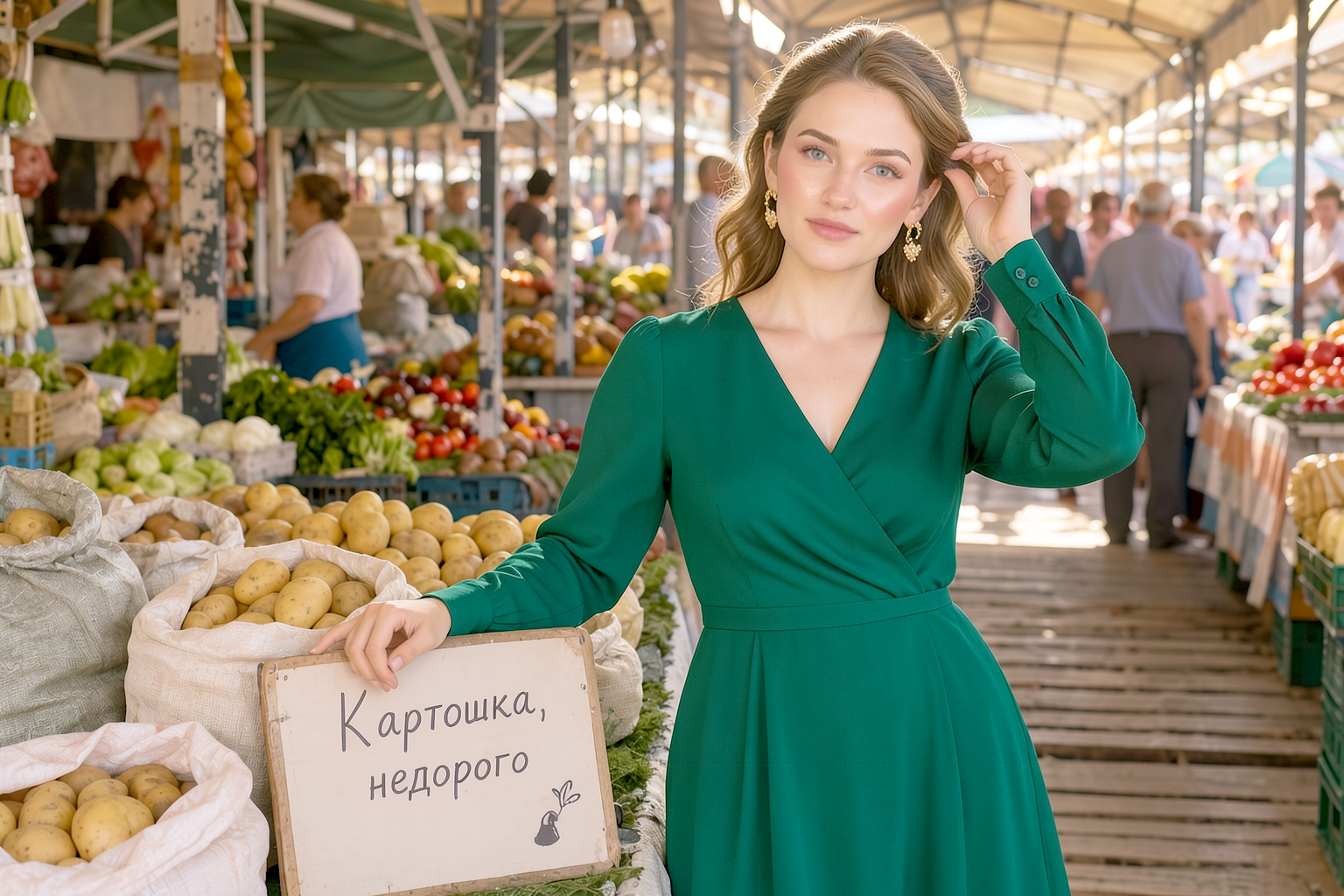
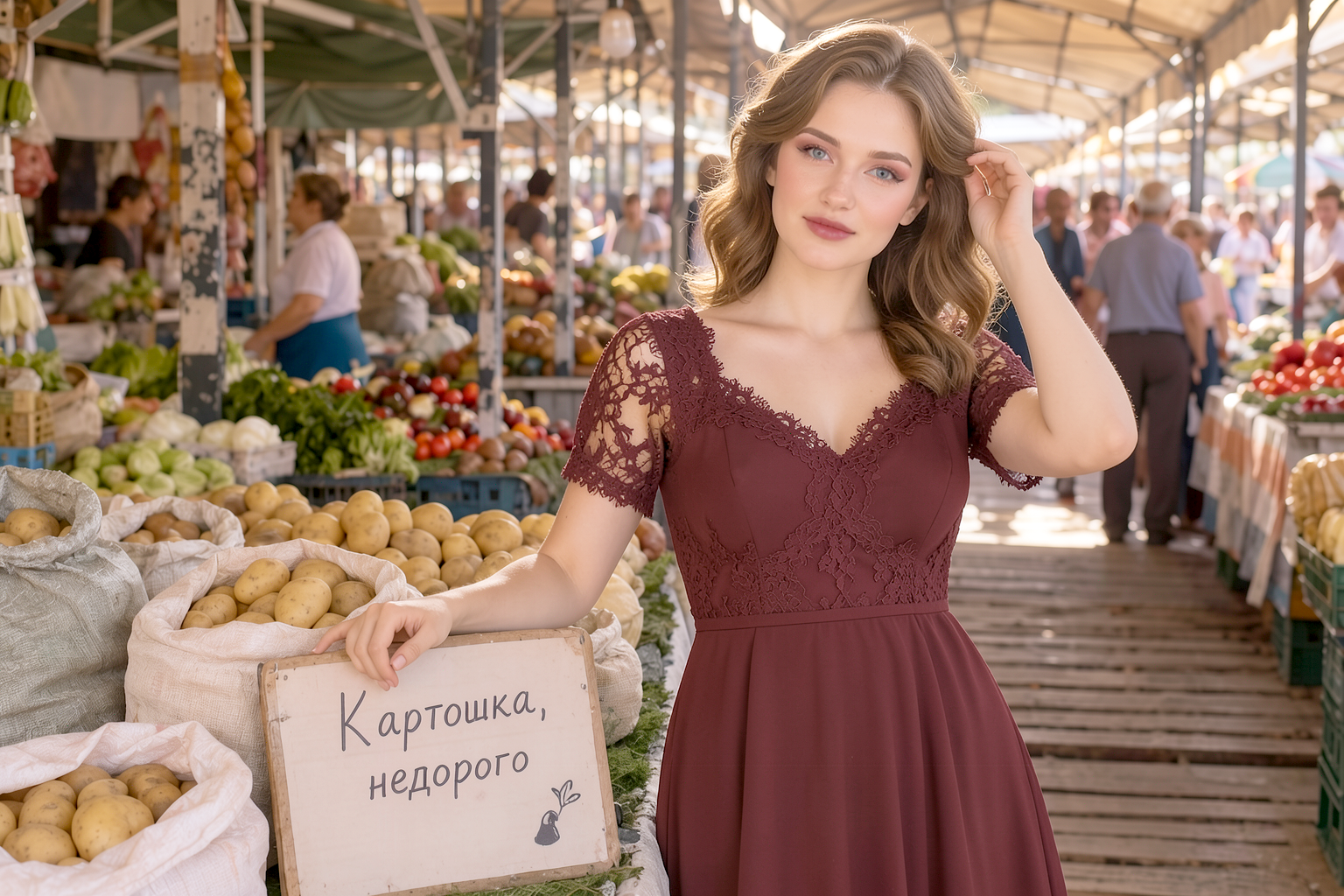
id | Look | fit |
|---|---|---|
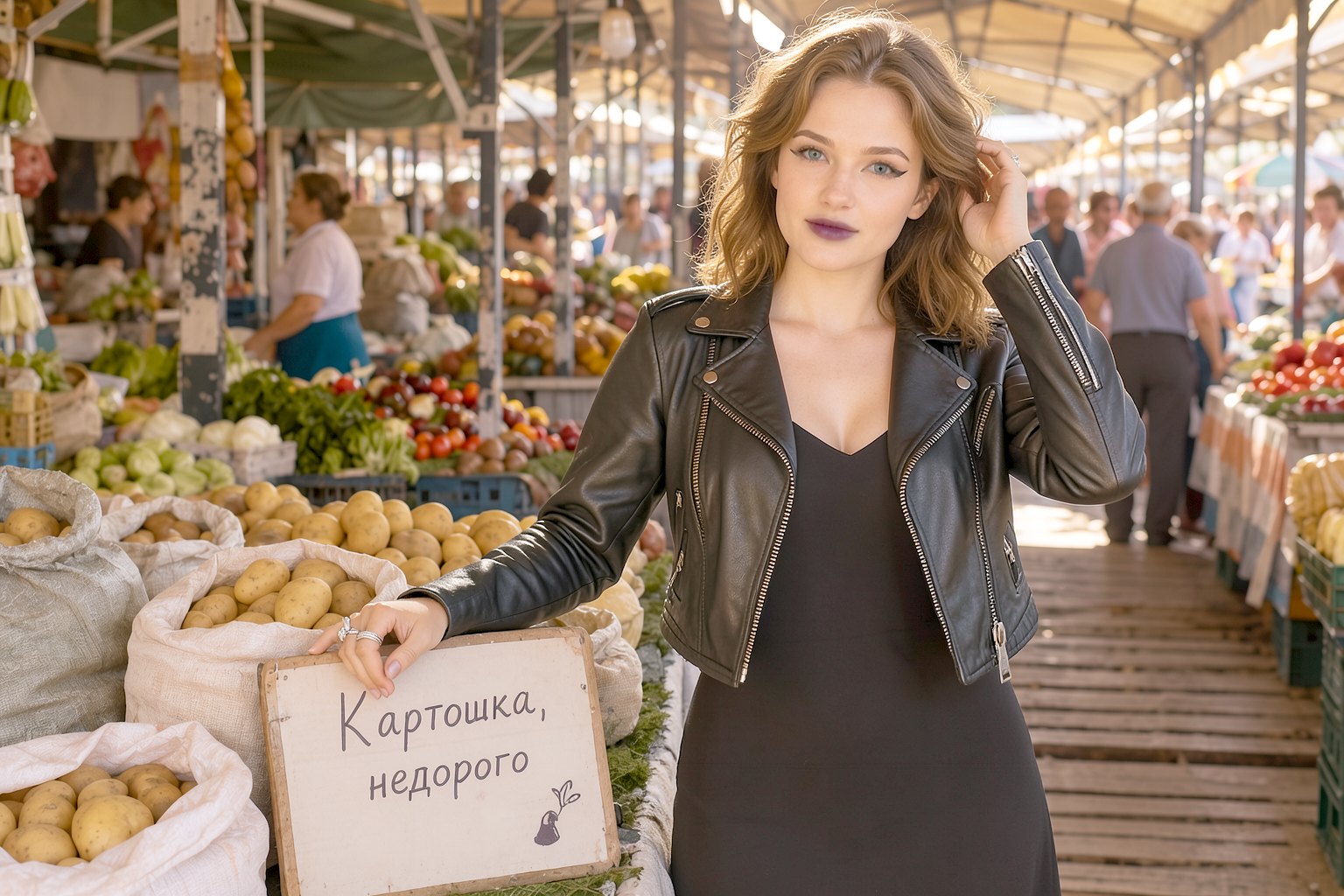
30602 | Rock: black leather jacket over a slip dress, chunky boots, silver, plum lipstick + winged eyeliner | 0.012 |
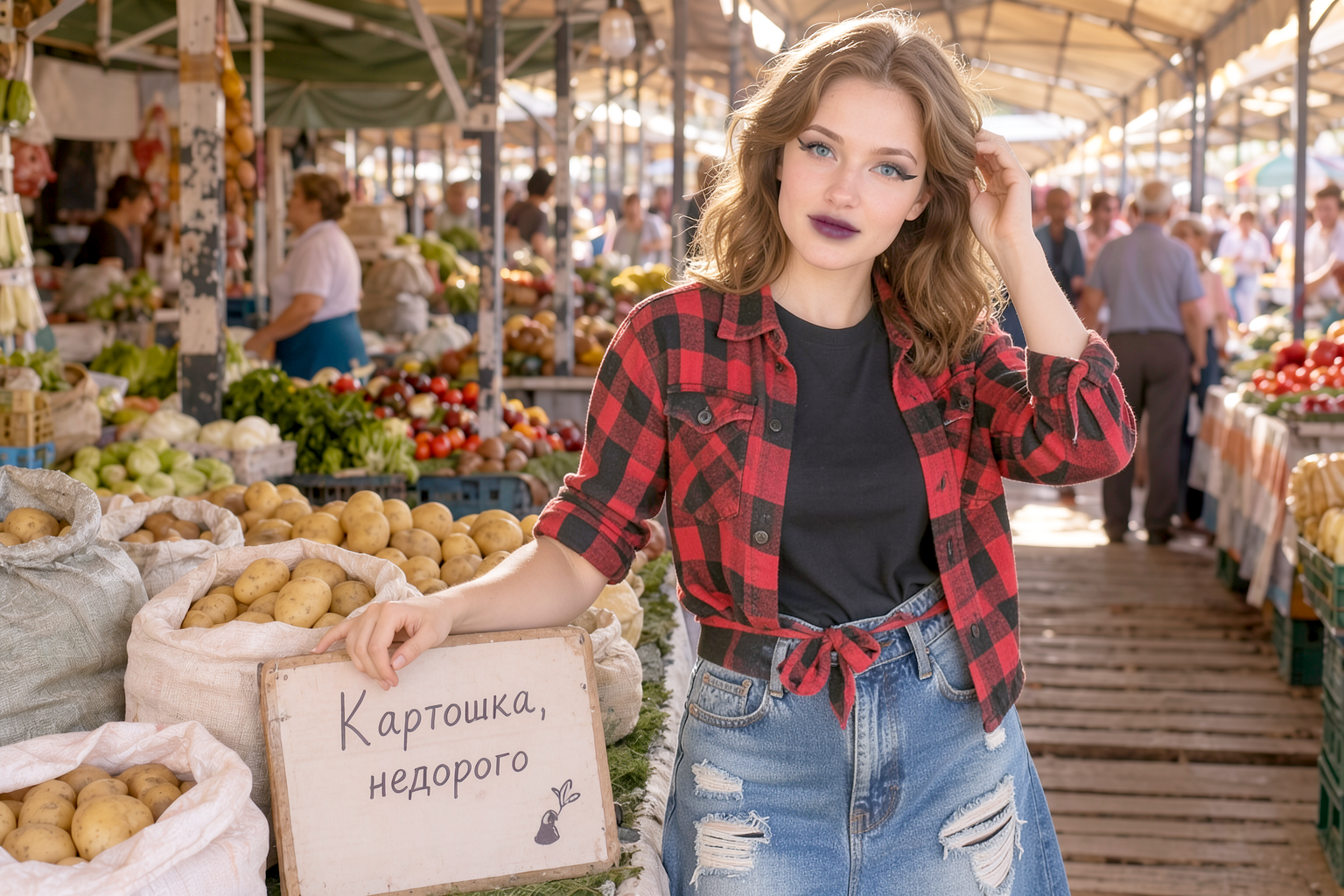
30603 | ’90s grunge: red-and-black flannel tied in a knot, distressed full-length denim skirt, Martins | 0.019 |
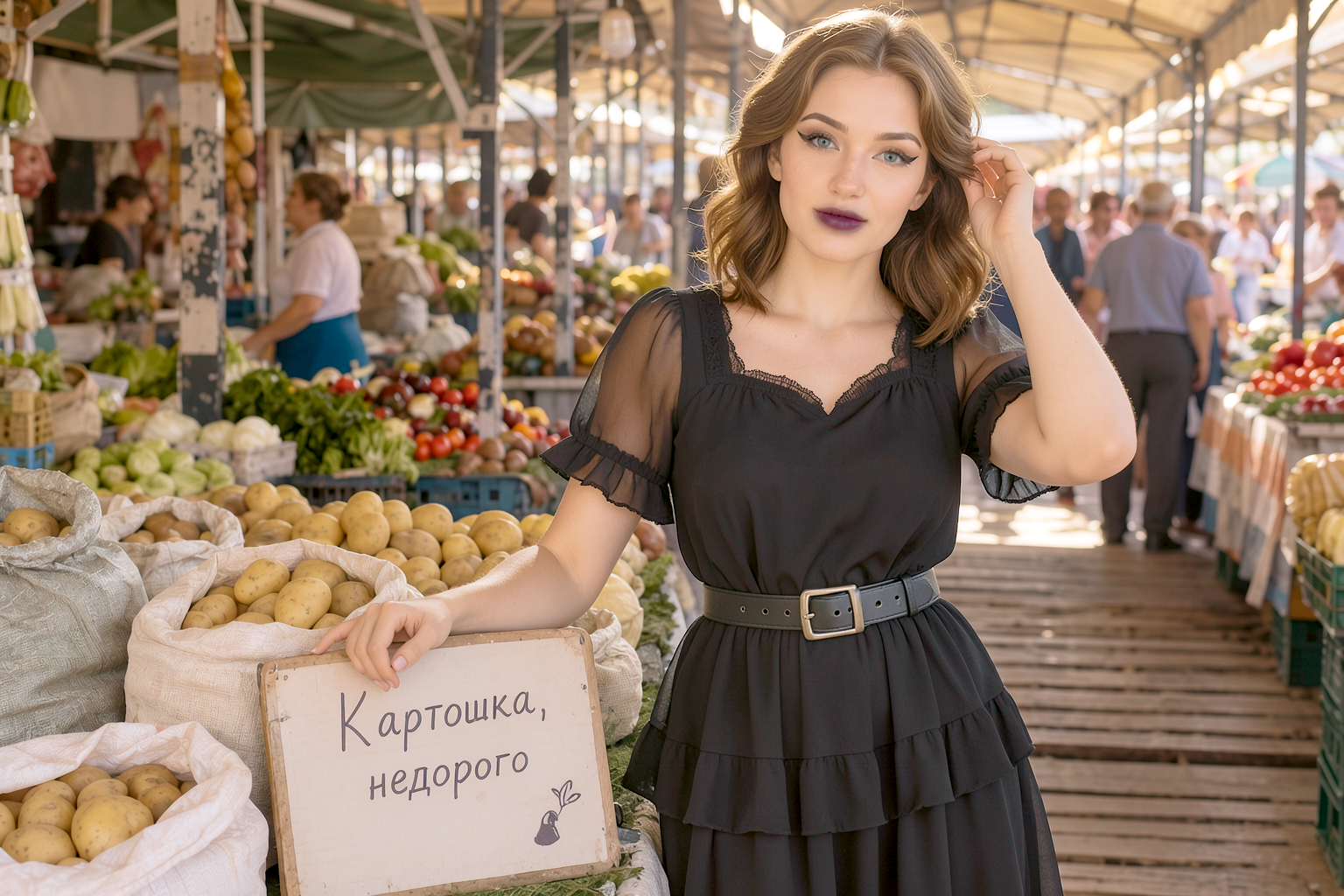
30604 | Daring romance: black chiffon with ruffles + chunky boots + a belt with metal hardware | 0.029 |
30605 | Red statement: scarlet floor-length column dress + red lipstick + smooth prstraight hair | 0.025 |
Boldness (and wearability) rating:
30602 (rock) — the boldest and, at the same time, the best fit of the day: the contrast between rugged leather and her soft waves is a formula that works; plum lipstick rather than black keeps the look “expensive,” rather than “teenage”
30603 (grunge) — everyday boldness: flannel + a ripped skirt is wearable even to the store, unlike a leather jacket
- 30604 (chiffon+boots) — the cleverest: outwardly “she,” but with character; for situations calling for “bold, but in my aesthetic”
- 30605 (red) — classic boldness in color; one caveat: klein dyed the hair black (I didn’t request it) — stylish, but that’s a stylistic drift; if you want audacious red with her blonde hair — I’ll regenerate with a color pin
Makeup is bolder than usual throughout: plum/red + graphic winged eyeliner — the limit of “bold without vulgarity”; any further and it’s overkill.And once again, I can’t help but notice: 30602 (leather jacket) + your gray post-punk look = the two of you look like a band you should have listened to back in 2004 😄 What needs tweaking?
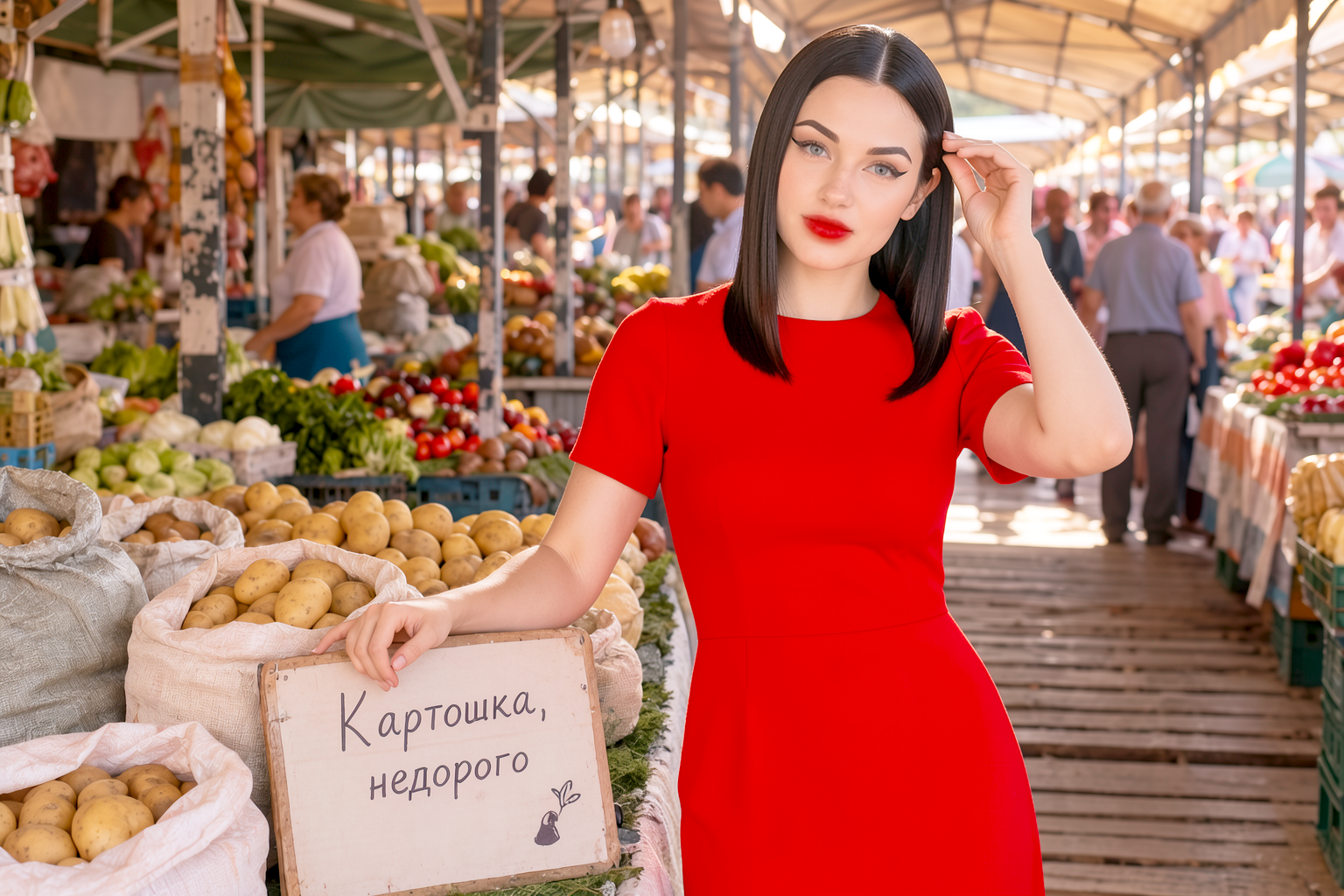
“This isn’t your wife, but a generated image for the article.Make it more original and provide more options»
id | TAG1670@@Hair | Style | fit |
|---|---|---|---|
| 30606 | TAG1688@@Platinum bob | TAG1692@@French chic: red lipstick, black turtleneck | 0.029 | TAG1702@@30607 | TAG1706@@Pink-gold curls | TAG1710@@soft doll-like charm: lavender sweater | TAG1714@@0.036 | TAG1717
| TAG1724@@Hot-pink punk | TAG1727|||
| TAG1742@@Silver-gray straight hair | TAG1746@@gray monochrome, cashmere | TAG1750@@0.013 | TAG1756@@30610 | TAG1760@@Fiery red curls | TAG1764@@boho: green silk + amber skirt | TAG1767
| TAG1778@@Black bob with bangs | TAG17810.030 | ||
30612 | voluminous afro | color blocking: mustard + cobalt | 0.023 | TAG1807
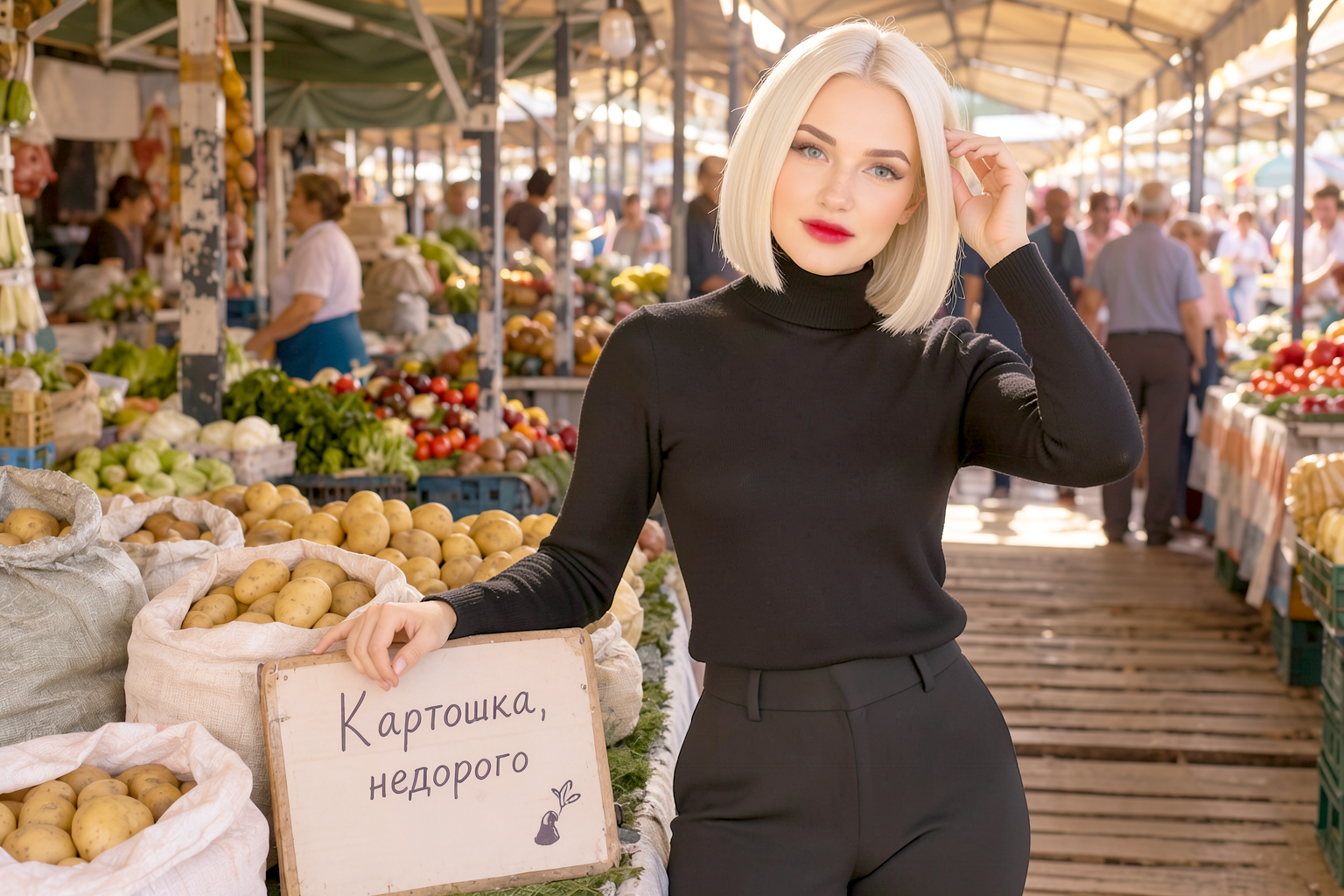 TAG1835
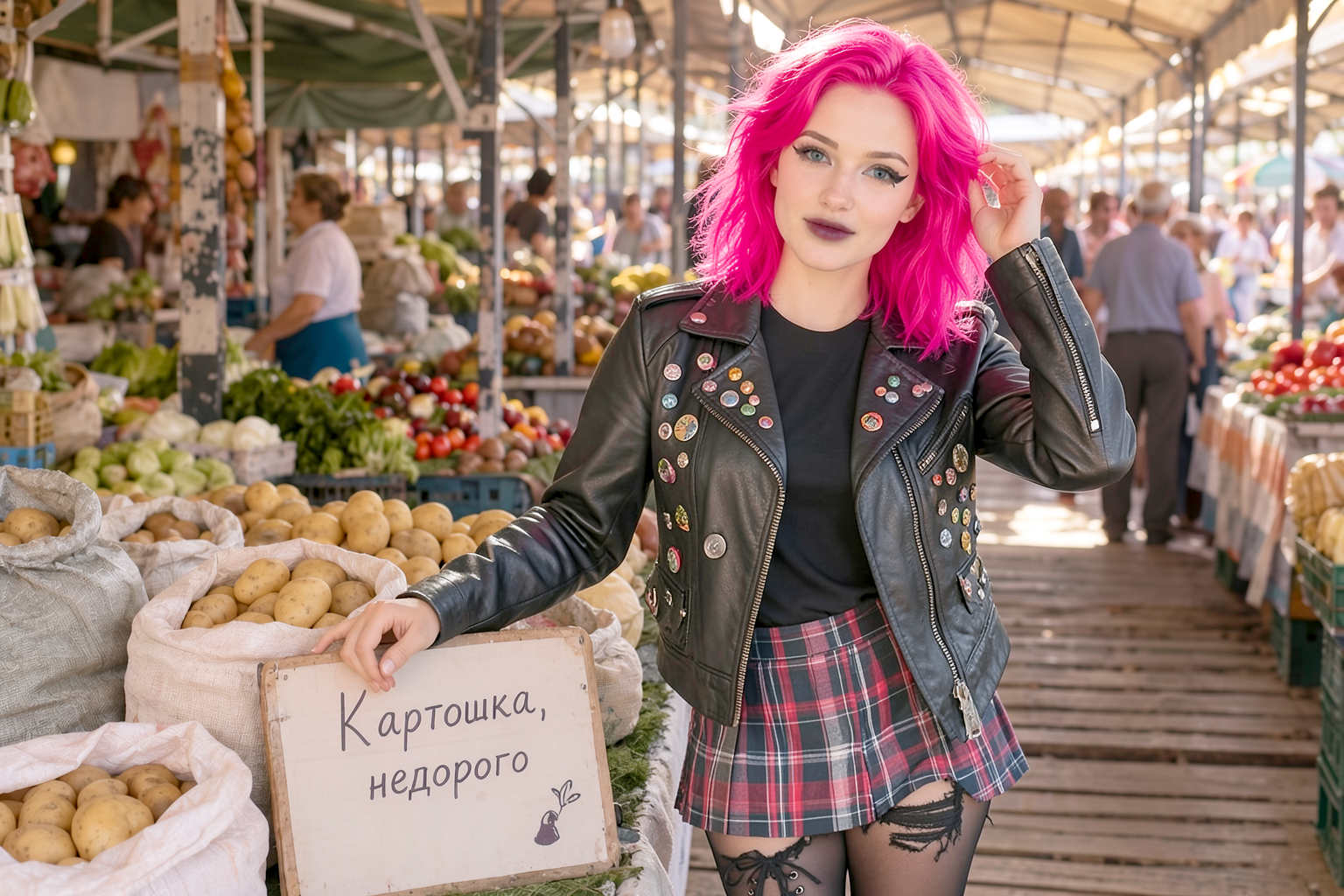 TAG1837
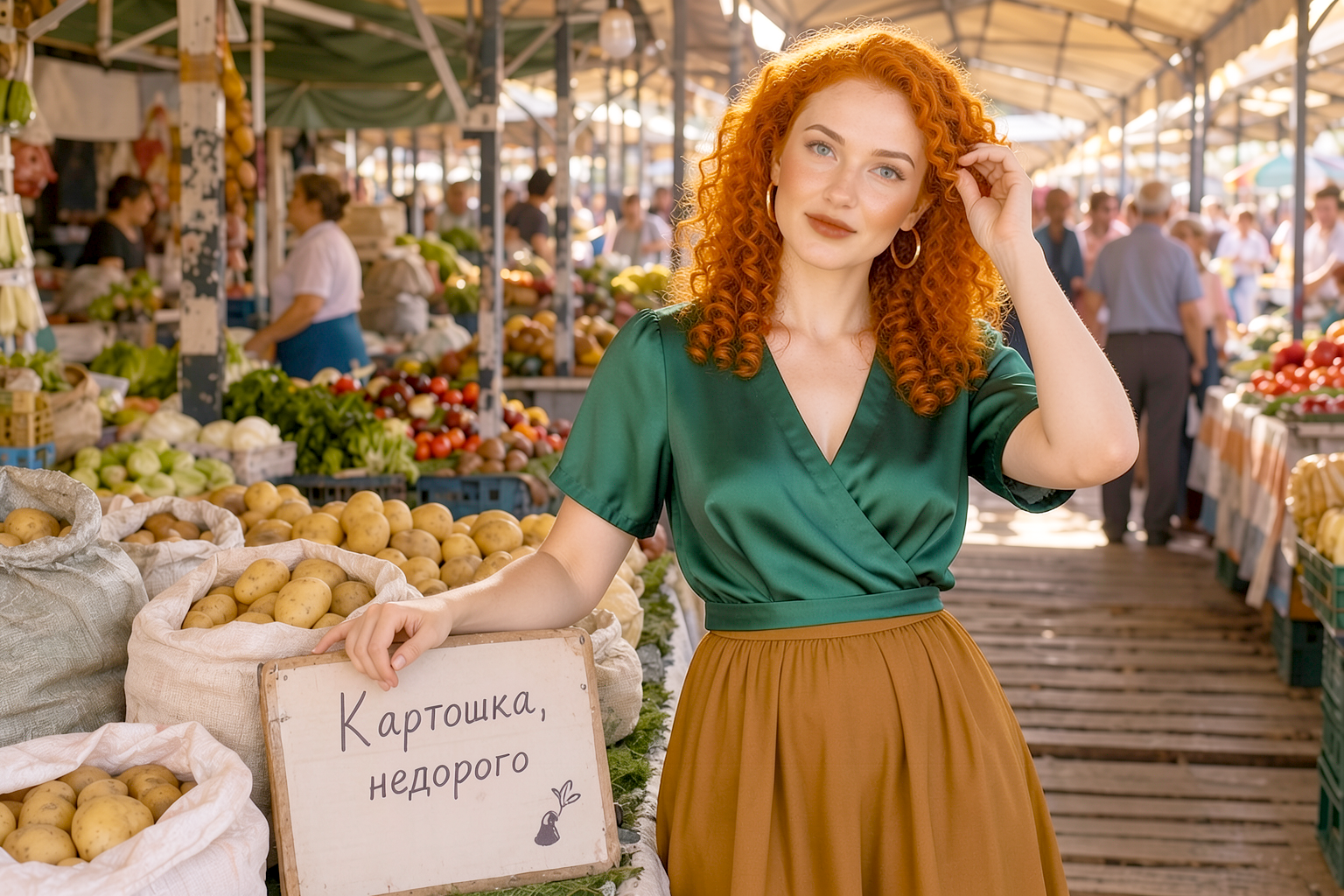 TAG1839
 TAG1841@@Is the paid option better?