 (Image: Anthropic)
Claude Whiteboards
Claude Whiteboards is a shared board for brainstorming with Claude. Claude organizes plans discussed during a conversation into a board containing a timeline, assignees, and due dates. It can also group notes by topic and suggest action items. You can select part of a board and ask Claude questions about it. Completed boards can be converted into documents or slides, and it lists Lucid, Miro, and Vani by Zoho as integrations.
Claude Sheets
In Claude Sheets, Claude can create and edit spreadsheets with tabs, formulas, formatting, and dropdowns. Changes made by Claude are highlighted, making it easy to track what was edited. Sheets you create can be shared with your team and continue to be edited. At present, it is limited to “simple spreadsheet functionality,” with more features planned. If you want to use the full range of Excel features, you can export in .xlsx or CSV format.
Claude Data
Claude Data (formerly Claude Dashboards) is a feature that connects to data warehouses, CRMs, and other services to create dashboards and more. Because it now supports things other than dashboards, it has been renamed. This time, it added features such as “data stories” that present data in a narrative format, the use of metric definitions certified by data teams, live dashboard sharing, change history tracking, and version rollback. Certified queries and live sharing are in beta.
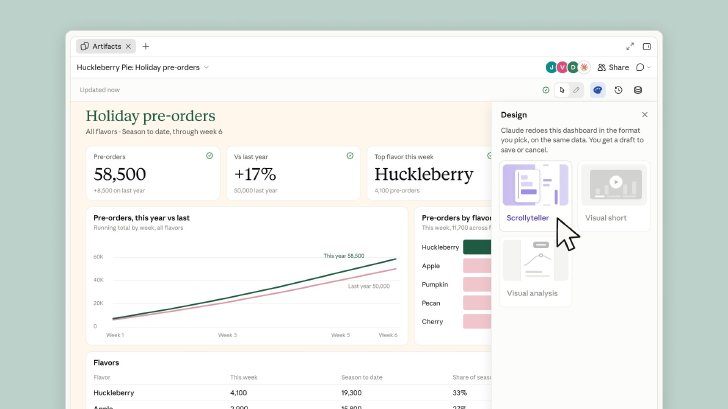 A dashboard created with “Claude Data.” Selecting a format in the “Design” panel on the right causes Claude to recreate it using the same data. (Image: Anthropic)
Initial setup of the three features varies by plan
All three features are enabled by default on the Team plan. On the Enterprise plan, Whiteboards and Sheets are disabled by default, while Claude Data will become enabled by default on November 19. Administrators can change these settings at any time.
“Interactive Connectors” let you open and work with external apps within Claude
On the same day, Anthropic also announced an expansion of “Interactive Connectors” that lets you open and work with external apps within Claude.
 (Image: Anthropic)
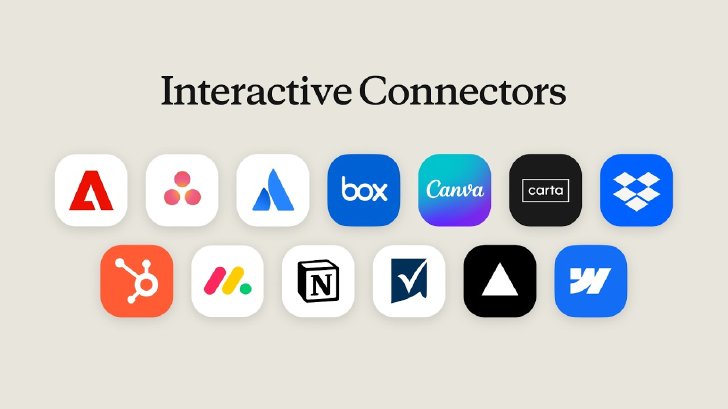
Interactive Connectors were introduced in January using MCP Apps, an extension of MCP (Model Context Protocol). Until now, they primarily appeared as small tool views within the conversation. With this expansion, supported tools can be opened alongside the conversation or in full-screen mode. If you ask Claude to modify an open page, row, or file, the changes are reflected in the tool in real time.Users approve Claude’s actions in the same way as they approve actions through traditional connectors. For Confluence and Notion, rather than a limited preview, the full editor opens while signed in to the user’s own account.
Adobe supports photo retouching and PDF editing and redaction; Atlassian supports writing and editing Confluence pages; Box supports file corrections and version comparisons; and Notion supports creating documents and databases. Other supported services include Asana, Canva, Dropbox, HubSpot, monday.com, Smartsheet, Vercel, and Webflow. Support for Figma, Harvey, and Shopify is also being developed. The features will be rolled out to all plans through the web version and desktop app. Related features for developers have been released as a public preview.
Anthropic also says it will soon launch “Claude Meetings,” which joins calls, takes notes, and updates team documents during conversations.


