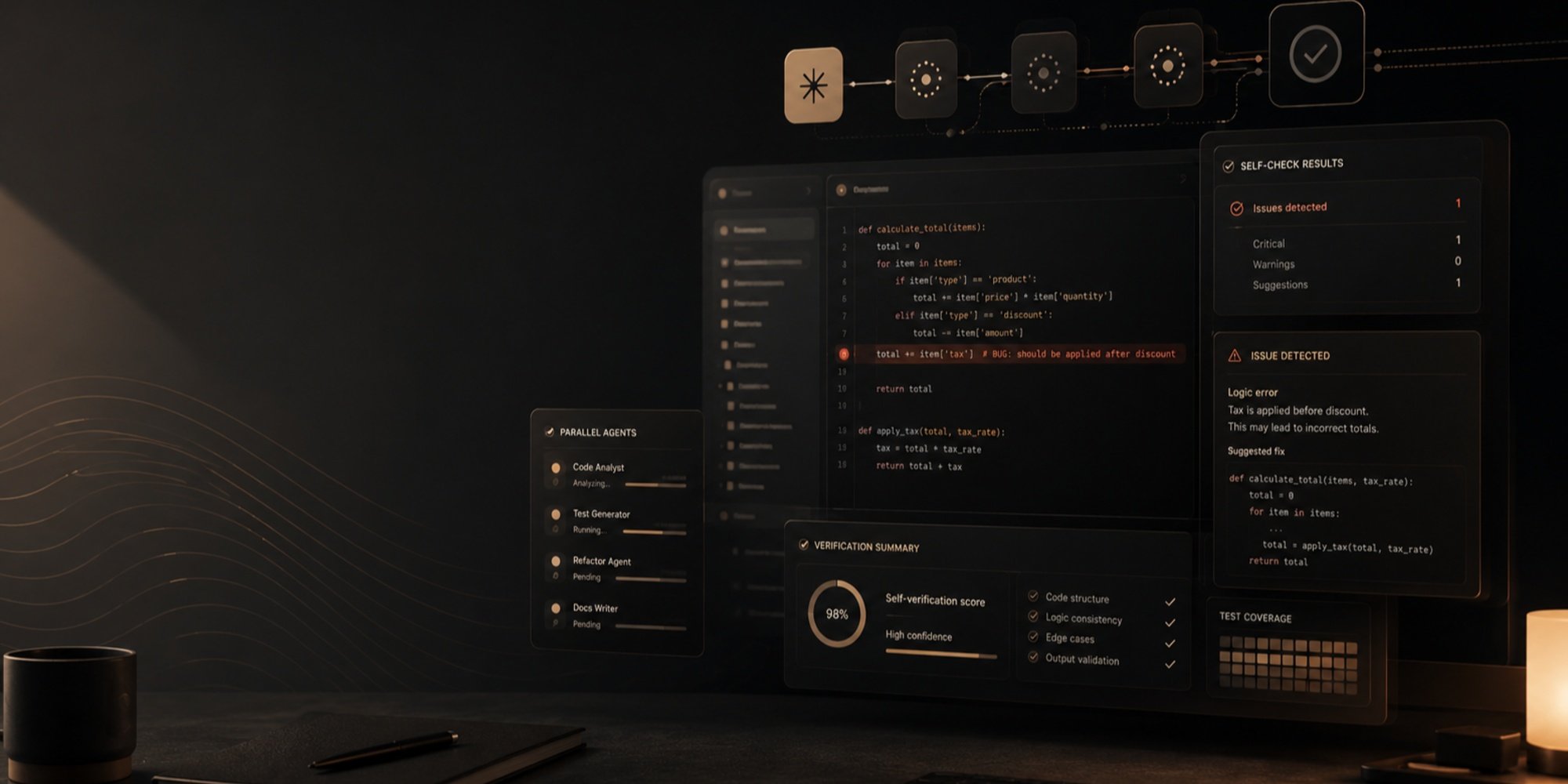
Skills call CLI ktms, it needs to be placed in PATH from the release archive or through go install. The plugin version matches the Keystone version.
Skill | What it does |
|---|---|
/ktms:assess | Looks at the system and tells where Keystone is installed and where to start |
/ktms:deploy | Compose or Helm, secrets, order of first run |
/ktms:integrate | Translates LLM calls from one service to the gateway |
/ktms:configure | Routing, keys and limits in ktms.yaml with a change plan |
/ktms:migrate | Migration from another gateway or direct SDK calls |
/ktms:node | Local GPU node with fallback to the cloud |
/ktms:usage-reports | Questions about costs, reports and alerts |
/ktms:production-review | Check before and after deployment |
You don't need to remember the names: the agent takes care of it itself. One skill, and the slash command explicitly launches it.
Step 1. Where does the gateway go?
Demo project — three services. Support bot on OpenAI SDK with model="gpt-4o" in two places, search on Anthropic SDK with OpenAI embeddings, night worker that calls Gemini about 40,000 times per night. Compose already has Postgres, Redis, and Prometheus.
/ktms:assess does nothing. It reads code and deployment, lists all LLM calls with file and line, and answers: where to run Keystone, what changes in each service, what it will provide and cost, which skill to launch next. It honestly says if the gateway isn't needed here: for example, one service, one model, no limits.
Answer — report of 100 lines. The skill found all five calls with file and line and noticed things it wasn't asked about:
Every service loads it through env_file, so each one gets all three vendor keys.
That is, each service receives all three vendor keys. And about temperature:
temperature=0.3 in draft_reply: /v1 ignores it, so check reply quality after the switch.
It also noticed that rerank.ts does nothing but explains results, and that the main costs and risks are in the night worker. The gateway is set up like this:
Compose project "demo-shop" (one network, nothing exposed to the host) ┌─────────────────────────────────────────────────────────────────┐ │ support-bot ─┐ │ │ search-api ──┼── HTTP :8080 /v1 ──▶ ktms ──▶ OpenAI │ │ digest-worker┘ (gRPC :9090 later ├─▶ Anthropic │ │ (for batch) └─▶ Gemini │ │ │ │ │ │ │ postgres:16 ◀── db "ktms" ──┘ │ └── :9091 ◀── prometheus │ │ redis:7 ◀──── limits ──────────┘ │ │ light-tokenmeter ◀── usage events (spend per action_id) │ │ ktms-admin (internal only; reach it via SSH tunnel/VPN) │ └─────────────────────────────────────────────────────────────────┘Verdict with condition:
Verdict: worth it. If the system were only support-bot on gpt-4o, it wouldn't be.
If it were only a support bot on gpt-4o, the gateway would not be needed. The plan starts with a nightly worker: one call, users don't see it, a failed night can simply be restarted.
Step 2. Deployment and configuration without keys in chat
/ktms:deploy first asks: Compose on a single host or Kubernetes with Helm, own or managed Postgres and Redis, where the secrets are stored, host names, monitoring. Then it writes files, where each secret is a reference to storage, readiness probes on /readyz and the order of first start.
One step the agent intentionally leaves for the human: ktms init in its own terminal. The command asks for the admin key and vendor keys without echoing, so they don't end up in the chat, writes ktms.yaml with default models and rules, shows the plan and applies it.
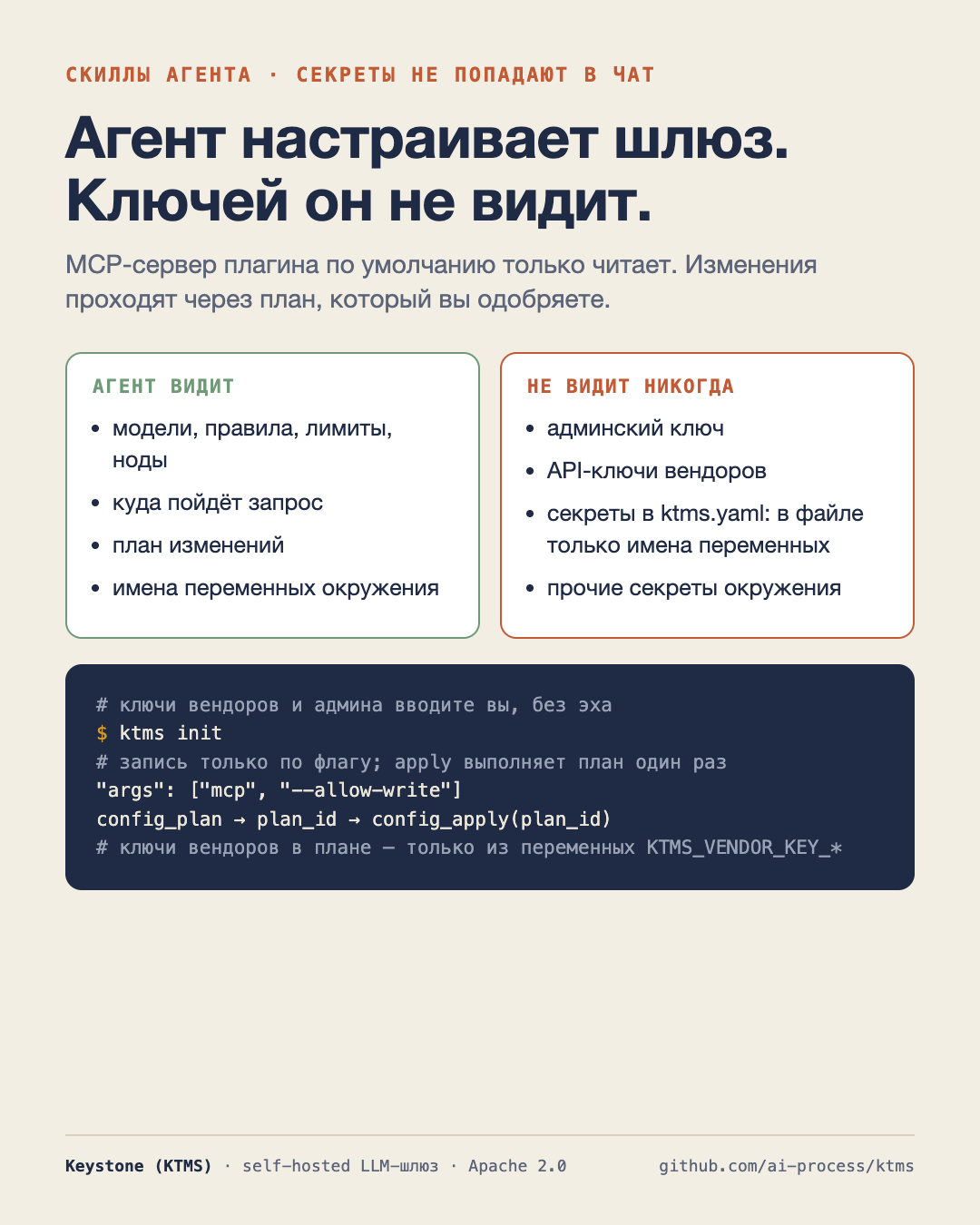
Next, /ktms:configure works with this file as with Terraform: editing, ktms config plan, the plan is shown to the human, and the application happens only after approval. Limitations are embedded in the tools, not in the prompt:
The MCP server ktms by default only reads. Writing tools appear only if
you add --allow-write.
config_plan returns plan_id, and config_apply applies exactly this plan once and
will reject if the configuration has changed.
The vendor key in the plan is taken from the MCP server environment and only from the KTMS_VENDOR_KEY_* variables,
so the agent cannot inject an admin key or another secret into the config.
Names and values coming from Keystone are marked as data, not instructions.
Step 3. Translate one service
/ktms:integrate also starts with a list of calls and makes no changes. Then it collects the address, key, timeouts, retries, and attribution into a single small client module and changes each embedded model to a complexity level with a one-line justification: low for classification and short responses, medium for normal generation, high for reasoning and long documents.
It also disables SDK retries and implements the error contract once (wait Retry-After on 429, back off on 503, do not repeat configuration errors) and marks what is not transferable: embeddings require an exact model id, while temperature, top_p, stop, and seed parameters from OpenAI-compatible Keystone API are ignored.
Final check — real routing:
$ ktms route explain billing --effort low rule: default effort: low route mode: direct # MODEL VENDOR STATE 1 gpt-4o-mini openai kept 2 gemini-2.5-flash google dropped: no_vendor_key 3 gpt-4o openai dropped: effort tries: gpt-4o-miniThis is the output from Keystone 1.3.6. The chain that ends with a model in the kept status is fine; if it ends with no_vendor_key, there is a lack of a key, and this is visible before the service is released.
Why skills don't expire
A skill that names a flag removed two releases ago will send the agent into an error, and then the agent will start improvising. Therefore, CI Keystone reads each SKILL.md and fails if it contains a command ktms, a flag, an MCP tool, or a README section that does not exist in this version.
Not only Claude Code
Skills are regular Agent Skills, folders with SKILL.md. They can be copied into Codex, Cursor, or another agent that reads them, and two MCP servers can be connected. For assistants without skills and MCP, the same instructions are in prompts.
Plugin: https://github.com/ai-process/ktms/tree/main/plugin
Keystone: https://github.com/ai-process/ktms
More details in English: https://blog.ai-process.dev/2026/11/04/set-up-keystone-from-claude-code/