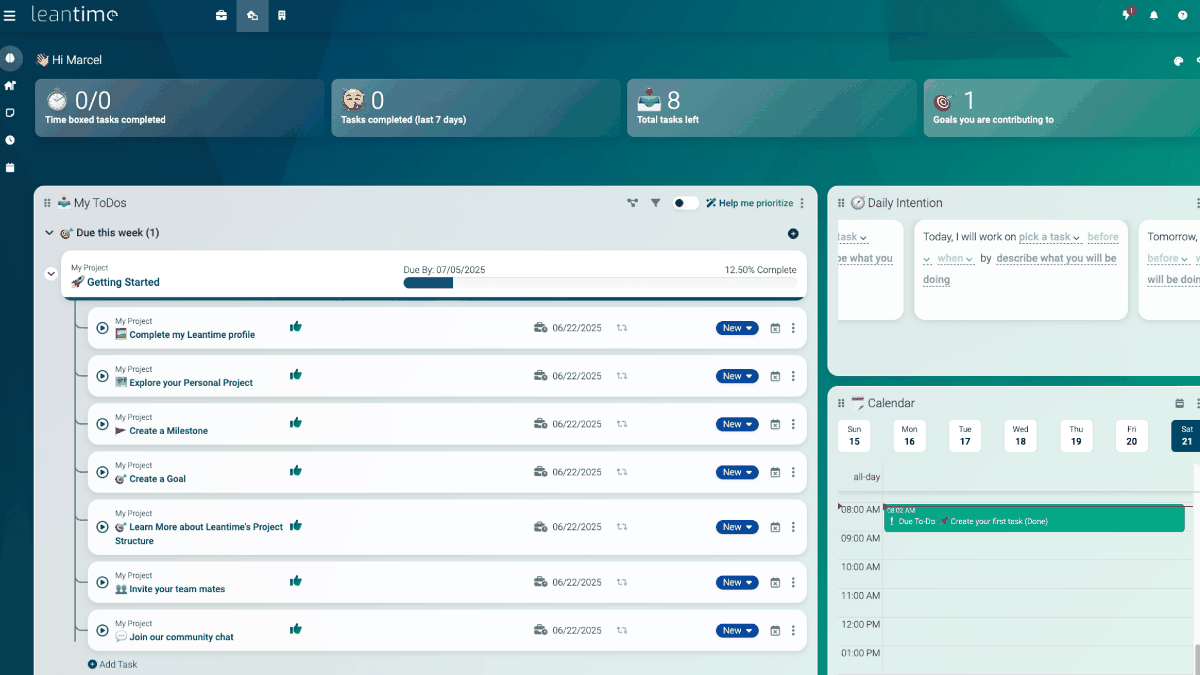
When managing work or personal projects, you may use different apps for organizing tasks, checking schedules, recording work hours, and so on. The free, open-source tool “Leantime” allows all such work to be centrally managed in one place. It supports Kanban, table, Gantt, calendar, and timesheet views, and is reportedly designed with conditions such as ADHD, dyslexia, and autism spectrum disorder in mind. I actually tried using it.
Leantime - Open Source Project Management Software
https://leantime.io/
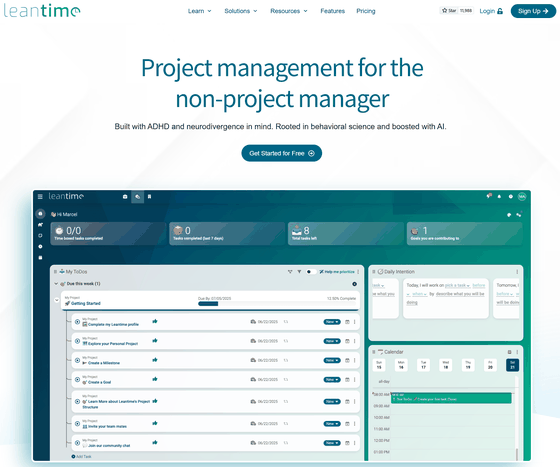
Leantime/leantime: Leantime is a goals focused project management system for non-project managers. Building with ADHD, Autism, and dyslexia in mind.
https://github.com/leantime/leantime
◆Leantime’s features
・Manage projects and tasks in one place
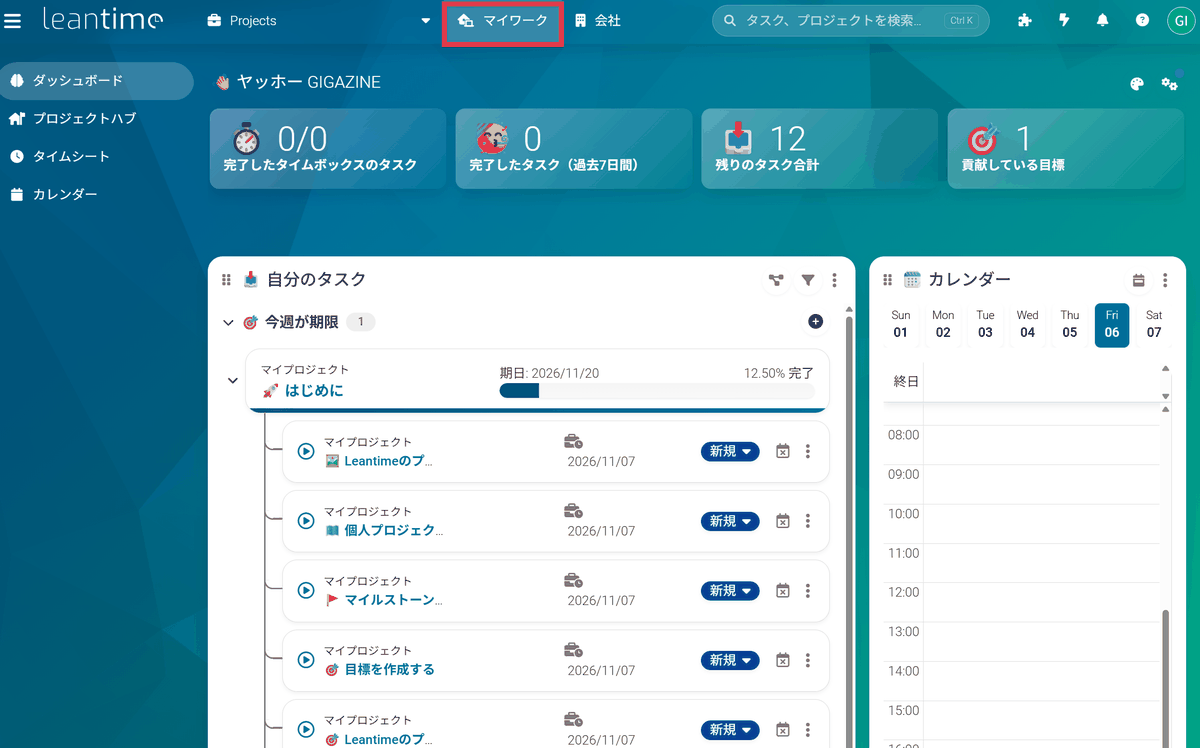
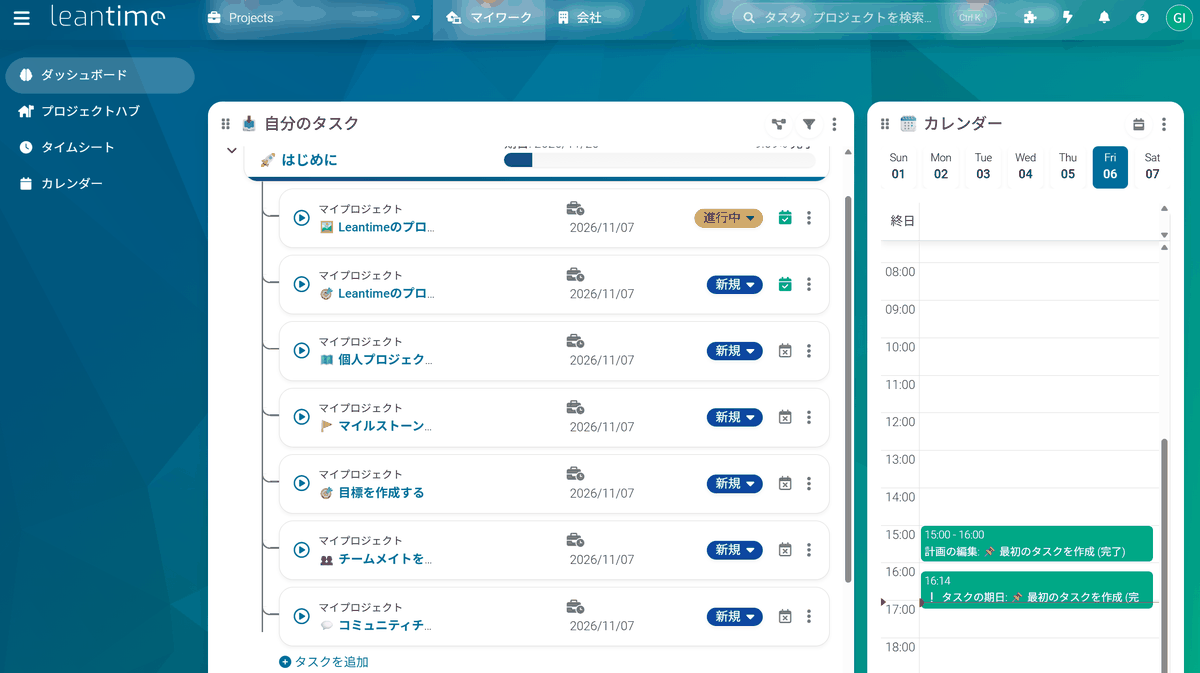
Leantime can manage work on a project-by-project basis, and “My Work” lets you view all tasks assigned to you and your daily schedule in one place.
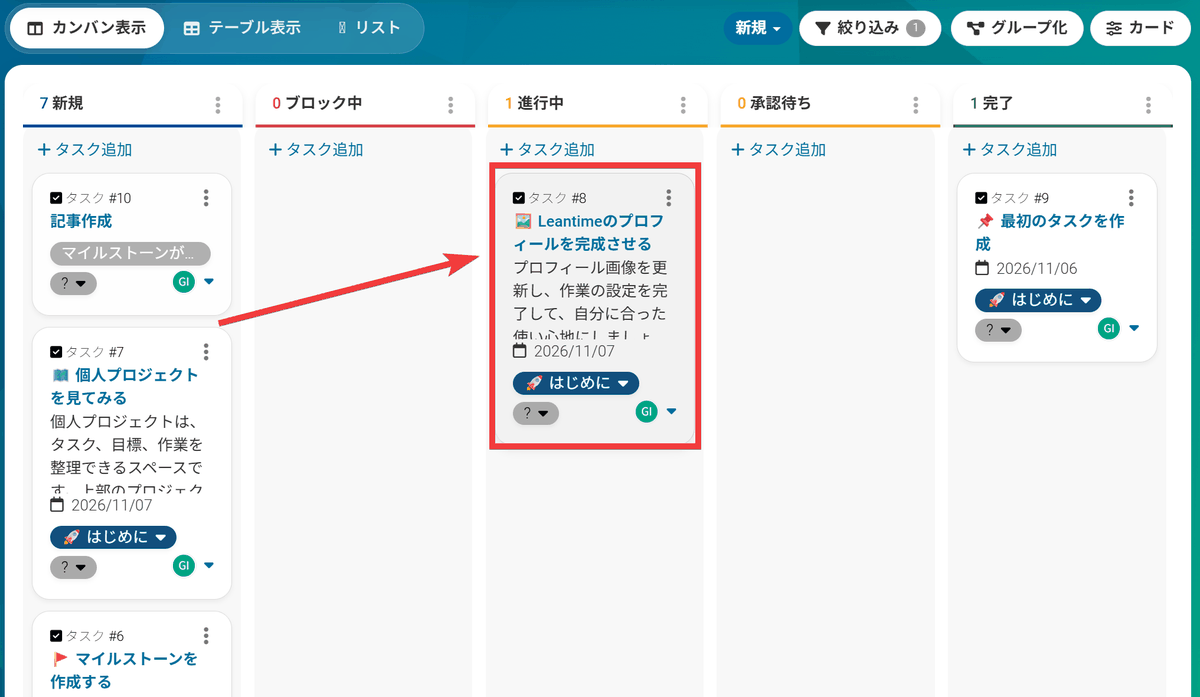
In “Kanban view,” tasks are arranged as cards.
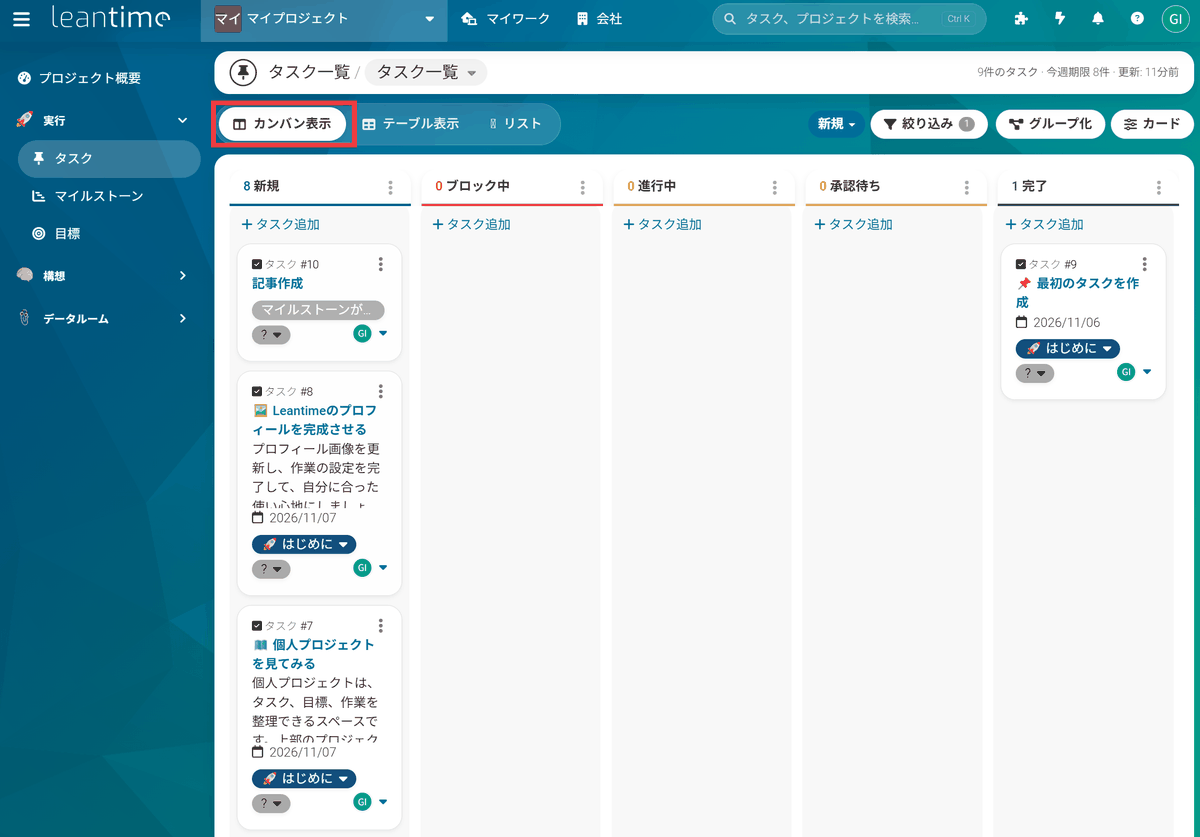
Kanban is a display method that divides tasks into columns according to their work status. You can update progress simply by moving a card from “New” to “In Progress.”
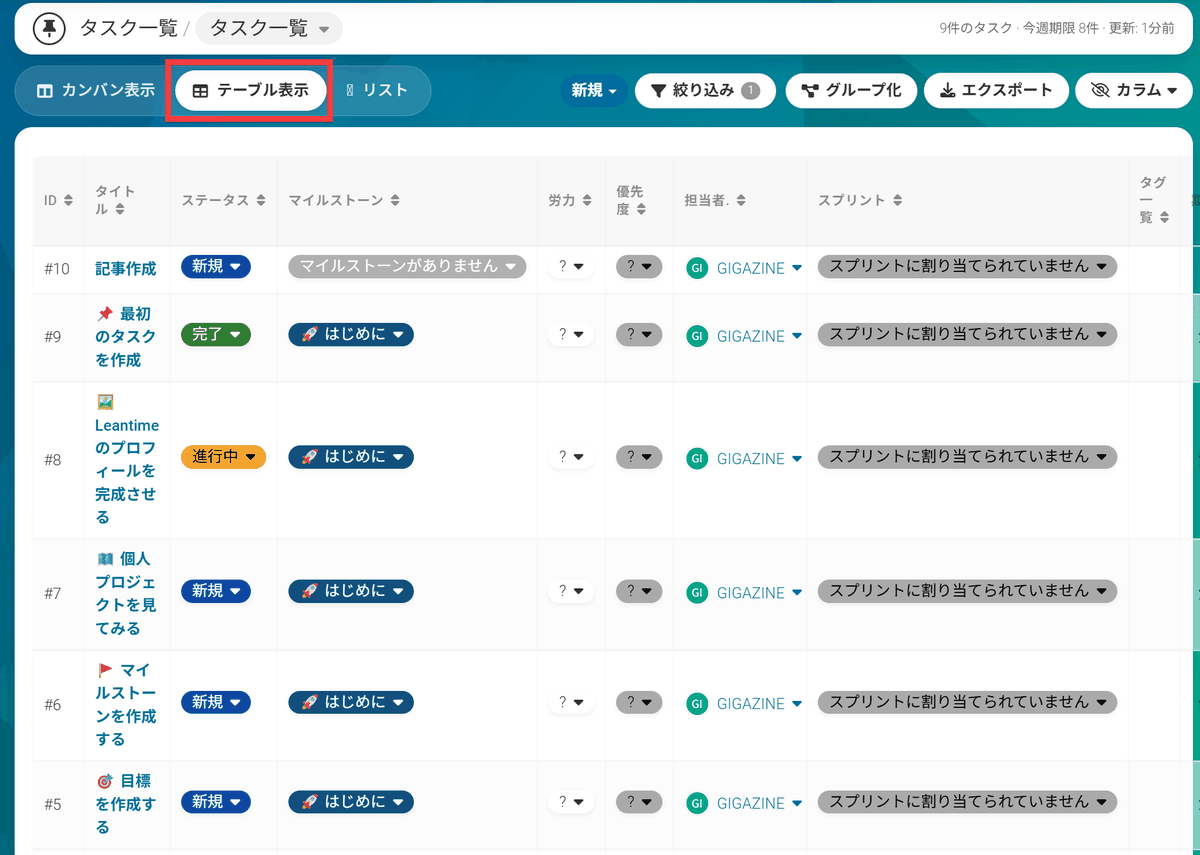
Switching the same tasks to “Table view” turns them into a list, allowing you to organize the work while comparing items such as the assignee, deadline, and priority.
・Check the overall schedule in Gantt view
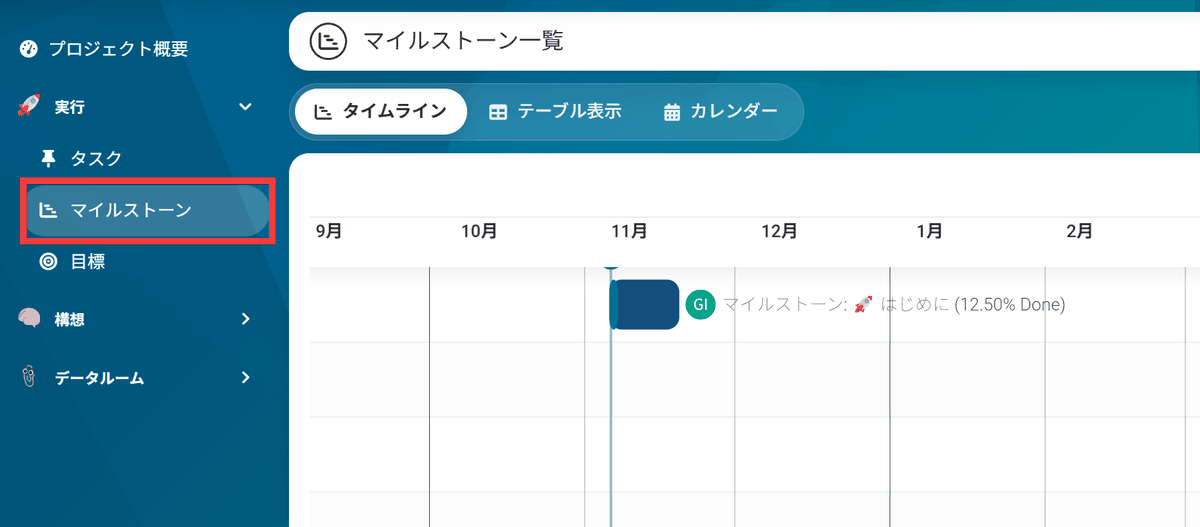
You can set milestones for stages such as “Research complete” and “Ready to publish,” and the timeline displays periods as horizontal bars, allowing you to visually confirm the sequence of the steps.
・Link goals and work
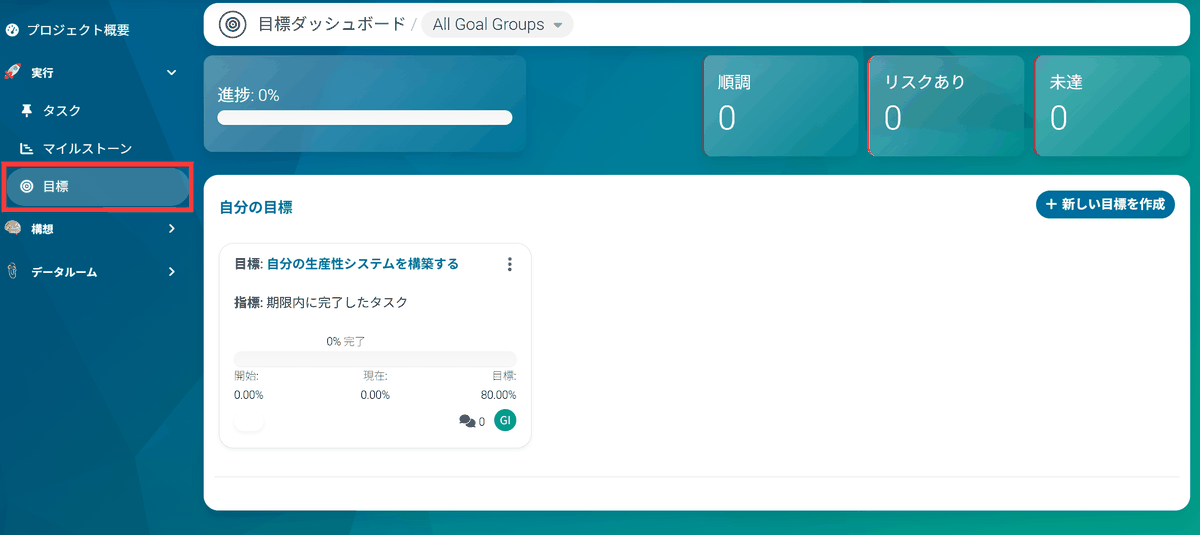
These milestones can also be linked to the goals you want to achieve. This setup allows you to manage your work consciously aware of “why the work is being done,” rather than simply working through tasks.
・Reserve work time with time blocking
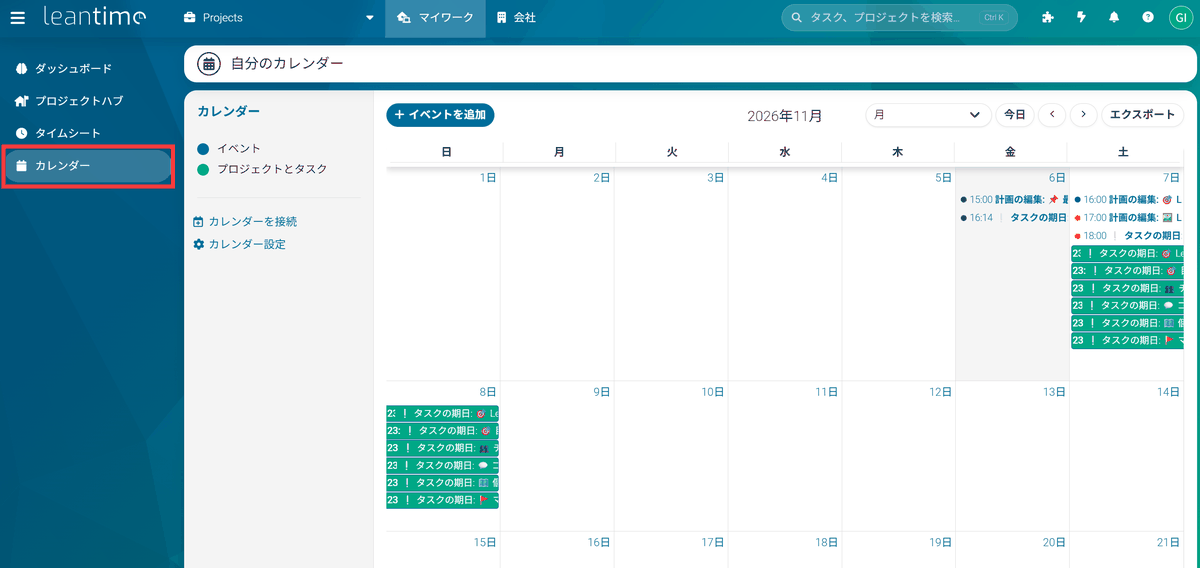
In the personal calendar, you can set the start and end times for scheduled work separately from task deadlines, making it possible to allocate time for work, such as from 4 p.m. to 5 p.m. Reserving work time in advance as part of your schedule in this way is called “time blocking,” and allows you to make your daily plan more concrete while checking for overlaps with other appointments.
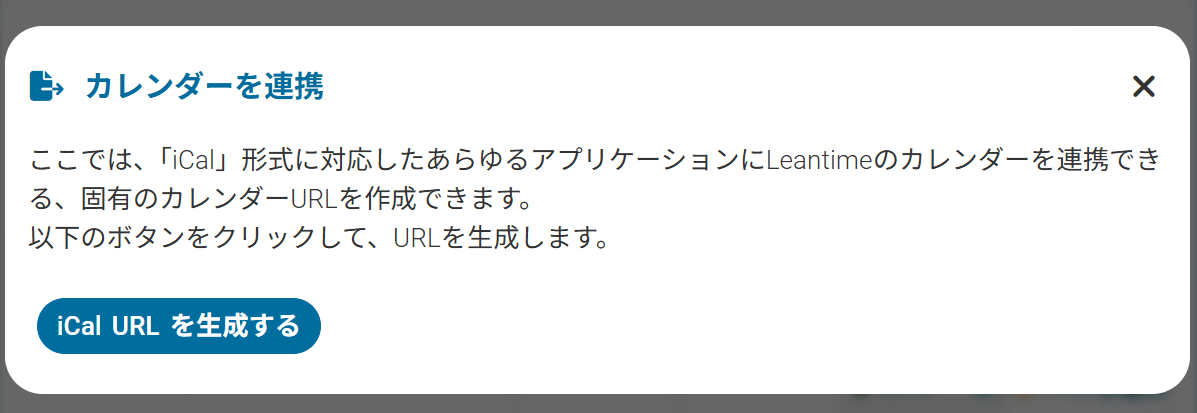
By registering a separate iCal URL for each user in an external calendar, you can subscribe to tasks and schedules in Leantime.
・Record working time in the timesheet
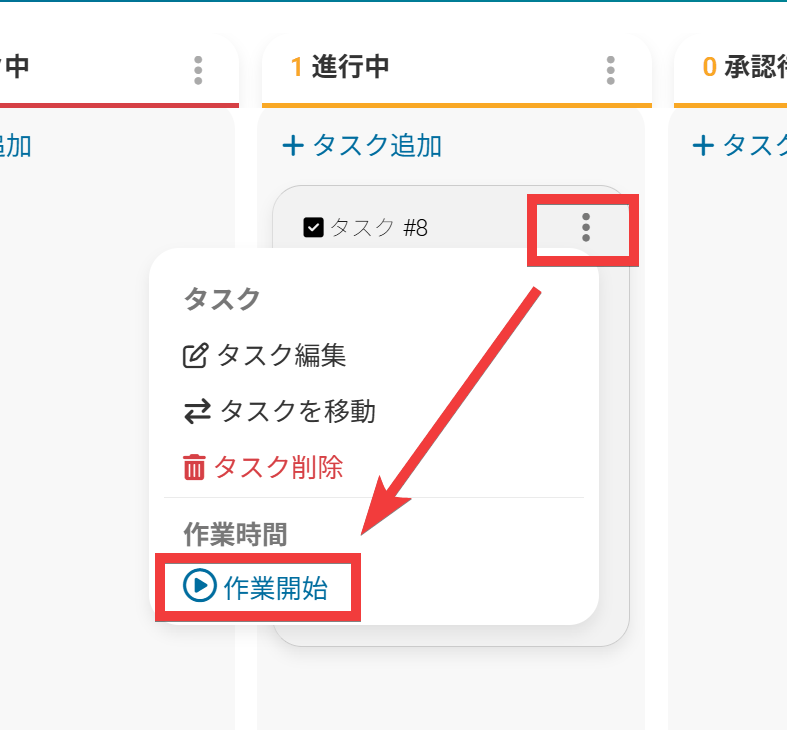
When starting work, select “Start Work” from the task’s three-dot menu to begin tracking.
When the work is complete, click the “Stop” icon…
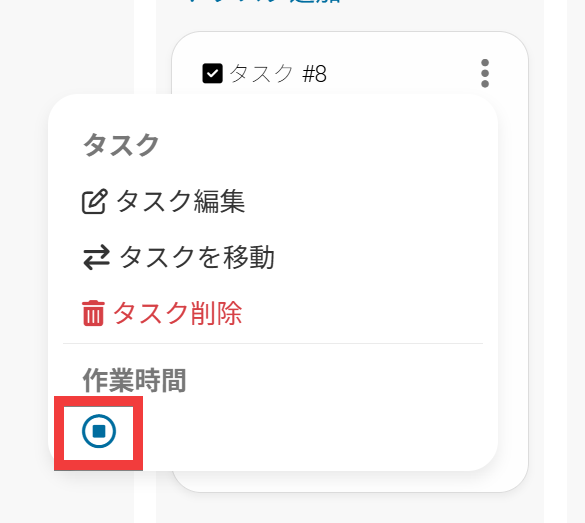
The elapsed time is recorded as the actual time worked.
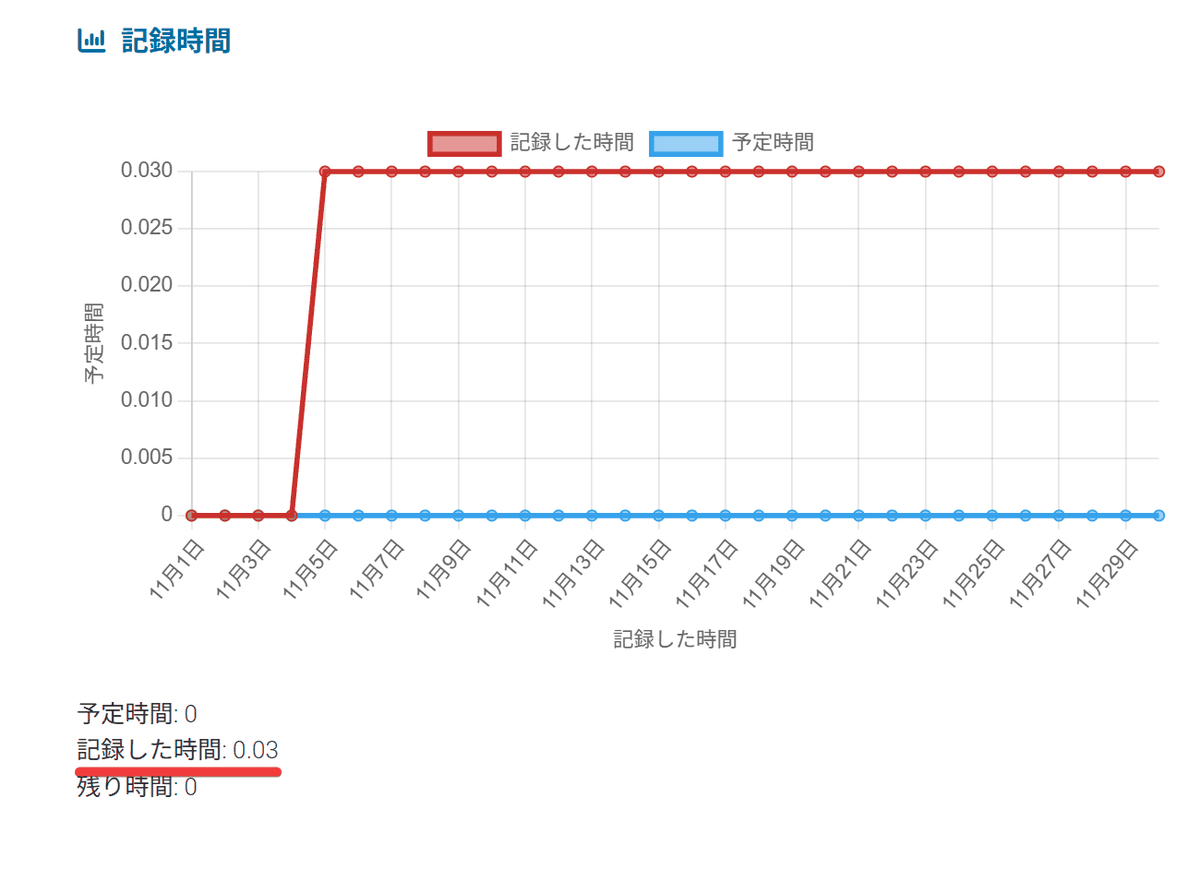
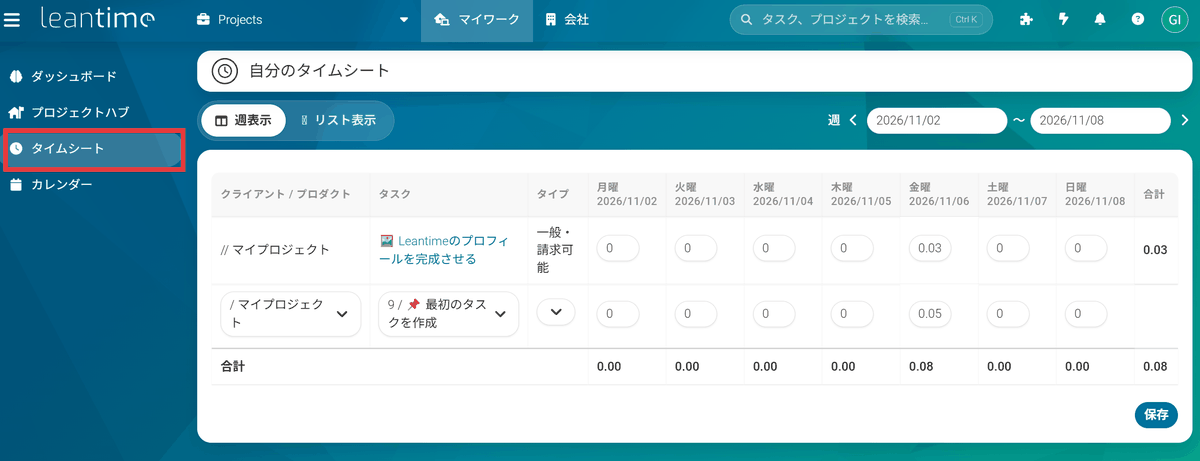
You can check the recorded time in “Timesheet” by date and task. Alternatively, instead of using the timer, you can manually enter working hours and aggregate them on a weekly basis.
・Other features
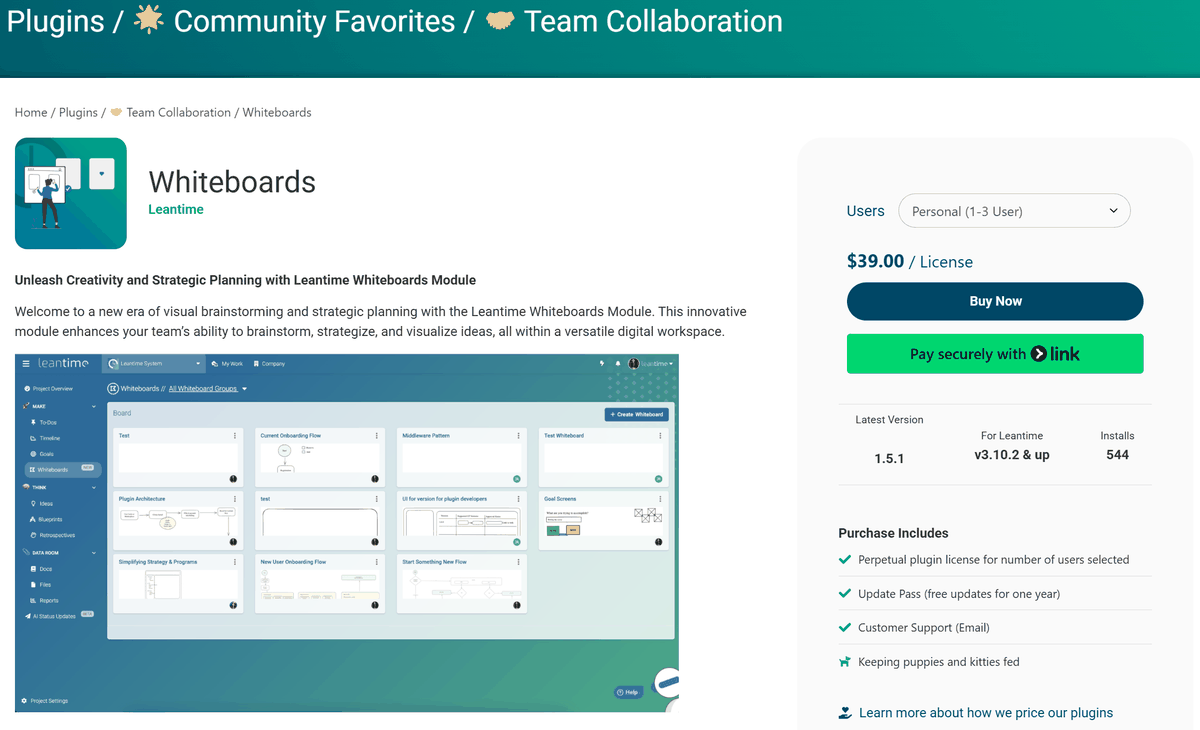
It also includes a wiki, idea board, SWOT analysis, retrospectives, two-factor authentication, and more. The freely positionable “whiteboard” is provided as a separately purchased extension plugin.
・Designed with ADHD, dyslexia, and autism spectrum disorder in mind
Leantime considers “cognitive accessibility,” which takes into account differences in cognitive characteristics such as ADHD, dyslexia, and autism spectrum disorder, itsdesign philosophy, and provides features that support concentration on work, comprehension of information, and the progression of tasks.

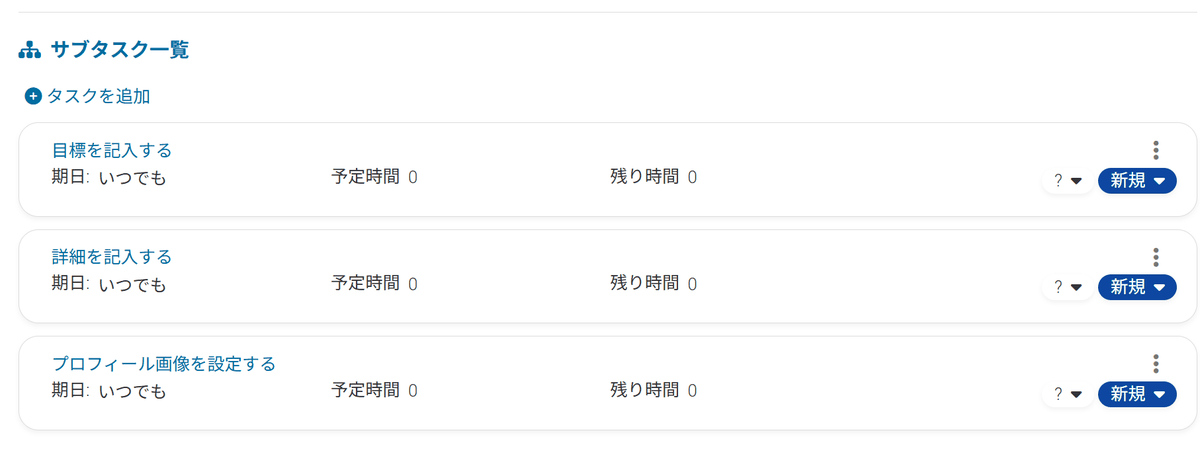
For example, with ADHD, undertaking a large task or deciding on priorities can be burdensome. In Leantime, however, tasks can be divided into smaller subtasks, allowing you to narrow down the work you actually undertake.
Measures for dyslexia include themes that use the “OpenDyslexic” font, which aims to make letter shapes easier to distinguish, as well as a system for visually organizing work using diagrams and cards in addition to text.
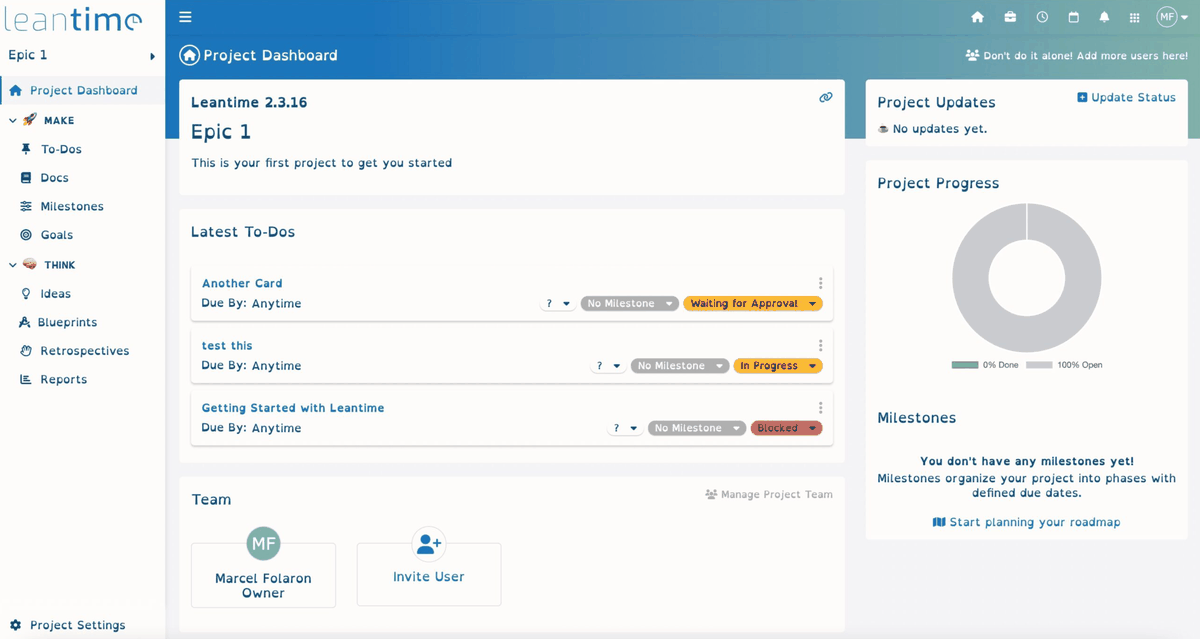
Measures for autism spectrum disorder and other conditions include a design that standardizes menus and operating procedures and centrally displays the information required on each screen, reducing the burden associated with switching between information.
◆How to set up Leantime
This time, we will set it up in a Windows environment equipped withDocker Desktopand Git Bash fromGit for Windows. Clone the repository into the working folder, move to the “docker-leantime” folder, and copy “sample.env” to “.env”.
Open the “.env” file in Notepad or a similar application, change the database password and session secret string, and set the language to “ja-JP” and the time zone to “Asia/Tokyo”.
Start the container with the following command.
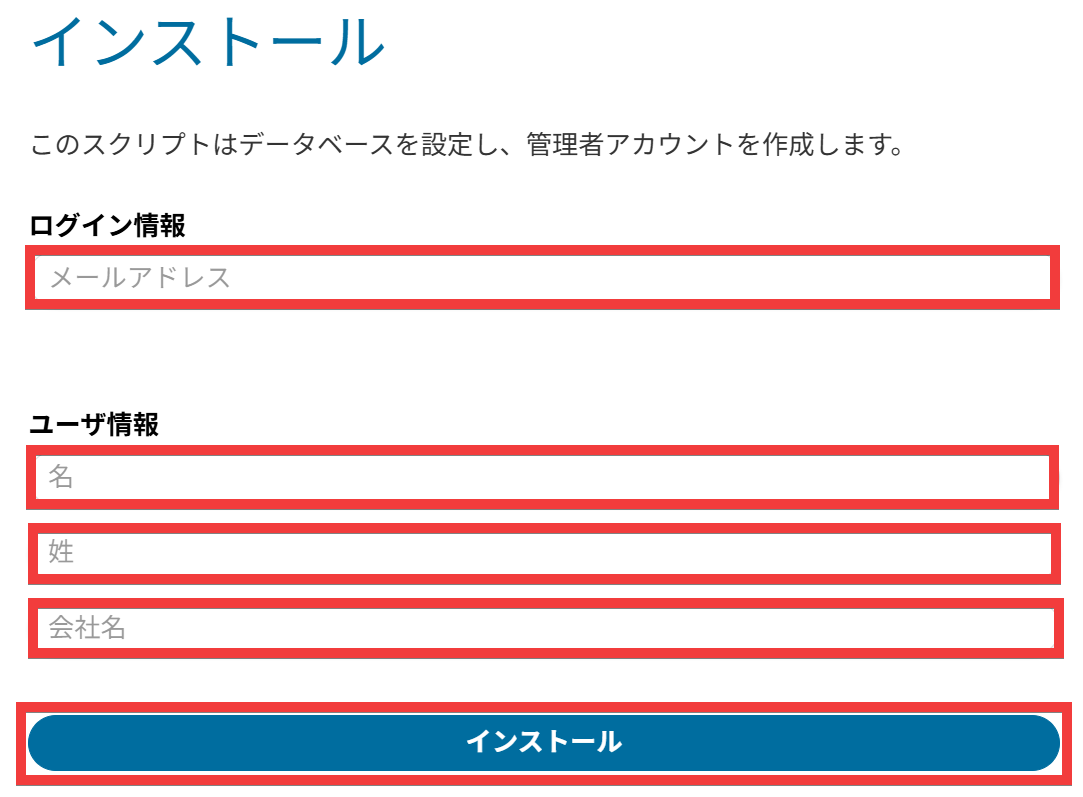
After the container has started, access “http://localhost:8080/install” in your browser. When the administrator account creation form appears, enter your email address under “Login Information,” your first name under “First Name,” your last name under “Last Name,” and your company name under “Company Name” in the user information, then click “Install”.
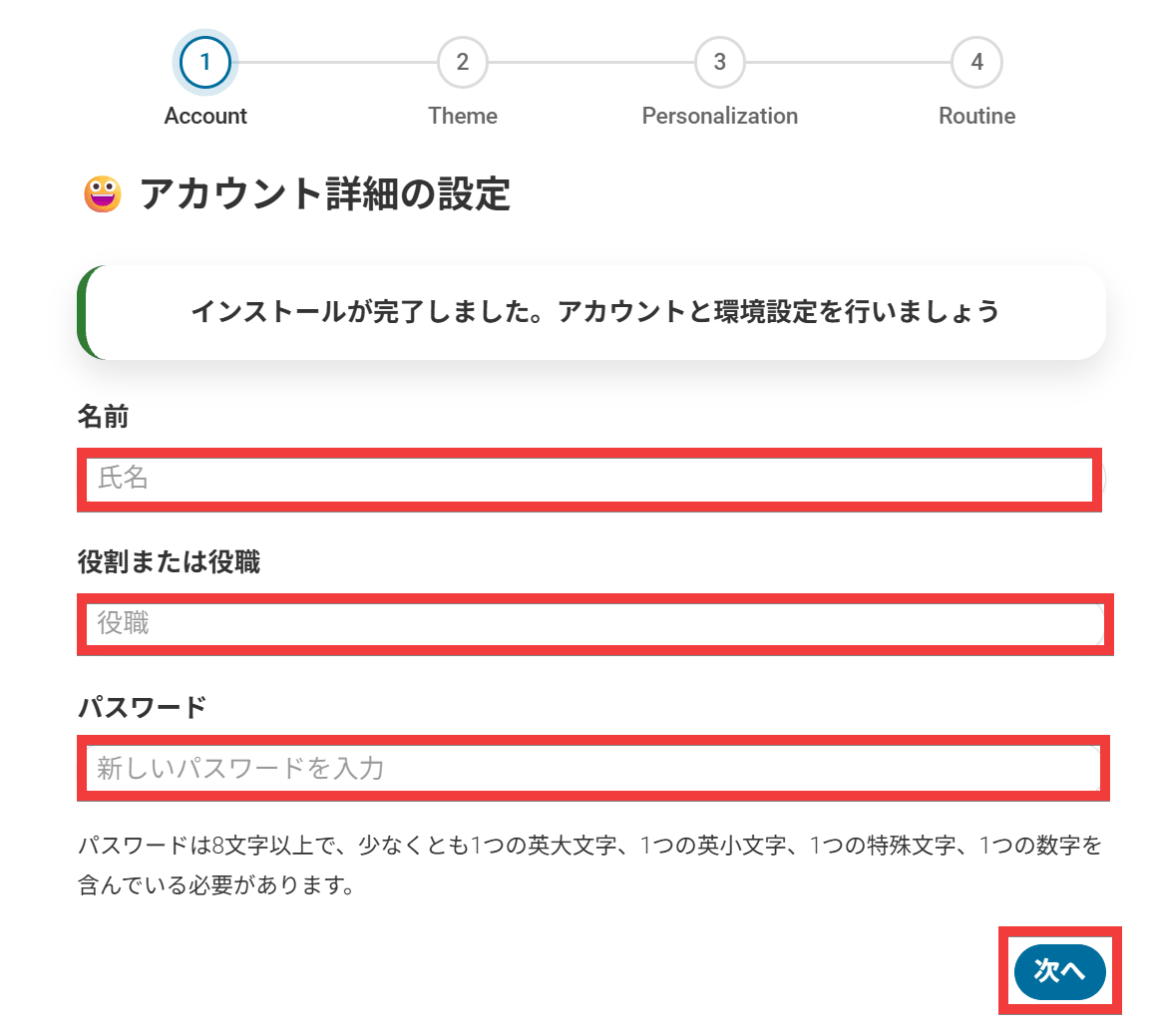
On the account details setup form, enter your name under “Name,” your role or job title under “Role or Job Title,” and your password under “Password,” then click “Next”.
In the display environment settings, select the “Font Weight” and “Font,” then click “Next”.
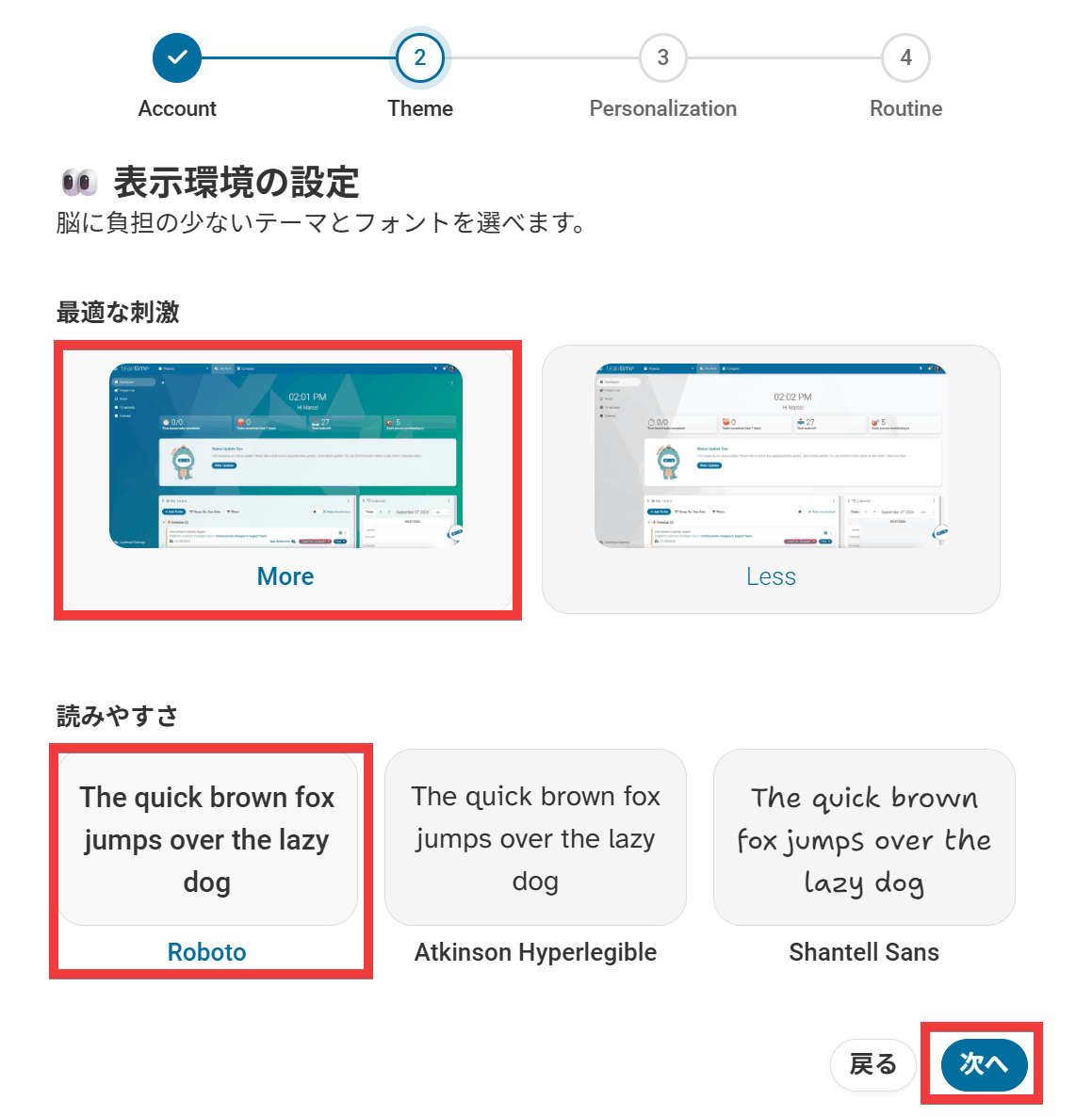
Next, select the “Color Mode” and “Color Scheme,” then click “Next”.
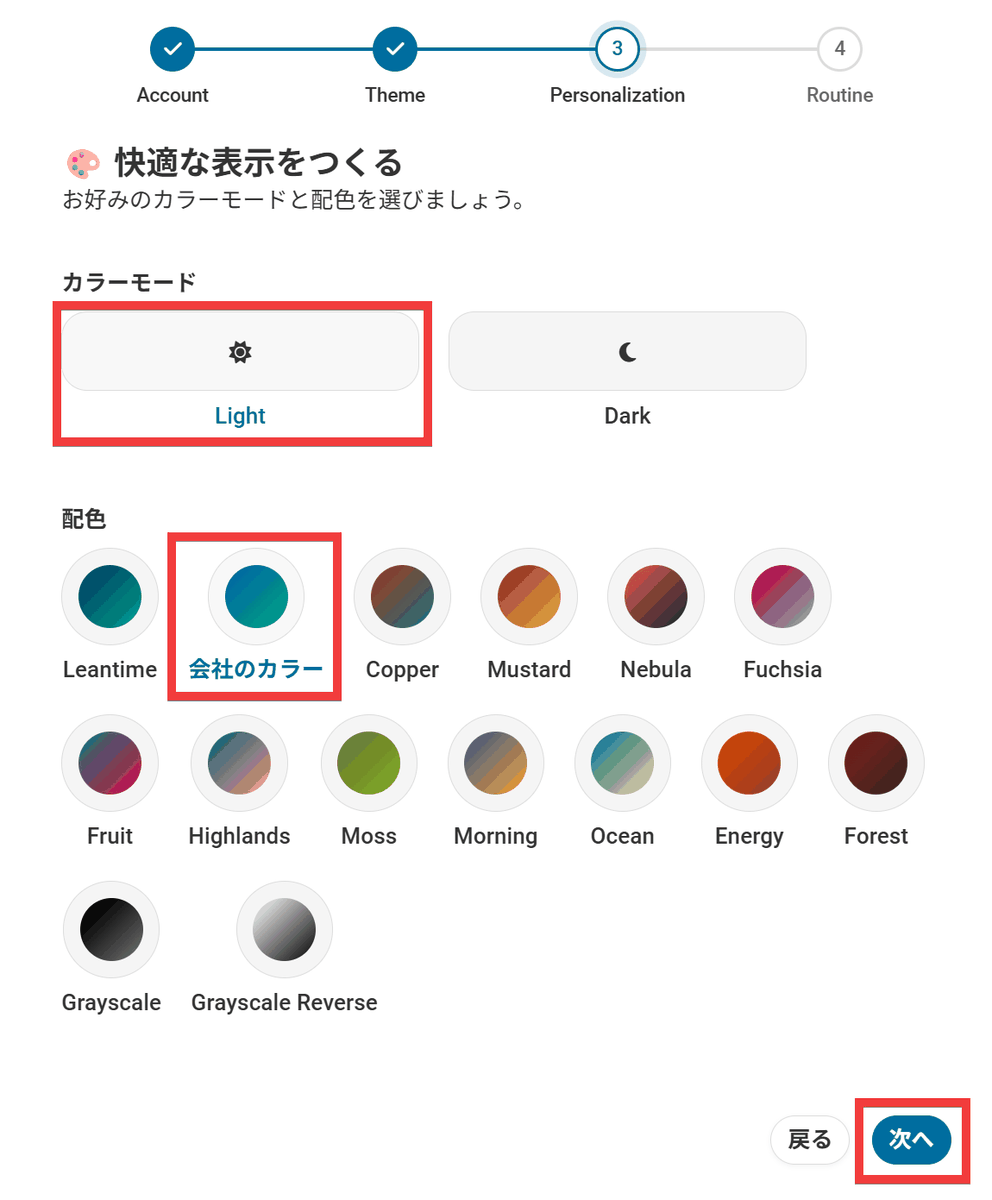
Select the “Start of Work,” “Lunch Break,” and “End of Work” times, then click “Next”.
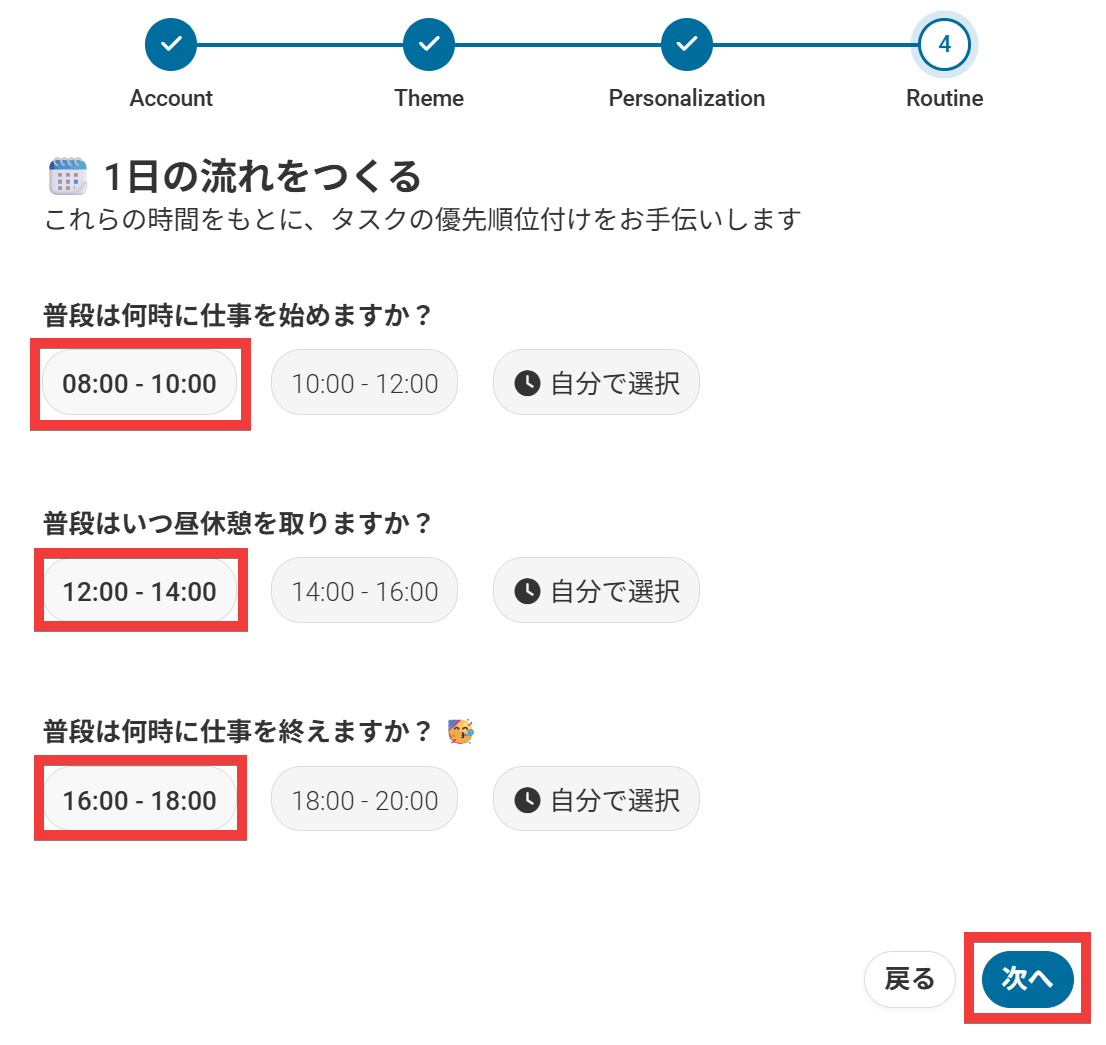
Finally, click “Complete Registration”.
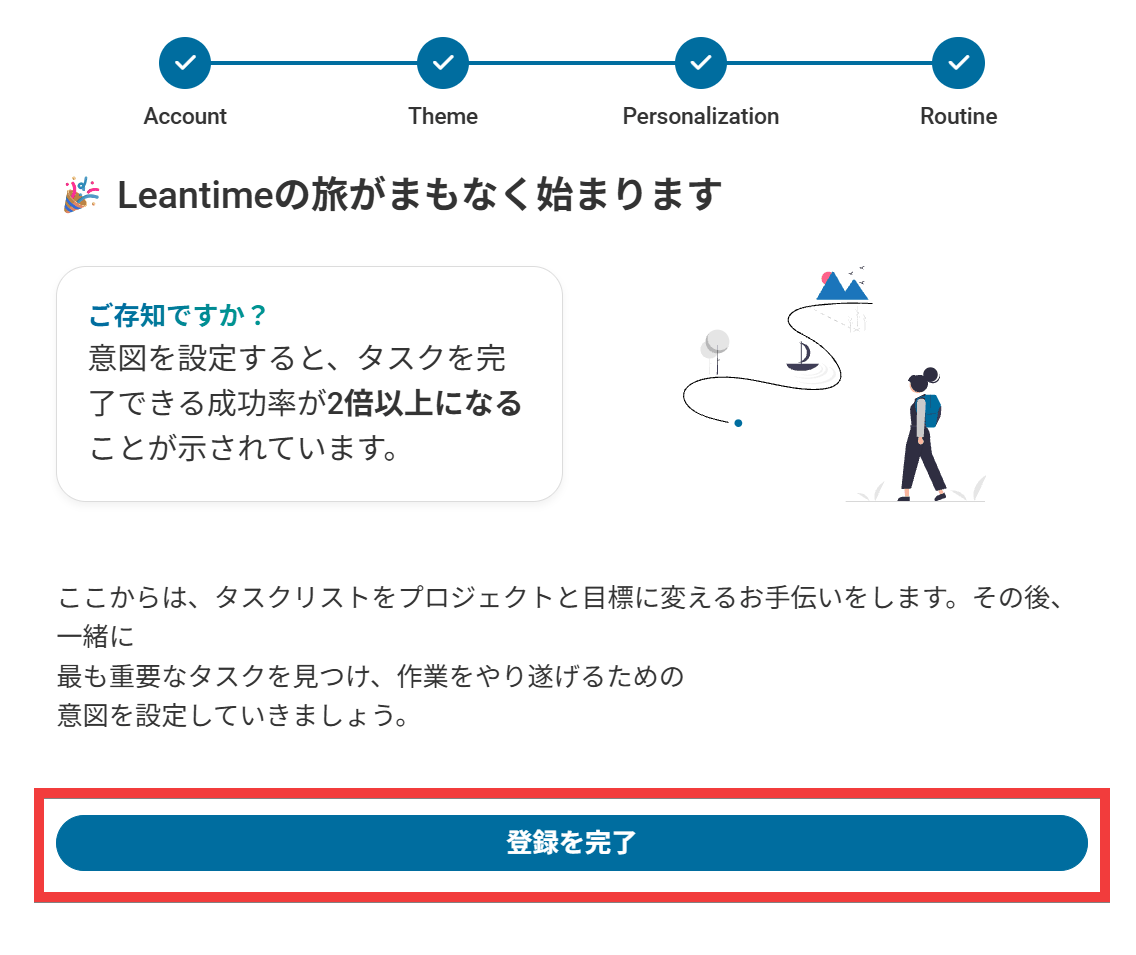
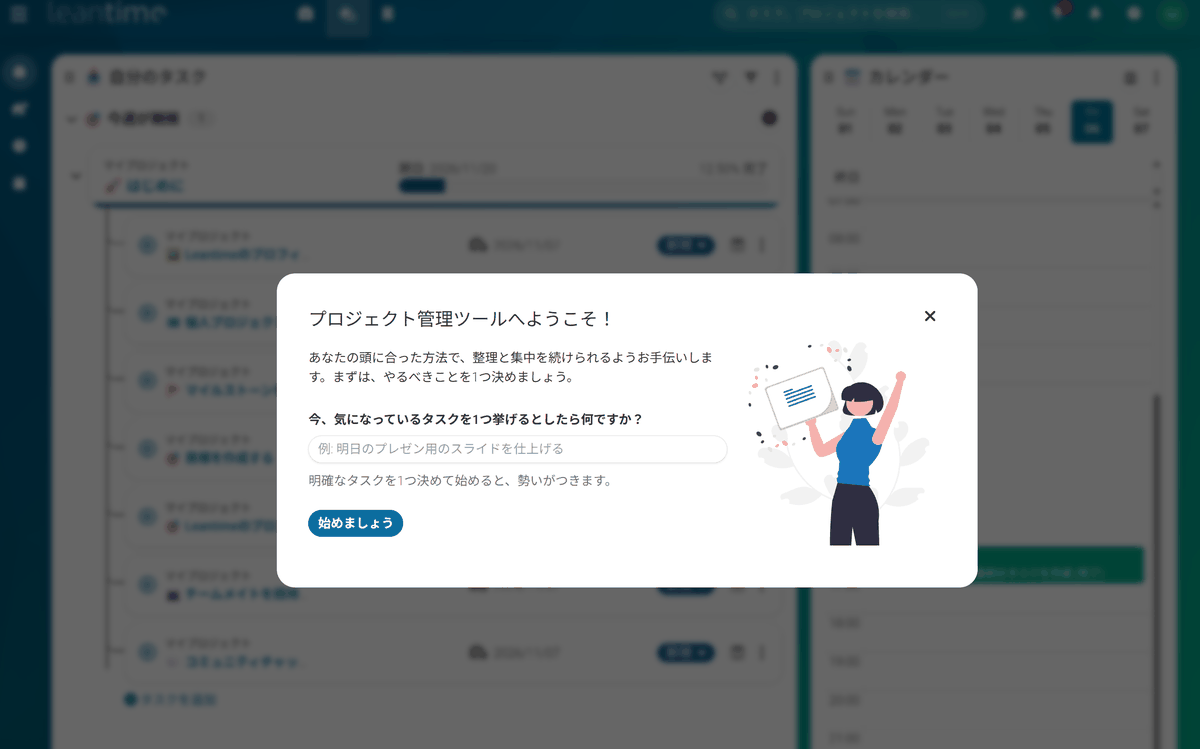
If the Leantime initial screen appears, the installation is complete.
◆Evaluating Leantime
On the social news site Hacker News, there is a discussion about Leantime. In response to the criticism that “it takes about two seconds to display a single task, which is slow,” the developers explained that “the approximately two-second period includes communication between the browser and server and JavaScript execution time, while the PHP and database processing times were 120.9 milliseconds at the 95th percentile and 634.11 milliseconds at the 99th percentile.” Meanwhile, another post offered positive

