At work, I have PostgreSQL. More precisely, I have many PostgreSQL instances: different services, environments, clusters, and hundreds of shards.
A little context about me: I am currently a backend developer for high-load services, and previously worked as a DBA. So databases are not just an abstract storage layer behind an ORM for me, but neither do I manually carry every ALTER TABLE from server to server on a USB drive.
Our services roll out standard migrations themselves as part of deployments. But there are still rare operations on large, constantly loaded tables that require a separate plan: creating an index, validating a constraint, heavy DDL, or a change that must be carried out in small stages. Here, it is important to choose the right moment, limit the lock wait time, set statement_timeout, avoid tying up the entire connection pool for long, and stop at the first problem.
It is dangerous to perform such operations based on the assumption that “the developer looked at the SQL and everything seems fine.” Someone might check the script and forget lock_timeout, mix up the shards, or fail to notice that it was only partially applied. I wanted the tool to remember these rules, not a person in a terminal.Terox was created precisely for manual operational tasks and diagnostics like these—not as a replacement for automated application migrations.
The usual question, “Which shard holds this record?” sometimes turned into a small quest:
find the right host;
remember the port and database name;
open psql;
- TAG24@@run the query;
- TAG28@@make sure the record is not there;
- TAG32@@move on to the next shard and strengthen your character.
All of these approaches work. The problem is that I did not need yet another way to connect to PostgreSQL. What I lacked was a tool that understands entities at a higher level: service → storage → one, several, or all shards.
At some point, I stopped copying yet another connection string, sat down with an AI, and started building such a tool myself. We made the first useful version in a couple of days. And so Terox came about—an interactive CLI client for working with sharded PostgreSQL clusters.
The name ended up being a little cosmic.The work still consists mostly of SELECT queries, but now it at least sounds as if we’re managing a fleet.
Why I needed psql and pgAdmin
Let me say right away: psql is excellent. pgAdmin also does its job. Terox is not trying to replace either of them.
But for a regular client, the unit of work is a connection. In a sharded system, the unit of work often becomes an entire set of connections.
I regularly wanted to do things like this:
run a single diagnostic query across all shards;
see the results in one table without losing track of which shard each row came from;
quickly switch to the shard where the data was found;
- compare a table’s schema across shards;
view locks, long-running transactions, and table sizes across the entire cluster at once;
apply a single migration with understandable timeouts and see the status of each shard;
avoid mixing up staging and production on a Friday evening.
The last point is especially important. Friday evening is a distributed system in which the role of consensus is played by an inner voice: “Maybe Monday?”
Why not a loop around psql
The most obvious option looks something like this:
for shard in $(seq -w 1 128); do psql "host=pgbouncer-shop-rs${shard}.example.net ..." \ -c "select * from items where item_id = 424242" doneAnd this is a perfectly good solution for a one-off task.Problems begin when such a loop becomes an everyday tool: you need to limit parallelism, cancel requests that have already been launched, avoid losing errors from individual shards, combine different sets of columns, separate reads from writes, and each time verify that the loop is not accessing production with unexpected permissions.
Terox did not grow out of the idea “let’s replace psql,” but out of the desire to assemble this plumbing once and then work with the concept of a shard set rather than with connection strings.
One config instead of a directory of connections
In Terox, hosts and databases are described using templates. For example, an assumed set of 128 shards can be written like this:
max_rows: 100 fanout_concurrency: 8 query_timeout: 7s statement_timeout: 5s lock_timeout: 500ms services: shop: storages: prod: host_template: pgbouncer-shop-rs{p1:03}.example.net db_template: shard_{p} port: 6432 user: readonly password_env: TEROX_SHOP_PASSWORD count: 128 sslmode: verify-full prod: true migration_role: app_writer{p1:03} is expanded into 001, 002, …, 128, while {p} becomes the zero-based position number. The host and database name may be numbered differently.
fanout_concurrency matters here more than it may seem. It prevents the client from simultaneously rushing at all 128 shards and setting up a load test that nobody asked for. The client-side query_timeout limits the entire call to a particular shard, while the server-side statement_timeout and lock_timeout limit execution once it is already inside PostgreSQL.
After that, you can immediately open the entire cluster:
terox -t shop/prod/allOr select the service, storage, and shard through the menu. The prompt always shows the current context, production badge, read/write mode, and statement_timeout.
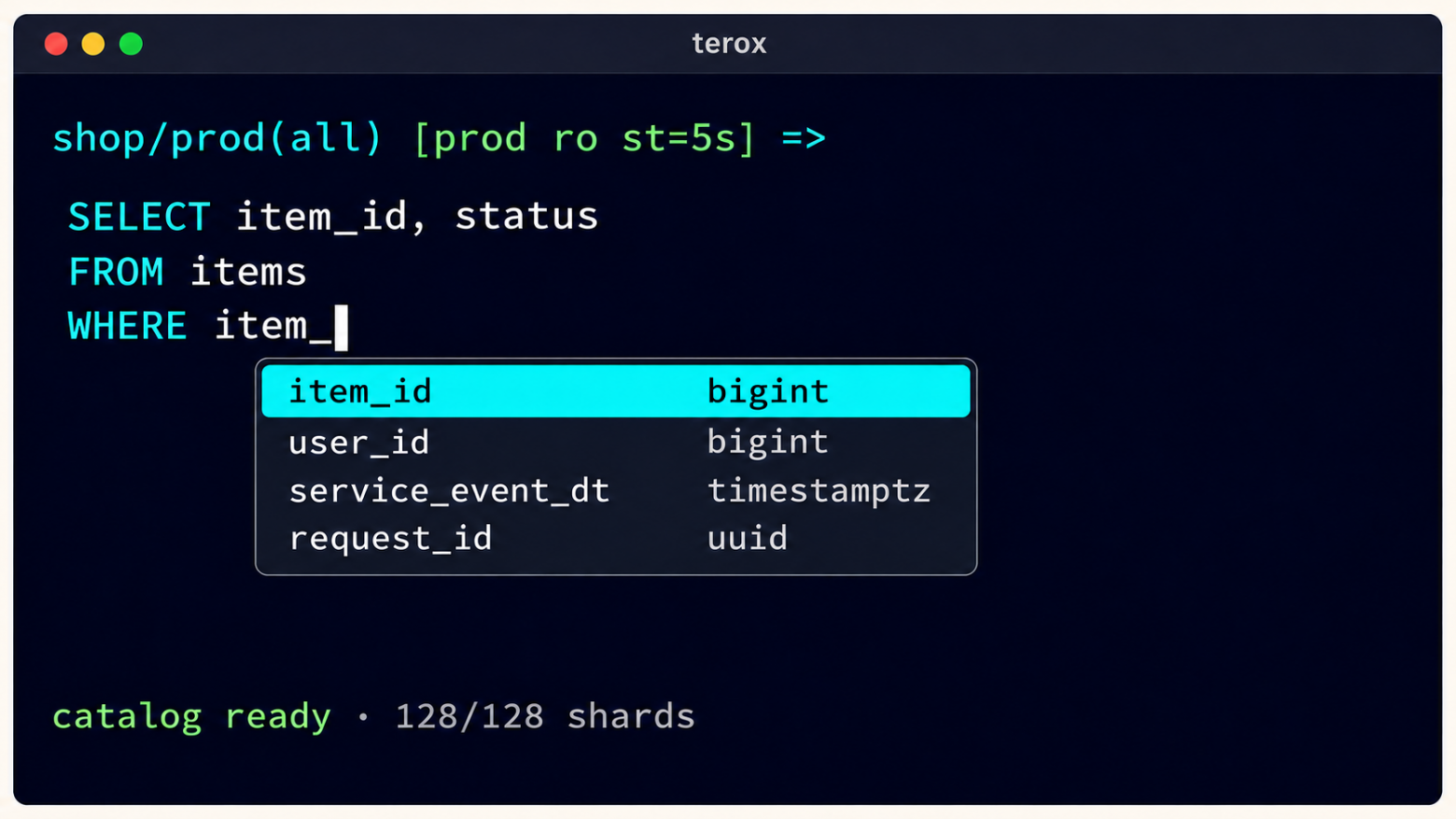
shop/prod(all) [prod ro st=5s] =>If the request went to the wrong place, even though all of this is stated explicitly in the prompt, at least the tool honestly tried to help.
Fan-out without manual fan-out
An `all` query is executed across the selected shards, and the results are merged. Terox adds a `shard` column, aligns columns by name, and separately displays errors from individual targets.
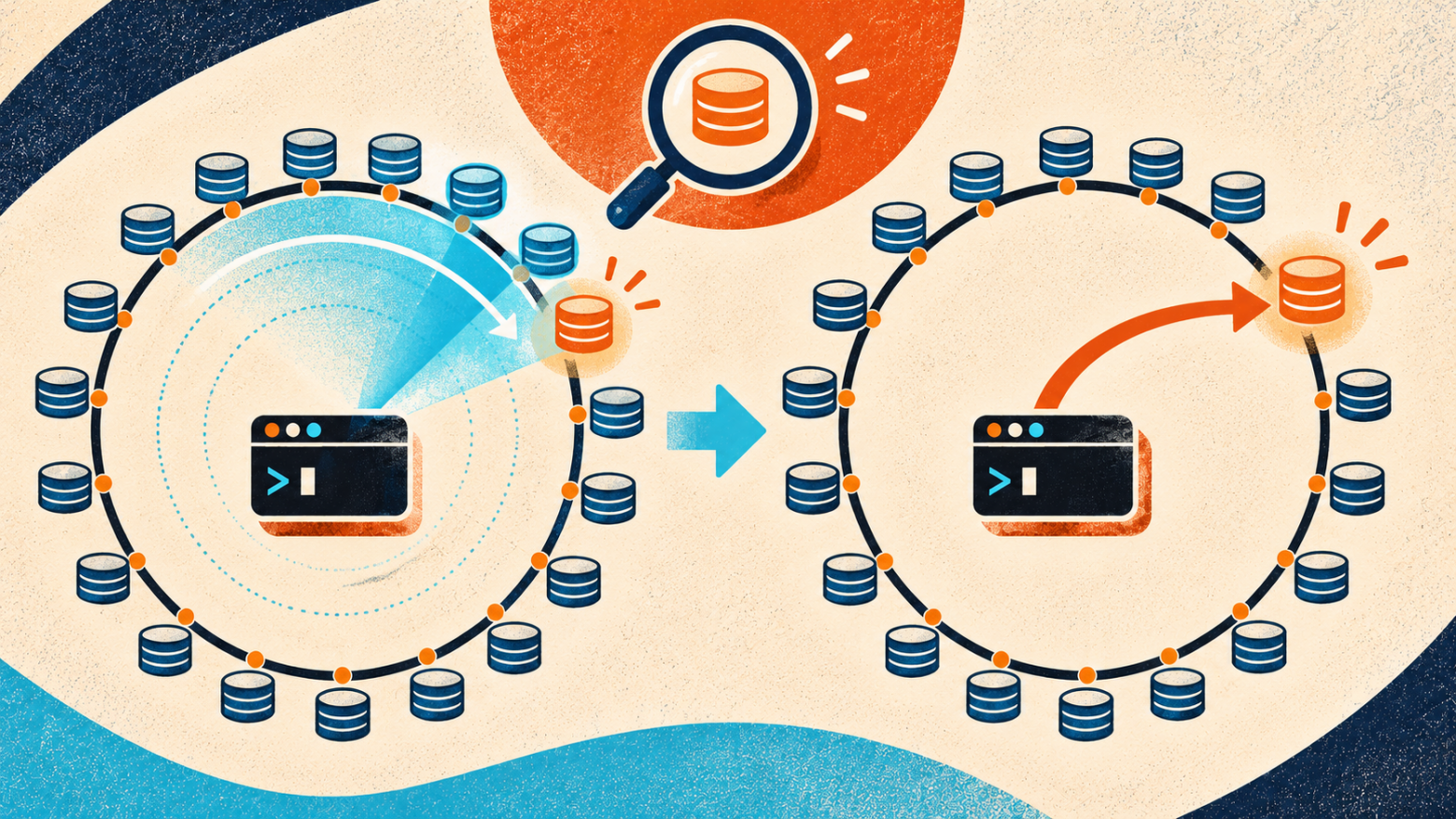
Our entities are distributed across shards using consistent hashing. This is convenient for the system, but not always for a human: given a single key, you cannot simply work out on paper which of the hundreds of shards contains the record. An exact answer requires the current ring, virtual nodes, and the same routing logic used by the application.
And sometimes the task sounds completely mundane: “find the object with this ID and see what is happening to it.” Trying a hundred connections one by one manually is a great way to turn a one-minute check into a hobby.
For this, Terox has `\find`:
shop/prod(all) => \find items item_id = 424242 ┌──────────┬───────┐ │ shard │ count │ ├──────────┼───────┤ │ shard_37 │ 1 │ └──────────┴───────┘ found on 1/128 shard(s) → shop/prod(shard_37)Terox scans the selected shards, shows where the data was found, and, if there is only one matching shard, automatically switches to it.The next query is already running in the right place—with no copying the host, reconnecting, or playing “guess the shard.”
If there are multiple matches, you can select the required shard manually:
\s shard_37Commands such as \count, \locate, and \grep are now available for common scenarios, along with saved queries with parameters and result export to CSV/JSON. History is stored separately for each service.
The editor supports multiline input, long-line wrapping, and live autocomplete for schemas, tables, and columns. It also supports automatic keyboard-layout correction: if you type a meta-command using the Russian keyboard layout, Terox tries to understand what your fingers remembered better than your head.
What happens inside fan-out
Simplified, the query path looks like this:
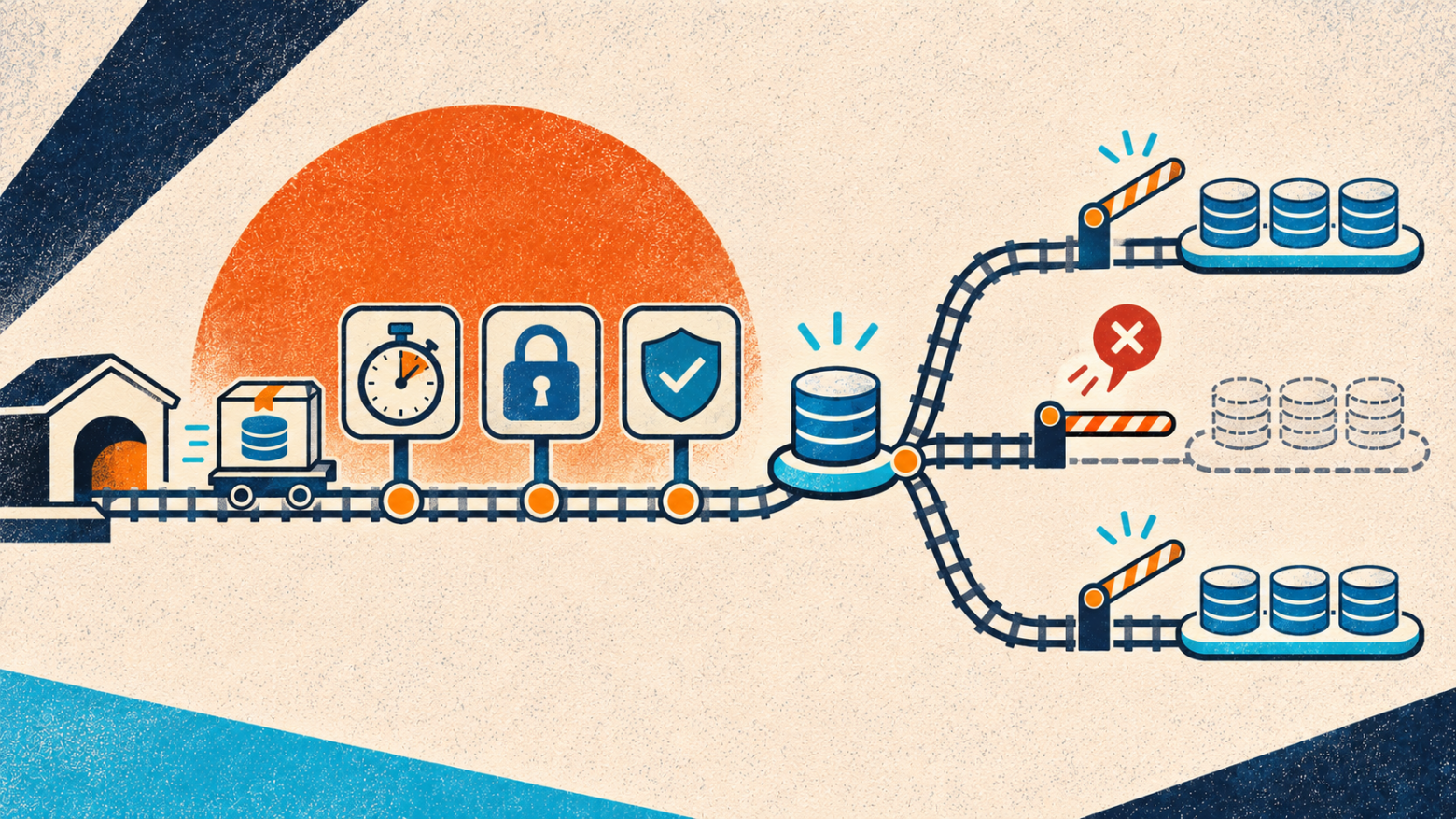
selector all / 0,1,5 │ ▼ expansion of the list of physical shards │ ▼ queue with a fanout_concurrency limit │ ├── shard_0: READ ONLY + SET LOCAL statement_timeout ├── shard_1: READ ONLY + SET LOCAL statement_timeout └── shard_N: READ ONLY + SET LOCAL statement_timeout │ ▼ combining rows + shard column + separate errorsA pool is created lazily for each shard: there is no connection until the database is accessed. No more than two connections are allowed within a single shard pool—the second is needed so that background autocomplete does not block the user’s query.At the same time, the number of shards processed concurrently is specifically limited by fanout_concurrency.
Each shard has its own client-side deadline. A slow or unavailable shard does not wipe out the successful results of the others: the error remains tied to its shard and is reported separately. Ctrl+C cancels the shared context, so requests already in progress are interrupted, while those that have not yet started do not begin. On exit, the manager closes all created pools and prevents the background goroutine from creating a new connection after shutdown.
Reads on each shard run in an actual PostgreSQL READ ONLY transaction, rather than being determined solely by parsing the SQL text. Results are limited by max_rows so that an accidental broad SELECT does not consume the terminal’s memory; full exports of large result sets use streaming reads.
Diagnostics that you would normally assemble piecemeal
Over time, the client accumulated commands that I constantly need while troubleshooting. \activity, \blockers, \locks, and \longtx show activity and locks; \sizes and \statements --skew help reveal skew between shards; \diff <table> compares schemas, while \doctor --all runs an overall health check. For individual queries, there are \explain, \advise, and \lint.
This is not a replacement for monitoring and not a pocket DBA. Rather, it is a short path from “something is slow” to a proper question you can then take to the metrics, logs, and query plan.
For example, \lint warns about a DELETE without a WHERE clause, a LIMIT without an ORDER BY clause, a suspicious Cartesian product, or a NOT IN with nullable values. The heuristic may be wrong.But it doesn’t get tired or think, “sure, the query is small.”
Writing must be enabled deliberately
Reads in Terox are performed in READ ONLY transactions. By default, the client operates in `ro` mode, and any write query is rejected.
To allow writes, you must explicitly run:
\write onWhen switching services or storage, write mode is reset. This is a simple safeguard against the situation “I thought I was still on the test cluster.”
If the storage has a `migration_role`, writes acquire it via `SET LOCAL ROLE`. A regular transactional migration looks roughly like this:
begin; set local role app_writer; set local statement_timeout = '5s'; set local lock_timeout = '500ms'; -- migration body commit;It is specifically `LOCAL` that matters here: the settings live inside the transaction and do not leak into the next PgBouncer client.
`DROP DATABASE` is unconditionally prohibited. Yes, the user is a grown adult. But a client running across a hundred shards is also an adult and has the right to refuse to participate.
A migration is not just “send the SQL a hundred times”
Let me emphasize once again: regular versioned migrations are deployed with the service automatically. The mode below is needed for exceptional cases where the developer deliberately manages the rollout on heavily loaded tables and must see every stage.
Migrations have a separate mode:
\migrate add_column.sqlWithout `--allowed`, this is a dry run: Terox displays the exact SQL, the rollout plan, and warnings from the static analyzer. Actual execution is launched separately:
\migrate --allowed add_column.sqlFor large clusters, there are canary deployments, batches, and the ability to resume an interrupted rollout:
\migrate --allowed --canary add_column.sql \migrate --allowed --batch 10 add_column.sql \migrate --allowed --resume add_column.sqlThe checksum prevents an already-started migration from being resumed unnoticed with a modified file.
There is, of course, no transaction spanning 128 PostgreSQL servers here. Atomicity applies within each shard: one shard might already have committed when the next one returns an error. Therefore, by default, the first error cancels targets that have not yet started and those that are currently running, the report explicitly shows the partial application, and --resume continues only with the shards that did not pass. This is exactly why migrations must be idempotent, and why canary deployments and small batches are preferable to heroism.
There is a separate, unpleasant class of operators: CREATE INDEX CONCURRENTLY, REINDEX CONCURRENTLY, VACUUM, and other commands that are forbidden from running inside a transaction. The usual wrapper with SET LOCAL and server-side timeouts cannot be used for them. Terox recognizes such SQL, clearly shows that execution will be unprotected, and in production requires a client-side migration_timeout and separate confirmation.
Where is the vibe coding here?
I really did build most of Terox together with AI. Not in the sense of “wrote one prompt and went off to drink coffee.”I was drinking coffee nearby.
The work looked roughly like this:
I described a specific pain point from my workflow;
we found the smallest behavioral model;
the AI proposed an implementation;
I reviewed the code, ran the tests, and tried the scenario manually;
the next edge case became a new test.
This is how details emerged that rarely make it into a polished first demo:
proper shutdown of all connection pools on exit;
Ctrl+C, which exits the prompt but cancels the active request;
wrapping long SQL to the terminal width;
multiline paste;
secure history without passwords and with a separate file for the service;
a backup of the config before installation;
strict validation of unknown YAML fields;
protection against leaking session-scoped state when using transaction pooling;
tests for concurrent pool shutdown and race-condition runs.
AI greatly speeds up this cycle. It quickly finds the relevant places, writes repetitive tests, proposes the structure, and does not complain about the next request: “now take this into account, too.”
There is also a downside: it can just as quickly implement a flawed idea cleanly and all at once in twelve files.Therefore, the speed of code generation is not the same as the speed of making correct decisions.
One useful principle turned out to be simple: first formulate the invariant, then ask for the code.
For example:
after exit, not a single connection should remain;
read-only must be enforced by PostgreSQL, not merely by a regular expression;
switching context must disable writing;
secret SQL must not end up in the history;
a partial failure across shards must not look like a complete success;
dry-run must not suddenly turn into apply because of a convenient default value.
With rules like these, a conversation with an AI becomes engineering work. Without them, you end up with a highly productive generator of surprises.
What Terox cannot do for you
Terox does not turn arbitrary SQL into safe SQL. Static analysis is a heuristic. The real boundaries of security are still established by role permissions, READ ONLY transactions, TLS, timeouts, and deployment discipline.
It does not replace the application's migration system, monitoring, backups, or understanding of the query plan. It does not fix the sharding architecture. It does not know the business meaning of the data.
And, unfortunately, it cannot determine whether you really do need to run the query on all 128 shards.He is just very good at doing it precisely where you asked.
What came out
A tool grew out of a local pain point, one that I find convenient to use every day:
a single config describes services, storage systems, and shard templates;
a single query can be run against a selected set of targets;
- TAG363@@the result preserves the provenance of each row;
- TAG367@@diagnostics are aware of the multi-shard context;
reads are protected by READ ONLY;
- TAG375@@writes are explicitly enabled;
- TAG379@@migrations support dry-run, lint, a transactional wrapper, timeouts, and staged rollout;
- TAG383@@the CLI remains a regular local binary without a separate server.
For me, that is what proper vibe coding means: not “not understanding what is happening,” but quickly turning your own understanding of the problem into a working tool.
Repository: github.com/nvorobev/terox
TAG395@@The project is open source, so feedback, ideas, and pull requests are welcome.Especially if you also have a shard where the data definitely should have been.