Media Library in the default skin, with Cyrillic in tags displaying without issues
Classic on the outside, modern on the inside
I tried to make everything that was in Winamp 2.95 look and work just as it did there. I keep screenshots of the original next to the code and compare them against it. Anything new either works unobtrusively within the existing interface, such as support for modern formats and switching the output device, or goes into a separate group of settings.There will be no cloud media libraries or subscriptions.
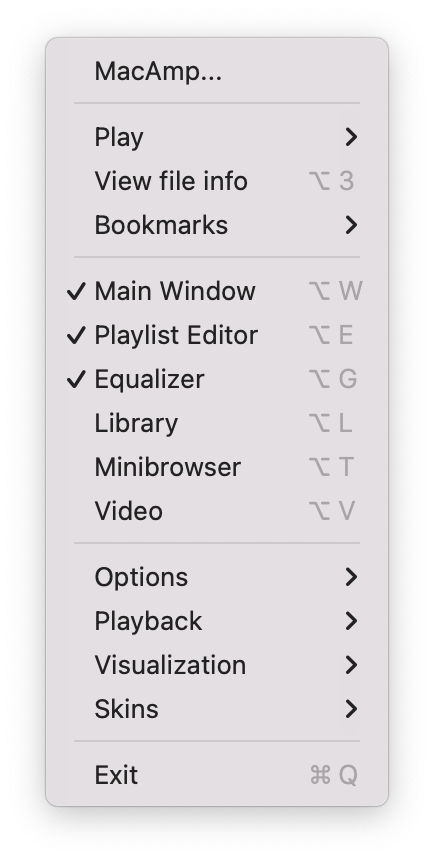
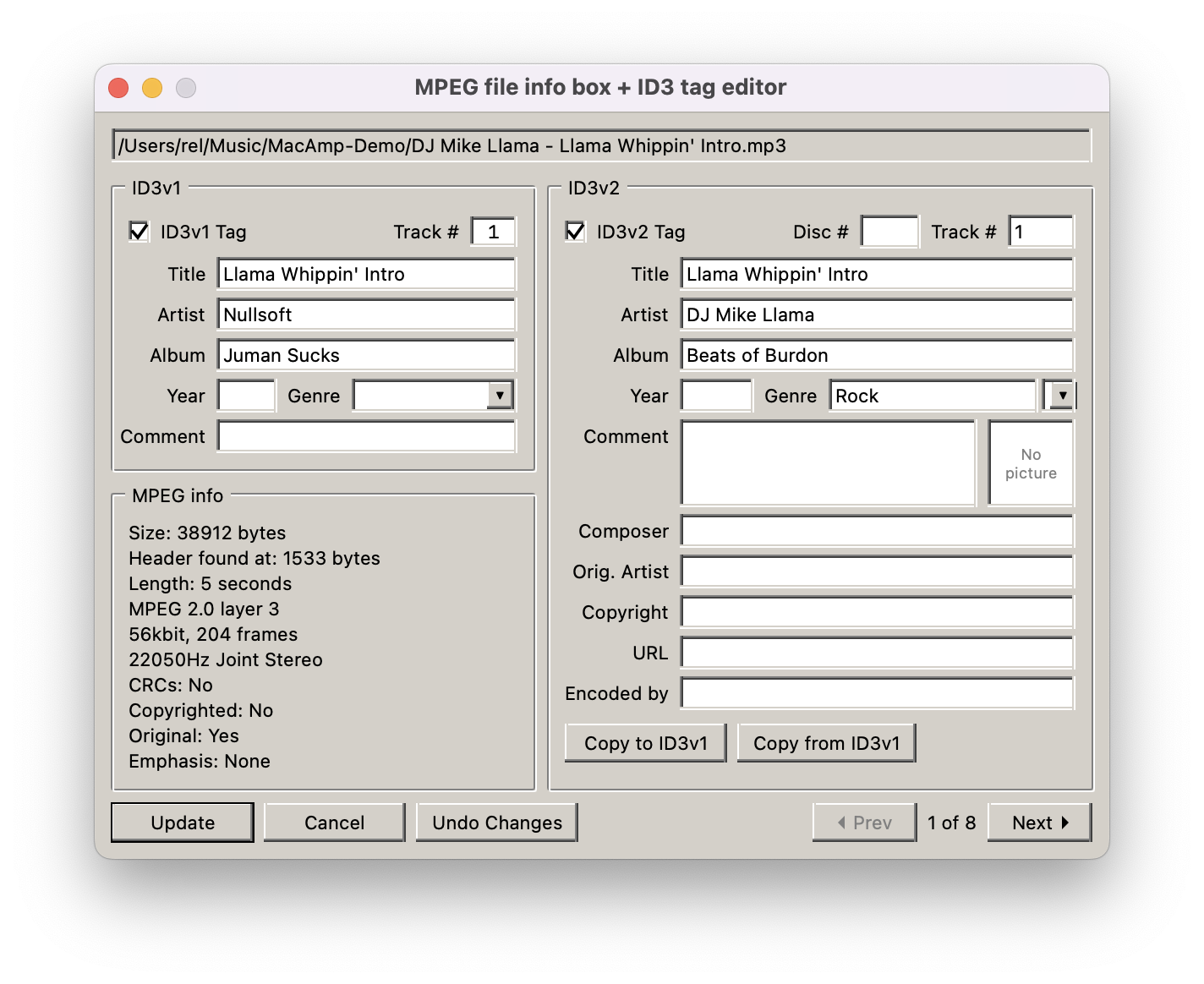
Track Info: an ID3v1 and ID3v2 editor, just like the original
The second goal is for the player to sit quietly in the corner without draining the battery. On an M1, it uses about 0.01% of the CPU while paused and 2–3% when playing with the spectrum analyzer. When nothing is playing, the engine stops, and after two seconds of silence, the analyzer stops sending frames. Those two seconds are enough for the spectrum bars and peaks to fall.
A couple of technical details
The windows move as one
The main window, equalizer, and playlist are three separate frameless NSWindows, and there is no way to group windows in macOS. When you drag the leading window, the others must move with it and not drift apart. Therefore, I recalculate the position of each window from where it was at the beginning of the drag, adding the overall shift to it. If instead you add small increments to the current position on every mouse movement, rounding errors accumulate. The magnetic pull toward screen edges and neighboring windows is calculated once based on the proposed frames, and only then is the result applied to the entire group:
let totalShiftX = roundedDeltaX + bestSnapX let totalShiftY = roundedDeltaY + bestSnapY for (gid, startOrigin) in startOrigins { guard let win = windows[gid], win.isVisible else { continue } win.setFrameOrigin(NSPoint( x: round(startOrigin.x + totalShiftX), y: round(startOrigin.y + totalShiftY) )) }Coordinates are rounded because, in a pixel-based interface, window seams must not shift by even half a pixel, especially in 2x mode.
Pixels without antialiasing
Winamp skins are raster BMPs drawn for legacy-density screens (MAIN.BMP, EQMAIN.BMP, PLEDIT.BMP, TEXT.BMP). If rendered in the standard way, the font and timer digits become blurry on Retina. Therefore, the windows draw themselves with interpolation disabled:
public override func draw(_ dirtyRect: NSRect) { guard let context = NSGraphicsContext.current?.cgContext else { return } context.interpolationQuality = .none // ... }The sprites are cut exactly to the pixels of the originals, and their coordinates are stored in SpriteCatalog. I compared them with the Webamp source code.
Equalizer
The ten bands with Winamp-like frequencies (from 60 Hz to 16 kHz) and the preamplifier are implemented in a standard AVAudioUnitEQ: the bands are parametric filters, while the preamplifier uses its globalGain. Audio is routed through AVAudioEngine, so the player automatically follows the system output device.
How this was written with AI
AI agents wrote most of the code. I came up with the ideas, assigned the tasks, reviewed the results, and decided what to release. This approach worked: I understand what the result should be and notice when the architecture starts drifting, while the agent knows the specific AppKit calls.
Three things helped me. First, the project contains documents: the vision, a phased plan, a checklist, and a reference guide to the dimensions and behavior of Winamp 2.x, along with screenshots of the original. The agent reads all of this before starting work, so I do not have to explain every time what “like Winamp” means literally.Second, the rules in AGENTS.md and several skills about the project structure and how to safely change the equalizer and playlist keep the agent from breaking things that already work. And finally, all tests are run with a single command, ./build.sh test.
One thing could not be delegated to agents: the feel. How drag-and-drop feels in your hand, whether the field jitters, whether the color is right, how the crossfade sounds on live tracks—these can only be checked by hand and ear. Some of this testing is still on my “not done” list; more on that below.
What Is Missing for Now
There are currently no Milkdrop visualizations through projectM, nor an MP3 or Ogg encoder for copying CDs (2.95 had Ogg Vorbis). Tracker modules MOD, XM, S3M, and IT do not play either: they require libopenmpt, and I am still considering whether to bring in such a dependency. There is no Last.fm scrobbler either; if one is added, it will be a separate option, disabled by default.
Why There Is No Apple Developer ID Signature
I deliberately did not sign the application. In Winamp, the File types page lets you choose which formats the player opens and change the file and playlist icons right there. The icons could be changed on the fly. On macOS, Finder takes document icons from the application itself, so MacAmp replaces the icon inside MacAmp.app and re-signs itself with a local (ad-hoc) signature. This would not be possible with a Developer ID signature: the modified bundle would invalidate it, and the icons could not be changed.
The cost is a Gatekeeper warning on first launch. You can open the application via System Settings › Privacy & Security › Open Anyway or like this:
xattr -dr com.apple.quarantine /Applications/MacAmp.app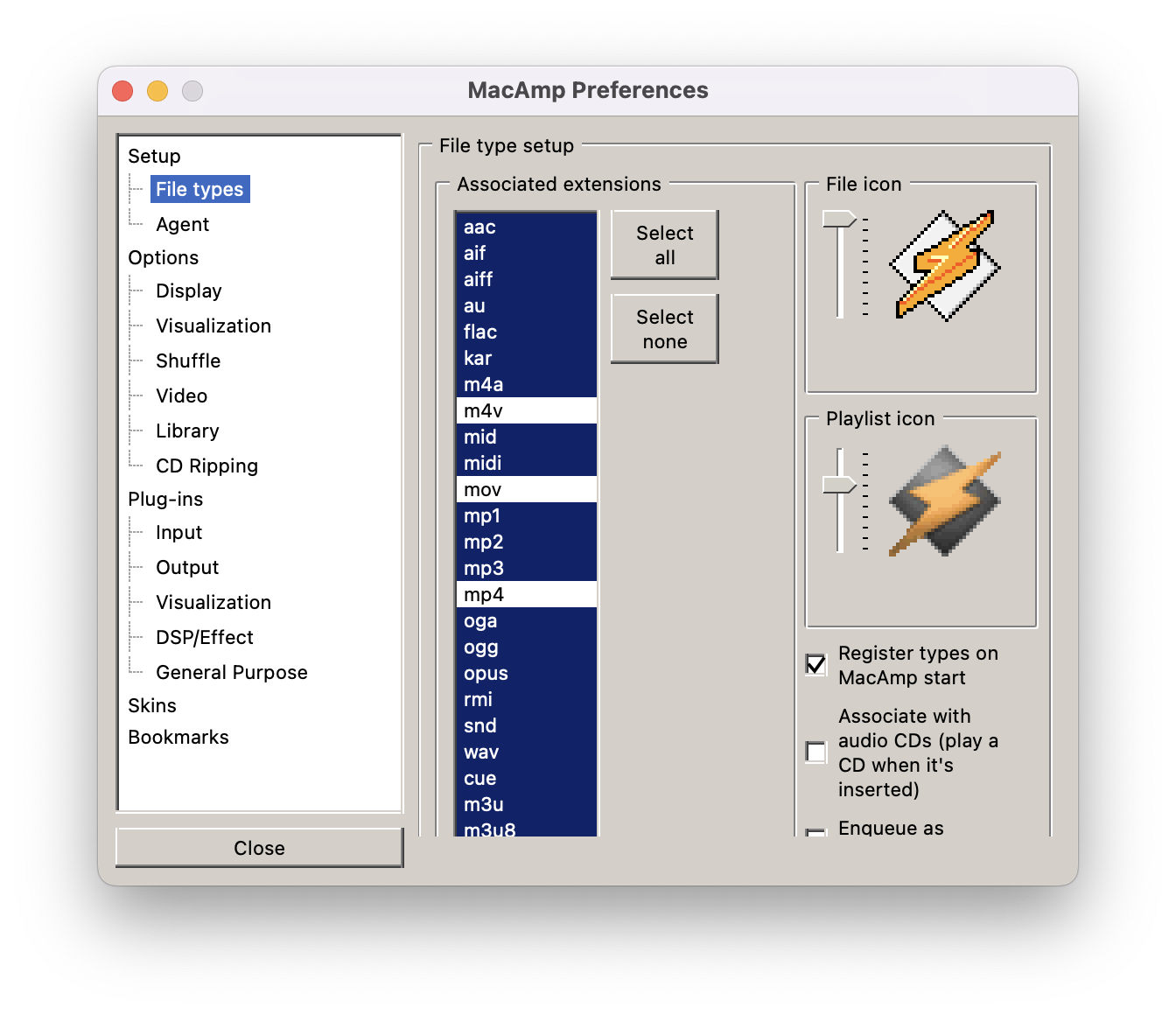
Preferences › File types: the same associations and icon switching as in Winamp
Help with testing needed
I use the player every day, but only on one computer and with one music collection, so much still hasn’t been manually tested, and I’d be happy to receive your reports. What interests me most is: crossfading on actual tracks (with pausing and seeking in the middle), an album in a single FLAC with a .cue file, radio stations reconnecting after a network outage, Bluetooth headphones while gaming, and putting the Mac to sleep and waking it. I also haven’t stress-tested playlists with thousands of tracks (scrolling, searching, sorting, CPU load with multiple windows open), old skins from the Winamp Skin Museum with nonstandard graphics, or Intel Macs running macOS 14.
Links
Source code: github.com/alexrel/macamp
TAG138@@
Ready-to-use build (DMG): github.com/alexrel/macamp/releases
TAG142@@The application is free under the MIT license.If anything goes wrong, please comment or open an issue on GitHub.