Video surveillance: by adding a 360° view to its smart camera, Synology really covers all angles
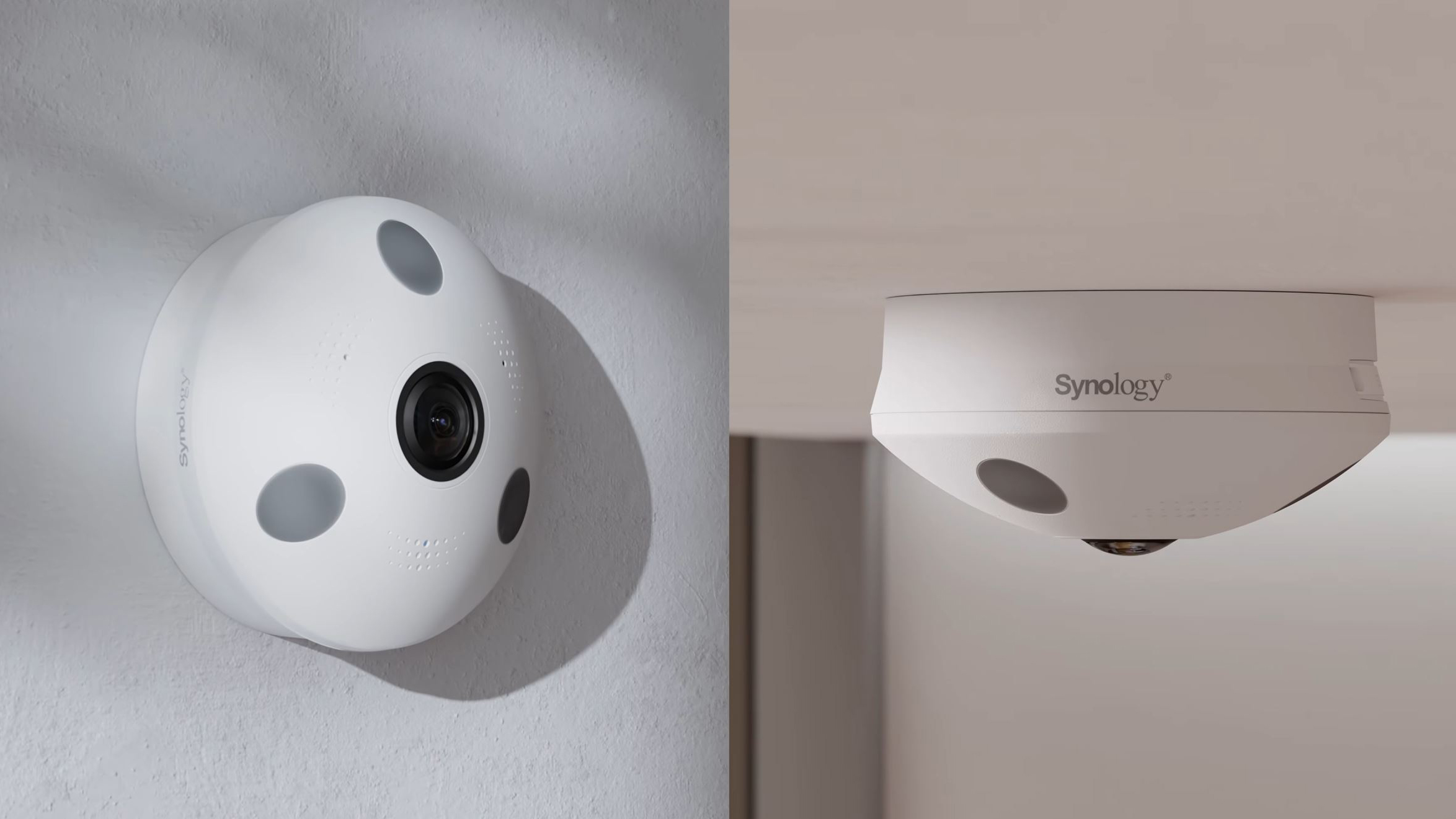
Installing an effective video surveillance system is not simply a matter of mounting a few cameras on the wall. The layout of the premises, their use, and the level of activity are all constraints to consider when choosing equipment.
You also need to be able to review footage on a daily basis: for example, it is difficult to keep an eye on multiple video feeds while busy welcoming customers or managing your business. However, there are solutions for covering a space without multiplying the number of cameras.
While a conventional camera frames part of the scene, a model equipped with a fisheye lens can capture a 360° view. When placed wisely in an open space, this type of camera allows you to maintain an overview with a single device.
With the FC600, Synology aims to go one step further by combining this panoramic coverage with artificial intelligence analytics and video management tools. Technologies capable of detecting specific events, receiving alerts, and making it easier to find footage that requires particular attention.
Synology FC600: a 360° view for covering large spaces
The main advantage of a 360° camera is being able to observe, from a single location, the space around and below it. Capture takes place in all directions simultaneously, whereas a motorized camera has to reorient itself to frame different areas successively.
With the FC600, Synology combines a fisheye lens, for capturing the scene at 360°, with a 6-megapixel sensor to retain detail in this panoramic view, particularly when displaying certain portions separately. HDR and infrared night vision, advertised for use up to 10 meters, round out the package to better handle high-contrast scenes and record footage when light becomes insufficient.
In an open space, this approach offers several advantages:
- extensive coverage from a single point;
- fewer cameras to install and connect, depending on the layout;
- a lighter installation and less equipment to manage.
However, a 360° camera must be carefully positioned: a partition, tall shelving, or a piece of furniture in the wrong place may obscure part of the scene.
The fisheye lens also has a particularity: its very wide view comes with distortions that make the perspective less natural and the scene harder to read. To make viewing easier, the FC600 offers image correction, or dewarping, as well as several display modes suited to the areas you want to observe.
Display modeWhat it showsWhat it is forOriginal view (fisheye)The entire captured field, in the form of a distorted circular image.Maintain an overview of the space and track movements.Panoramic viewA wide, corrected view of the scene.View a broad area in a more natural representation.Dual panoramaThe scene divided into two corrected panoramic bands.View everything in a more compact display than a single panorama.Four-window view (Quad View)Four distinct views showing several portions of the image.Keep several areas of interest on screen at the same time: the entrance, counter, or passageway areas.These different displays make images easier to read, but you still need to know when to pay attention to them. To do so, the FC600 relies on AI-powered analysis features that detect certain events and trigger alerts.
Detection, counting, alerts: what is the FC600’s AI used for?
To reduce the burden of monitoring video feeds, Synology has integrated AI analysis features into the FC600. The goal? To allow users to define rules so they can be alerted when certain events occur in monitored areas.
FeaturePrincipleExample usePerson detectionDistinguish human presence from other moving elements.Detect a person in a monitored area.Intrusion detectionDetect the crossing of a virtual boundary according to the configured rules.Flag entry into a storeroom or technical room.Prolonged presence detection (loitering)Identify a person who remains in an area for longer than a defined period.Warn of prolonged presence near an entrance.Crowd detectionIdentify a gathering according to the defined parameters.Flag a concentration of people in a lobby.When an event matches the defined criteria, the system alerts the user, who assesses the situation and decides whether intervention is needed. Prolonged presence near an entrance, for example, is not necessarily concerning. The analysis flags this presence; it does not determine the person’s intentions.
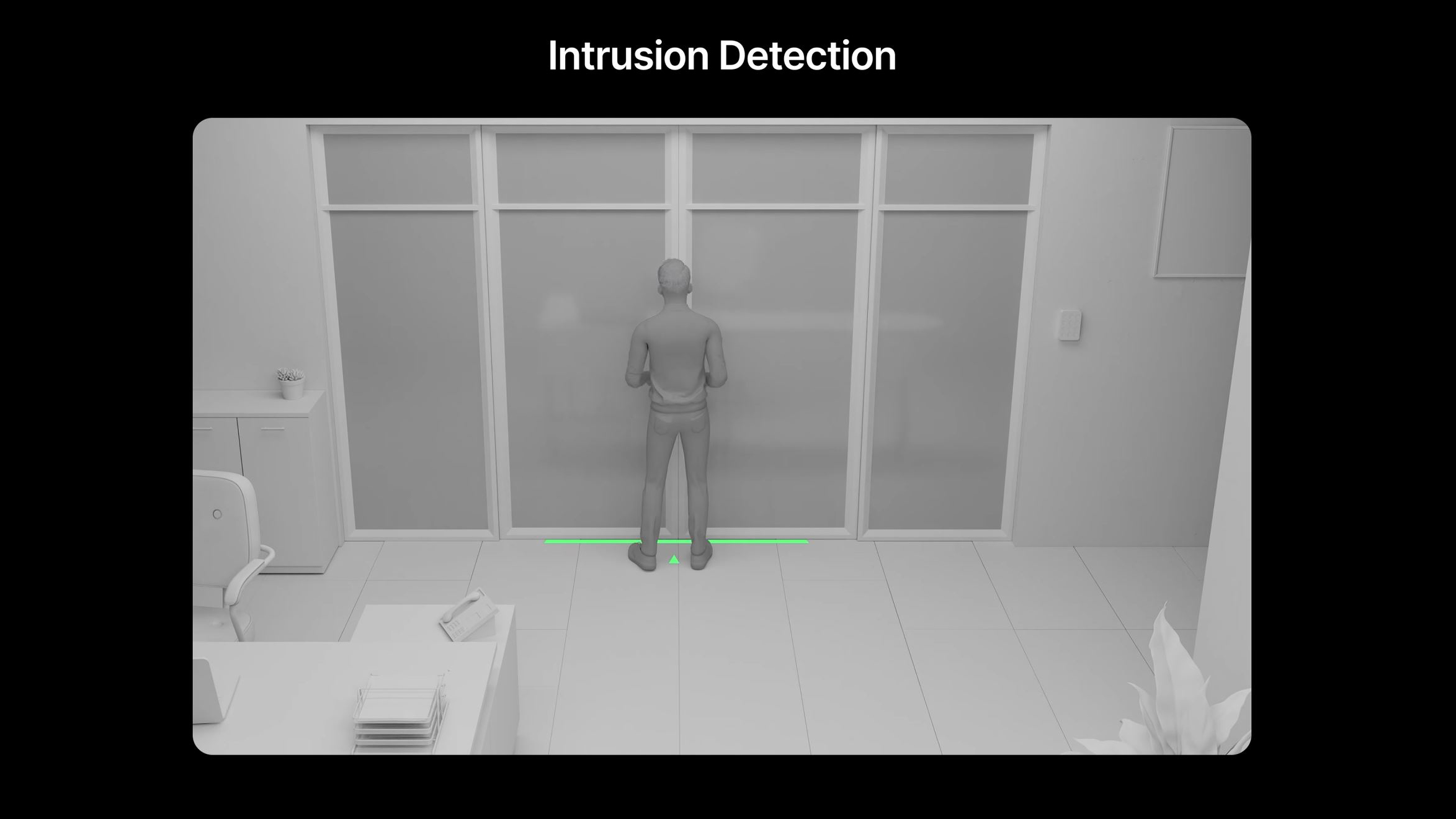 AI-assisted intrusion detection in Surveillance Station // Source: Synology
Beyond surveillance, people counting, available with Surveillance Station, also helps provide a better understanding of foot traffic in a business or high-traffic location. Tracking entries and exits, estimating space occupancy, or being alerted when a threshold is exceeded can help tailor reception services and the layout of the premises.
To review flagged clips and retain recordings, Synology offers two software options: Surveillance Station for on-premises deployment, and Surveillance365 for cloud-based management.
NAS, cloud, or both: where to store videos and how to manage them?
For managing footage from your cameras, Synology offers two approaches. The first, Surveillance Station, is built around one of the brand’s core pillars: the NAS. This network-connected device stores recordings and runs the surveillance software.
Surveillance Station centralizes video streams in an interface that allows you to view live feeds, find clips, and configure alerts and user access permissions. The videos remain on your own hardware, while still being accessible remotely from a computer, smartphone, or tablet.An approach suited to organizations that want to retain control over their storage and the administration of their system.
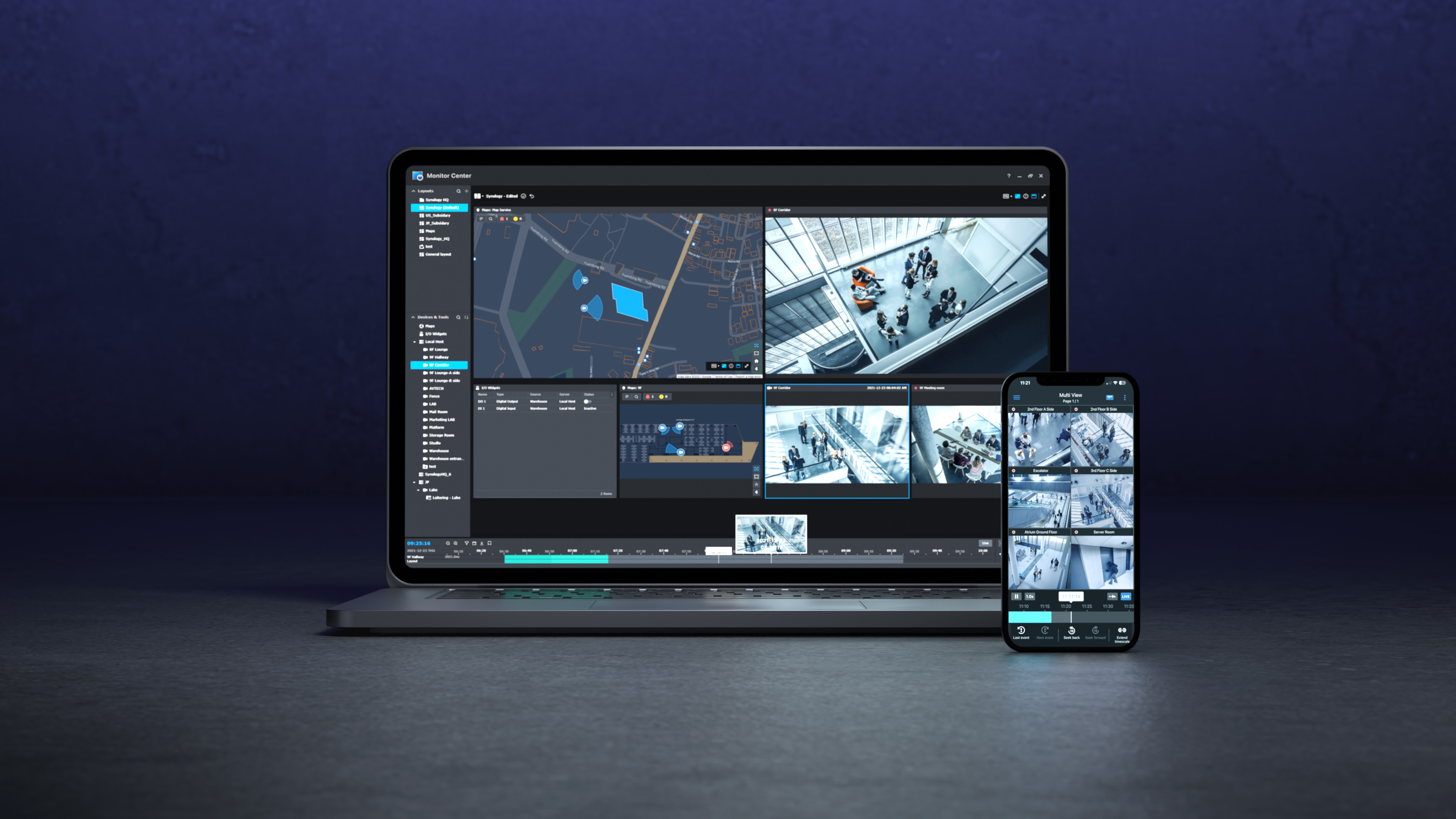 Surveillance Station // Source: Synology
With Surveillance365, managing supported cameras goes through the cloud, with no need for an on-site NAS. Remote configuration, footage viewing, and multi-site management are brought together in a single service. Videos are first recorded on the camera’s microSD card, and cloud backup is optional. This makes it possible to equip multiple stores or offices without installing a server at each location.
The two approaches can also complement each other: Surveillance365 then hosts a copy of the recordings stored on the NAS by Surveillance Station. This remote copy makes it possible to retain the footage even if the local hardware is stolen or damaged.
SolutionBenefitsUse caseSurveillance StationManage cameras and store videos on a NAS, with remote access. A company wants to control its storage and manage its installation in-house.Surveillance365Manage cameras via the cloud without a local NAS, with recording to microSD and optional cloud backup. A retailer wants to monitor multiple stores without a server in each location.Hybrid useSupplement NAS storage with a remote copy of the recordings. A business wants to preserve its videos in case of theft or damage to the NAS.Regardless of the choice, recordings can be encrypted and access restricted to authorized individuals only. With Surveillance365, the connection also requires a C2 encryption key known only to the client.
At Calais Hospital, Surveillance Station oversees the technical facilities
At Calais Hospital, video surveillance addresses a practical need: protecting the equipment that enables the hospital to operate on a daily basis. In a testimonial published by Synology, Jacky Vasseur, technical project manager responsible for system administration, reports, among other things, disconnected cables and acts of vandalism against the infrastructure.
To monitor its server rooms, network infrastructure and technical facilities, the hospital uses seven cameras compatible with Surveillance Station. The system combines motion detection, automatic notifications, and retention of recordings for 30 days, in accordance with the requirements of the GDPR. The entire setup is managed internally by the IT teams, who thus retain control over their installation.
The benefit is twofold: being alerted to movement in these sensitive spaces and having images available to examine any potential incident. The installation also has a deterrent effect: according to Jacky Vasseur, unplugged cables and acts of vandalism have no longer been observed since the cameras were installed. On a site with nearly 2,000 employees, seven cameras are thus enough to keep an eye on the facilities on which the hospital’s operation depends.
You have read 0 articles on Numerama this month
Not everyone can afford to pay for information.
This is why we keep our journalism open to everyone.
But if you can,
here are three good reasons to support our work:
- 1 Numerama+ helps provide a free experience for all Numerama readers.
- 2 You will enjoy ad-free reading, numerous advanced reading features and exclusive content.
- 3 Help Numerama fulfill its mission: understand the present to anticipate the future.
If you believe in a free web and quality information accessible to as many people as possible, join Numerama+.
All the tech news at a glance
Add Numerama to your home screen and stay connected to the future!

Some links in this article are affiliate links. We explain everything here.
Cover photo credit: Synology

Join the electric car revolution with the Watt Else newsletter by Numerama!
The Yomy wet food and kibble dispenser has changed my life, and my cat loves it
Apple launches a camera, a thermostat and a smart lock

Artefact AI Film Festival: how AI supports the creation of a film
Hacking of Intermarché, Super U, Leclerc: why are supermarket refrigerators connected to the Internet?

“We were having difficulty reaching the working population”: in the Sarthe, a town hall takes a technological leap to be open 24/7
To read

Anticipate the future with Numerama’s Toujours+ newsletter!

Black Friday 2026: Switch 2, iPhone Duo, Pixel 11, LEGO Pokémon… live coverage of the best deals
The Midea PortaSplit, portable air conditioner and supplementary heater, is back on sale for the winter
“Real value is data”: Withings defends its decision to charge for synchronization with Apple and Strava
Apple unveils HomeView and makes us really want it… but doesn’t release it in France or Europe

