It is better to set the aspect ratio in imageConfig.aspectRatio rather than only as a string in the prompt: the string remains a hint, whereas the parameter is enforced.
For a scene with a single character, I submit two files: a reference and a view closest to the intended frame. I explicitly label their roles in the text: “reference 1 - a guide for the face, reference 2 - only for the body’s orientation; do not copy the clothing or background from it.” This is a request, not a lock: if the clothing from the second file still bleeds into the result, another take is needed.
Step 2. Two people in the frame: a test
In the post about Tikhon, I had one unsuccessful take: two references and the prompt “these two meet in a café.” Agnia sat with her back to the camera, and her hair darkened. A single take proves nothing, so I repeated the experiment as a series.
Conditions. Model gemini-3.1-flash-image, 1K, 4:5. Two pairs of characters: a woman and a man (Agnia and Tikhon), and two women (Agnia and a brunette with a bob haircut, who have noticeably different appearances). Three prompt variations, with three takes per pair:
Bare: “these two meet in a café,” plus the time of day and style.Neither roles nor identifying features.
Scene with roles: who is sitting, who is standing, or who is on the left, who is on the right, without numbering the images.
Numbering: “Image 1 is a woman: …”, “Image 2 is a man: …”, with each person’s distinguishing features described in words, explicitly prohibiting mixing up the faces and the phrase “both faces are clearly visible.”
What was checked: whether the faces switched places, whether anyone turned their back, whether clothing and accessories transferred from one character to another, and whether any unwanted text appeared.
Result, 18 generations:
The faces never switched places. No one sat with their back turned.
Bare prompt, woman and man: in one of three takes, Agniya is wearing a dark jacket over a sweater and a gold bracelet, neither of which is present in the reference image, and she looks older. The jacket is not leather, and the bracelet is not Tikhon’s steel watch: this is more of a drift from the reference than a direct transfer from the person beside her, but in the scene with him, it appears to be exactly that. In one more take, a café board reads “EVENING SPECIALS”: the bare prompt did not prohibit text.
Bare prompt, two women: faces and clothing, 3 out of 3, but in one take there are chalkboard menus in the background.
Scene with roles: faces and clothing, 6 out of 6. In two takes with Agniya and Tikhon, there is text in the background (a neon sign, a menu board), although the prompt said “no text.”
Numbering: 6 out of 6 with no errors, no text.
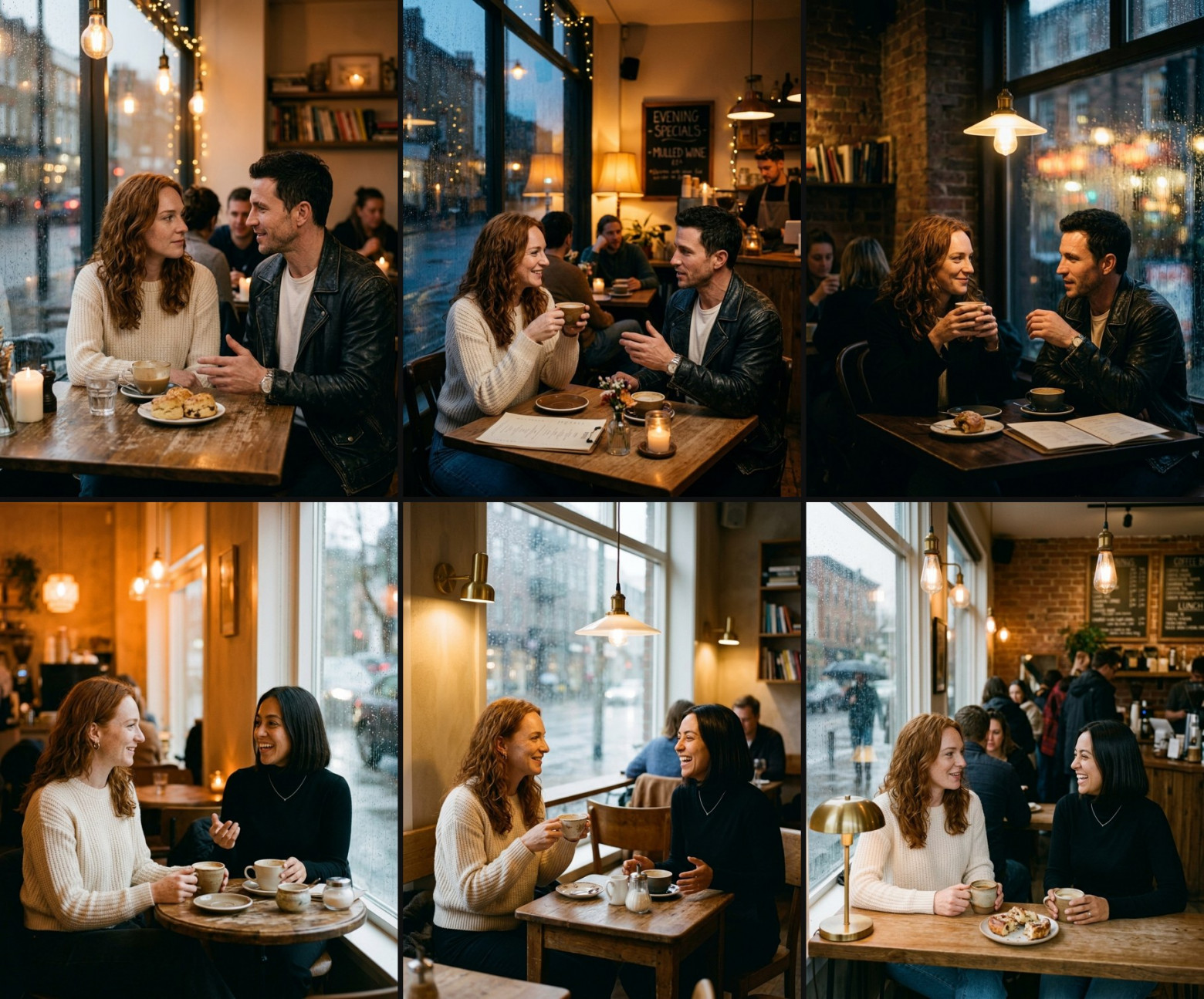
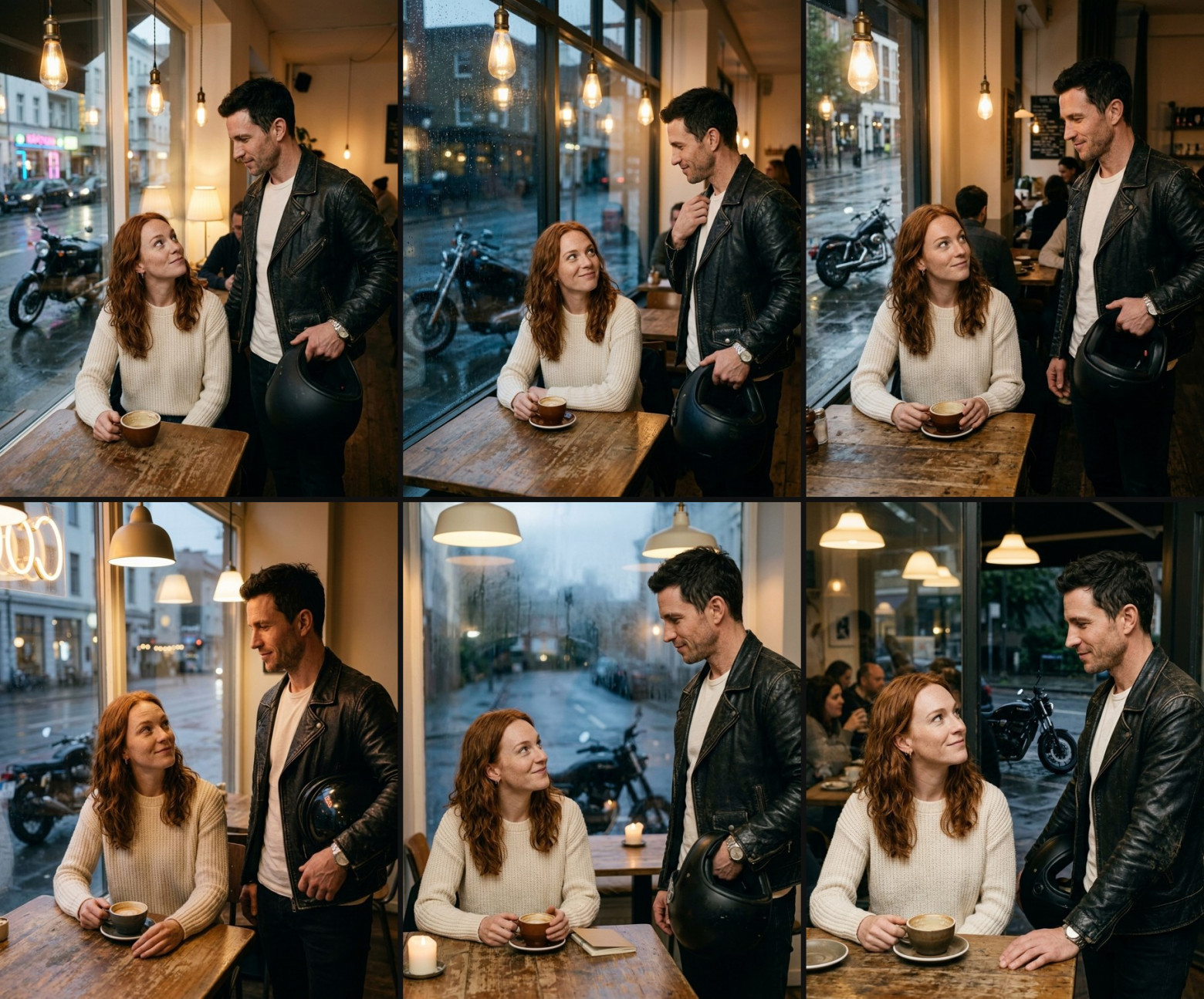
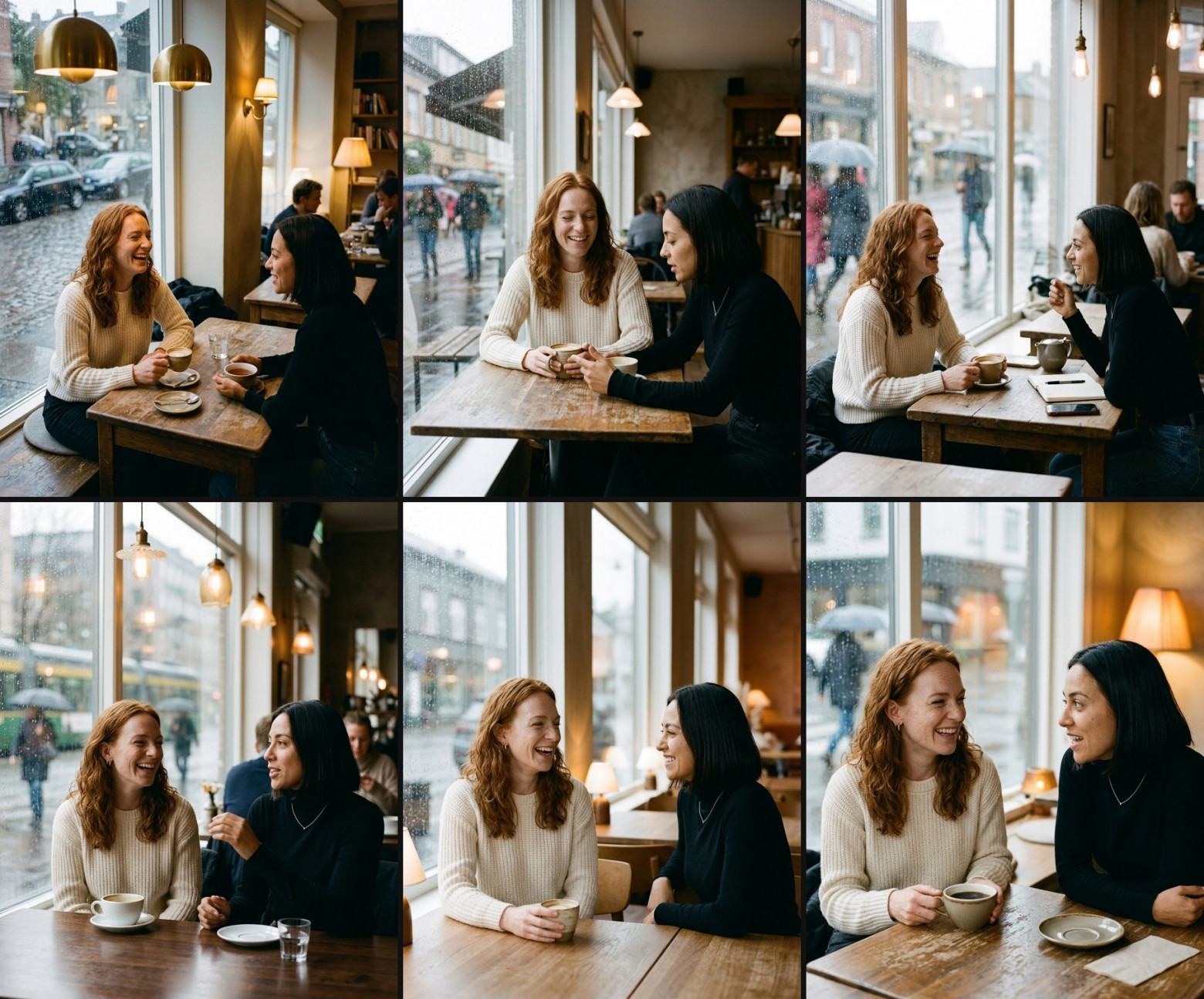
Three takes per variant—a small sample, so it cannot be used to claim that “numbering reduces errors by N percent.” But some things are visible anyway. In my test, the model did not confuse the faces when the characters looked noticeably different from each other. The main risk of a bare prompt is not faces being swapped, but clothing and accessories drifting from the reference. The role-based scene keeps the faces and clothing in place because “the first one is seated on the left” is an implicit tie to the order of the images. Numbering with labels keyed to the faces did not improve results, but it takes only a couple of lines and makes the prompt unambiguous. I leave it as the default, especially for similar-looking characters: I did not test two dark-haired men in suits. And one separate finding: “no text” does not guarantee a clean background. A sign or board behind the character is easy to miss, and in an advertisement it will be the first thing to show up.
The comparison is not perfectly controlled: the bare prompts for the two pairs differ in time of day, while the role-based variant, unlike the bare one, includes “no text.” The model followed the staging in the prompt in all 12 takes in this series, and the “medium shot to the waist” came out slightly wider in some takes, reaching the hips.
The numbered prompt used in all six takes with Agnia and Tikhon (the scene after the prohibition is common to all variants):
Generate an image. Image 1 is the woman: 26 years old, copper wavy shoulder-length hair, light freckles, green eyes, small gold hoop earrings, cream knit sweater. Image 2 is the man: 31 years old, short dark tousled hair, grey-blue eyes, light stubble, a thin old scar on the outer end of his left eyebrow, worn black leather biker jacketover a white t-shirt, steel watch on his left wrist. Keep each face exactly from its own reference image; do not blend or swap their features. Scene: evening in a small cafe by a big window, warm lamps inside, wet street and a parked black motorcycle outside. The woman from image 1 sits at a wooden table with a cup of coffee and looks up with a sly half-smile. The man from image 2 has just come in and stands by her table holding a black motorcycle helmet under his arm, calm half-smile. 35mm, documentary photo, natural skin texture, soft warm light, no text. Vertical 4:5. Medium shot of both from the waist up, both faces clearly visible, eye level.Prompts in English: the Omni documentation contains examples only in English, and I also create the images using it so that the scene and video are assembled from the same wording.
Step 3. Video: IMAGE_REF tags in the Interactions API
The gemini-omni-1.1-flash video model is called through the Interactions API, and the roles of the images are specified by tags directly in the text. The images are passed in order in the input array, and the beginning of the prompt declares what each image is used for: the first frame, the last frame, or a reference.
def image_input(path): return {"type": "image", "mime_type": mimetypes.guess_type(path)[0] or "image/png", "data": base64.b64encode(open(path, "rb").read()).decode()} def video_body(prompt, first_frame, refs, seconds=6, aspect="9:16"): images = [image_input(first_frame)] + [image_input(p) for p in refs] head = "[# Sources <FIRST_FRAME>@Image1] " if refs: head += "[# References " + " ".join(f"<IMAGE_REF_{i}>@Image{i + 2}" for i in range(len(refs))) + "] " text = (head + prompt + f" A {seconds}-second video. A single continuous shot, no scene cuts." " Use the reference images for video generation, not as literal frames.") return {"model": "gemini-omni-1.1-flash", "input": images + [{"type": "text", "text": text}], "response_format": {"type": "video", "aspect_ratio": aspect, "resolution": "720p", "delivery": "uri"}, "background": False, "stream": False}The request body is sent via POST to /v1beta/interactions. A large video is returned as a file link: poll GET /v1beta/files/{id} until state becomes ACTIVE, then download via :download?alt=media.
Next, in the prompt text, you can refer to the tags by name:
The woman is <IMAGE_REF_0>, the man is <IMAGE_REF_1>; keep each face exactly as in its own reference, never swap or blend them. Evening in the cafe from the first frame. The man calmly sets his black motorcycle helmet on the table and sits down opposite her...Three practical details.
The first frame is already a finished scene. First, I generate an image with the two characters (step 2), check their faces, and only then submit it to the video as FIRST_FRAME. The character references are supplied as separate IMAGE_REFs. In my 6-second clip, the faces remained consistent until the end, but it was a single take: the clip needs to be watched all the way through, especially the head turns and the moments when a hand covers the face.
The model decides the blocking itself. The prompt said “sits opposite her,” but Tikhon sat beside her. In the first frame, he was standing to the side, and the model chose the nearest seat.If it matters who is sitting where, make the first frame one where they are already sitting that way, and leave only the action in the video.
There is no duration parameter. Omni takes the duration from the prompt text, but you pay for the actual duration. Therefore, the file duration in the log should be taken from the file, not from the request.
Update: Omni 1.2. gemini-omni-1.2-flash was released on November 5, and starting December 3, Google will automatically redirect requests for 1.1 to it, so the code above will start working with 1.2 without any changes. Here is what this changes:
Duration is now a parameter: "duration": "6s" in response_format, from 3 to 15 seconds, or up to 10 seconds with a first and last frame. If the parameter is set, the model does not, according to the documentation, take the duration in the prompt text into account. In video_body, this means that seconds is better passed as "duration": f"{seconds}s", and the phrase about the duration in the text becomes unnecessary.
A second of 720p has become cheaper, from approximately $0.10 to $0.07.
With the <FIRST_FRAME> and <LAST_FRAME> tags, in my 1.2 test it did not start the video from the specified frame or reach the final frame; instead, it generated a similar scene of its own. The result was the same without the tags. The frames only worked when I wrote a direct phrase at the beginning of the prompt (below). This is based on one take per variant (360p, 4 seconds) and only covers the transition between two frames.I haven’t checked yet how 1.2 handles the variant from the code above, where a single FIRST_FRAME is specified, or the scene with two characters and IMAGE_REF.
In Russian:
The video starts exactly on the first image and ends exactly on the second image.
In English:
Step 4. Reviewing the series on a single contact sheet
Comparing 18 images one by one is tedious and unreliable. I stitch duplicates of a single variant into a contact sheet and view it as a whole, while I open suspicious frames as enlarged crops: hands, accessories, face.
from PIL import Image def contact_sheet(paths, out, cols=3, w=600, h=750, gap=8): rows = (len(paths) + cols - 1) // cols sheet = Image.new("RGB", (cols * w + (cols - 1) * gap, rows * h + (rows - 1) * gap), (17, 17, 17)) for i, p in enumerate(paths): tile = Image.open(p).convert("RGB").resize((w, h)) sheet.paste(tile, ((i % cols) * (w + gap), (i // cols) * (h + gap))) sheet.save(out, quality=88)Result
The heroine’s character sheet is a constant in the code, not text that gets rewritten every time.
The reference image and views are generated one at a time, with the reference image provided as input for each view.
In a scene with two characters, the images are numbered, the distinguishing features are listed for each character, and mixing is explicitly prohibited. In my test, the faces weren’t confused anyway, but with a bare prompt, the clothing and accessories deviated from the reference.
For a video, the first frame is assembled and checked first; then it goes into FIRST_FRAME, while the reference images go into IMAGE_REF_n (for 1.1; for 1.2, see the note in step 3).
You check the series using the contact sheet and crops, rather than one image at a time.
I publish breakdowns featuring recurring characters, prompts, and per-frame costs in the Telegram channel @tairantino.